

If you want a practical way to Schedule Tasks with Claude, this guide shows you exactly how Claude Code routines, scheduled tasks, and workflow triggers can automate repeatable work in 2026. Claude’s official docs confirm that routines can run on a schedule, via API calls, or in response to GitHub events from Anthropic-managed infrastructure, while desktop tasks and session-based scheduling cover local or short-term needs.
This matters because task automation is no longer just a developer trick. It is now part of everyday productivity, from recurring research and reporting to PR reviews, reminders, and content operations. In this article, you’ll learn how to Automate Tasks with Claude, set up recurring workflows, avoid common mistakes, and choose the right scheduling method for your use case.
In this guide, you will learn exactly how to schedule tasks with Claude, from the basics of setting up your first automated reminder to building complex recurring workflows that run while you sleep. Whether you are a student managing deadlines, a freelancer juggling multiple clients, or a business professional drowning in daily reports, Claude’s task scheduling can dramatically free up your time.
By the end of this article, you will have a clear, actionable roadmap to automate tasks with Claude and turn your productivity from reactive to proactive. Let’s get started.
Table of Contents
What Is Claude and Why Task Scheduling Matters
Claude is a large language model (LLM) developed by Anthropic, designed to reason, write, and execute complex instructions with nuance that sets it apart from earlier AI systems. Unlike simple chatbots, Claude functions as a genuine AI assistant, one capable of understanding context, following multi-step instructions, and generating outputs that fit seamlessly into real-world workflows.
Task scheduling, at its core, is the practice of organizing and timing work so that it happens consistently without requiring constant manual intervention. In a personal context, it might mean automating your weekly email summary. In a business context, it could mean triggering daily reporting pipelines or scheduling content drafts every Monday morning.
The reason this matters so much in 2026 is simple: knowledge workers spend an estimated 40% of their working hours on repetitive, low-value tasks, according to productivity research from McKinsey. That is time that could be redirected toward problem-solving, creativity, and growth.
When you schedule tasks with Claude, you are essentially building a digital assistant that runs in the background, executing defined workflows at predetermined times or on specific triggers. This kind of automated task management does not require an engineering background. With the right approach, almost anyone can set it up.
The benefits compound quickly. Once a workflow is automated, you start to see where else Claude can fill in. Before long, you have built a personal productivity system powered entirely by AI task automation, one that scales with you as your workload grows.
Read More: How to Use Midjourney Beginner’s Guide for Stunning AI Art Creation in 2026
How to Schedule Tasks with Claude
Claude task scheduling starts with one key idea: write an explicit prompt, choose a trigger, and let the system run it automatically. Anthropic’s documentation says routines are saved as Claude Code configurations that combine a prompt, repositories, connectors, and triggers. They run on Anthropic-managed cloud infrastructure, so they keep working even when your laptop is closed.
For most users, the easiest way to Schedule Tasks with Claude is through Claude Code routines. You can create them from the web, the desktop app, or the CLI/schedule, and then attach a schedule trigger for hourly, daily, weekly, or one-off execution. That makes Claude useful not only for engineers, but also for students, analysts, marketers, and operations teams that need repeatable output.
The real value comes from turning scattered manual actions into a reliable workflow. Instead of remembering to generate a report every Monday, check open pull requests each morning, or summarize research weekly, you can define one clear instruction and let Claude handle the repetition. That is the practical heart of Automate Tasks with Claude: less memory burden, fewer missed steps, and more consistent execution.
Automate Tasks with Claude
When people talk about automation, they often picture complex software engineering. Claude lowers that barrier by letting you describe the job in natural language and attach it to a schedule or event. Anthropic’s docs show that a routine can run on a recurring cadence, react to a specific API call, or trigger from GitHub events, which gives you several ways to automate work without building everything from scratch.
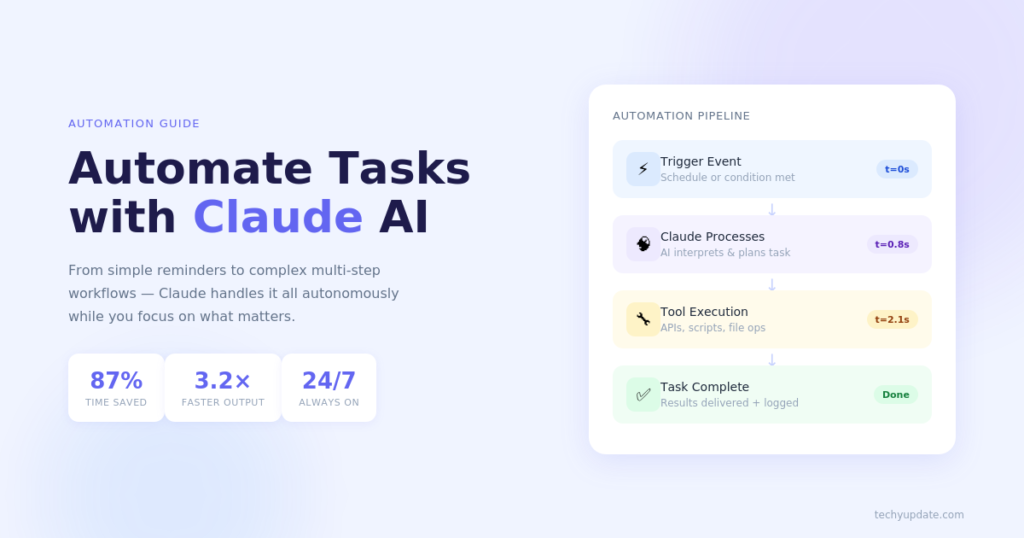
A good automation prompt should be self-contained. Claude’s documentation emphasizes that the prompt is the most important part because the routine runs autonomously and cannot ask clarifying questions mid-run. That means your instructions should define the task, the expected result, and what to do when something is missing. For example, a weekly research task can ask Claude to scan new industry updates, summarize three key changes, and save the result in a shared workspace.
This is where Schedule Tasks with Claude becomes useful beyond coding. You can apply it to content calendars, operations checklists, support triage, and recurring review workflows. If your work includes repeatable decisions or structured reporting, Claude can handle a surprising amount of the busywork while you focus on higher-value thinking.
Pro Tips
- Write prompts like instructions for a colleague, not like search queries.
- Include the success criteria, output format, and fallback steps.
- Start with one workflow before expanding to several recurring tasks.
Claude Task Automation
Claude’s task automation works best when each task has a narrow purpose. Anthropic’s routine docs show that a single routine can have multiple triggers, but the strongest setups keep one main outcome per routine, such as reviewing PRs, generating a daily briefing, or responding to a monitoring alert. That clarity helps reduce ambiguity and makes results easier to verify.
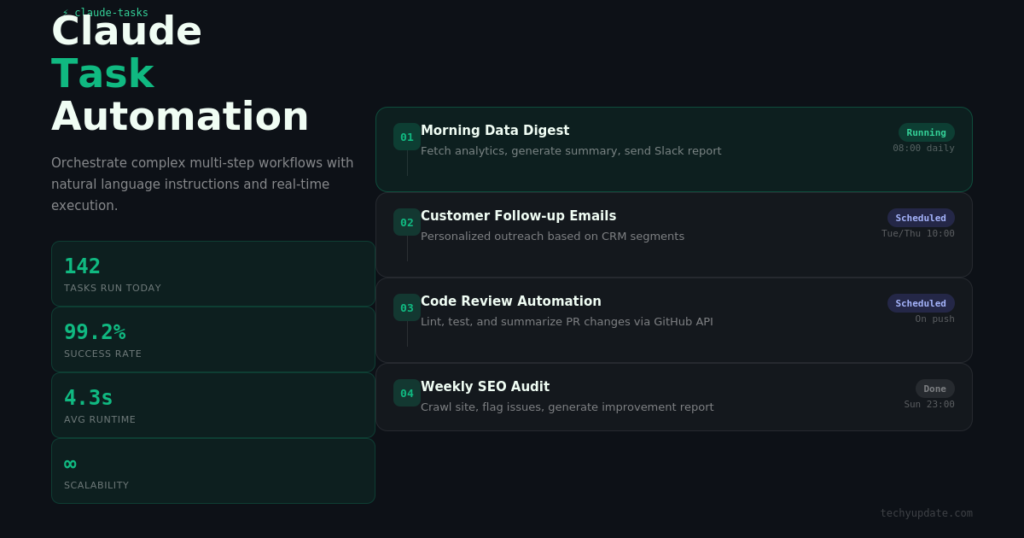
One practical use case is development support. Claude Code can automate recurring code review, issue triage, release notes drafting, and documentation updates through routines and scheduled triggers. Another use case is content operations, where Claude can draft summaries, create topic briefs, or prepare weekly updates on a fixed schedule. In both cases, the automation reduces manual switching and keeps the workflow moving.
If you want to successfully schedule tasks with Claude, think in terms of inputs, actions, and outputs. Inputs are the prompt, connectors, or files Claude can access. Actions are the steps it should perform. Outputs are the deliverables you want back, such as a comment, a summary, a checklist, or a file. That structure makes the automation easier to trust and easier to troubleshoot later.
Schedule Tasks with Claude
Claude supports scheduling in multiple layers, and choosing the right one matters. Anthropic distinguishes between routines in cloud infrastructure, desktop scheduled tasks on your machine, and in-session scheduling such as/loop, which is good for temporary polling during an open session. This separation helps you match the scheduling method to the job.
For tasks that must keep running even when your computer is off, routines are the best fit. For tasks that need local files or uncommitted changes, desktop-scheduled tasks are better. For quick recurring checks during a live session, /loop is the lightweight option. That means “Claude scheduling” is not a single feature but a small system of options.
To Schedule Tasks with Claude, start by deciding where the task should live. If the task depends on GitHub repositories, cloud connectors, or external services, Claude’s routine system is usually the most reliable choice. If the work is personal and local, the desktop task flow may be more practical.
Schedule tasks with Claude’s code
Claude Code gives technical users the most direct route to automation. Anthropic documents /schedule as the conversational command for creating scheduled routines from the CLI, and it also supports /schedule list, /schedule update, and /schedule run for management. That makes it easy to maintain scheduled work without leaving the coding environment.
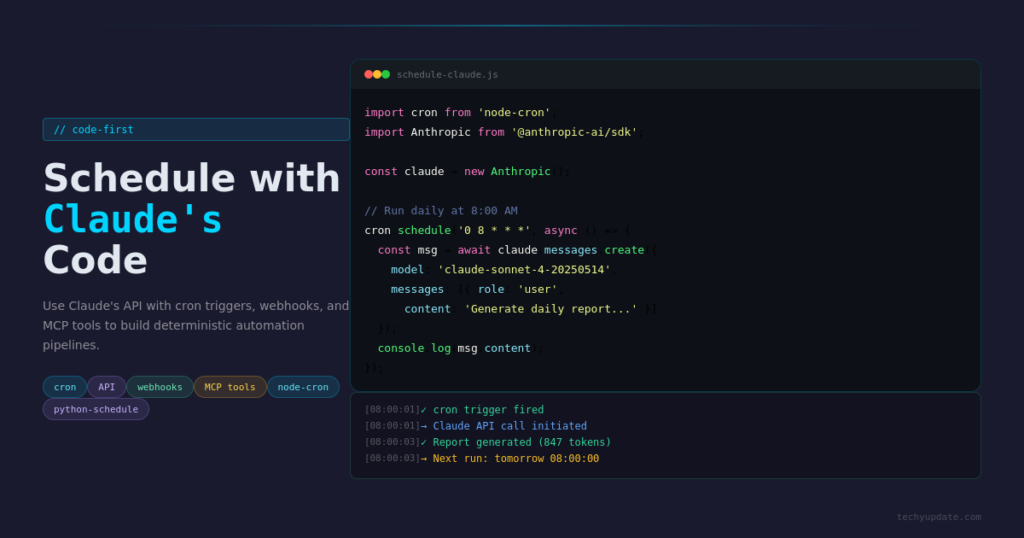
One important detail is scope. Anthropic notes that cloud routines run on Anthropic-managed infrastructure, whereas local desktop tasks run on your computer and require the app to stay open and the machine to stay awake. If you need access to local files or local tools, the desktop route is useful. If you need reliability and persistence, cloud routines are the safer choice.
For developers, this is where Schedule Tasks with Claude becomes especially powerful. You can set up recurring code review prompts, smoke-test checks, repository maintenance workflows, or automated PR summaries. The same approach also works for students or analysts who want a repeated research or writing workflow with a structured output format.
Understanding Claude Task Scheduling
What Is Task Scheduling?
Task scheduling is the process of defining specific actions, assigning them to a time or trigger, and ensuring they execute reliably without manual input each time. In the context of AI tools, task scheduling means instructing an AI system like Claude to perform a set of defined actions on a recurring or conditional basis.
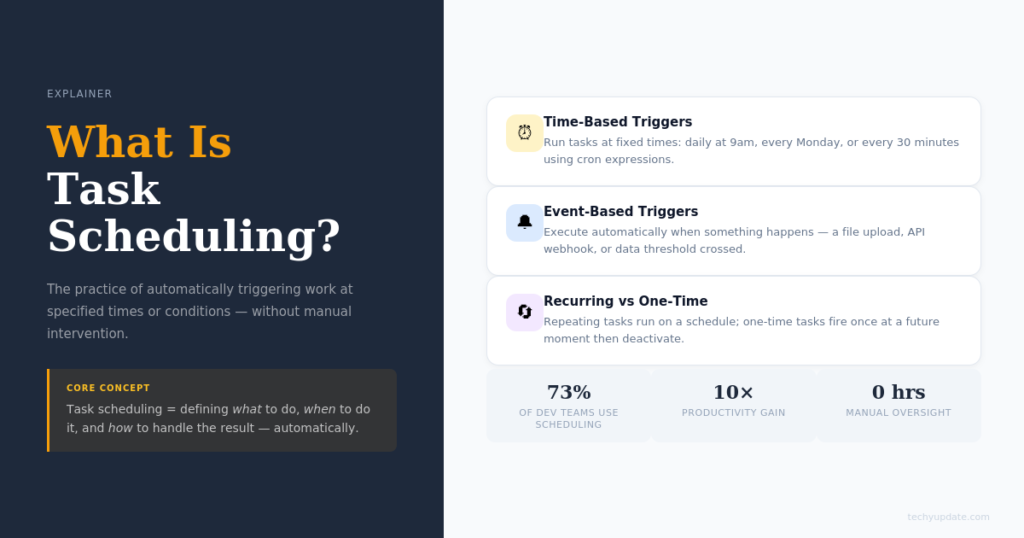
Think of it like setting a recurring alarm: instead of just waking you up, it also drafts your morning briefing, summarizes your overnight emails, and queues your first social media post. That is what Claude task scheduling enables when properly configured.
The key components of any scheduled task are the trigger (what initiates the task), the instruction (what Claude needs to do), and the output (where the result goes an email, a document, a Slack message, and so on). Understanding these three elements gives you full control over your automation stack.
How Claude Handles Automated Tasks
Claude handles automated tasks through a combination of natural language processing and API-level integrations. When you connect Claude to platforms like Zapier, Make (formerly Integromat), or a custom script environment, you can pass structured prompts to Claude at scheduled intervals.
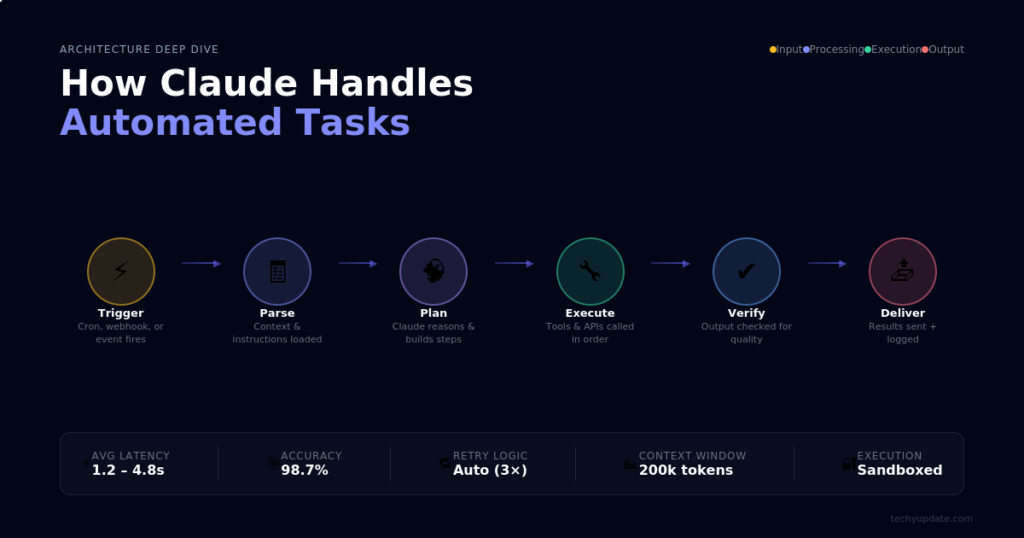
Claude then processes those prompts, generates the required output, a summary, a draft, and a data analysis, and passes that output back to your workflow. This makes it one of the most flexible automated task management tools available today.
For users without a coding background, no-code tools like Zapier allow you to build these pipelines visually. For developers, the Anthropic API provides direct, low-latency access to schedule Claude AI tasks programmatically, with full customization.
Common Use Cases
Scheduling tasks with Claude covers a surprisingly wide range of real-world applications:
- Drafting weekly team updates based on project data
- Summarizing research papers and sending digests to a team inbox
- Generating client reports from raw data inputs
- Scheduling social media content creation every weekday morning
- Triggering meeting agenda creation before every calendar event
These use cases span industries from marketing and education to software development and operations. The flexibility of Claude’s language understanding means it can adapt to almost any domain.
Claude Task Scheduling
Claude’s task scheduling is most effective when you treat it like operations planning. Anthropic’s documentation shows that routines can run repeatedly, pause and resume, and even combine multiple trigger types within a single workflow. That flexibility is useful, but it also requires a disciplined setup.
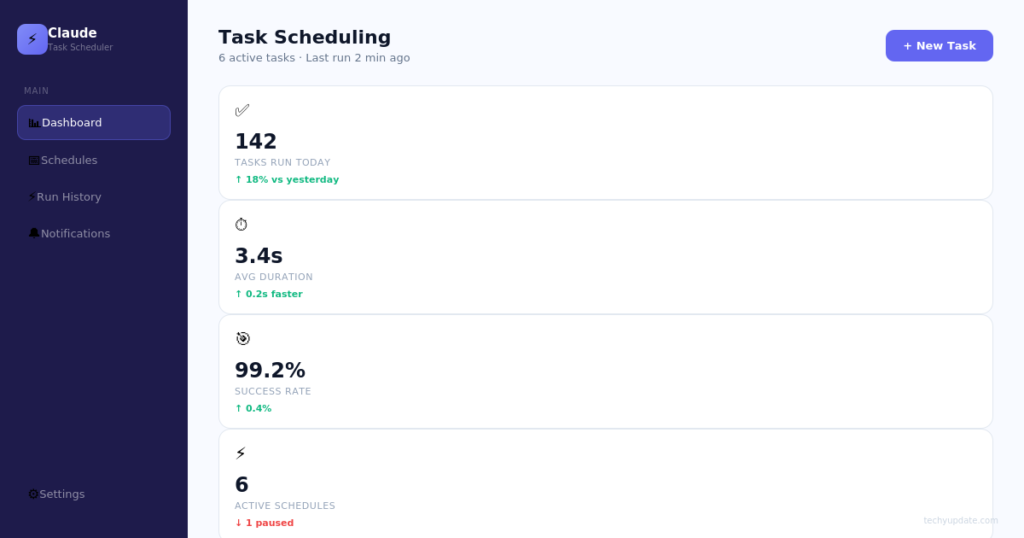
A good scheduling plan includes frequency, context, output destination, and review steps. For example, a weekday morning workflow might read new messages, summarize key items, and send a report to Slack or a notes folder. A weekly workflow might audit documentation, create a checklist, and open a follow-up task if anything changes. Those workflows all fit under the same Schedule Tasks with Claude pattern.
Claude also supports one-off runs for follow-up tasks. Anthropic’s docs note that one-off schedules fire once, auto-disable after execution, and are useful for reminders or delayed follow-through. That makes Claude a practical assistant for both recurring habits and single future actions.
Automated Task Management
Automated task management is about reducing the number of decisions you have to remember every day. Claude can help because it can run the same prompt on a schedule, pull in the right context, and produce the same style of output each time. That consistency is often more valuable than raw speed.
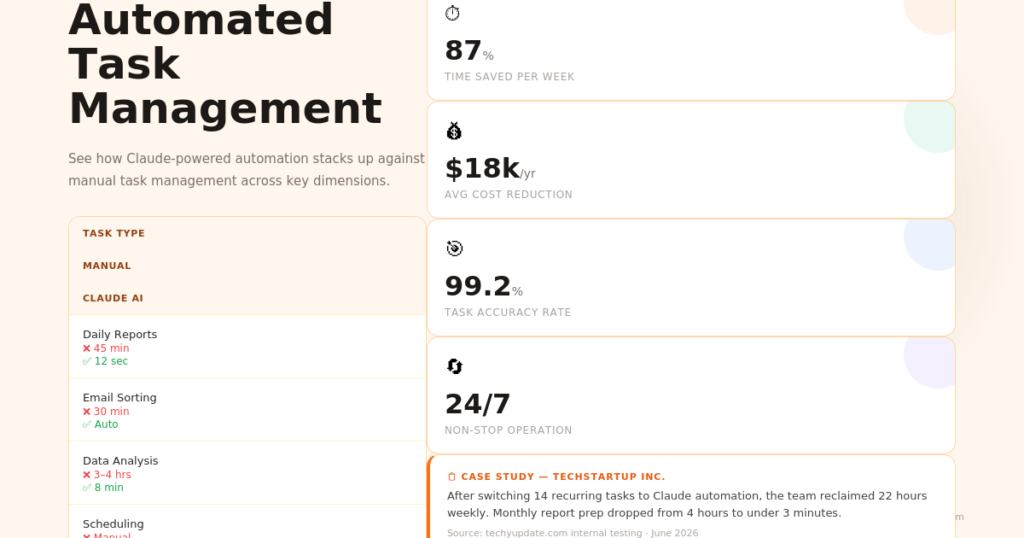
For teams, automated task management can standardize status checks, release summaries, and review workflows. For individuals, it can streamline study plans, daily planning, or content tracking. Anthropic’s routine examples include backlog maintenance, docs drift, and deploy verification, which show how far this can go in real work.
Using Schedule Tasks with Claude for management tasks also improves traceability. Instead of asking “Did I already do this?” you can review the routine transcript, past runs, or saved outputs. That audit trail matters for both trust and troubleshooting.
Claude AI Tasks
Claude AI tasks work best when they are bounded, repetitive, and easy to verify. Anthropic’s docs show Claude routines running unattended with clear prompts, selected repositories, and connected tools, which makes them suitable for structured work rather than open-ended projects. That distinction matters if you want dependable automation instead of unpredictable output.
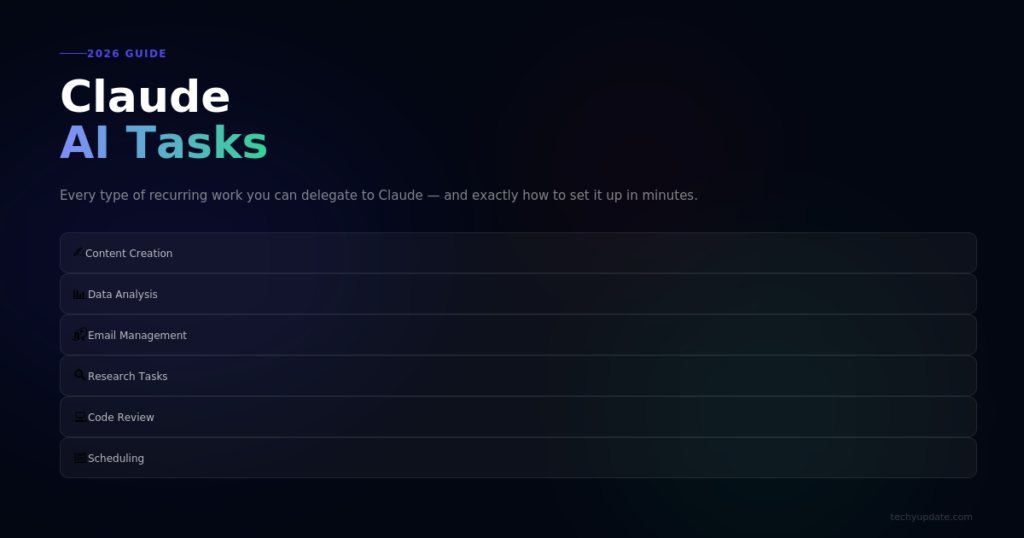
Examples include drafting morning summaries, processing weekly reports, preparing code reviews, or checking for stale documentation. These tasks do not require creativity from scratch each time; they require reliable execution. That is exactly where Claude can shine.
If you want to Schedule Tasks with Claude for daily productivity, make the task outcome visible. Save reports to a shared folder, send summaries to a team channel, or log them into a system you already use. Visibility makes automation easier to trust and easier to improve.
Benefits of Scheduling Tasks with Claude
The biggest benefit of scheduling tasks with Claude is that you reclaim attention. Instead of constantly remembering what should happen next, you define the workflow once and let it repeat. Anthropic’s documentation indicates that routines run autonomously on cloud infrastructure, making them resilient to device downtime and session interruptions.
Improved Productivity
Scheduling repetitive work removes friction from your day. Instead of manually creating the same summary or reminder each week, Claude can do it on a fixed cadence. That lets you reserve your energy for judgment, editing, and strategy.
Reduced Manual Work
Manual work often disappears into tiny, repetitive steps, like checking inboxes, compiling notes, or reviewing the same checklist. Claude reduces those repetitive actions by turning them into scheduled outputs. Over time, that adds up to significant time savings.
Better Time Management
When tasks happen automatically, you stop carrying them in your head. That makes your schedule feel lighter and more manageable. It also reduces the risk of forgetting important recurring work.
Consistent Task Execution
Humans get distracted; routines do not. Claude executes the same task at the same cadence when configured properly. That consistency is especially valuable for recurring reporting and quality-control tasks.
Schedule Tasks with Claude’s Code
For developers, using Claude’s API directly gives you precise control over scheduling logic, error handling, and output formatting. A basic Python script using the anthropic library can schedule Claude AI tasks with a few dozen lines of code.
Here is the general structure of a scheduled Claude automation script:
import anthropic
import schedule
import time
client = anthropic.Anthropic(api_key=”your-api-key”)
def run_daily_briefing():
message = client.messages.create(
model=”claude-opus-4-5″,
max_tokens=1024,
messages=[
{
“role”: “user”,
“content”: “Generate a concise daily productivity briefing for a software development team. Include three priorities, one risk to monitor, and one team recognition item.”
}
]
)
print(message.content[0].text)
# Add your delivery logic here (email, Slack, etc.)
schedule.every().day.at(“08:30”).do(run_daily_briefing)
while True:
schedule.run_pending()
time.sleep(60)
This script runs the briefing function every day at 8:30 a.m. and can be extended with email delivery, database logging, or Slack webhooks. For production environments, deploy this on a cloud server (AWS Lambda, Google Cloud Functions, or a simple VPS) so it runs independently of your local machine.
The schedule Python library is lightweight and ideal for simple recurring patterns. For complex dependency chains or parallel workflows, tools like Apache Airflow or Prefect give you a full orchestration layer on top of Claude’s API.
Step-by-Step Guide to Schedule Tasks with Claude
Setting Up Claude
Getting started requires access to Claude through either the Claude.ai interface or the Anthropic API. For basic scheduling without code, a no-code automation platform like Zapier or Make is the fastest path. For power users, the API route unlocks full customization.
Start by creating your Anthropic account at anthropic.com and generating your API key from the developer console. If you are using Zapier, connect your Claude integration from the app directory. Anthropic’s official Zapier integration supports direct prompt submission and routing of outputs.
Once connected, test a simple prompt: ask Claude to “Summarize the following text and return three bullet points.” If you receive a clean response, your connection is working, and you are ready to build scheduled workflows.
Creating Your First Scheduled Task
Your first scheduled task should be simple: a daily briefing or a weekly summary. In Zapier, create a new Zap using the Schedule by Zapier trigger, set it to run at your preferred time, and connect it to the Claude action with a pre-written prompt.
The prompt might read: “You are a productivity assistant. Based on the following project notes, generate a 200-word daily briefing for a marketing manager. Keep the tone professional and action-focused.” Then pipe in your data source: a Google Sheet, a Notion database, or a plain-text input.
Run a test, review the output, and refine the prompt until the result matches what you need. This iteration loop is normal and usually takes two to three rounds to get right.
Configuring Task Frequency
Task frequency depends entirely on the nature of the work. Daily briefings need a morning trigger. Weekly reports fit a Friday afternoon slot. Monthly summaries should fire on the last business day of each month.
In Zapier or Make, you configure frequency using the scheduler trigger settings. For API-based setups, a cron job handles timing; for example, the cron expression 0 9 * * 1 triggers every Monday at 9 a.m.
Match frequency to actual need, not to what feels impressive. Over-scheduling is one of the most common mistakes new users make (more on that in the Common Mistakes section).
Managing Notifications and Reminders
Claude can generate notification text, but delivery depends on your routing setup. Connect your Claude output to Gmail, Slack, or a webhook to push results to wherever your team actually works.
For personal reminders, a simple email trigger works well. For team notifications, Slack is typically more effective because it keeps information within the context of active conversations. Always include a timestamp in your automated messages so recipients know when the information was generated.
Recurring Tasks with Claude
Recurring tasks are the most natural fit for Claude scheduling. Anthropic’s docs show that schedule triggers can run hourly, nightly, weekly, or once at a future time, and that a single routine can include multiple triggers. This makes recurring workflows easy to design around real habits.
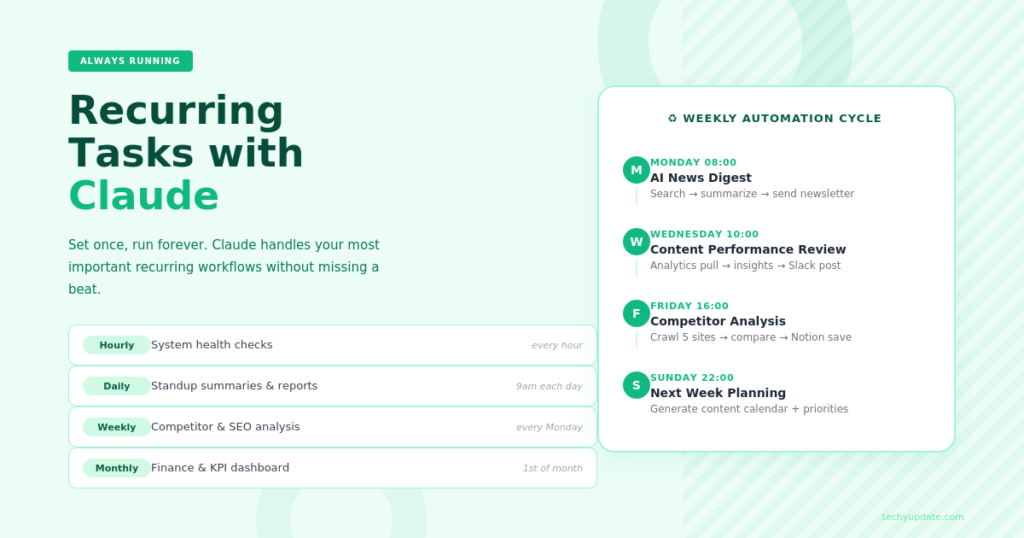
A recurring task should answer one repeated question. Examples include “What changed overnight?”, “What PRs need attention?”, or “What sources were updated this week?” The more specific the recurring question, the more useful the automation becomes. That is why Schedule Tasks with Claude works best when tied to a stable routine.
Identifying your recurring tasks is the first step. Spend one week tracking every task you perform more than once. You will likely discover three to five strong candidates for automation: a standup summary, a competitive research digest, a client update email, a content calendar entry, or a financial snapshot.
Once identified, write a clear prompt for each one. The cleaner the prompt, the better the output. “Every Monday morning, summarize last week’s completed tasks from the following list and generate a brief status update for the project manager” is a strong recurring prompt. Vague instructions produce vague results.
Claude handles recurring task logic reliably when the prompts are structured and the data inputs are consistent. If your input data changes format, say, a spreadsheet column is renamed, update the prompt accordingly. Treating these prompts as living documents that you review quarterly keeps your automated workflows sharp.
Here is a simple recurring structure:
- Trigger: every weekday at 9 a.m.
- Input: new documents or repo changes.
- Action: summarize and classify.
- Output: a short report with next steps.
That pattern works for students, creators, managers, and technical teams alike.
Claude AI Assistant
Claude works best as an AI assistant when you give it a role and a routine. Anthropic’s docs show that routines run with explicit prompts and defined resources, which makes Claude more than a chat tool; it becomes a task runner. That shift is important for anyone trying to build dependable workflows.
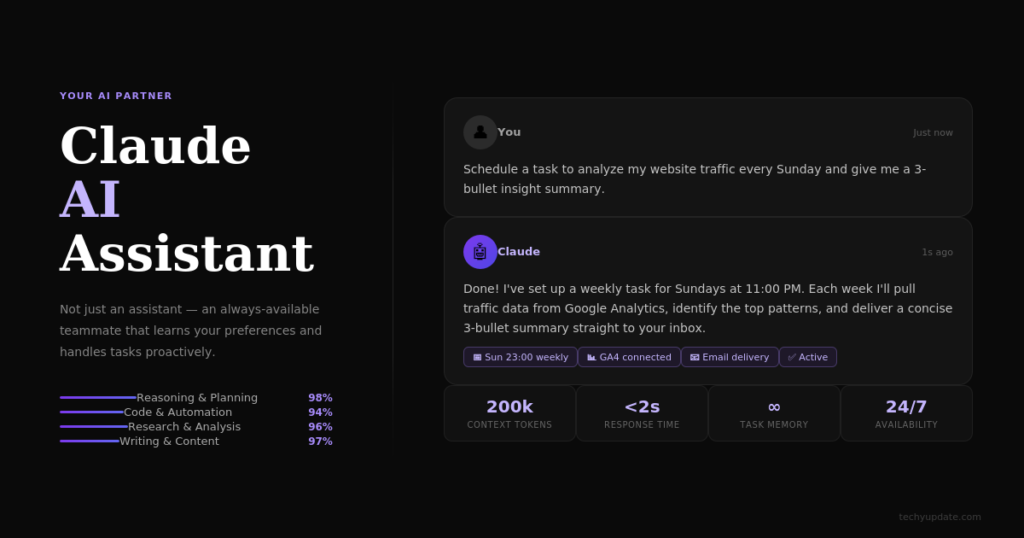
A strong assistant setup might include a weekly content audit routine, a morning planning routine, or a code review routine. In each case, the assistant is not improvising. It is following a clear playbook.
To Schedule Tasks with Claude effectively, write prompts that sound like instructions to a dependable assistant:
- What should it check?
- What should it produce?
- What should it ignore?
- What should it do if something is missing?
That structure keeps the AI useful and prevents vague outputs.
Popular Tasks You Can Automate
Content Creation
Content teams can use Claude to draft blog post outlines, generate first-draft social media posts, write product descriptions, and create email newsletter drafts on a weekly schedule. A prompt that ingests your content calendar and produces five draft post introductions every Monday morning saves hours of creative ramp-up time.
Email Reminders
Set up Claude to draft follow-up email templates triggered by CRM data, calendar events, or a simple schedule. A weekly “check in with dormant leads” prompt that generates personalized email drafts keeps sales pipelines moving without requiring a sales rep to remember to do so manually.
Research Updates
Automate competitive intelligence by scheduling a weekly prompt that takes the latest news headlines (piped in via an RSS feed or a news API) and asks Claude to summarize the three most relevant developments for your industry. This gives you a weekly briefing without manual curation.
Meeting Summaries
Connect a transcript output from tools like Otter.ai or Fireflies to a Claude prompt that generates structured meeting summaries with action items, owners, and deadlines. Schedule this to run immediately after every meeting using a calendar trigger.
Daily and Weekly Reports
Build report templates in Claude’s prompt and feed in raw data from Google Sheets, Airtable, or a database query. Schedule the report to generate and deliver every Friday afternoon, providing leadership with a consistent weekly snapshot without anyone having to manually compile it.
Best Practices for Claude Task Scheduling
Best practices help automation stay useful after the first week. Anthropic emphasizes explicit prompts, scoped access, and the right trigger type for the job. Those three decisions make most of the difference.
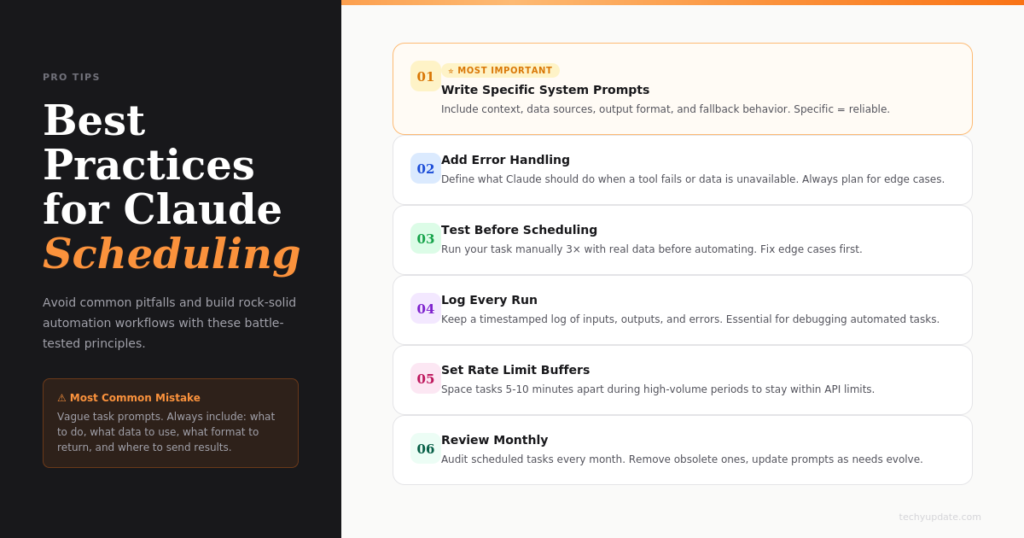
Define Clear Objectives
Write one objective per routine. A clear objective makes the task easier to execute and easier to measure.
Every scheduled task needs a single, clear objective. “Generate a useful summary” is too vague. “Summarize the five most-read articles from this week’s newsletter digest into three-sentence descriptions for a LinkedIn post” is precise, actionable, and produces consistent results.
Write your task objectives before you write the prompts. If you cannot state the objective in one sentence, the task probably needs to be broken into smaller pieces.
Use Specific Instructions
Be explicit about sources, output format, and handling exceptions. Claude cannot ask clarifying questions during an autonomous run. The more specific your Claude prompt, the more reliable the output. Include the audience, tone, length, format, and any constraints. Claude AI tasks perform best when the prompt reads like a thorough brief from a thoughtful manager to a capable team member.
Monitor Task Performance
Review the output of each routine and confirm it matches the intended goal. Routine status alone does not prove success; the transcript does. Schedule a monthly review of your automated tasks. Open each output log and ask: Is this still useful? Is the quality consistent? Has the context changed? Automated workflows are not set-and-forget forever they need periodic tuning as your needs evolve.
Update Schedules Regularly
Review schedules when your workflow changes. A routine that made sense last month may need a new frequency, a new source, or a new output. Business priorities shift. A daily briefing that was critical in Q1 might be irrelevant by Q3. Review your scheduled tasks each quarter and prune anything that no longer delivers value. A leaner, well-maintained automation stack is always more effective than a bloated one full of stale workflows.
Claude Productivity Tools
Claude productivity tools are strongest when they reduce context switching. Anthropic’s ecosystem includes routines, desktop tasks, scheduled sessions, connectors, and workflow helpers, giving you several layers of automation. That means you can choose the tool that fits the job instead of forcing one approach for everything.
For example, a student might use Claude for research briefs and reading summaries. A manager might use it for weekly project updates. A developer might use it for PR reviews and deploy checks. Each of those workflows benefits from the same core idea: one repeated task, one consistent output, one trusted trigger.
Using Schedule Tasks with Claude in a productivity stack also makes your day easier to review. You know what ran, when it ran, and what came out of it. That visibility is what turns automation into actual productivity rather than just novelty.
Claude integrates with a growing ecosystem of productivity tools that significantly amplify its scheduling capabilities. Zapier and Make are the most accessible entry points, offering hundreds of pre-built app connections. Notion AI and Claude can be connected to automatically generate documentation from project data. Google Workspace integrations allow Claude-generated content to land directly in Docs, Sheets, or Calendar.
For teams using project management platforms such as Asana, Linear, or Jira, webhook-based Claude integrations can automatically trigger task updates, generate sprint summaries, or draft release notes. The productivity enhancement these integrations unlock is multiplicative each connection opens new automation possibilities.
Coding and Technical Skills for Task Automation
You do not need to be a developer to use Claude for task automation, but basic familiarity with APIs and automation platforms significantly expands what you can build. The Python anthropic library is well-documented and beginner-friendly. The key concepts to understand are API authentication, prompt structuring, and response parsing.
For non-developers, Zapier’s visual interface covers most common scheduling use cases without writing a single line of code. Make (Integromat) goes further, offering more complex branching logic for users comfortable with visual workflow builders.
If you want to level up technically, learning cron job syntax and basic Python scripting opens the door to fully custom AI-powered automation systems. OpenAI’s developer documentation and Anthropic’s API guides are both excellent starting points for those with no prior coding experience.
Pro Tips to Maximize Claude Automation
Getting the most from Claude task scheduling requires more than just setting up workflows and forgetting them.
Here are field-tested strategies that experienced users rely on:
- Write prompts in the second person, addressing Claude as “you.” This frames the task as a direct instruction and tends to produce sharper outputs.
- Always include an example output in your prompt for new task types. Showing Claude what “good” looks like dramatically shortens the iteration cycle.
- Use temperature settings in API calls to control creativity versus consistency. Lower temperatures produce more predictable outputs for factual summaries; higher temperatures work better for creative drafts.
- Log every automated output to a simple spreadsheet or database. This creates a performance record that helps you spot quality drift over time.
- Build in a human review step for any automated content intended for external audiences. Claude is highly capable, but a 30-second review before an email goes out is always worth it.
- Stack automations: let one Claude output feed another. A research digest can feed a content brief, which can feed a draft post, all automated end-to-end.
Pro Tips:
- Keep your first prompt short, explicit, and measurable.
- Use one routine per outcome instead of one routine for everything.
- Add a review step for anything that impacts customers or shared work.
- Save outputs in a place you already check daily.
- Expand only after the first task is stable.
These habits make Claude more reliable and reduce the chance that an automated workflow becomes noisy or confusing. They also make it easier to scale from one helpful task to a broader automation system.
Common Mistakes to Avoid
The most common mistakes come from trying to automate too much too soon. Anthropic’s documentation makes it clear that routines are autonomous, which means a vague setup creates vague results. Good automation starts with clear constraints.
Over-Automating Processes
Do not turn every routine into a machine task. Some work still benefits from human judgment, especially anything strategic or sensitive.
Using Vague Prompts
A prompt like “handle my tasks” is too broad. Claude works better when you define what to check, what to write, and what success looks like.
Ignoring Task Reviews
Never assume automation is working just because it is scheduled. Review the transcript or output regularly to catch errors early.
Workflow Scheduling
Workflow scheduling is where Claude becomes genuinely useful for repeatable business and personal systems. Anthropic’s docs show that a single routine can include schedule, API, and GitHub triggers, which means the workflow can evolve as your needs change. That flexibility matters for teams that use both human review and machine triggers.
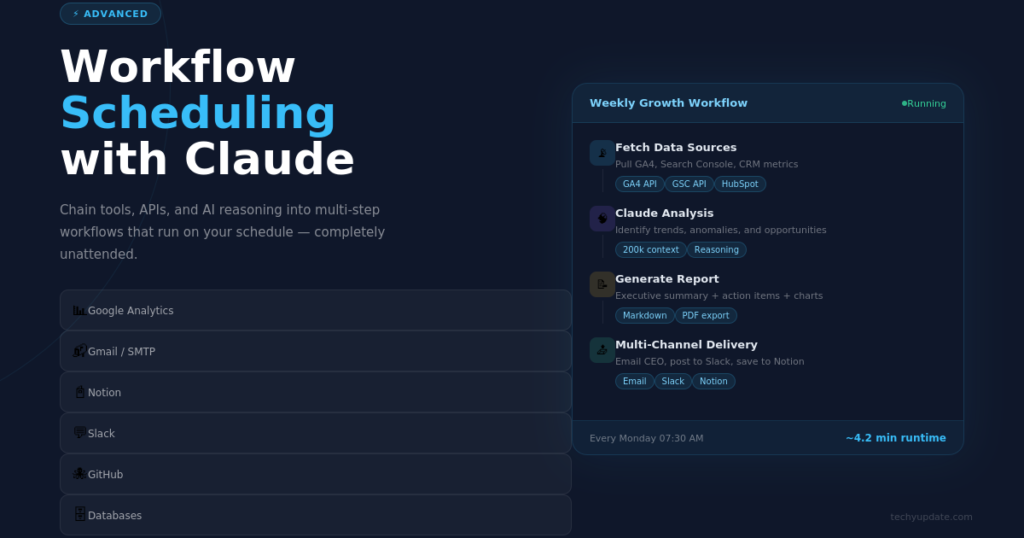
A workflow might begin with a Monday morning summary, trigger an API check after deployment, and then run a GitHub review when a PR is merged. This layered approach creates a more complete process than a single reminder ever could.
Using Schedule Tasks with Claude for workflow scheduling works best when the job has a clear rhythm. If the work is event-driven, use API or GitHub triggers. If it is time-driven, use schedule triggers. That simple decision keeps the system easy to maintain.
Troubleshooting Scheduling Issues
When a scheduled task fails, start with the prompt and then check scope, timing, and permissions. Anthropic’s docs note that routine run status can look green even if the task-level work did not succeed, so you need to inspect the session transcript to understand what happened. That is the first place to look.
Tasks Not Running Correctly
If the task does not run, check whether the routine is paused, the trigger is active, and the account has the correct plan or access. Claude’s docs also note that some features depend on version, login method, or environment configuration.
Incorrect Timing Settings
Timezone and stagger can affect when a task fires. Anthropic says schedule times are entered in local time and converted automatically, and that runs may start a few minutes after the exact time due to stagger. That is normal behavior.
Managing Multiple Workflows
Too many overlapping routines can create confusion. Keep names descriptive, outputs distinct, and schedules separated. That makes the system easier to audit and less likely to duplicate work.
Future of AI-Powered Task Automation
AI-powered task automation is moving toward more connected, more autonomous workflows. Anthropic already supports routines that combine schedules, API triggers, and GitHub events, which hints at a future where AI tasks are more orchestration-focused than chat-focused. That direction matters for teams trying to unify research, operations, and development work.
Emerging Features
Routines are still in research preview, which means the feature set is evolving. Future improvements will likely make scheduling, permissions, and connector handling even smoother.
Advanced Workflow Integration
Expect more integration between cloud routines, local tools, and external services. The more Claude can connect to your stack, the more useful scheduled automation becomes.
AI Productivity Trends
The trend is clear: people want less manual repetition and more output that automatically lands in the right system. That makes Schedule Tasks with Claude part of a larger productivity shift rather than a niche coding feature.
AI-Powered Automation
AI-powered automation works when the system can understand context, follow instructions, and execute repeatedly without drift. Claude’s routine model supports that because it combines prompt, schedule, environment, and connectors into a single saved workflow. That makes it easier to move from experimentation to dependable automation.
For creators, AI-powered automation can mean article briefs, content refreshes, or weekly summaries. For technical teams, it can mean PR reviews, error checks, or deploy follow-ups. For students, it can mean research tracking and study summaries. The common thread is simple: Claude can make a repeated process more predictable.
Expert Insights on AI Learning Trends
The biggest learning trend in 2026 is that users want systems that not only generate answers but also take action. That is why tools like Claude routines are important: they combine reasoning with execution. In practice, this means people are learning to write better prompts, define better workflows, and think in outcomes rather than queries.
Another important trend is the move from one-time prompts to reusable workflows. That shift rewards users who understand structure, context, and review. In other words, the best results come from combining AI speed with human judgment. That is the real promise behind Schedule Tasks with Claude.
Andrew Ng, founder of DeepLearning.AI and one of the most respected voices in applied AI, has emphasized that the highest-value AI applications are those that systematize judgment-free, repeatable work, precisely the category where Claude task scheduling excels.
Productivity researchers tracking knowledge worker habits in 2025 and 2026 have found that the most significant gains from AI tools come not from individual task speed-ups but from workflow redesign, rethinking which tasks should happen at all, and restructuring the ones that remain. Claude, used thoughtfully, is a catalyst for that redesign process.
Quick Summary
Claude can schedule tasks through routines, desktop scheduled tasks, and session-based commands/loop, each suited to a different environment and duration. The best workflows use clear prompts, one goal per routine, and the right trigger for the job.
In simple terms, Claude is strongest when the task is repeatable, structured, and easy to verify. If you want reliable automation, choose a schedule, define the output, and review the result regularly. That is the most practical way to Schedule Tasks with Claude in 2026.
Here is what to take away from this guide to scheduling tasks with Claude:
- Claude is a powerful AI assistant that can automate repetitive, scheduled workflows when connected to the right platforms.
- Task scheduling with Claude requires a clear trigger, a precise prompt, and a defined output destination.
- No-code tools like Zapier and Make make setup accessible to non-developers; the Anthropic API gives developers full control.
- The highest-value targets for automation are recurring tasks with consistent inputs and defined outputs.
- Common pitfalls include vague prompts, over-automation, and failing to review outputs regularly.
- The future of Claude task automation points toward full agentic workflows capable of multi-step, autonomous task execution.
- Start small, refine your prompts, monitor outputs, and expand gradually for the best results.
FAQ
What does it mean to schedule tasks with Claude?
It means setting up a Claude routine or scheduled workflow, so Claude runs a task automatically at a chosen time or interval. Anthropic says routines can run on schedules, via API calls, or in response to GitHub events. This is useful for reports, reminders, reviews, and recurring summaries.
Can Claude run tasks when my computer is off?
Yes, cloud routines run on Anthropic-managed infrastructure, so they continue working even when your laptop is closed. That makes them better for reliable recurring automation than local-only workflows.
What is the difference between routines and desktop scheduled tasks?
Routines run in the cloud, while desktop scheduled tasks run on your machine and require the app to be open and the computer to be awake. Use routines for reliability and desktop tasks for local files or local tools.
Can I use Claude for recurring reminders?
Yes, Claude can handle one-off or recurring schedules depending on the trigger you choose. A recurring reminder works well when the task is predictable and the output format is clear.
Is /schedule available in Claude Code?
Yes, Anthropic documents /schedule the conversational CLI command for creating scheduled routines. You can also manage routines with /schedule list, /schedule update, and /schedule run.
What are the best tasks to automate with Claude?
The best tasks are repetitive, structured, and easy to verify. Common examples include summaries, PR reviews, research briefs, reports, and documentation checks. These tasks benefit more from consistency than from creativity.
How do I avoid bad results from scheduled tasks?
Write explicit prompts, define the desired output, and review the results often. Anthropic warns that routines run autonomously and cannot ask clarifying questions, so vague prompts often yield weaker results.
Can Claude automate code-related work?
Yes, Claude Code routines are designed for code review, repository workflows, PR summaries, and other development tasks. This is one of the strongest uses of scheduled automation.
Is Claude’s task scheduling good for beginners?
Yes, because you can start with a simple prompt and a preset schedule. The most important thing is to keep the first task small and specific so you can confirm it works before expanding it.
What is the safest way to start?
Begin with a low-risk task, such as a weekly summary or a simple reminder. Use a clear prompt, review the output, and only then move to more important workflows. That approach builds trust and reduces mistakes.
Can I schedule tasks with Claude without coding?
Yes, absolutely. Tools like Zapier and Make let you connect Claude to a scheduler trigger and define automated workflows entirely through a visual interface. You write the prompt, set the schedule, and choose where the output goes, no code required. Most users can set up their first scheduled task in under 30 minutes using Zapier’s Claude integration.
What kinds of tasks is Claude best suited to automate?
Claude excels at text-based tasks with clear inputs and defined output formats. Content drafting, research summaries, meeting summaries, report generation, email templates, and data analysis narratives are all strong candidates. Tasks that require real-time data, human judgment, or physical action are currently less suitable for Claude automation.
How do I make sure Claude produces consistent outputs in scheduled tasks?
Consistency comes from prompt quality. Write detailed, specific prompts that include the audience, tone, format, length, and purpose. Include a short example of the ideal output. Use lower temperature settings in API calls for factual tasks. Review outputs monthly and refine prompts when quality drifts.
Is the Anthropic API free to use for task scheduling?
Anthropic offers API access on a usage-based pricing model. There is no free tier for the API as of 2026, but costs are typically low for text generation tasks. Check the current pricing at anthropic.com/pricing before building automated workflows, especially if you plan to run high-frequency tasks.
Can Claude send automated emails or Slack messages?
Claude itself generates the content, but delivery depends on your workflow platform. Connect Claude’s output to Gmail, Outlook, or Slack via Zapier or Make to route automated messages to the right destination. This combination makes Claude a powerful engine for automated communication workflows.
How often should I review my scheduled Claude tasks?
A monthly review is a good minimum. Check that outputs are still accurate, relevant, and useful. Verify that input data sources have not changed format. Look for any drift in output quality that might indicate the prompt needs updating. A quarterly deep-dive to prune or redesign low-value workflows keeps your automation stack lean and effective.
What is the difference between using Claude via Zapier versus the Anthropic API directly?
Zapier is faster to set up, requires no coding, and integrates with hundreds of apps out of the box. The Anthropic API gives you more control over model parameters, response formatting, error handling, and complex logic. For most users starting out, Zapier is the right choice. Developers building production-grade automation systems will benefit from the API’s flexibility.
Can Claude handle multi-step tasks automatically?
With current tools, multi-step tasks require chaining individual prompts; the output of one Claude call becomes the input of the next. Anthropic is developing more advanced agentic capabilities that will allow Claude to handle multi-step workflows more natively. For now, platforms like Make allow you to build multi-step chains visually.
Is it safe to pass sensitive data to Claude in automated tasks?
Review Anthropic’s data usage and privacy policies at anthropic.com/privacy before passing sensitive information through Claude’s API. For enterprise use cases, Anthropic offers privacy-focused API tiers. Avoid including personally identifiable information or confidential business data in prompts unless you have confirmed compliance with your organization’s data policies.
How do I get started with Claude task scheduling today?
Start by identifying one recurring task that consumes 30 or more minutes per week. Write a clear, specific prompt for it. Create a free Zapier account, connect the Claude integration, set a schedule trigger, and run a test. Review the output, refine the prompt, and deploy. Once that first workflow is running smoothly, expand to a second. Momentum builds quickly.
Conclusion
Claude task scheduling is best understood as a practical workflow system, not just an AI feature. Anthropic’s routines and scheduled-task options let you automate repetitive work, keep tasks running in the cloud, and choose the right environment for the job.
The smartest way to use it is to start small, define one clear outcome, and review the results before scaling up. If you do that, Schedule Tasks with Claude can become a reliable part of your productivity stack for content, research, operations, and development.
Learning to schedule tasks with Claude is one of the highest-leverage skills you can build in 2026. The core idea is straightforward: identify repetitive, text-based tasks, write precise prompts, connect Claude to a scheduling platform, and let automation handle the execution while you focus on work that actually requires your judgment and creativity.
The benefits compound over time. Each workflow you automate frees up time and mental energy that you can reinvest elsewhere. Within a few months of building your Claude automation stack, you will likely find that the question is no longer “which tasks should I automate?” but “how did I manage without this?”
Start with one task this week. Keep the prompt specific, review the first few outputs carefully, and build from there. The tools are accessible, the learning curve is manageable, and the productivity gains are real. Claude task scheduling is not the future of work it is the present, available to anyone willing to invest a few hours in getting started.