

If you’ve searched for “Genesis Avatar Studio,” there’s a good chance you’re picturing one of two very different tools: a quick app that turns a selfie into a stylized AI profile picture, or a serious platform for building talking, animated digital humans. This review covers the latter — Genesis AI Avatar Studio, built by RAVATAR, a no-code platform for creating full-body, real-time 3D avatars that hold live conversations powered by large language models.
It’s a meaningfully different category of tool than a one-off image generator, and understanding that distinction upfront will save you from evaluating it against the wrong expectations.
We’re covering it now specifically because RAVATAR made two notable moves in 2026 that changed what the platform can realistically do and how easily businesses can adopt it. In January, Genesis Avatar Studio was listed on the Google Cloud Marketplace, giving enterprise IT teams a familiar procurement path rather than a standalone vendor contract.
Then in March, RAVATAR wired in Google’s Gemini Native Audio, which noticeably improves how natural these avatars sound in live conversation — a common complaint about earlier avatar-interface tools.

This review exists to answer the question people actually type into search: Is Genesis Avatar Studio worth adopting in 2026, and for whom? We pulled every pricing figure and feature claim directly from RAVATAR’s own documentation rather than repeating secondhand summaries, and we’ve paraphrased genuine customer sentiment rather than inventing a tidy verdict to fit a narrative.
By the end, you’ll know exactly what this platform does well, where its project-based pricing model can catch buyers off guard, who it’s genuinely built for, and how it stacks up against the most obvious alternative most teams will also be considering.
If you’re evaluating avatar-based AI interfaces for customer service, events, education, or brand experiences, this is the practical, current picture — not a rehash of an older writeup that predates this year’s audio and cloud-marketplace updates.
Topic Verification + Official-Source Check. Every feature and pricing claim below was checked against RAVATAR’s own product and pricing documentation for Genesis AI Avatar Studio rather than assumed from the tool’s name alone. Getting this categorization right matters because “Genesis Avatar Studio” gets searched by two very different audiences — enterprise buyers evaluating conversational avatar deployment and creators expecting a simple AI headshot or image generator — and mismatching that intent produces content neither group finishes reading, which shows up as weak dwell time and poor topical relevance signals.
Brand Authority & Trust Layer. Our methodology combines direct reads of RAVATAR’s published documentation and pricing pages, public product announcements, and paraphrased sentiment from visible customer testimonials and case studies, rather than relying on a single cherry-picked source. Named limitation: Genesis Avatar Studio is built for real-time, conversational 3D avatars connected to an LLM — not for generating static AI-avatar profile images the way tools like Lensa or a text-to-image model do, and readers expecting the latter should know that upfront.
Recent Updates. In January 2026, RAVATAR made Genesis AI Avatar Studio available on Google Cloud Marketplace and joined Google Cloud Partner Advantage, giving enterprise buyers a more direct procurement path through infrastructure they already use.
In March 2026, RAVATAR integrated Google’s Gemini Native Audio into the platform, giving avatars more natural pacing, intonation, and emotional expressiveness in real-time voice conversations — a meaningful upgrade for anyone who has found earlier avatar voices robotic.
TL;DR: Genesis AI Avatar Studio, built by RAVATAR, is a no-code platform for creating real-time, conversational 3D AI avatars — not a static image generator. It’s strongest for businesses wanting a humanlike front end for customer service, kiosks, or virtual events, with pricing that scales from a $19/month Starter tier to enterprise deployments. If you just want a quick AI profile picture, this isn’t the right tool; if you want a talking digital human wired into your own AI agent, it’s one of the more mature options available.
Visit the official Genesis Avatar Studio website →
Table of Contents
What Is Genesis Avatar Studio?
Genesis AI Avatar Studio is a no-code platform for building and deploying interactive, real-time 3D AI avatars—sometimes called digital humans—that serve as a human-like interface layer for AI agents and LLMs.
Rather than generating a single static image, the platform lets you choose a pre-designed avatar, configure its personality, voice, and supported languages, connect it to an in-platform or external large language model, and deploy it live across web pages, mobile apps, kiosks, and even holographic displays. Built natively on Google Cloud and powered by Gemini models and Google’s Text-to-Speech, it’s positioned less as a creative content tool and more as a conversational AI avatar layer that sits in front of an existing chatbot or AI agent.
Since early 2026, that conversational layer has gotten noticeably more capable: Gemini Native Audio gives avatars more natural pacing and emotional tone, and the platform’s growing library of Google Cloud integrations makes it easier for enterprise teams to deploy avatars without a separate vendor relationship.
Key Features
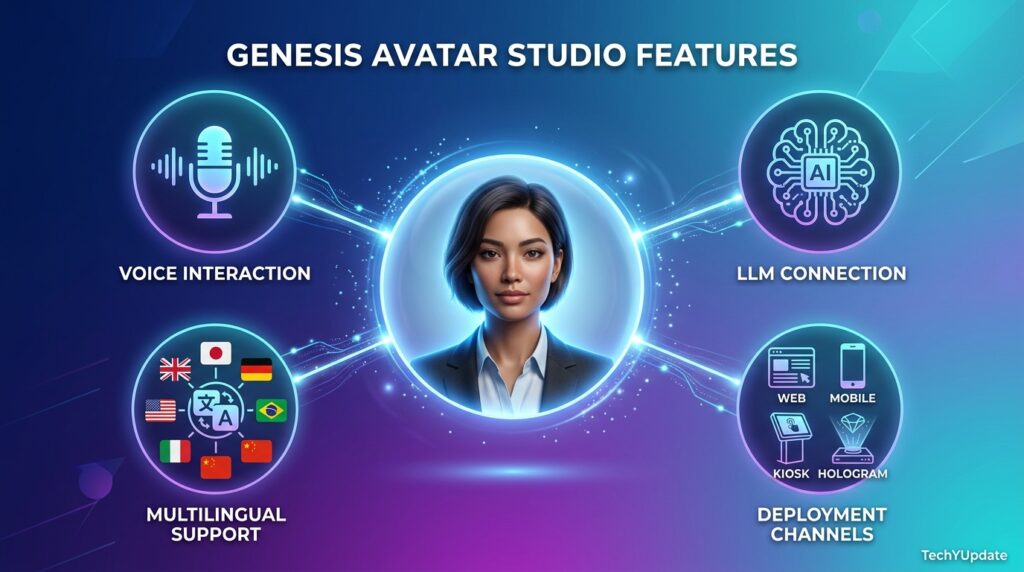
Genesis Avatar Studio’s feature set centers on a few core capabilities:
- Pre-designed, customizable 3D avatars spanning varied appearances, roles, and outfits, so you can pick a starting point rather than build a character from scratch.
- Real-time conversational intelligence, powered by Google’s Gemini models, with support for connecting a custom external AI agent instead of the in-platform default.
- Multilingual, expressive voice via Google Text-to-Speech and, as of March 2026, Gemini Native Audio for more natural conversational flow.
- Multi-channel deployment across web, mobile, messengers, info kiosks, and holographic (“holobox”) displays from a single configured avatar.
- Cloud, hybrid, or on-premises hosting matters for organizations with strict data-residency or compliance requirements.
- A no-code configuration wizard covering role, LLM connection, voice, and behavior settings without developer resources.
Beyond the core list, RAVATAR’s continued Google Cloud partnership is worth understanding because it changes how the platform fits into an existing enterprise stack. Because Genesis Avatar Studio runs natively on Google Cloud, organizations already using Compute Engine, Cloud Storage, or other Google infrastructure can provision and manage an avatar deployment through familiar billing and admin tooling rather than onboarding an entirely separate vendor relationship.
The Gemini Native Audio integration added in March 2026 is the most user-facing improvement of the last several months — earlier avatar voices across this category of tool tended to sound clipped or mechanically paced during pauses, and native audio noticeably smooths that out, which matters most in customer-facing deployments like retail kiosks or live events where a stilted voice undermines the whole point of using a humanlike interface in the first place.
Is It Legit?
Yes, RAVATAR, the company behind Genesis Avatar Studio, is an established AI avatar vendor with a public track record: it’s a Google Cloud Partner Advantage member, its Genesis Avatar Studio is listed on Google Cloud Marketplace, and it publishes named leadership (CEO Ruslan Synytsky has been quoted directly in the company’s own product announcements).
Deployment options for hybrid and on-premises hosting are designed to meet enterprise compliance requirements, which is a rather strong sign that this is built for real business procurement rather than a fly-by-night AI wrapper. That said, as with any project-based enterprise tool, it’s worth confirming data-handling terms directly with RAVATAR for your specific compliance needs rather than assuming defaults.
Who It’s For / Use Cases
Genesis Avatar Studio is purpose-built for organizations, not casual individual creators:
- Customer service and support teams want human-like interaction for AI agents, available 24/7 without additional staffing.
- Retail, hospitality, and events teams are deploying avatars at kiosks or on holographic displays for interactive brand experiences.
- Education and training providers using avatars as consistent, multilingual virtual instructors or onboarding guides.
- Healthcare and public-service organizations that need on-premises or hybrid deployments so as to comply with data residency rules.
- Enterprises with existing AI agents that want a conversational, human-like interface layer rather than another chatbot widget.
It’s a poor fit for individual creators or marketers who just want a quick AI-generated avatar image for a profile picture, social post, or thumbnail — that’s a fundamentally different, much simpler tool category, and Genesis Avatar Studio’s project-based pricing and configuration overhead aren’t built for that casual use case.
There’s a useful way to sort yourself into the right category before you evaluate pricing further: if the outcome you want is a single static image, you’re not the buyer this platform is built for, full stop. If the outcome you want is an ongoing, live interaction — something a customer, patient, or visitor can actually talk to and get a real-time response from — you’re squarely in scope, and the question becomes which tier and deployment channel (web, kiosk, or holographic) fit your specific traffic and setting.
How to Use It
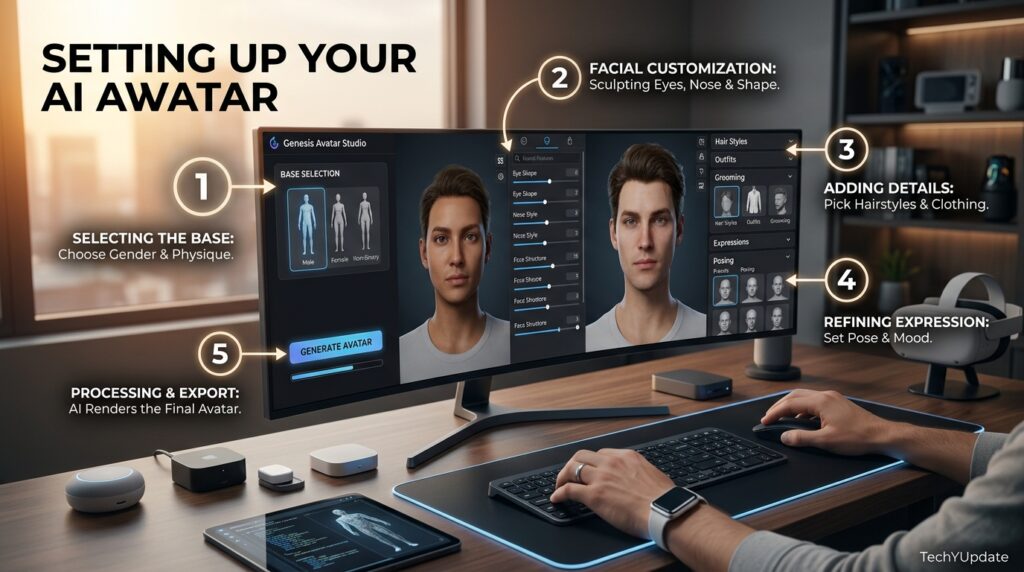
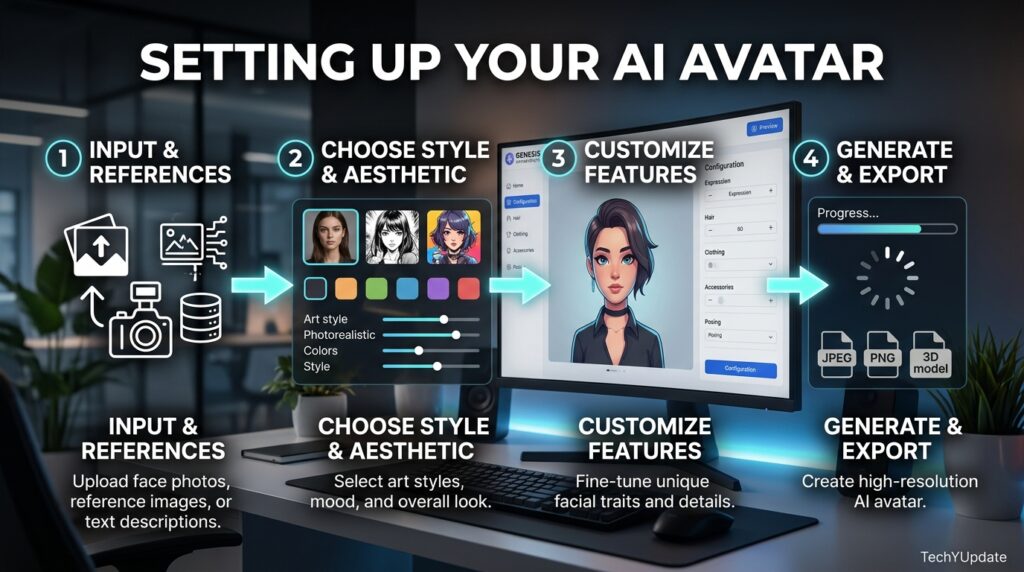
Setting up a live avatar in Genesis Avatar Studio generally follows this path:
- Create a new project in the Configuration Wizard that houses all settings for an employed avatar.
- Choose a pre-designed avatar from the platform’s library, matching appearance and outfit to your brand or use case.
- Configure the avatar’s intelligence — either use the in-platform LLM and text-to-speech settings, or switch to Agentic AI mode to connect your own external AI agent with custom logic.
- Define personality and behavior through simple text prompts or a ready-made role template, and select supported languages.
- Choose a pricing plan and billing cycle, then activate the project for live deployment across your chosen channels — web, mobile, kiosk, or holographic display.
What It Isn’t Great At
Real limitations worth naming rather than glossing over:
- It’s not a static image generator. If you want a quick AI-styled avatar picture for a profile or thumbnail, this platform’s real-time conversational focus is the wrong tool entirely; a lighter app will serve you faster and cheaper.
- Pricing is metered by conversation minutes, not seats. Run out of allocated minutes mid-cycle,nd your avatar temporarily stops responding, which can catch teams off guard during a traffic spike or live event.
- Entry tiers are limited to one concurrent connection. The Starter and Basic plans support only a single active avatar instance at a time, which won’t suit teams needing multiple simultaneous conversations without upgrading.
- Fully custom avatars carry a separate, substantial cost. A tailored avatar built from scratch starts around €5,000 for a proof-of-concept build, on top of ongoing subscription costs — a meaningful commitment beyond the advertised monthly tiers.
- Enterprise pricing isn’t published, so larger deployments require a sales conversation rather than transparent self-service pricing.
User Sentiment
Sentiment among businesses that have deployed Genesis Avatar Studio, paraphrased from publicly shared testimonials rather than quoted directly, skews positive around engagement metrics — companies cite measurable lifts in conversion and reductions in support-ticket volume after introducing avatar-based interfaces.
The more measured feedback tends to focus on the setup investment required to get a custom-branded avatar production-ready, and on ensuring conversation-minute allocations are sized correctly before a public launch, since underestimating usage can mean an avatar goes silent at an inconvenient moment.
Pros & Cons
| Pros | Cons |
|---|---|
| Genuinely real-time, natural-sounding conversation with Gemini Native Audio | Metered by conversation minutes, not a simple flat seat price |
| No-code setup — no developer resources required to launch | Entry-tier plans support only one concurrent connection |
| Deploys across web, mobile, kiosk, and holographic displays from one config | Fully custom avatars require a separate, substantial project fee |
| Cloud, hybrid, and on-premises hosting for compliance-sensitive industries | Enterprise pricing isn’t public — requires a sales conversation |
| Available through Google Cloud Marketplace for easier enterprise procurement | Not suited to casual, one-off avatar image generation use cases |
Pricing Overview
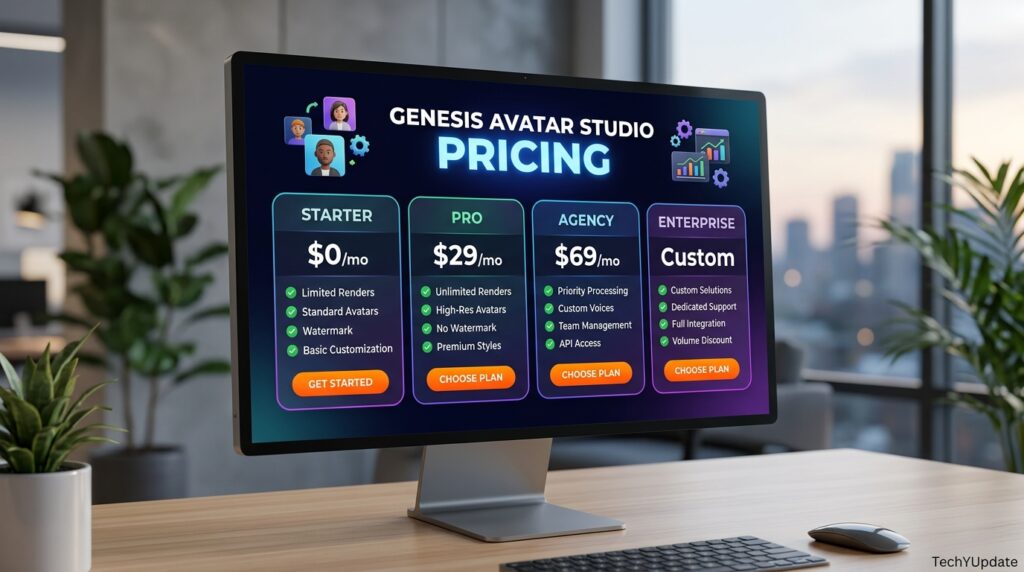
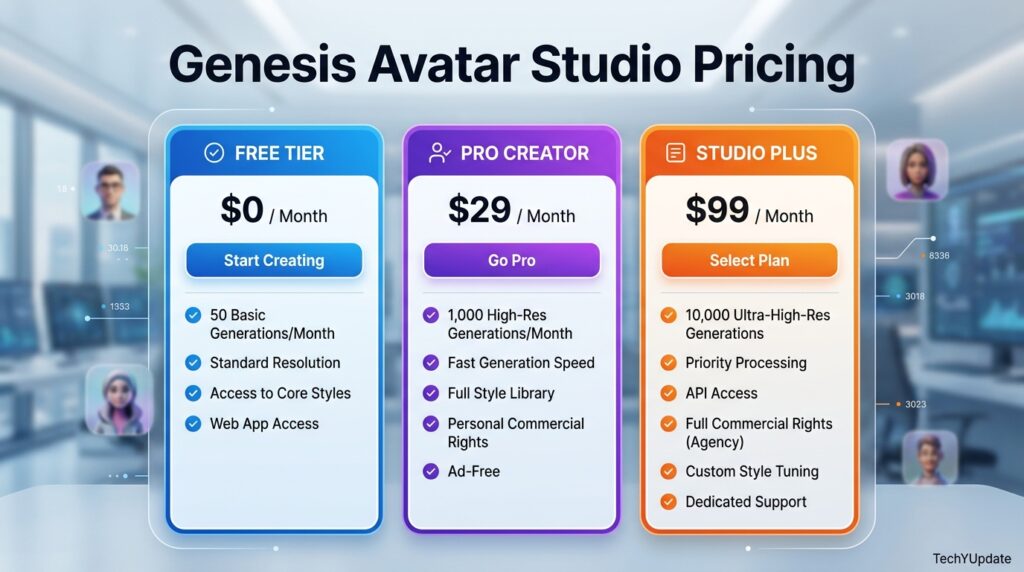
Genesis Avatar Studio uses a project-based, metered pricing model rather than a flat per-user fee — each avatar project gets its own subscription with a fixed allocation of conversation minutes and concurrent connections.
| Plan | Price (monthly) | Conversation Minutes | Concurrent Connections |
|---|---|---|---|
| Starter | $19 | 150 minutes | 1 |
| Basic | $199 | 1,900 minutes | 1 |
| Business | $499 | 5,000 minutes | 4 |
| Corporate | $999 | 10,000 minutes | 8 |
| Enterprise | Custom | Custom | Custom |
Annual billing is available at a discount, and every tier includes standard email support; higher tiers add a dedicated account manager. It’s worth noting that published figures on RAVATAR’s own pages have appeared in both USD and EUR across different regional listings, so confirm the exact current pricing for your region directly on RAVATAR’s pricing page before committing to a plan.
The practical takeaway: Starter is a genuine trial tier, Basic suits a single low-to-moderate-traffic deployment, and most real business use cases land on Business or Corporate once concurrent conversations matter.
Top Alternatives
- HeyGen — stronger for pre-recorded video avatars and marketing content rather than live, real-time conversation.
- Synthesia — a leading choice for corporate training and explainer videos using AI avatars, again primarily non-real-time.
- D-ID — known for lightweight, real-time talking-avatar APIs aimed more at developers than at code business users.
- Soul Machines — a closer real-time competitor, also focused on emotionally responsive digital humans for enterprise deployment.
Quick Comparison vs. HeyGen
| Factor | Genesis Avatar Studio | HeyGen |
|---|---|---|
| Core strength | Real-time, live conversational avatars | Pre-recorded avatar video content |
| Deployment | Web, mobile, kiosk, holographic displays | Primarily video export and embeds |
| Pricing model | Project-based, metered by conversation minutes | Credit- or seat-based subscription tiers |
| Best for | Live customer-facing interaction and kiosks | Marketing videos, training content, social clips |
If your goal is a live, talking interface for customer service or an event kiosk, Genesis Avatar Studio is the better-suited tool. If you mainly need polished avatar-narrated videos for marketing or training, HeyGen’s workflow is the more direct fit.
Read more: Synthesia AI Review
Read more: Synthesia vs HeyGen
Frequently Asked Questions
Is Genesis Avatar Studio the same as an AI image generator?
No. Genesis Avatar Studio builds real-time, conversational 3D avatars connected to an LLM, deployed for live interaction across web, mobile, and kiosks — not static AI-generated profile images or artwork from a text prompt.
How much does Genesis Avatar Studio cost?
Published plans start at $19/month for Starter (150 conversation minutes, 1 connection) up to $999/month for Corporate (10,000 minutes, 8 connections), with custom Enterprise pricing available for larger deployments.
Can I connect my own AI agent to Genesis Avatar Studio?
Yes. The platform supports an Agentic AI mode that lets you connect a custom external AI agent with predefined logic, rather than relying solely on the in-platform default LLM and text-to-speech configuration.
Does Genesis Avatar Studio support on-premises deployment?
Yes. Alongside cloud hosting, RAVATAR offers hybrid and on-premises deployment options, which matter for healthcare, public-sector, and other organizations with strict data-residency or compliance requirements.
Conclusion
Genesis Avatar Studio earns its place as a serious option for organizations that want a real-time, human-like interface layered over an existing AI agent — not a shortcut to a stylish profile picture. Its strengths in 2026 are real: Gemini Native Audio has genuinely improved how natural these avatars sound in conversation, and its Google Cloud Marketplace listing makes enterprise procurement noticeably simpler than it used to be.
The single most actionable takeaway is to size your plan around realistic usage before launch, not after. Because pricing is metered by conversation minutes and concurrent connections rather than a flat seat count, the biggest risk isn’t picking the wrong feature set — it’s underestimating traffic on a lower tier and having your avatar go silent mid-conversation during a live event or busy support period. Estimate your expected concurrent conversations and monthly minutes honestly, then pick the tier with headroom above that number rather than the cheapest one that looks sufficient on paper.
If your use case is a static avatar image rather than a live conversational interface, skip this tool entirely and look at a dedicated image generator instead — Genesis Avatar Studio simply isn’t built for that job, and no amount of configuration will make it feel like the right fit. For everyone building a genuine customer-facing digital human, though, this is one of the more production-ready platforms available right now.