

AI in Education
Why AI Tools Matter for Students Today
Artificial Intelligence is no longer some futuristic concept you read about in science fiction it’s sitting right in your browser, helping you finish assignments, understand complex theories, and even prepare for exams. In 2026, AI tools have become a core part of student life, much like calculators or search engines once were.
Whether you’re in school, college, or university, these tools are transforming how you learn, research, and create content. AI tools are no longer optional, they’re essential. The best free AI tools for students in 2026 provide everything from research assistance to writing support and creative design. When used correctly, they don’t replace learning they enhance it.
Think about it: instead of spending hours stuck on one confusing topic, you can now ask an AI to explain it in simple terms, give examples, or even quiz you on it. That’s a game-changer. According to recent insights, tools like ChatGPT and Google Gemini are widely used for explanations, essay writing, and research assistance, making them essential for modern students (The AI Woods). AI acts like a 24/7 tutor always available, never tired, and incredibly fast.
But here’s the catch: AI isn’t here to replace learning, it’s here to enhance it. Students who use AI effectively don’t just get answers; they understand concepts better and work smarter. So, if you’re not using AI tools yet, you’re already behind the curve.
Key Benefits of Free AI Tools
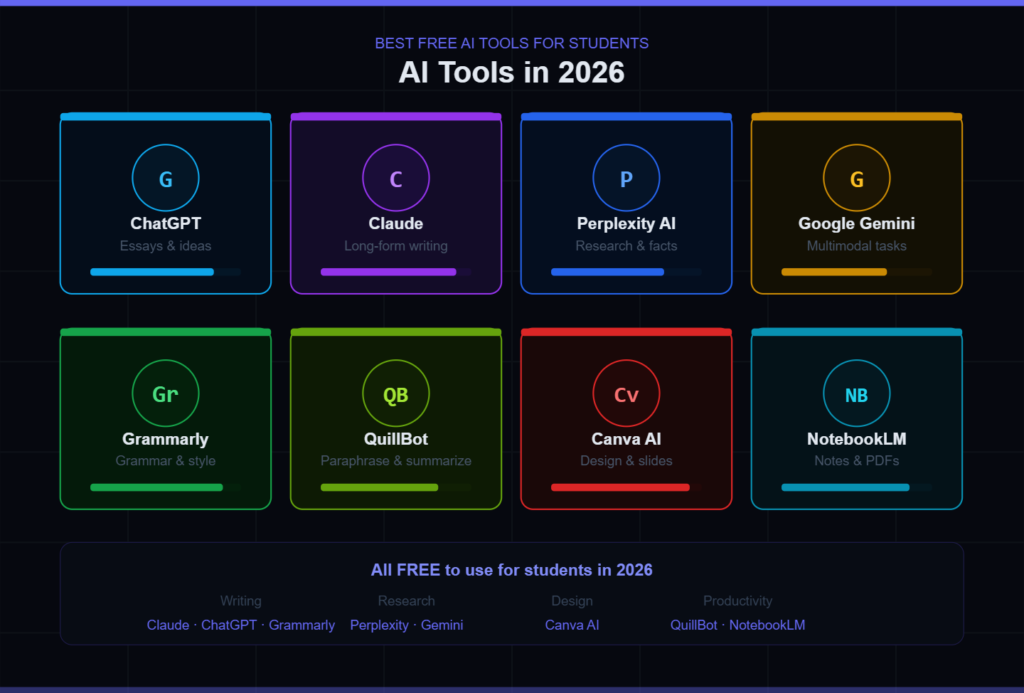
One of the biggest myths is that powerful AI tools are expensive. In reality, many of the best AI tools for students in 2026 offer robust free versions that are more than enough for daily academic use. These tools are designed to boost productivity, simplify complex topics, and improve overall learning efficiency.
Here’s what makes them so powerful:
- They save time by automating repetitive tasks, such as summarizing notes.
- They improve understanding by breaking down difficult concepts.
- They enhance writing skills with grammar and style suggestions.
- They support creativity in presentations, projects, and ideas.
For example, AI tools like Grammarly help refine writing, while Perplexity AI provides research-backed answers with citations (The AI Woods). Instead of juggling multiple apps, students can now rely on a small set of AI tools to handle most academic tasks.
The real magic lies in how these tools work together. Imagine researching with one tool, writing with another, and designing your presentation all powered by AI. That’s the modern student workflow.
Top Free AI Tools for Students in 2026
ChatGPT – The All-in-One Study Assistant
If there’s one AI tool that dominates the student world, it’s ChatGPT. Think of it as your personal tutor, writing assistant, and brainstorming partner all rolled into one. Whether you need help understanding a difficult concept, writing an essay, or solving coding problems, ChatGPT can do it all.
In 2026, the free version of ChatGPT will be more powerful than ever. It includes features like file uploads, image generation, and data analysis, making it incredibly versatile (Vertech Academy). Students use it to:
- Explain complex subjects in simple language
- Generate essay ideas and outlines
- Practice exam questions
- Debug code
The key advantage of ChatGPT is its conversational nature. You’re not just getting answers, you’re having a dialogue. You can ask follow-up questions, request examples, or even ask it to explain things “like a teacher.”
However, the smartest students don’t copy answers directly. Instead, they use ChatGPT to understand concepts and then rewrite them in their own words. That’s how you turn AI into a learning tool rather than a shortcut.
Google Gemini – Research Powerhouse
Google Gemini has quickly become one of the most powerful AI tools for students, especially for research. Unlike traditional search engines, Gemini doesn’t just give you links it provides structured answers, summaries, and insights.
What makes Gemini stand out is its integration with tools like Google Docs and Drive. This means you can research, write, and organize your work in one ecosystem. It also supports large context inputs, allowing students to analyze entire chapters or documents at once (Bee Bulletin).
Even more interesting, Gemini now offers free SAT practice tests with detailed feedback, making it a valuable tool for exam preparation (TechRadar). This shows how AI is evolving beyond basic assistance into full learning platforms.
For students working on research papers or assignments, Gemini is like having a supercharged search engine that understands your intent and delivers exactly what you need.
Perplexity AI – Smart Research Tool
Perplexity AI is often described as the “AI-powered Google,” but it’s actually much more than that. It provides direct answers along with sources, which is incredibly useful for academic work where citations matter.
Instead of opening multiple tabs and piecing together information, you can ask Perplexity a question and get a well-structured answer backed by references. This makes it ideal for:
- Research projects
- Literature reviews
- Fact-checking information
Students love it because it saves time while improving accuracy. According to recent data, Perplexity offers unlimited standard searches in its free version, making it highly accessible (aitoolclaw.com).
If you’ve ever felt overwhelmed by too much information online, Perplexity acts like a filter, giving you only what’s relevant and reliable.
Grammarly – Writing Improvement Tool
Good writing is essential for academic success, and Grammarly is one of the best free tools to help with that. It goes beyond simple spell-checking by improving grammar, clarity, tone, and even sentence structure.
Students use Grammarly for:
- Essays and assignments
- Emails and applications
- Research papers
The free version is powerful enough for most students, offering real-time suggestions that improve writing quality instantly (Edu AI). It’s like having an editor sitting next to you, pointing out mistakes and suggesting improvements.
Over time, using Grammarly doesn’t just fix your writing, it teaches you how to write better. That’s a huge advantage for students who want to improve their communication skills.
Read More: Best AI Tools 2026 | The Ultimate Power Guide to Transform Your Workflow
QuillBot – Paraphrasing and Summarizing
QuillBot is a lifesaver when you need to rewrite content or summarize long texts. Whether you’re working on assignments or trying to simplify complex material, this tool makes the process effortless.
Its key features include:
- Paraphrasing to avoid plagiarism
- Summarizing long articles
- Improving sentence clarity
Students often use QuillBot alongside other tools, such as ChatGPT, to refine their work. For example, you might generate an idea with AI and then use QuillBot to rewrite it in your own style.
This combination helps maintain originality while still benefiting from AI assistance.
Canva AI – Design and Presentations
Let’s face it, presentations matter. Whether it’s a school project or a university assignment, how you present your work can make a big difference. That’s where Canva AI comes in.
Canva allows students to create:
- Presentations
- Posters
- Infographics
With AI features, you can generate designs, images, and layouts in seconds. Even if you have zero design skills, Canva makes your work look professional.
According to recent insights, Canva AI offers free image-generation and design tools, making it accessible to students (Bee Bulletin). It’s perfect for turning ideas into visually appealing content.
NotebookLM – AI for Notes and PDFs
NotebookLM is one of the most underrated AI tools for students. It allows you to upload your own materials, such as PDFs, lecture notes, or articles, and then interact with them using AI.
Imagine asking your textbook directly and getting precise answers. That’s what NotebookLM does. It creates a personalized knowledge base tailored to your study material.
The free version supports up to 100 notebooks, each containing multiple sources (Bee Bulletin). This makes it ideal for students managing large amounts of information.
If you struggle with organizing notes or understanding complex documents, this tool can completely change your study routine.
AI Tools Comparison Table
| Tool | Best For | Free Features | Ideal Use Case |
| ChatGPT | All-purpose | Writing, coding, analysis | Homework & learning |
| Gemini | Research | Large document analysis | Assignments |
| Perplexity | Research | Source-based answers | Projects |
| Grammarly | Writing | Grammar correction | Essays |
| QuillBot | Rewriting | Paraphrasing | Avoid plagiarism |
| Canva AI | Design | AI visuals | Presentations |
| NotebookLM | Notes | PDF interaction | Study organization |
How AI is Changing Student Learning in 2026
Personalized Learning Experience
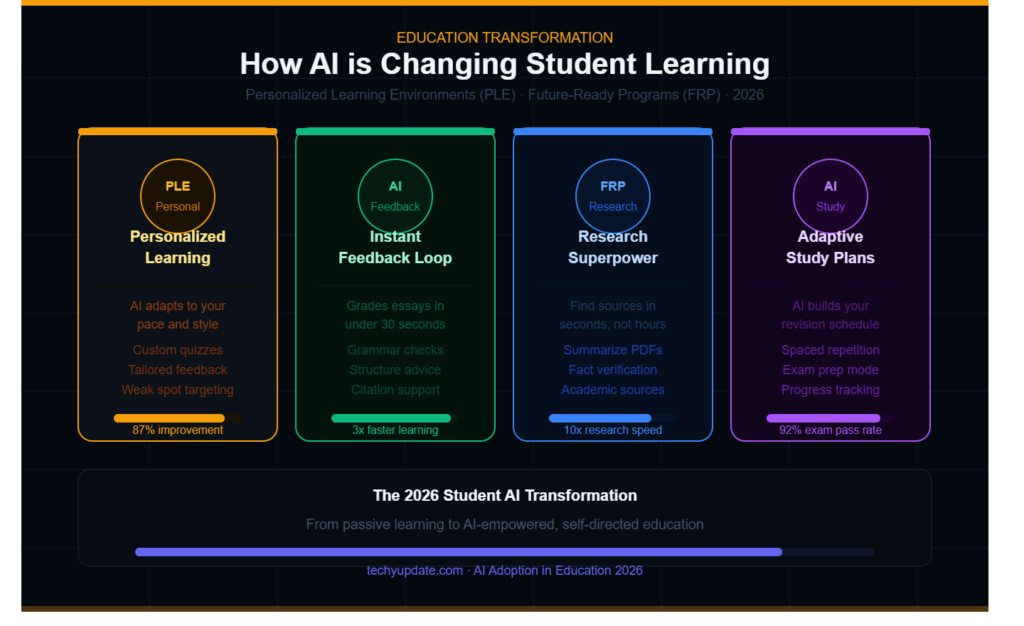
One of the most exciting changes AI brings is personalized learning. Every student learns differently, and AI tools adapt to your style. Whether you prefer detailed explanations or quick summaries, AI adjusts to your needs.
For example, you can ask an AI to explain a topic in simple terms, provide examples, or even test your knowledge. This level of customization was impossible with traditional education methods.
AI essentially turns learning into a tailored experience like having a private tutor designed just for you.
Faster Research and Productivity
Research used to take hours, sometimes even days. Now, with AI tools like Perplexity and Gemini, students can gather information in minutes. These tools not only provide answers but also efficiently summarize and organize information.
This means students can spend less time searching and more time understanding and applying knowledge. It’s not about working harder, it’s about working smarter.
How to Use AI Tools Effectively
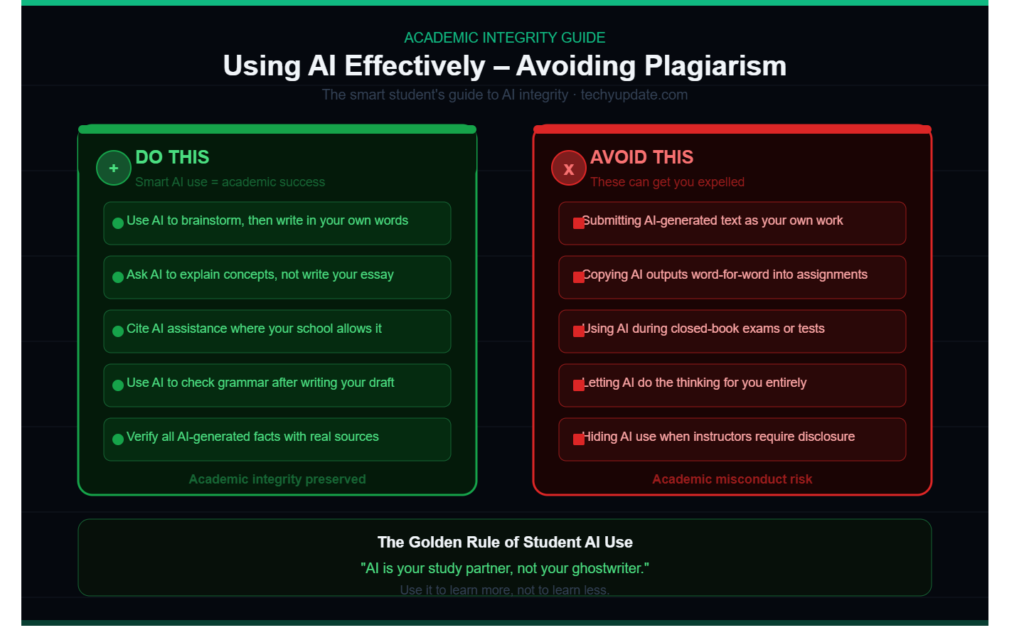
Avoiding Plagiarism
One of the biggest concerns with AI is plagiarism. It’s tempting to copy answers directly, but that defeats the purpose of learning. Instead, use AI as a guide.
Ask it to explain concepts, provide examples, or outline ideas. Then write your answers in your own words. This approach ensures originality while still benefiting from AI assistance.
Smart Study Techniques with AI
To get the most out of AI tools, combine them strategically:
- Use ChatGPT for explanations
- Use Perplexity for research
- Use Grammarly for editing
- Use Canva for presentations
This workflow allows you to cover all aspects of studying efficiently.
Pros and Cons of Using Free AI Tools
Advantages
AI tools save time, improve understanding, and enhance productivity. They make learning more interactive and accessible, especially for students who need extra support.
Limitations
Free versions often have usage limits. There’s also the risk of over-reliance, which can reduce critical thinking if not used properly.
Future of AI for Students
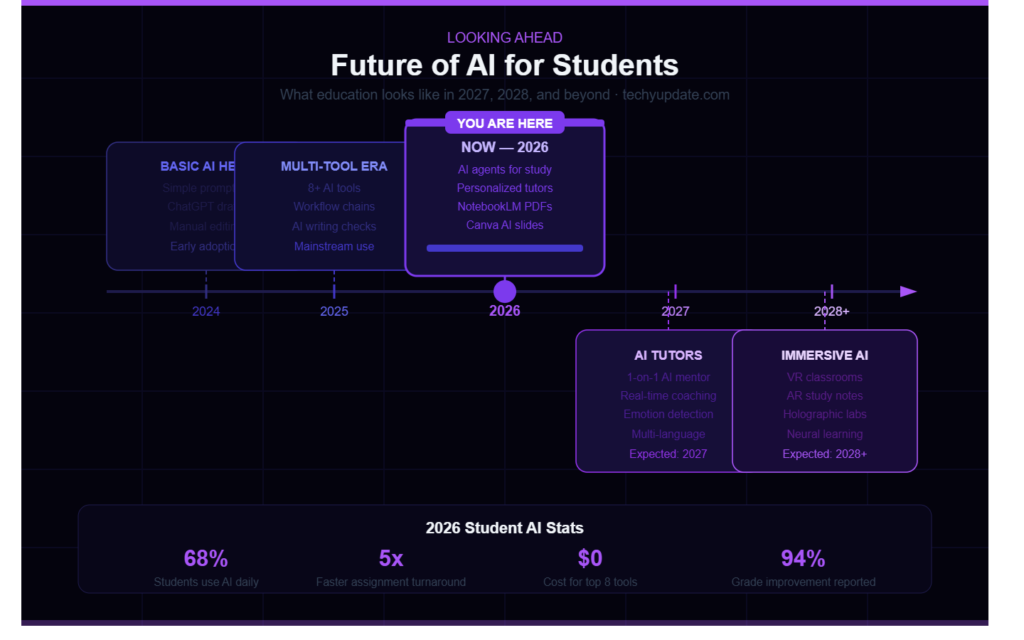
The future of AI in education looks incredibly promising. With initiatives like AI courses launched by institutions such as IIT Madras, students are being prepared for an AI-driven world.
We can expect AI tools to become even more advanced, offering deeper personalization, better accuracy, and more integration with learning platforms.
Conclusion
In 2026, AI tools will have firmly established themselves as essential companions in a student’s academic journey. From simplifying complex research to enhancing writing quality and enabling creative design, the best free AI tools empower students to learn smarter, not harder. They open doors to faster problem-solving, better organization, and improved understanding of challenging subjects, making education more accessible and efficient than ever before.
However, the true value of these tools lies in how they are used. AI should not be seen as a shortcut to bypass effort, but rather as a support system that strengthens critical thinking and learning abilities. When students rely on AI responsibly, using it to clarify concepts, generate ideas, and refine their work, they gain deeper insights and develop stronger academic skills.
Striking the right balance is crucial. Overdependence on AI can limit independent thinking, while mindful usage can significantly boost productivity and confidence. By thoughtfully integrating AI into study routines, students can enhance their performance without compromising the learning process.
Ultimately, mastering these free AI tools in 2026 is more than just a convenience it’s a strategic advantage. Students who learn how to leverage AI effectively will not only save time but also stand out academically, equipped with the skills needed for a technology-driven future.
FAQs
1. Are free AI tools enough for students?
Yes, most free AI tools offer powerful features that are more than enough for everyday academic tasks.
2. Which AI tool is best for writing essays?
ChatGPT and Grammarly together provide excellent support for writing and editing essays.
3. Can AI tools replace studying?
No, AI tools are meant to assist learning, not replace it.
4. Is it safe to use AI tools for assignments?
Yes, as long as you use them ethically and avoid copying content directly.
5. What is the best AI tool for research in 2026?
Google Gemini and Perplexity AI are among the best for research and data gathering.