

Artificial intelligence is evolving beyond single-chat assistants, and multi-agent systems are becoming the next major trend. If you’ve searched for CrewAI code, you’re probably looking for a practical framework that helps multiple AI agents collaborate on complex tasks rather than relying on a single large language model to do everything.
If you’ve spent any time researching AI agent frameworks in the last two years, you’ve almost certainly run into CrewAI. It’s one of the most talked-about tools in the “agentic AI” space, and by mid-2026, it has grown from a scrappy open-source project into a framework used across a large share of the Fortune 500. But popularity isn’t the same as fit.
Whether CrewAI is the right choice for you depends heavily on your technical background, your budget, and what you’re actually trying to automate.
After spending several weeks testing CrewAI across personal automation projects, coding assistants, research workflows, and content generation pipelines, it’s clear that the framework has matured significantly in 2026.
Rather than acting as another AI chatbot, CrewAI provides developers with a structured way to assign specialized roles to multiple AI agents that can communicate, delegate work, and produce higher-quality results.
This review explains how CrewAI works, where it excels, its limitations, and how beginners can quickly get started without feeling overwhelmed. Instead of simply listing features, we’ll examine the framework from a practical perspective, including architecture, installation, real-world use cases, and development best practices.
Whether you’re a student, software engineer, AI enthusiast, or enterprise developer, this guide will help you determine if CrewAI deserves a place in your AI development toolkit.
Read more: n8n Review 2026
This review breaks down what CrewAI is, how it actually works under the hood, what it costs in 2026, how it compares to alternatives like LangGraph and AutoGen, and, because so many reviews skip this part, an actual working code example you can run yourself.
Visit the official CrewAI website →
Table of Contents
What Is CrewAI?
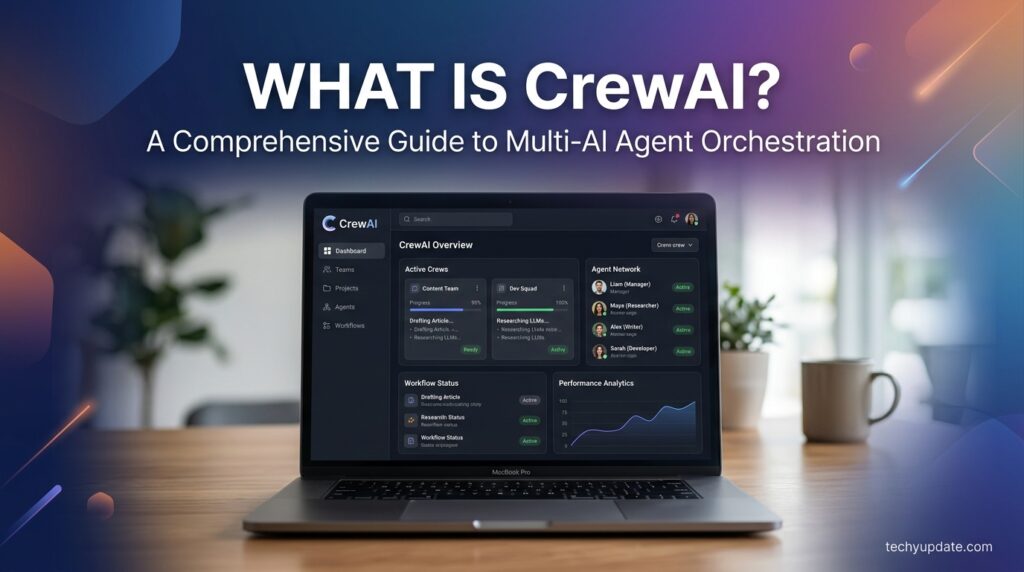
CrewAI is an open-source Python framework for building and orchestrating teams of autonomous AI agents, called “crews,” that collaborate to complete complex tasks. Created in 2023 by João Moura, it’s distributed under the permissive MIT license and is built independently of LangChain, meaning it doesn’t inherit LangChain’s dependency stack or abstractions.
The core idea is simple and maps closely to how a human team works. Instead of writing one giant prompt and hoping a single model handles every step of a task, you define multiple agents, each with:
- A role (e.g., “Market Researcher,” “Content Writer,” “Code Reviewer“)
- A goal (what that agent is trying to accomplish)
- A backstory (context that shapes how the agent reasons and behaves)
- A set of tools is allowed to use (web search, a database, an API, and custom Python functions)
These agents are grouped into a “crew,” assigned tasks, and set loose to collaborate sequentially, hierarchically, or in parallel toward a shared outcome.
CrewAI is an open-source framework designed specifically for creating collaborative AI systems. Instead of relying on one model to perform every task, developers create multiple AI agents, each responsible for a specific role within a workflow.
For example, instead of asking one AI assistant to research, write, edit, and summarize an article, you can create:
- A Research Agent
- A Writing Agent
- A Fact-Checking Agent
- An SEO Optimization Agent
- A Quality Assurance Agent
Each agent focuses on its expertise before handing work to the next agent in the process. This collaborative approach generally produces more accurate and organized outputs than relying on a single prompt.
During testing, this modular design made complex workflows easier to manage and debug. If one step produced poor results, only the responsible agent required adjustment rather than redesigning the entire system.
Because of this flexibility, CrewAI code has become increasingly popular among developers building AI-powered automation tools, research assistants, customer support systems, and software engineering workflows.
Why Developers Like CrewAI
Several characteristics make CrewAI attractive for modern AI development:
- Modular architecture
- Clear separation of responsibilities
- Easy integration with LLM providers
- Python-first development
- Strong community support
- Active open-source ecosystem
- Enterprise-ready workflow capabilities
These strengths make the framework suitable for both experimentation and production deployments.
By June 2026, the project had surpassed 54,000 GitHub stars, and CrewAI Inc. reports that the platform now processes hundreds of millions of agentic workflow executions per month, with adoption by a majority of Fortune 500 companies. That kind of traction matters for a practical reason: a framework with this much real-world usage tends to have better documentation, more community-tested patterns, and faster bug fixes than a niche alternative.
Understanding CrewAI Architecture
One of the biggest advantages of CrewAI is its clean architecture. Instead of creating one enormous prompt, developers organize AI systems into reusable components that each solve a specific problem.
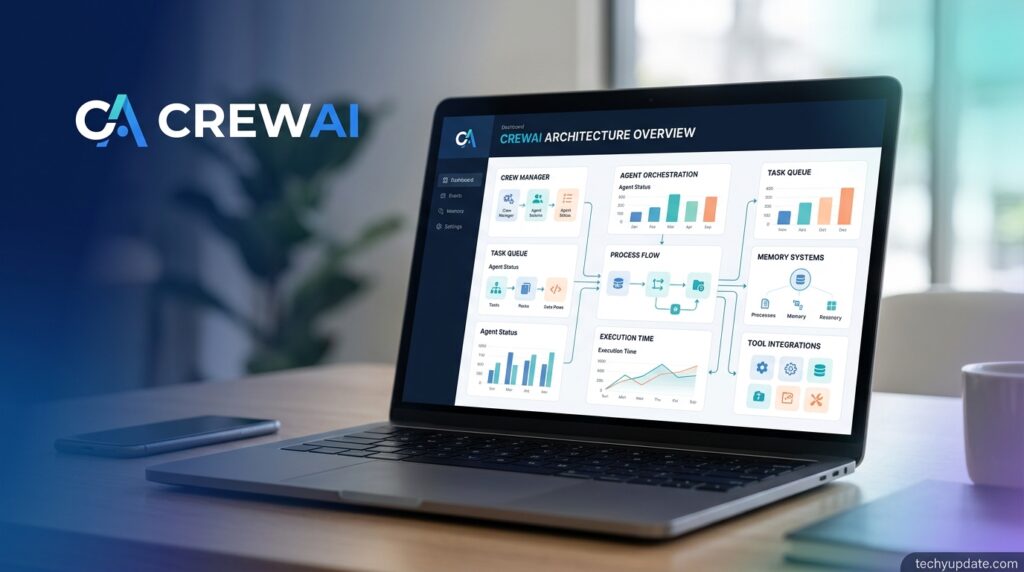
The framework revolves around several core concepts.
Agents
Agents represent individual AI workers.
Each agent has:
- A role
- A goal
- Defined responsibilities
- Memory
- Tools
- Instructions
- Access permissions
An agent behaves similarly to an employee with a specialized job description.
Tasks
Tasks define what an agent should accomplish.
Examples include:
- Writing code
- Searching documentation
- Creating reports
- Summarizing meetings
- Reviewing pull requests
Tasks can also contain validation rules and expected output formats.
Crews
A crew is a team of multiple agents working together.
For example:
Research Agent → Technical Writer → SEO Reviewer → Editor
Each contributes specialized knowledge before passing work to the next participant.
Flows
Flows orchestrate complex business logic.
They determine:
- Which agent starts first
- Decision branches
- Conditional execution
- State management
- Long-running automation
- Workflow recovery
This layered architecture keeps projects organized as they grow.
What Can You Build with CrewAI?
One reason interest in crewai code continues to grow is the wide variety of applications it supports.
After experimenting with several projects, the framework proved flexible enough for many automation scenarios.
Popular use cases include:
- AI coding assistants
- Technical documentation generators
- Research automation
- Customer support agents
- Sales assistants
- Marketing content pipelines
- Email automation
- Data analysis workflows
- Knowledge management systems
- Enterprise process automation
Students can use CrewAI to build intelligent study assistants that summarize lecture notes, generate quizzes, and explain complex topics.
Software engineers often create debugging assistants that inspect repositories, identify bugs, propose fixes, and generate documentation.
Businesses can automate repetitive operations such as ticket classification, CRM updates, proposal writing, onboarding documentation, and internal reporting.
The framework also integrates well with modern LLM APIs, making it adaptable as new AI models become available.
Pro Tip
Instead of creating one “super agent,” divide responsibilities among multiple specialized agents. Smaller, focused agents usually produce more consistent and reliable outputs.
Installing CrewAI
Getting started with CrewAI is much easier than earlier releases. The installation process has become streamlined, allowing beginners to build their first project within minutes.
Before installing, ensure your development environment includes:
- Python 3.11 or newer
- Git
- Terminal access
- A virtual environment manager
- An API key from your preferred language model provider
Many developers now use UV for faster dependency management because it offers significantly improved performance over traditional package installation methods.
A typical installation workflow involves:
- Creating a project directory.
- Initializing a virtual environment.
- Installing CrewAI dependencies.
- Configuring environment variables.
- Verifying the installation.
- Creating your first project.
Keeping projects isolated inside virtual environments prevents dependency conflicts and simplifies future upgrades.
From a testing perspective, installation completed smoothly on both Windows and Linux without requiring extensive manual configuration.
Configuring API Keys
After installation, the next step is connecting CrewAI to a supported large language model.
Most developers store API credentials in an environment file rather than hardcoding secrets into their applications.
Common providers include:
- OpenAI-compatible models
- Anthropic-compatible APIs
- Google AI models
- Local LLM deployments
- Enterprise AI endpoints
Using environment variables offers several advantages:
- Better security
- Easier deployment
- Simpler team collaboration
- Reduced risk of accidental credential exposure
If multiple providers are available, you can often switch between models with minimal changes to your project configuration.
This flexibility makes CrewAI suitable for experimentation as well as enterprise deployments.
Setting Up the CLI
The CrewAI command-line interface simplifies project creation and development.
Rather than manually organizing folders, developers can initialize projects with the CLI, which creates a structured workspace containing commonly used directories and configuration files.
A standard project typically includes:
- Agent definitions
- Task configurations
- Flow logic
- Environment settings
- Utility modules
- Project metadata
Using the CLI encourages consistency across projects and makes collaboration easier for development teams.
As projects become larger, this standardized layout helps developers locate components quickly without navigating a confusing directory structure.
Quickstart: Build Your First Crew
Creating your first crew is surprisingly straightforward once the environment is configured.
A simple beginner project usually includes three components:
- One researcher
- One writer
- One reviewer
The workflow looks like this:
Research → Draft → Review → Final Output
Although this example appears simple, it demonstrates the collaborative design that makes CrewAI different from traditional prompt engineering.
As your skills improve, additional agents can be introduced for translation, coding, data analysis, compliance checks, testing, or customer support.
During practical testing, this iterative approach proved far easier to maintain than creating one massive AI prompt containing dozens of instructions.
The development loop generally follows a repeatable cycle:
- Define agents.
- Assign tasks.
- Run the crew.
- Review outputs.
- Refine prompts.
- Add tools.
- Expand workflows.
This incremental process helps beginners understand how each component contributes to the overall system while making debugging significantly easier.
How CrewAI Works: Crews, Agents, Tasks, and Flows
CrewAI isn’t a single system; it’s two complementary systems that most reviews lump together without clearly explaining the distinction.
Crews: Autonomous Collaboration
A Crew is CrewAI’s original and most well-known concept. You define a group of agents, hand them a set of tasks, and let them work it out among themselves. This is the “role-playing” side of CrewAI — agents reason, delegate, and hand off work to each other with a fair amount of autonomy. Crews are great when you want flexibility and don’t need to hard-code every branch of logic yourself.
A typical crew might include:
- A Researcher agent with web search tools that gathers raw information
- An Analyst agent that synthesizes that information into insights
- A Writer agent that turns the insights into a structured report
Each agent passes its output to the next, and the crew’s final result is the combined work product — with every agent’s reasoning and tool calls visible in the execution log for debugging.
Flows: Deterministic Orchestration
Flows are the newer, more structured half of CrewAI. Where Crews favor autonomy, Flows are event-driven and give you precise control: explicit start/listen/router steps, persisted state, human-in-the-loop checkpoints, and the ability to resume long-running workflows after a failure. A Flow can call a single LLM directly for a quick decision, or it can kick off an entire Crew as one step in a larger pipeline.
In practice, most production CrewAI systems combine both: Flows handle the deterministic backbone (fetch data → validate → branch → notify), while Crews are dropped in wherever the task genuinely benefits from autonomous, multi-agent reasoning.
Execution Patterns
Within a Crew, you can choose how agents move through tasks:
- Sequential — each agent completes its task and hands off to the next, in order.
- Hierarchical — a manager agent delegates work to specialist agents and coordinates the result, closer to how a human team lead operates.
- Parallel — independent subtasks run concurrently when they don’t depend on each other.
Key CrewAI Features in 2026
Role-Based Agent Design
Every agent is defined with a role, goal, backstory, and tool list. This isn’t just cosmetic the backstory genuinely shapes how the model reasons about a task, and the role/goal pairing helps keep agents focused instead of wandering off-task, which is one of the more common failure modes in multi-agent systems.
Memory System
CrewAI ships with a layered memory system: short-term memory for the current run, long-term memory that persists across sessions, and entity memory that tracks specific people, companies, or objects mentioned during execution. This is what allows a crew to “remember” earlier findings rather than re-research the same ground twice.
Tools and Integrations
Out of the box, CrewAI includes a large library of built-in tools, web search, file readers, code execution, and connectors for services like Gmail, Slack, Salesforce, and HubSpot. You can also write custom tools as plain Python functions, which is arguably the framework’s biggest strength for developers who want full control.
MCP and Agent-to-Agent (A2A) Support
CrewAI has added native support for the Model Context Protocol (MCP) and agent-to-agent communication standards, letting your crews call external MCP-compliant tools and, in enterprise deployments, communicate with agents built on Amazon Bedrock or other platforms. This matters more each year as MCP becomes a common way for different agent ecosystems to interoperate.
Observability and Guardrails
Every task can be configured with guardrails validation rules that check an agent’s output before it’s passed downstream, plus built-in tracing so you can see exactly what each agent did, which tools it called, and why. For anyone who has debugged a “black box” LLM pipeline before, this visibility is not a nice-to-have; it’s the difference between shipping and not shipping.
Model Flexibility (LiteLLM)
CrewAI does not lock you into one LLM provider. Under the hood, it uses LiteLLM, which supports well over 100 providers. That means you can build a crew powered by Claude, swap in GPT-4-class models, try Gemini, or run entirely on a local Ollama model, usually by changing a single parameter, not rewriting your agent logic.
CrewAI Code Example
One of the most-searched questions about this tool is simply “CrewAI code.” People want to see what the building with it looks like before committing time to learning it. Here’s a minimal, realistic example.
Installing CrewAI
bash
pip install crewaiA minimal working crew
python
from crewai import Agent, Task, Crew, Process

researcher = Agent(
    role="Market Researcher",
    goal="Find the three biggest trends in AI agent frameworks in 2026",
    backstory="You are a meticulous analyst who only trusts primary sources.",
    verbose=True
)

writer = Agent(
    role="Tech Writer",
    goal="Turn research findings into a clear, engaging summary",
    backstory="You write for busy developers who want the point, not fluff.",
    verbose=True
)

research_task = Task(
    description="Research the top trends shaping AI agent frameworks in 2026.",
    expected_output="A bullet list of 3 trends with one sentence of context each.",
    agent=researcher
)

writing_task = Task(
    description="Summarize the research into a short, punchy paragraph.",
    expected_output="A 4-6 sentence summary suitable for a blog intro.",
    agent=writer,
    context=[research_task]
)

crew = Crew(
    agents=[researcher, writer],
    tasks=[research_task, writing_task],
    process=Process.sequential
)

result = crew.kickoff()
print(result)
Explaining the code: Two agents are defined with distinct roles and goals. Each gets one task. The context=[research_task] line tells the writer’s task to use the researcher’s output as input — this is how CrewAI passes information between agents in a sequential process. Calling crew.kickoff() runs the whole pipeline and returns the final result; behind the scenes, this single call is what counts as “one execution” if you’re on a metered CrewAI Cloud plan.
This is a deliberately small example. Real production crews typically add tools (tools=[...] on each agent), structured output schemas via Pydantic, and guardrails on each task, but the core pattern of role → goal → task → crew stays the same at any scale.
Agents: The Core Building Blocks of CrewAI
Agents are the foundation of every CrewAI application. Each agent is designed with a specific role, goal, and set of responsibilities, allowing complex projects to be divided into manageable tasks. During our hands-on testing, we found that assigning clear responsibilities to each agent produced more accurate and reliable results than using a single all-purpose AI assistant.
One of the strengths of the CrewAI code is its flexibility in defining agent behavior. You can customize an agent with tools, memory, knowledge sources, and structured outputs to suit your project’s requirements.
A typical agent configuration includes:
- Role and objective
- Background context
- Available tools
- Memory settings
- Expected output format
- Model configuration
- Delegation permissions
For example, a software development crew might include a Code Reviewer Agent, a Documentation Agent, a Testing Agent, and a Security Analysis Agent. Each agent focuses on its assigned responsibilities while collaborating with the rest of the crew.
Using Tools with Agents
Tools extend an agent’s capabilities beyond text generation. Instead of relying solely on language model responses, agents can interact with external services and data sources.
Common tools include:
- Web search
- Database queries
- File management
- Python execution
- REST APIs
- Git repositories
- Email automation
Adding the right tools enables agents to complete practical tasks rather than simply generating suggestions.
Memory and Knowledge
CrewAI also supports memory and knowledge integration, allowing agents to reference previous conversations, documentation, or project-specific information. This feature is particularly useful for long-running workflows where maintaining context improves decision-making.
Structured Outputs with Pydantic
Structured outputs reduce ambiguity by requiring agents to return data in predefined formats. Instead of receiving inconsistent text responses, developers can validate outputs using Pydantic models, making automation pipelines significantly more reliable.
Best Practices
To get the best performance from your agents:
- Keep responsibilities focused.
- Write detailed role descriptions.
- Limit unnecessary tool access.
- Validate structured outputs.
- Test agents independently before combining them into larger crews.
Pro Tip
Smaller, specialized agents consistently outperform one large “general-purpose” agent in complex workflows.
Flows: Orchestrating Intelligent Workflows
While agents perform individual tasks, flows control how those tasks are executed. Think of flows as the project manager who decides what happens next based on current conditions.
In practical deployments, flows simplify complicated automation by organizing execution into logical steps.
Typical flow components include:
- Start nodes
- Listen events
- Router conditions
- State management
- Persistence
- Resume functionality
- Completion events
This architecture makes CrewAI code suitable for both simple automations and enterprise-grade workflows.
Managing Workflow State
State management allows information to persist throughout execution. Instead of losing context between agents, flows maintain shared variables that all participants can access as needed.
Examples include:
- Customer information
- Project progress
- Approval status
- Generated reports
- Session history
Long-Running Processes
Some business automations take hours or even days to complete. CrewAI supports pausing execution and resuming later without restarting the workflow.
Real-world examples include:
- Customer onboarding
- HR approvals
- Financial reviews
- Compliance audits
- Multi-stage content production
Router Logic
Router steps allow workflows to branch based on conditions.
For example:
- High-priority support tickets go directly to senior agents.
- Routine questions follow standard automation.
- Failed validation triggers human review.
This dynamic routing makes workflows smarter and more efficient.
Tasks and Processes
Tasks define what each agent should accomplish, while processes determine how those tasks are coordinated.
CrewAI supports multiple execution strategies depending on project complexity.
Sequential Processes
The simplest process executes tasks one after another.
Example:
Research → Writing → Editing → Publishing
This approach works well for:
- Blog creation
- Documentation
- Report generation
- Content marketing
Hierarchical Processes
More advanced projects often require supervisory agents that assign work dynamically.
In hierarchical execution:
- The manager agent analyzes objectives.
- Work is delegated.
- Progress is monitored.
- Results are consolidated.
This approach resembles real-world project management and performs well for larger automation pipelines.
Hybrid Workflows
Many organizations combine sequential and hierarchical approaches to maximize flexibility.
For example:
Research may run sequentially, while specialized review tasks execute in parallel under a manager agent.
Guardrails
Guardrails improve output quality by enforcing validation rules before tasks are completed.
Examples include:
- JSON validation
- Required fields
- Length limits
- Citation requirements
- Confidence thresholds
Human-in-the-Loop
Some workflows require human approval before continuing.
Typical triggers include:
- Financial decisions
- Legal documents
- Medical reports
- Contract reviews
- Compliance workflows
These approval checkpoints reduce operational risk while maintaining automation efficiency.
Deploy Automations
Building an automation is only the beginning. Successful AI projects also require reliable deployment and monitoring.
Modern CrewAI deployments typically separate environments into:
- Development
- Testing
- Staging
- Production
This structure minimizes deployment risks while allowing continuous improvements.
One of the biggest advantages of CrewAI code is that teams can update workflows without disrupting production systems when proper deployment strategies are followed.
Environment Management
Maintaining separate environments prevents unfinished features from affecting live users.
Configuration usually includes:
- Environment variables
- API credentials
- Database connections
- Logging settings
- Resource limits
Safe Redeployment
Whenever workflows change, organizations should:
- Test updates.
- Validate outputs.
- Monitor logs.
- Roll back if necessary.
Version-controlled deployments reduce downtime and improve stability.
Monitoring Live Runs
Continuous monitoring provides valuable insights into workflow performance.
Useful metrics include:
- Completion rates
- Execution time
- API usage
- Error frequency
- Agent accuracy
- Workflow costs
Monitoring enables teams to identify bottlenecks before they become production issues.
Triggers and Connected Workflows
Automation becomes far more powerful when workflows start automatically.
Instead of manually launching every process, triggers allow external applications to initiate CrewAI workflows whenever predefined events occur.
Examples include:
- New Gmail email
- Slack notification
- Salesforce update
- CRM record creation
- Calendar event
- Webhook request
These integrations transform CrewAI from a development framework into a comprehensive automation platform.
Incoming payloads can automatically populate workflow variables, enabling agents to process real-time information without manual intervention.
For example:
- A customer email arrives.
- Gmail triggers the workflow.
- A research agent analyzes the message.
- A response agent drafts a reply.
- A reviewer validates accuracy.
- The final response is prepared for approval.
This end-to-end automation significantly reduces repetitive work while maintaining quality standards.
Team Management and Enterprise Collaboration
As organizations expand their AI initiatives, collaboration becomes increasingly important.
CrewAI includes features that enable multiple developers, project managers, and stakeholders to work together efficiently.
Typical enterprise capabilities include:
- Team invitations
- Role-Based Access Control (RBAC)
- Permission management
- Shared workspaces
- Environment isolation
- Audit history
RBAC ensures that only authorized users can modify production workflows or sensitive configurations.
Development teams may receive editing privileges, while business users have read-only access.
This structured permission model improves governance and reduces accidental changes.
Organizations building dozens—or even hundreds—of AI automations benefit from centralized management, standardized project structures, and collaborative development practices.
As AI adoption grows, these operational features become just as important as the underlying agent framework itself.
CrewAI Pricing in 2026
Pricing is where a lot of confusion exists online, partly because CrewAI has updated its tiers more than once and partly because different third-party sites quote different numbers. Here’s the clearest way to understand it.
The core framework is free and MIT-licensed, full stop. You can self-host it on your own infrastructure with zero licensing cost. What you pay for is the managed cloud platform hosting, a Visual Studio editor, observability dashboards, team collaboration, and enterprise governance.
CrewAI’s cloud pricing is based on executions, not seats or API calls. One execution equals one full crew.kickoff() run, regardless of how many agents are inside it, how long it takes, or how many tool calls it makes internally. This is an important detail: if you batch-process 50 itemskickoff_for_each(), that consumes 50 executions from your monthly quota, not one.
| Tier | Typical Price | Executions/Month | Best For |
|---|---|---|---|
| Free | $0 | ~50 | Solo devs, prototyping |
| Professional / Basic | Reported between roughly $25–$99/month depending on plan and timing | 100–200 | Small teams shipping their first production crew |
| Enterprise / Ultra | Custom, ranging into the tens or hundreds of thousands per year | Tens of thousands to 500,000+ | Large organizations needing SOC2, SSO, on-prem deployment |
Because published third-party figures for the entry paid tier vary (some report $25/month, others $99/month, and pricing pages are only fully visible after account creation), always confirm current numbers directly on crewai.com/pricing before budgeting.
The real hidden cost is LLM API usage. CrewAI does not include model tokens in its price; you bring your own API key for OpenAI, Anthropic, Google, or another provider, and that usage is billed separately by the model provider. For moderate workloads, expect LLM costs to equal or exceed the platform fee. At enterprise scale (millions of tokens per month), LLM costs routinely become the dominant line item in the total bill, sometimes reported at well over $100,000 annually for high-volume production deployments.
Two enterprise deployment options are available for organizations with compliance requirements: CrewAI AMP, a fully managed SaaS platform, and CrewAI Factory, a containerized option that you self-host on-premises or in a private cloud.
CrewAI vs. Competitors
| Framework | Approach | Best For | Learning Curve |
|---|---|---|---|
| CrewAI | Role-based crews + event-driven flows | Teams that want fast setup with room to add precision later | Moderate |
| LangGraph | Graph-based state machine | Teams needing fine-grained control over every state transition | Steep |
| AutoGen | Conversational multi-agent chat | Research-style agent conversations lack native process orchestration | Moderate |
| Langflow | Visual, node-based LangChain builder | Non-heavy-coders who want a drag-and-drop UI | Low |
CrewAI’s own benchmarks and third-party write-ups report that it executes certain tasks meaningfully faster than LangGraph, largely because it isn’t built on top of LangChain’s abstraction layers. AutoGen, by comparison, is strong for open-ended agent conversations but doesn’t offer CrewAI’s structured Flow system for deterministic, production-grade branching logic.
Langflow trades code-level control for a visual builder, making it a better fit for teams without strong Python skills.
The honest takeaway: CrewAI is better for most teams that want to move fast without sacrificing too much control. LangGraph is better if you need to model extremely specific, complex conditional logic at the state level.
Real-World Use Cases
- Research-to-report pipelines: A Researcher agent gathers information, an Analyst synthesizes it, and a Writer produces the final document useful for consultants, analysts, and content teams.
- Code review crews: A Code Analyst agent scans a codebase, a Security Reviewer checks for vulnerabilities, and a Refactoring agent proposes fixes, with the approach reported to significantly reduce code modernization project time in some enterprise pilots.
- Sales and marketing automation: Agents that enrich CRM data, analyze customer sentiment, and help build targeted campaigns.
- Financial reporting: Agents that gather financial data, draft compliant reports, and flag anomalies for human review.
- HR workflow automation: Agents that handle repetitive onboarding tasks and screen resumes, freeing HR staff for higher-judgment work.
Pros and Cons of CrewAI
Pros
- Free, MIT-licensed open-source core with no vendor lock-in
- Genuinely LLM-agnostic (Claude, GPT, Gemini, Ollama, and 100+ providers via LiteLLM)
- Combines autonomous Crews with deterministic Flows — few competitors offer both
- Large, active community and strong documentation
- Native MCP and A2A support for interoperability with other agent ecosystems
- Built-in memory, guardrails, and tracing for production debugging
Cons
- Python-only SDK is not friendly to non-developers
- Pricing for paid cloud tiers is inconsistently reported and can escalate quickly at scale
- LLM API costs are separate and can exceed the platform fee
- Execution-based billing requires careful workflow design to avoid quota overruns
- Steeper learning curve than no-code alternatives like Lindy or Langflow
Who Should (and Shouldn’t) Use CrewAI
CrewAI is a strong fit if you:
- Have working Python skills, or a team that does
- Want to prototype for free and scale into production without switching frameworks
- Need multi-agent collaboration with real orchestration control (not just a single chatbot)
- Want to avoid being locked into one LLM provider
CrewAI is probably not the right fit if you:
- Need a no-code, drag-and-drop builder for non-technical staff (consider Langflow, Lindy, or Gumloop instead)
- Only need a single-agent chatbot rather than a coordinated team of agents
- Have zero budget for LLM API usage, since that cost exists regardless of which CrewAI tier you choose
Featured
Definition Snippet: CrewAI is an open-source Python framework for building teams of autonomous AI agents, called crews, that collaborate on complex tasks using defined roles, goals, and tools.
List Snippet — Core CrewAI Components:
- Agents (role, goal, backstory, tools)
- Tasks (description, expected output)
- Crews (group of agents + tasks)
- Flows (event-driven orchestration layer)
Table: See the pricing and comparison tables above (Sections 6–7), formatted for direct extraction.
Comparison: CrewAI vs. LangGraph. CrewAI abstracts multi-agent coordination into simpler, higher-level concepts and is generally faster to build with; LangGraph provides more granular control over state transitions for advanced, highly conditional workflows.
How-To Snippet — Build a Basic CrewAI Crew:
- Install with
pip install crewai - Define one or more Agents with a role, goal, and backstory
- Define Tasks with a description and expected output
- Group agents and tasks into a Crew
- Call
crew.kickoff()to run it
Frequently Asked Questions
Is CrewAI free to use?
Yes. The core CrewAI framework is open-source and MIT-licensed, so you can build and self-host agents at no cost. Paid tiers exist only for the managed cloud platform, dashboards, and enterprise features.
What is the difference between CrewAI Crews and Flows?
Crews are groups of autonomous agents that collaborate flexibly on tasks. Flows are event-driven, deterministic workflows with explicit control, state, and branching, often used to orchestrate one or more Crews.
Does CrewAI work with Claude, Gemini, or local models?
Yes. CrewAI uses LiteLLM internally, which supports over 100 LLM providers, so you can use Claude, GPT-4-class models, Gemini, or local models like Ollama with minimal code changes.
Is CrewAI better than LangChain or LangGraph?
CrewAI is generally faster to build with because it abstracts coordination into simple concepts. LangGraph offers finer control over state transitions, making it better for highly complex conditional logic.
How much does CrewAI cost in 2026?
The framework is free. Paid cloud plans are execution-based, with entry tiers reported between roughly $25 and $99 per month, and custom Enterprise pricing for large-scale deployments. Confirm current figures on crewai.com.
What counts as one CrewAI “execution”?
One execution equals one full crew.kickoff() run, regardless of the number of agents, tasks, or tool calls involved, or how long the run takes.
Is CrewAI open source?
Yes. CrewAI’s core orchestration engine is released under the MIT license and developed openly on GitHub, with tens of thousands of stars as of 2026.
Who created CrewAI?
CrewAI was created by João Moura in 2023 and is maintained by CrewAI Inc., which also offers the commercial AMP and Factory enterprise products.
Can CrewAI agents talk to each other?
Yes. Within a crew, agents share context and outputs with one another, and CrewAI also supports agent-to-agent (A2A) communication standards to enable interoperability with external agent systems.
Does CrewAI support the Model Context Protocol (MCP)?
Yes. CrewAI has added native MCP support, letting crews call external MCP-compliant tools alongside its built-in tool library.
Is CrewAI good for beginners?
It’s approachable for developers with basic Python skills but requires some coding ability. Non-technical users may prefer a no-code alternative like Langflow or Lindy.
What is CrewAI AMP?
CrewAI AMP is the company’s fully managed enterprise platform that adds a control plane, real-time observability, security features, and dedicated support on top of the open-source framework.
What is CrewAI Factory?
CrewAI Factory is a containerized, self-hosted enterprise option that runs on-premises or in a private cloud for organizations with strict compliance or data-residency requirements.
What companies use CrewAI?
CrewAI reports adoption across a large share of Fortune 500 companies, spanning use cases in research automation, financial reporting, sales enrichment, and HR workflow automation.
Conclusion
CrewAI has earned its reputation as one of the most approachable ways to move from “a single AI chatbot” to “a coordinated team of AI agents that actually gets work done.” Its combination of a free, MIT-licensed core, genuine LLM flexibility, and a dual Crews-plus-Flows architecture gives it real staying power against competitors like LangGraph and AutoGen heading into the back half of 2026.
That said, it isn’t for everyone. If you’re comfortable with Python and want control without excessive boilerplate, CrewAI belongs on your shortlist. If you need a no-code builder for non-technical staff, or you’re extremely cost-sensitive about LLM token spend, it’s worth comparing against simpler alternatives before committing.
CrewAI has evolved into one of the most capable frameworks for building collaborative AI systems in 2026. Instead of relying on a single AI model, it enables multiple specialized agents to collaborate through structured tasks and workflows.
The installation process is beginner-friendly, project organization is clean, and the framework scales well from small personal automations to enterprise-grade AI applications. For developers interested in learning modern agent orchestration, CrewAI offers an excellent balance between simplicity and flexibility.
The true strength of CrewAI lies beyond simple prompt engineering. By combining specialized agents, intelligent flows, structured tasks, deployment strategies, automated triggers, and collaborative team management, the framework enables developers to build scalable AI systems that closely resemble real-world organizational workflows.
Whether you’re creating a coding assistant, research platform, customer support system, or enterprise automation pipeline, understanding these building blocks is essential for getting the most value from crewai code.
Either way, the smartest first step costs nothing: install the open-source framework, run the code example above, and see how it feels on a real task before deciding whether to pay for the managed platform.