Canva AI Generator Review: Best Tool for Beginners in 2026?

The rise of artificial intelligence has completely transformed digital creativity. From generating social media graphics to writing captions and building presentations, AI-powered platforms are now helping beginners create professional-quality content faster than ever before. One of the most talked-about platforms in this space is the Canva AI Generator.

In this detailed guide, we will explore everything about the Canva AI Generator, including features, pricing, advantages, limitations, and how it compares to other AI design solutions in 2026. Whether you are a student, blogger, YouTuber, freelancer, or small business owner, this comprehensive Canva AI review will help you decide if this beginner-friendly AI design tool is worth using.

The digital content industry has transformed dramatically with the rise of AI tools like Canva, giving creators, students, marketers, and businesses access to fast, intelligent design solutions. Modern users no longer want complicated software that requires months of training. Instead, they prefer an AI-powered design platform that delivers speed, simplicity, and professional-quality visuals in minutes.

As the demand for visual content continues to grow, Canva has become one of the most trusted platforms for automated content creation and beginner-friendly digital design. From social media graphics to presentations and marketing campaigns, Canva provides a complete ecosystem for creators who need an efficient online graphic editor without technical complexity.

Canva AI Generator

Table of Contents

Canva AI Generator

Artificial intelligence has become one of the biggest trends in digital productivity. In 2026, more people are using AI-powered applications to simplify work, learning, and content production. Among modern creative platforms, the Canva AI Generator stands out for its simplicity, affordability, and accessibility.

This AI design tool helps users generate graphics, social media content, videos, blog banners, presentations, and even written copy without advanced technical skills. Students and beginners, especially, benefit because they can produce visually appealing content in minutes rather than spending hours learning complicated software.

The popularity of AI-powered platforms continues to grow because people now want faster workflows and automated design support. Traditional design software often requires extensive training, but Canva provides a beginner-friendly environment with drag-and-drop editing and AI-generated recommendations.

Canva AI Generator

Many users prefer Canva because it combines:

  • AI image creation
  • Automated writing assistance
  • Smart template suggestions
  • Instant resizing tools
  • Brand customization

This makes the platform ideal for beginner content creation, online learning projects, marketing campaigns, and small business branding.

Another reason the Canva AI review trend is growing online is that the platform constantly updates its AI capabilities. Instead of being only a graphic design platform, Canva now works as a complete content ecosystem for creators.

What is Canva AI Generator?

The Canva AI Generator is an advanced AI-powered design system integrated inside the Canva ecosystem. It allows users to create visuals, presentations, written content, and social media assets using automation and machine learning technology.

Unlike older design tools that required manual editing for every element, Canva AI tools can automatically generate layouts, text suggestions, color combinations, and images based on prompts. This makes the platform ideal for people with little or no design experience.

The main purpose of this AI design tool is to make creativity accessible for everyone. Whether you are designing a school project, YouTube thumbnail, Instagram story, or business presentation, the platform simplifies the process.

Traditional Canva mainly focused on templates and manual editing. However, Canva AI introduces intelligent automation features like:

  • Text-to-image generation
  • AI writing support
  • Smart presentation design
  • Instant background removal
  • Auto-generated layouts

One major difference between traditional Canva and Canva AI is the speed of the workflow. With AI-powered design automation, users can generate complete visual concepts within seconds.

For example, a student preparing a science presentation can type a simple prompt such as:

“Create a modern renewable energy presentation with blue and green colors.”

The platform instantly produces editable slides with matching fonts, layouts, and visual elements.

This automation saves time and removes creative barriers. That is why the Canva AI Generator has become a preferred platform for graphic design among schools, freelancers, marketers, and content creators.

Canva AI tools are intelligent features integrated into the Canva platform that automate design tasks, generate visual content, and assist users with writing, editing, and layout optimization. These tools use machine learning and artificial intelligence to simplify the design process for beginners and professionals alike.

Unlike traditional editing software, Canva prioritizes accessibility for users. The platform combines drag-and-drop functionality with smart AI assistance, making it a highly effective beginner-friendly design software for modern digital creators.

Popular AI features inside Canva include:

  • AI image generation
  • Magic Write content assistant
  • Background remover
  • Automated resizing
  • Smart presentation design
  • AI-powered video editing
  • Template recommendations
  • Text-to-image technology

These features reduce manual work and help users create polished content faster.

Why Canva Is a Powerful Graphic Design Platform for Beginner Content Creation

A modern graphic design platform should make creativity simple, fast, and accessible for everyone. Canva has become one of the most popular solutions because it combines AI-powered tools, drag-and-drop editing, and professional templates into one easy-to-use system. Unlike traditional design software that requires technical expertise, Canva helps users create high-quality visuals within minutes.

For students, bloggers, entrepreneurs, and social media creators, Canva simplifies beginner content creation by removing the complexity often associated with graphic design. Users can design presentations, Instagram posts, YouTube thumbnails, posters, infographics, and marketing materials without prior experience.

One of Canva’s biggest strengths as a graphic design platform is its massive template library. Thousands of customizable layouts allow beginners to create polished designs quickly. The platform also includes AI-powered features such as text-to-image generation, automated layouts, and smart content suggestions that improve workflow efficiency.

Canva is especially useful for beginner content creation because it offers:

  • Drag-and-drop editing tools
  • AI-generated design assistance
  • Social media templates
  • Video and presentation creation
  • Cloud-based accessibility
  • Mobile-friendly editing

The platform helps beginners focus more on creativity and less on technical challenges. Instead of spending hours learning complicated software, users can build professional-quality content using intuitive editing features.

Another major advantage is affordability. Canva’s free version provides enough tools for students and new creators to start producing content immediately. Premium plans unlock additional templates, AI features, and branding tools for advanced projects.

As digital content continues to dominate online communication, platforms like Canva are becoming essential for creators who need fast, attractive, and beginner-friendly design solutions. Canva successfully combines automation, accessibility, and creativity, making it one of the best tools available for modern digital design workflows.

AI-Powered Design Is Transforming Content Creation

AI-Powered Design Is Transforming Content Creation

The rise of AI-powered design has completely changed the way people create digital media. Businesses, students, influencers, and bloggers now depend on AI tools to improve efficiency and produce consistent branding.

Traditional graphic design often required advanced skills with complex software. However, Canva removes those barriers by offering an intuitive online graphic editor that automates creative workflows.

Key reasons why AI-powered design is growing rapidly include:

Faster Workflow Automation

Users can generate social media posts, presentations, and marketing visuals within seconds. AI eliminates repetitive tasks, allowing creators to focus on strategy and creativity.

Lower Learning Curve

Canva’s interface is designed for beginners. Even users with no prior experience can quickly build professional-quality graphics.

Affordable Design Solution

Compared to expensive design software subscriptions, Canva offers cost-effective solutions suitable for freelancers, students, and small businesses.

Improved Productivity

Automated content generation saves hours of manual work, making it ideal for high-volume digital marketing campaigns.

How Canva AI Tools Improve Automated Content Creation

One of Canva’s strongest advantages is its ability to streamline automated content creation across multiple digital platforms.

How Canva AI Tools Improve Automated Content Creation

Content creators can now generate:

  • Instagram posts
  • Facebook ads
  • YouTube thumbnails
  • Business presentations
  • Blog graphics
  • Infographics
  • Educational materials
  • Promotional videos

The platform intelligently suggests layouts, fonts, colors, and visual structures based on the user’s goals.

For example, a social media manager can create an entire week of branded content within minutes using Canva AI tools.

This automation is especially valuable for:

  • Bloggers
  • Students
  • Entrepreneurs
  • Digital marketers
  • Online educators
  • E-commerce stores

The combination of speed and simplicity makes Canva one of the leading platforms in the modern content industry.

Key Features of Canva AI Generator

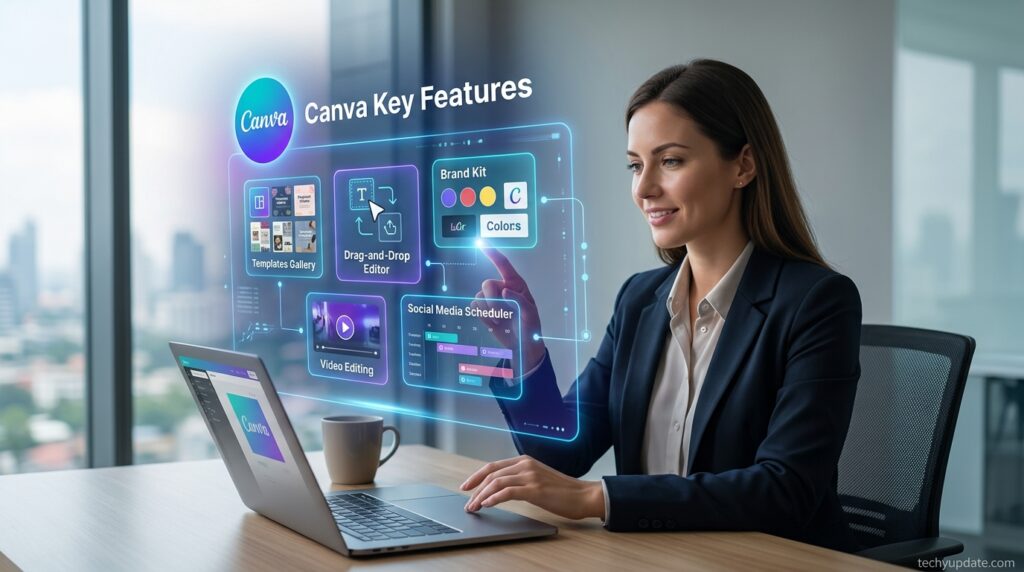
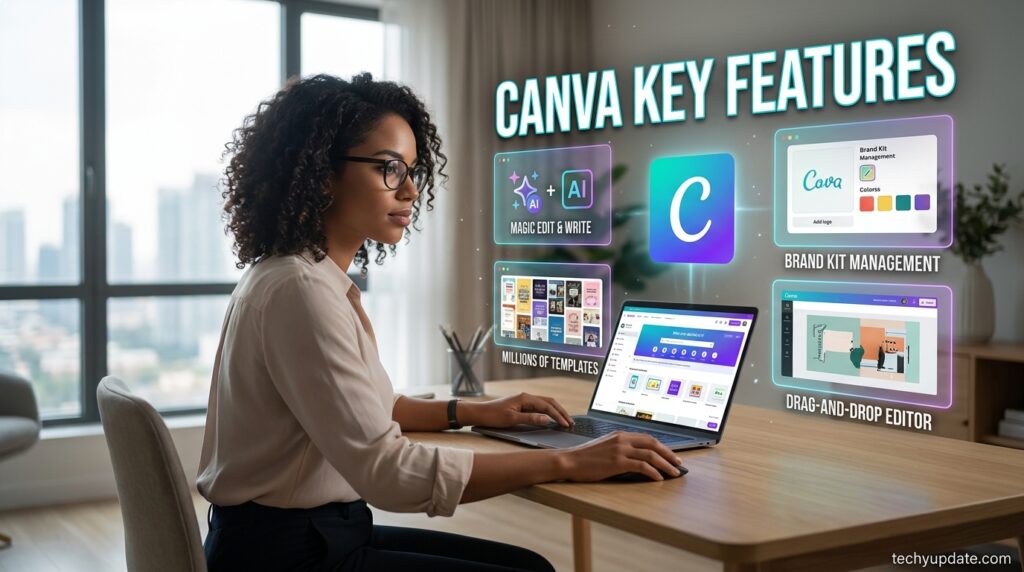
The strength of the Canva AI Generator lies in its powerful collection of smart features designed for beginners and professionals alike. Instead of relying on complex editing systems, the platform focuses on automation, simplicity, and productivity.

Its AI capabilities continue to expand in 2026, making it more than just an online graphic editor. It now functions as a complete AI-powered creative assistant.

Key Features of Canva AI Generator

AI Image Generation

One of the most exciting features of the Canva AI Generator is its text-to-image technology. Users can describe an image using natural language, and the AI creates visuals instantly.

For example:

  • “Create a futuristic city skyline at sunset.”
  • “Generate a cartoon classroom illustration.”
  • “Design a minimalist tech background.”

The AI quickly produces editable graphics based on the prompt.

This feature is especially useful for:

  • Bloggers needing custom visuals
  • Students creating assignments
  • Social media creators
  • Small business marketers

The platform also offers different artistic styles, including:

  • Watercolor
  • 3D
  • Anime
  • Realistic
  • Sketch art

Because of this flexibility, Canva AI tools simplify visual storytelling for beginner content creation.

AI Content Writing

The platform also includes built-in writing tools powered by artificial intelligence. These tools help users generate captions, blog outlines, product descriptions, and marketing text.

For students and beginners, this feature reduces writer’s block and speeds up content production.

Common writing uses include:

  • Instagram captions
  • YouTube descriptions
  • Blog introductions
  • Email drafts
  • Advertising copy

This makes Canva more than a graphic design platform. It now supports complete multimedia creation workflows.

Drag-and-Drop Editing

Canva’s drag-and-drop interface remains one of its biggest strengths. Even users with no design knowledge can easily edit templates, change colors, move elements, and customize layouts.

The editor is highly beginner-friendly because it removes technical complexity. Instead of dealing with complicated layers and coding systems, users simply click and edit.

Template customization options include:

  • Fonts
  • Icons
  • Photos
  • Shapes
  • Animations
  • Videos

This simplicity is why many beginners choose Canva AI Generator over advanced editing software.

Social Media Design Tools

Social media creators heavily rely on Canva AI tools because the platform offers ready-made templates optimized for modern platforms.

Users can instantly create:

  • Instagram posts
  • Facebook banners
  • TikTok covers
  • YouTube thumbnails
  • LinkedIn graphics

The AI also automatically recommends dimensions and layouts, saving creators time.

For beginner content creation, these ready-made tools are extremely valuable because they simplify branding and visual consistency.

Benefits of Using Canva AI Generator

The Canva AI Generator offers several advantages, making it one of the most accessible AI-powered creative tools in 2026. Its combination of automation and simplicity allows users to create professional-quality content without hiring designers or learning advanced software.

One of the biggest benefits is time-saving automation. Instead of manually creating graphics from scratch, users can generate layouts, text, and visuals in seconds.

For students, this means faster project completion. For marketers, it means improved productivity.

Key benefits include:

  • Faster design workflows
  • Beginner-friendly editing
  • Affordable pricing
  • Multi-purpose content support
  • Cloud-based access

Another major advantage is accessibility. Unlike expensive professional software, Canva works directly in the browser and mobile app.

The platform also reduces the learning curve associated with design. Beginners can quickly understand how to use templates, edit visuals, and generate AI content.

This makes the Canva AI review landscape overwhelmingly positive among students and creators.

Additional benefits include:

No Professional Skills Required

Users do not need graphic design experience to create polished visuals. The AI handles layout balancing, font pairing, and design consistency automatically.

Affordable Alternative

Compared to advanced software subscriptions, Canva offers lower pricing and a generous free plan.

Multi-Purpose Content Creation

Users can design:

  • Presentations
  • Videos
  • Posters
  • Infographics
  • Social media posts
  • Blog graphics

This versatility makes Canva AI Generator an all-in-one graphic design platform.

Canva AI Generator: The Ultimate AI Design Tool for Beginner Content Creation

In the modern digital era, creating professional-quality graphics, presentations, videos, and marketing content no longer requires years of design experience. The rise of artificial intelligence has completely transformed how individuals and businesses produce visual content online. Among all modern creative platforms, Canva AI Generator has become one of the most powerful and beginner-friendly solutions available today.

As a leading AI design tool, Canva has revolutionized digital creativity by combining automation, simplicity, and intelligent design features into a single, comprehensive graphic design platform. Whether users are students, bloggers, entrepreneurs, marketers, or social media creators, Canva offers a seamless experience that simplifies content production while maintaining professional quality.

This in-depth Canva AI review explores the platform’s features, benefits, pricing, tools, and why it remains one of the best platforms for beginner content creation in 2026.

What Is Canva AI Generator?

Canva AI Generator is an AI-powered creative system integrated into Canva’s ecosystem that automatically generates graphics, text, presentations, social media posts, and visual assets using smart automation.

Unlike traditional design software that often requires technical expertise, Canva focuses on accessibility and ease of use. The platform allows beginners to create polished designs quickly through drag-and-drop editing, AI-generated layouts, and automated content suggestions.

The AI tools inside Canva can generate:

  • Images from text prompts
  • Social media graphics
  • Marketing copy
  • Video thumbnails
  • Presentation slides
  • Blog visuals
  • Infographics
  • Educational materials

This makes Canva more than just a simple editor. It is now a complete AI design tool built for modern digital creators.

Canva AI Generator Is Dominating the Design Industry

The global demand for AI-assisted creativity has grown rapidly because users want faster workflows without sacrificing quality. Canva addresses this demand by offering an intuitive interface powered by advanced artificial intelligence.

Canva AI Generator Is Dominating the Design Industry

Several factors contribute to Canva’s popularity:

1. Beginner-Friendly Interface

One of Canva’s strongest advantages is simplicity. Even first-time users can easily understand the platform’s editing system.

The drag-and-drop interface allows users to:

  • Add elements instantly
  • Resize designs automatically
  • Change fonts and colors quickly
  • Customize templates effortlessly

This simplicity makes Canva perfect for beginner content creation.

2. AI-Powered Design Automation

The AI automation system dramatically reduces manual work. Instead of creating designs from scratch, users can type prompts and receive instant creative outputs.

Examples include:

  • “Create a modern Instagram post.”
  • “Generate a business presentation.”
  • “Design a YouTube gaming thumbnail.”

The AI instantly produces editable templates optimized for the selected purpose.

This intelligent automation is why many creators consider Canva one of the best AI-powered productivity platforms.

3. Massive Template Library

Canva provides access to thousands of professionally designed templates for almost every content category imaginable.

Popular categories include:

  • Instagram posts
  • Facebook ads
  • TikTok covers
  • YouTube thumbnails
  • Business presentations
  • School projects
  • Flyers
  • Posters
  • Logos

These templates help beginners create visually attractive designs without hiring professional designers.

Canva Is the Best Beginner-Friendly Design Software

Many users choose Canva because it combines advanced functionality with exceptional simplicity.

Unlike traditional editing platforms, Canva avoids overwhelming interfaces and technical complexity. Instead, it focuses on accessibility and intuitive editing.

Drag-and-Drop Simplicity

Users can move elements, resize graphics, and customize layouts with simple clicks.

Cloud-Based Accessibility

Because Canva is browser-based, users can access projects from laptops, tablets, or smartphones without installing heavy software.

Massive Template Library

Canva offers thousands of templates covering nearly every niche and industry.

Collaboration Features

Teams can collaborate in real time, making Canva useful for businesses, classrooms, and marketing agencies.

These advantages make Canva one of the strongest options for beginner-focused design workflows.

Read More: Best AI Writing Tools Review

Key Features of Canva AI Generator

AI Image Generation

The text-to-image feature is one of Canva’s most exciting innovations. Users can type a prompt, and the AI generates original visuals within seconds.

Supported styles include:

  • Realistic art
  • Anime
  • Watercolor
  • 3D graphics
  • Digital illustrations
  • Sketch designs

This feature helps creators produce unique visuals without relying entirely on stock photos.

Benefits of AI Image Generation

  • Faster content creation
  • Unique branding visuals
  • Improved social media engagement
  • Creative flexibility

For students and bloggers, this feature significantly enhances visual storytelling.

AI Writing Assistant

The built-in AI writing system helps users generate content ideas, captions, descriptions, and marketing copy.

The writing assistant can produce:

  • Blog introductions
  • Social media captions
  • Product descriptions
  • Ad copy
  • Email drafts
  • Video scripts

This transforms Canva into more than a graphic design platform. It becomes a complete creative assistant for content creators.

Magic Resize Tool

One of Canva’s most practical AI-powered features is Magic Resize.

This tool automatically adapts designs for multiple platforms in real time.

For example:

  • Instagram post → Facebook banner
  • YouTube thumbnail → Pinterest graphic
  • Flyer → Presentation slide

Instead of manually redesigning content, the AI automatically adjusts dimensions.

This saves creators valuable time and improves workflow efficiency.

Background Remover

The AI background remover simplifies image editing for beginners.

Users can remove backgrounds from photos with a single click, making it easier to create:

  • Product images
  • Promotional graphics
  • Social media visuals
  • Transparent PNGs

Previously, this type of editing required advanced knowledge of software. Canva simplifies the process entirely.

AI-Powered Design

The future of AI-powered design will continue evolving rapidly. Experts predict that AI tools will soon handle even more advanced creative tasks, including:

  • Personalized branding
  • Automated video storytelling
  • Smart animation generation
  • AI-assisted educational content
  • Interactive visual experiences

Platforms like Canva are leading this transformation by combining creativity with automation.

As artificial intelligence becomes more sophisticated, users will gain access to smarter workflows and faster production systems.

The growth of automated content creation will also reshape industries such as education, digital marketing, and e-commerce.

Canva AI Review: Performance and User Experience

Our comprehensive Canva AI review shows that the platform performs exceptionally well for beginners and intermediate creators.

Ease of Use

Canva’s interface is clean, responsive, and intuitive. Navigation is simple, even for users with no technical experience.

The learning curve is minimal compared to advanced design software.

Design Quality

AI-generated designs are visually appealing and modern. Templates align with current digital trends, helping users maintain a professional aesthetic.

Speed and Productivity

Canva dramatically improves productivity through automation.

Tasks that previously required hours can now be completed in minutes.

Cloud Accessibility

Because Canva is cloud-based, users can access projects from desktops, tablets, or smartphones.

This flexibility is ideal for students and remote workers.

How Businesses Use Canva AI Tools

Modern businesses use Canva AI tools to improve branding, advertising, and communication strategies.

Common business applications include:

Social Media Marketing

Brands use Canva to produce engaging visuals optimized for multiple social media platforms.

Advertising Campaigns

Marketing teams create banners, video ads, and promotional graphics using AI-powered templates.

Presentation Design

Companies use Canva for investor presentations, employee training materials, and sales pitches.

Brand Identity

Businesses maintain visual consistency through brand kits, color palettes, and reusable templates.

The platform significantly reduces production costs while improving creative efficiency.

Benefits of Canva AI Generator for Beginners

No Design Skills Required

Perhaps the biggest advantage of Canva is accessibility. Users do not need graphic design knowledge to create professional-quality visuals.

The AI handles:

  • Layout balancing
  • Font matching
  • Color harmony
  • Element positioning

This allows beginners to focus on creativity rather than technical complexity.

Affordable Pricing

Compared to expensive creative software subscriptions, Canva remains highly affordable.

The free plan offers excellent functionality, while the Pro version unlocks advanced AI tools and premium assets.

This pricing structure makes Canva attractive for students and small businesses.

Multi-Purpose Content Creation

Canva supports various content formats, including:

  • Videos
  • Presentations
  • Social graphics
  • Infographics
  • Posters
  • Documents

This versatility makes it one of the most complete creative ecosystems online.

Canva AI Generator vs Other AI Design Tools

Canva vs Adobe Express

Adobe Express provides professional integrations and editing flexibility, but Canva offers a simpler experience for beginners.

Canva Advantages:

  • Easier navigation
  • Better beginner support
  • Larger template ecosystem
  • Faster onboarding

Adobe Advantages:

  • Advanced editing tools
  • Strong Adobe ecosystem integration

For everyday creators, Canva often feels more accessible.

Canva AI Generator vs Other AI Design Tools

The AI design industry is highly competitive in 2026. Several platforms now offer automated content-creation features, but Canva continues to dominate thanks to its balance of simplicity and functionality.

Canva AI Generator vs Other AI Design Tools

Comparison with Adobe Express

Adobe Express provides powerful editing tools and professional integrations. However, many beginners find it slightly more complex than Canva.

Canva advantages include:

  • Easier learning curve
  • Simpler interface
  • Faster onboarding
  • Better beginner accessibility

Adobe Express is better for users who need deeper creative control, but Canva AI Generator is more approachable for everyday users.

Comparison with Microsoft Designer

Microsoft Designer also uses AI-powered design automation, especially for business graphics and productivity workflows.

However, Canva offers:

  • More templates
  • Better social media tools
  • Stronger beginner support
  • Larger creator ecosystem

Canva’s drag-and-drop editor also feels smoother for first-time users.

Ease of Use and Pricing Differences

When comparing overall usability, Canva remains one of the easiest AI design tools available.

Why beginners prefer Canva:

  • Lower learning curve
  • Affordable plans
  • Fast content creation
  • Extensive template library

This balance between affordability and automation explains why the Canva AI review trend remains highly positive in 2026.

Canva vs Microsoft Designer

Microsoft Designer focuses heavily on productivity and business graphics.

However, Canva excels in:

  • Social media design
  • Template variety
  • Creative flexibility
  • Educational resources

Canva’s broader creative ecosystem gives it a significant advantage for content creators.

Canva AI Tools vs Traditional Graphic Design Software

Traditional design programs like Photoshop and Illustrator offer advanced editing capabilities, but they often require extensive training.

Canva focuses on simplicity and speed.

FeatureCanva AI ToolsTraditional Design Software
Beginner FriendlyYesNo
AI AutomationAdvancedLimited
Cloud-Based AccessYesPartial
Learning CurveEasyDifficult
Social Media TemplatesExtensiveLimited
CollaborationReal-TimeRestricted
Cost EfficiencyAffordableExpensive

For beginners and content creators, Canva provides a much faster path to professional-looking designs.

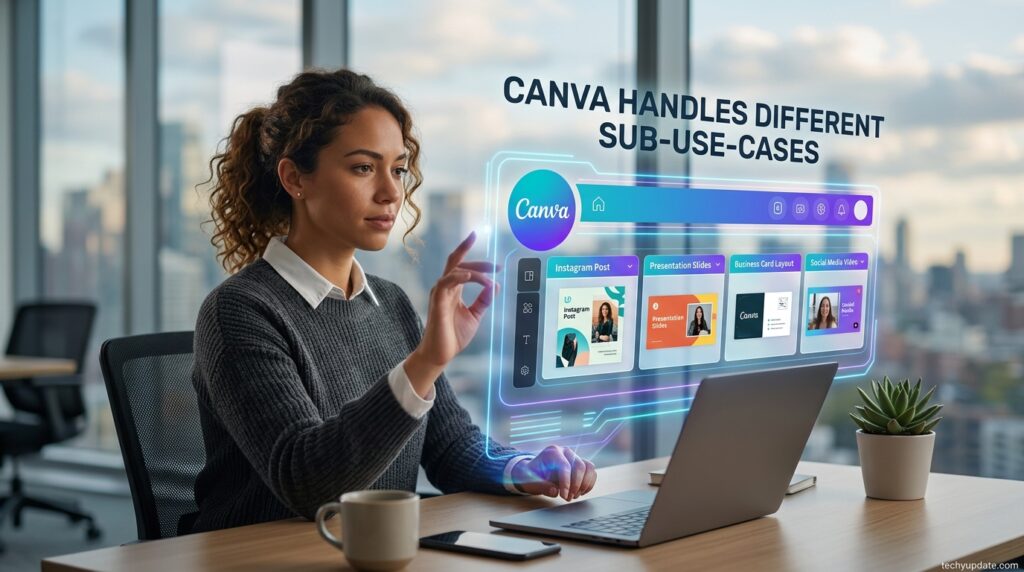
Best Use Cases for Canva AI Generator

The Canva AI Generator works exceptionally well across multiple industries and use cases.

Canva AI Generator

Students

Students use Canva for:

  • Presentations
  • School posters
  • Research visuals
  • Educational videos

The beginner-friendly interface makes academic design projects easier and faster.

Bloggers

Bloggers create:

  • Featured images
  • Pinterest graphics
  • Infographics
  • Social promotions

Canva improves blog branding and visual engagement.

Social Media Creators

Social media influencers rely on Canva for consistent branding and fast content production.

Popular content types include:

  • Instagram stories
  • YouTube thumbnails
  • TikTok graphics
  • Facebook ads

Small Businesses

Small business owners use Canva for:

  • Promotional content
  • Brand identity
  • Product marketing
  • Advertising visuals

The platform reduces the need for expensive design agencies.

Pros and Cons of Canva AI Generator

Pros

  • Extremely beginner-friendly
  • Fast AI-powered design generation
  • Affordable pricing
  • Massive template collection
  • Excellent collaboration tools
  • Cloud-based convenience

Cons

  • Limited advanced editing compared to Photoshop
  • AI outputs sometimes need refinement
  • Some premium features are locked behind a subscription
  • Internet connection required

Despite these limitations, Canva remains one of the best AI tools for beginner creators.

Expert Tips to Maximize Canva AI Tools

To get the best results from Canva AI, users should follow several important strategies.

Use Detailed Prompts

Instead of typing:

“Create a business graphic.”

Use:

“Create a modern blue startup infographic with minimalist typography.”

Detailed prompts improve output quality significantly.

Customize AI Outputs

Never rely entirely on automation. Editing AI-generated content manually improves originality and professionalism.

Maintain Brand Consistency

Use consistent:

  • Fonts
  • Colors
  • Logos
  • Visual styles

This strengthens visual identity across platforms.

Organize Projects Properly

Using folders and categories in Canva improves productivity and workflow management.

The Future of AI Design Platforms

Artificial intelligence will continue to reshape the creative industry in the coming years. Platforms like Canva are leading the shift toward automated and accessible design systems.

The Future of AI Design Platforms

Future AI developments may include:

  • Fully automated presentations
  • Personalized design suggestions
  • Advanced AI video editing
  • Real-time collaboration enhancements
  • AI-powered branding systems

Canva is positioned strongly to remain a dominant player in the AI creativity space.

Canva AI Generator Pricing in 2026

Pricing is one reason the Canva AI Generator remains highly popular among beginners and students. The platform offers both free and premium plans, allowing users to choose based on their creative needs.

Free Plan Features

The free plan includes several useful AI-powered features, although some advanced tools remain limited.

Users can access:

  • Basic AI image generation
  • Free templates
  • Drag-and-drop editor
  • Limited cloud storage
  • Stock photos and icons

The free version is suitable for beginner content creation and educational use.

However, limitations include:

  • Restricted premium assets
  • Limited AI usage
  • Watermarks on some exports
  • Smaller storage capacity

Even with these restrictions, Canva’s free plan remains one of the best beginner-friendly design options available.

AI Tools for Productivity and Time Management

Canva AI tools help users save time by automating repetitive creative tasks.

Examples include:

  • Instant resizing
  • Automated layouts
  • AI-generated suggestions
  • Smart formatting

Students can quickly prepare presentations and assignments, while marketers can streamline branding projects.

AI Tools for Coding and Technical Skills

Although Canva is not a coding platform, it simplifies visualizing technical content with AI-powered diagrams and presentation tools.

Users can create:

  • Coding tutorials
  • Infographics
  • Technical flowcharts
  • Educational slides

This is especially useful for beginner educators and online instructors.

Canva Pro Features

The Pro version unlocks premium AI features and advanced content tools.

Premium features include:

  • Expanded AI generation
  • Premium templates
  • Brand kits
  • Background remover
  • Team collaboration
  • Larger storage

For content creators and businesses, the upgrade significantly improves productivity.

Pro Tips to Maximize AI Tools

Using the Canva AI Generator effectively requires more than simply typing prompts. Beginners can dramatically improve their results by learning a few optimization strategies.

Pro Tips Box

Use detailed prompts for AI image generation
Combine templates with AI-generated visuals
Maintain consistent brand colors
Use Canva folders for organization
Test multiple text prompts for better outputs
Resize content automatically for different platforms

Another useful strategy is to combine Canva AI tools with external research sources, such as Google Trends and OpenAI content workflows.

For example:

  • Students can create visual notes faster
  • Bloggers can generate infographics for articles
  • Marketers can repurpose social content efficiently

Prompt quality also matters significantly.

Weak prompt example:

“Create a business graphic.”

Strong prompt example:

“Create a modern blue-and-white startup infographic with clean typography.”

Detailed instructions help the AI produce more accurate visuals.

Users should also customize AI-generated outputs manually instead of relying entirely on automation. Small edits often improve professionalism and uniqueness.

Pros and Cons of Canva AI Generator

Like every AI platform, the Canva AI Generator has strengths and weaknesses. Understanding both sides helps users decide whether the platform matches their needs.

Pros

The biggest advantage is simplicity. Canva’s interface is intuitive, fast, and beginner-friendly.

Major strengths include:

  • User-friendly interface
  • Fast AI content generation
  • Huge template library
  • Affordable pricing
  • Cloud-based accessibility
  • Strong collaboration tools

The platform is also ideal for non-designers who need professional-looking results quickly.

Another strength is versatility. Users can create educational presentations, social posts, YouTube thumbnails, marketing graphics, and blog visuals from one dashboard.

Cons

Despite its strengths, Canva AI Generator still has limitations.

Common disadvantages include:

  • Limited advanced editing capabilities
  • Some AI outputs require manual correction
  • Free plan restrictions
  • Dependence on internet access

Professional designers may find Canva less flexible compared to Photoshop or Illustrator.

AI-generated visuals occasionally produce inaccuracies or repetitive styles. Users should always review outputs carefully before publishing.

However, for beginner content creation, these limitations are relatively minor compared to the platform’s accessibility and speed.

Is Canva AI Generator Good for Beginners?

The short answer is yes. The Canva AI Generator is one of the best beginner-focused AI design tools available in 2026.

Its learning curve is extremely manageable because users do not need technical experience. The interface naturally guides users through editing workflows.

Students benefit because they can quickly create:

  • School presentations
  • Posters
  • Assignments
  • Infographics
  • Educational videos

Bloggers use Canva AI tools for:

  • Featured images
  • Pinterest graphics
  • Social media branding
  • Visual storytelling

Marketers rely on the platform for fast advertising creatives and promotional assets.

Another reason beginners prefer Canva is the balance between automation and customization. The AI speeds up creation while still allowing users to personalize designs.

Compared to professional editing software, Canva feels less intimidating. This encourages experimentation and creativity among first-time users.

The platform also supports collaborative learning, allowing teachers and students to work together online.

Overall, the Canva AI review community strongly supports the platform for educational and beginner-focused use cases.

Common Mistakes Students Make with AI

Many beginners misuse AI-powered platforms by relying too heavily on automation without understanding the fundamentals of creativity.

Common mistakes include:

  • Copying AI outputs without editing
  • Using low-quality prompts
  • Ignoring design consistency
  • Overcrowding layouts
  • Choosing unreadable fonts

Students often believe AI automatically guarantees professional quality. In reality, human creativity and judgment still matter.

Common Mistakes Box

 Using too many visual effects
Trusting AI-generated facts without checking
Forgetting mobile-friendly formatting
Overusing templates without customization
Ignoring branding consistency

To improve results, beginners should:

  • Edit AI outputs manually
  • Maintain visual hierarchy
  • Use whitespace effectively
  • Double-check written content

Learning these fundamentals helps students maximize the value of the Canva AI Generator.

Experts believe AI-powered design tools will continue transforming education and content creation throughout 2026 and beyond.

Organizations such as OpenAI and Google continue to invest heavily in AI-assisted productivity systems.

Key trends include:

  • Personalized learning tools
  • AI-assisted presentations
  • Automated visual storytelling
  • Smart educational content creation

Experts predict that beginner-friendly platforms like Canva will become essential learning companions for students.

Another major trend is the creation of multimodal content. Instead of separating writing, graphics, and video production, AI platforms now combine everything into unified workflows.

This benefits creators because they can:

  • Write content
  • Generate visuals
  • Edit videos
  • Publish designs

All from one ecosystem.

The Canva AI Generator represents this new generation of integrated AI productivity platforms.

Quick Summary

The Canva AI Generator remains one of the strongest beginner-focused AI design platforms in 2026.

Key Highlights

  • Beginner-friendly interface
  • Powerful AI automation
  • Affordable pricing
  • Strong template ecosystem
  • Excellent social media tools
  • Fast content creation workflows

Best For

  • Students
  • Bloggers
  • Social media creators
  • Small businesses
  • Online educators

Main Limitation

Advanced designers may still need professional editing software for complex creative projects.

Overall, Canva delivers impressive value for users seeking accessible AI-powered design automation.

FAQ Section

1. What is Canva AI Generator?

The Canva AI Generator is an advanced artificial intelligence feature in Canva that lets users create visuals, graphics, presentations, and written content automatically using simple text prompts. Instead of manually designing every element, users can describe what they need, and the AI instantly generates editable designs.

This system is built to simplify AI-powered design for everyone, especially beginners without professional graphic design skills. It combines automation with creativity, offering tools like text-to-image generation, smart templates, and AI writing assistance.

In simple terms, Canva AI Generator turns ideas into ready-to-use digital content within seconds, making it one of the most powerful online graphic editor solutions in 2026.

2. Is Canva AI Generator free to use?

Yes, the Canva AI Generator is partially free to use with the Canva free plan. Users can access basic AI features, including templates, simple design tools, limited AI image generation, and drag-and-drop editing, without paying.

However, advanced AI tools like premium image generation, brand kits, and extended automation features are available only in the Pro version.

Free users still benefit from:

  • Basic AI design tools
  • Limited automated content creation features
  • Free templates and graphics
  • Beginner-friendly editing system

This makes it a strong option for students and beginners exploring AI-powered design without upfront investment.

3. Can beginners use Canva AI Generator easily?

Yes, beginners can use the Canva AI Generator extremely easily because it is designed to be beginner-friendly.

The platform removes technical barriers by offering:

  • Drag-and-drop editing
  • Pre-built templates
  • AI-assisted design suggestions
  • Simple text-based prompts

Even users with no graphic design experience can create professional-quality visuals in minutes.

The system also guides users through every step, making it ideal for school projects, social media posts, and basic marketing tasks. This simplicity is one of the main reasons Canva dominates the online graphic editor market.

4. What can Canva AI Generator create?

The Canva AI Generator can create a wide range of digital content using automation and smart templates.

It can produce:

  • Social media posts (Instagram, Facebook, LinkedIn)
  • YouTube thumbnails
  • Business presentations
  • Posters and flyers
  • Blog visuals
  • Marketing banners
  • Infographics
  • Educational materials

It also supports automated content creation, allowing users to generate both text and visuals in a single workflow.

This makes Canva a complete creative ecosystem for students, marketers, and content creators.

5. Does Canva AI Generator support AI writing tools?

Yes, the Canva AI Generator includes integrated AI writing features inside Canva.

These tools help users generate:

  • Captions for social media
  • Blog introductions
  • Marketing copy
  • Product descriptions
  • Presentation text

The AI writing assistant is especially useful for beginners who struggle with content creation. It improves productivity by combining AI-powered design with automated writing support on a single platform.

6. Is Canva AI Generator better than Adobe Express?

In many beginner use cases, Canva AI Generator is considered easier and more accessible than Adobe Express.

Canva advantages:

  • Simpler interface
  • Faster learning curve
  • More templates
  • Strong beginner-friendly design software experience

Adobe Express advantages:

  • Strong brand ecosystem
  • Advanced creative control
  • Integration with Adobe tools

Overall, Canva is better for beginners and fast content creation, while Adobe Express is more suitable for users who want deeper professional editing control.

7. Can Canva AI Generator create social media content?

Yes, the Canva AI Generator is widely used for creating social media content. It is one of Canva’s strongest features.

Users can create:

  • Instagram posts and reels covers
  • Facebook banners
  • TikTok graphics
  • YouTube thumbnails
  • LinkedIn business posts

The platform automatically adjusts sizes, layouts, and styles across platforms, making it ideal for automated content creation in digital marketing.

This is why influencers and brands rely heavily on Canva for daily content production.

8. What are the main advantages of Canva AI Generator?

The Canva AI Generator offers several key benefits, making it one of the leading AI-powered design tools in 2026.

Key advantages:

  • Extremely easy to use for beginners
  • Fast content generation using AI
  • Large library of templates and graphics
  • Supports both design and writing tools
  • Cloud-based access from any device
  • Cost-effective compared to professional software
  • Ideal for students, freelancers, and businesses

Its combination of automation and simplicity makes it a powerful online graphic editor for modern content creation needs.

9. Does Canva AI Generator work on mobile devices?

Yes, the Canva AI Generator works smoothly on mobile devices via the official Canva app and the browser version.

Mobile users can:

  • Create and edit designs
  • Use AI tools for content generation
  • Access templates and graphics
  • Publish directly to social media

The mobile experience is optimized for speed and convenience, allowing users to manage automated content creation on the go. This makes Canva highly flexible for modern creators who work across multiple devices.

10. Is Canva AI Generator worth using in 2026?

Yes, the Canva AI Generator is absolutely worth using in 2026, especially for beginners, students, and content creators.

With its combination of AI-powered design, smart automation, and beginner-friendly tools, Canva continues to dominate the digital creation space.

It is especially valuable for:

  • Students creating assignments and presentations
  • Marketers managing social media campaigns
  • Bloggers designing visuals
  • Small businesses building branding materials

Its ability to combine design, writing, and automation in one platform makes it one of the most efficient online graphic editor tools available today.

For anyone starting in digital content creation, Canva AI Generator is not just useful—it is a long-term productivity solution.

Final Verdict

After analyzing features, pricing, usability, and automation capabilities, it is clear that the Canva AI Generator remains one of the best AI-powered creative tools for beginners in 2026.

Its combination of simplicity, affordability, and smart automation makes it highly attractive for students, bloggers, marketers, and content creators.

The platform successfully removes the technical barriers traditionally associated with graphic design. Instead of spending months learning advanced software, users can produce polished content almost instantly.

This Canva AI review also shows that the platform continues evolving rapidly through AI-powered enhancements and productivity tools.

If you are looking for a beginner-friendly graphic design platform that combines creativity with automation, Canva is absolutely worth trying.

For first-time users, the free plan offers enough features to explore AI-powered design workflows before upgrading to premium tools.

The Canva AI Generator stands out as one of the most powerful and accessible AI-powered creative platforms available today. Its combination of automation, simplicity, affordability, and versatility makes it ideal for students, bloggers, marketers, and entrepreneurs.

For users seeking a beginner-friendly AI design tool that simplifies creating professional-quality content, Canva delivers exceptional value.

This comprehensive Canva AI review confirms that Canva continues to dominate the modern graphic design platform market by making creativity accessible to everyone.

Whether users need social media graphics, presentations, blog visuals, or marketing assets, Canva provides a complete AI-driven solution that can transform digital creativity in 2026 and beyond.

Leave a Comment

Your email address will not be published. Required fields are marked *

Scroll to Top