

Google has quietly built one of the most capable AI creative platforms on the planet. Launched inside Google Labs and powered by the same AI research infrastructure that drives Google DeepMind, Google Flow has evolved from a modest video experiment into a full AI creative studio, one that lets anyone generate cinematic videos, high-fidelity images, and even original music without touching a camera, microphone, or editing timeline.
If you’ve heard of Veo 3.1, Gemini Omni Flash, or noticed that Google Whisk AI disappeared, everything connects back to Google Flow. This guide covers what the platform actually is, how it works, what it costs, who it’s built for, and how it stacks up against the competition in 2026.
Artificial intelligence is rapidly transforming content creation, and video production is one of the industries experiencing the biggest changes. Traditional video workflows often require expensive software, technical expertise, professional editing skills, and significant time investments. Google’s latest innovation, Google Flow, aims to simplify and accelerate this process through advanced AI-powered video generation and creative assistance.
Google Flow is an experimental AI filmmaking and video creation platform developed by Google Labs. It combines powerful generative AI capabilities, intelligent editing tools, customizable AI characters, avatar creation, and workflow automation into a single creative environment.
Powered by Google’s latest video generation technologies, including Gemini-powered creative intelligence and advanced video models, Flow enables creators to generate cinematic-quality videos using natural language prompts and AI-assisted workflows.
In this comprehensive Google Flow review, we’ll explore its features, benefits, use cases, strengths, limitations, and future potential, and analyze whether it’s worth using in 2026.
Visit the official Google Flow Labs AI Studio website →
Table of Contents
What Is Google Flow?
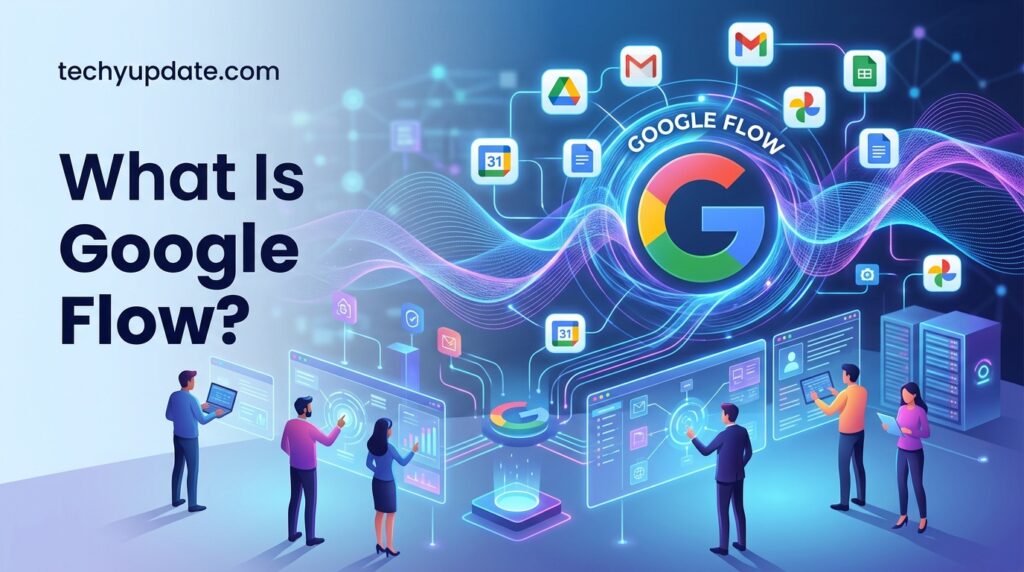
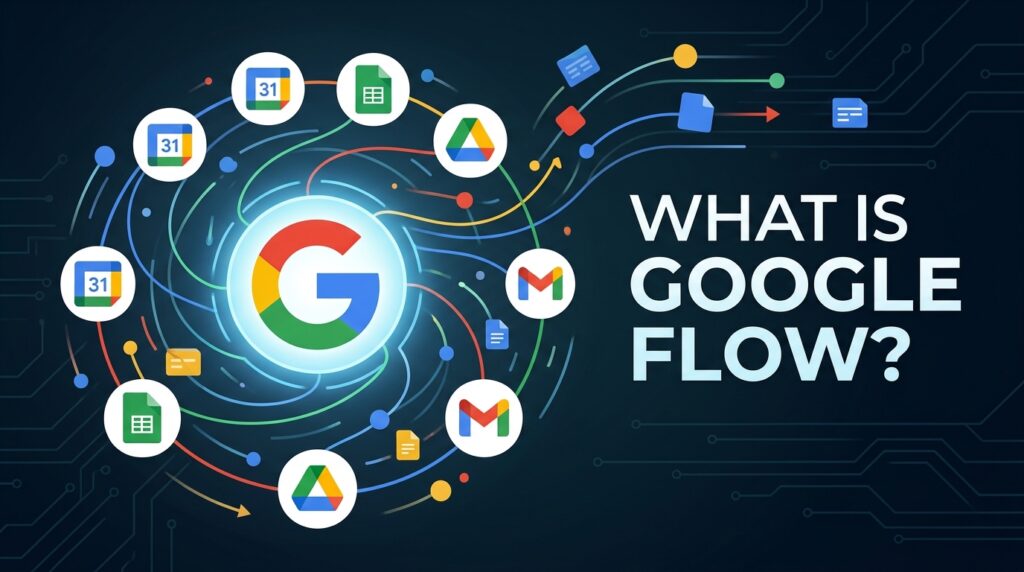
Google Flow is Google’s unified AI creative studio for generating images, videos, and complete visual stories from text and image inputs. It lives in labs. Google is part of the broader Google Labs ecosystem, Google’s testing ground for ambitious AI products before they graduate to mainstream integration.
At its core, Flow lets you describe what you want to see or hear, and Google’s advanced generative models bring it to life. That means a filmmaker can generate a rain-soaked alley chase scene from a text prompt. A music producer can create an AI-driven music video synced to their track. A marketer can produce a polished product teaser without hiring a production crew.
Google Flow is an AI-powered creative platform that helps users generate, edit, organize, and manage videos using advanced generative AI.
Unlike traditional video editing software, Flow focuses on natural language interaction and AI-assisted creativity.
Users can:
- Generate videos from prompts
- Create AI avatars
- Design reusable characters
- Build custom creative tools
- Organize projects
- Edit videos using AI assistance
- Manage media assets efficiently
What makes Flow distinct from every other AI video tool right now is that it generates video with native audio character dialogue, ambient sound, and sound effects are baked into the video itself, not added separately afterward. This single capability alone separates Google Flow from most of its competitors.
The platform serves as a complete AI filmmaking ecosystem rather than a simple video generation tool.
From VideoFX to AI Creative Studio: The Full Evolution
Understanding where Google Flow came from explains a great deal about why it works the way it does.
Google’s first foray into AI video was called VideoFX, an experimental tool inside Google Labs that launched in May 2024. VideoFX allowed users to generate short clips from text prompts, impressive at the time, but limited in scope. It was essentially a proof of concept.
At Google I/O 2025, Google unveiled Flow, a significant upgrade that baked in cinematic controls, multi-shot storytelling, and professional filmmaker collaboration. Visionaries like Dave Clark and Henry Daubrez tested early versions and helped shape what creative professionals actually needed.
Separately, Google launched Whisk AI in December 2024, which became one of the most popular Google Labs tools ever, racking up over 1.5 billion creations. Whisk let users blend subject, scene, and style references into visually remixed images in ways that felt genuinely magical.
Then, on February 25, 2026, Google made its boldest move yet: merging three tools, the original Flow, Whisk, and ImageFX (Google’s text-to-image generator), into a single unified workspace simply called Google Flow. The result was a single creative environment where you could go from a mood board to a static keyframe to a finished animated video without ever switching platforms.
By April 30, 2026, Whisk shut down permanently. All Whisk features, saved projects, and credits migrated into Flow. At Google I/O 2026, the platform received another major update: the addition of Gemini Omni Flash, an intelligent creative agent, custom tool building, and dedicated mobile apps. Google Labs VP Elias Roman described the company’s intention clearly: “We’re really building a new Google product line that’s entirely dedicated to creativity.”
What Is Google Labs and Why Does It Matter?
Google Labs is not a separate company. It’s Google’s designated sandbox, the place where genuinely interesting ideas get put in front of real users before they’re polished enough for mainstream release. Gmail started as a Labs experiment. Google Maps had Lab features for years before they became standard.
The implication for Flow is important: you’re getting access to Google’s most advanced generative AI models earlier than the general public, at the cost of occasional roughness at the edges. Google uses real-world usage data from Labs tools to decide what gets refined, what gets merged into other products, and what gets discontinued. Flow has clearly earned its place in the “refine and expand” column.
How Google Flow Actually Works
Google Flow doesn’t run on a single AI model. It’s a layered system in which several of Google DeepMind’s most advanced generative models work together, depending on what you’re trying to create.
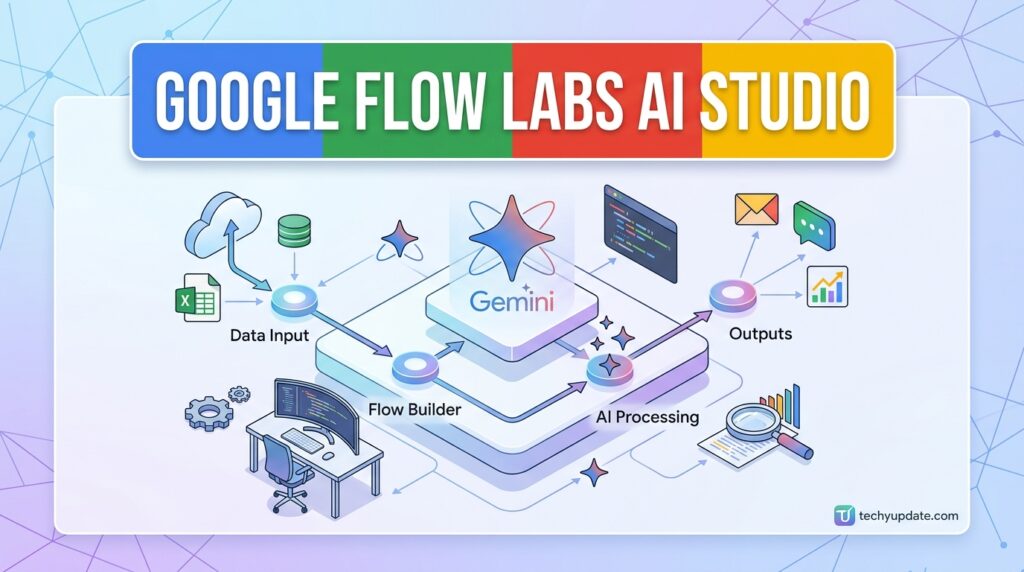
The Three Pillars: Veo 3.1, Nano Banana, and Gemini
Veo 3.1 is Google DeepMind’s flagship video-generation model, and it’s the heart of everything video-related in Flow. Give it a text prompt, a reference image, or both, and it generates video sequences with realistic lighting, physics simulation, camera behavior, and critically synchronized audio. Veo 3.1 even handles character dialogue, so a generated scene can feature characters speaking to each other without any post-production audio work.
Nano Banana Pro handles image generation. It’s Google’s flagship image model, capable of generating hyperrealistic images with impressive text rendering, textural detail, and contextual understanding. When you need a static keyframe, a mood board image, or a precise character reference before animating, Nano Banana Pro does the work. The fact that it now lives inside Flow rather than in the separate ImageFX tool means you can generate a static image and immediately send it to Veo 3.1 for animation in the same workspace.
Gemini provides the intelligence layer. It powers the conversational editing experience, the Flow Agent’s reasoning, and the natural language understanding that lets you say “make the lighting warmer and add some street noise” and have the platform understand exactly what that means.
Read more: Google Gemini Review 2026
What Is Gemini Omni Flash?
Gemini Omni Flash is a newer model that represents a leap forward in what Google calls “world understanding and multimodality.” Think of it as Gemini’s most capable creative version one that can take any combination of text, image, and video inputs and create something coherent from them.
Inside Google Flow, Omni Flash specifically improves character consistency: if you establish a character in one scene, their identity, voice, and appearance carry over to subsequent scenes without drifting. This has been one of the hardest problems in AI video generation, and Omni Flash’s approach to it is meaningfully better than previous models. Omni Flash is available to all Google AI subscribers (Plus, Pro, and Ultra plans) globally.
Native Audio: The Feature That Sets Flow Apart
Most AI video tools generate silent clips. You add music or sound effects separately afterward. Veo 3.1 takes a fundamentally different approach: audio is generated as part of the video itself.
This means rain sounds when you set a scene during a storm. Footsteps echo in a hallway when a character walks. Crowd noise in a market scene. Character dialogue when you write spoken lines into your prompt. This isn’t post-processed audio layered on top, it’s generated in context with the visuals, matched in timing and tone.
For filmmakers and content creators, this dramatically changes the workflow. You’re not assembling a video from separate audio and video parts. You’re generating a complete scene, much closer to how film actually works.
Key Google Flow Features
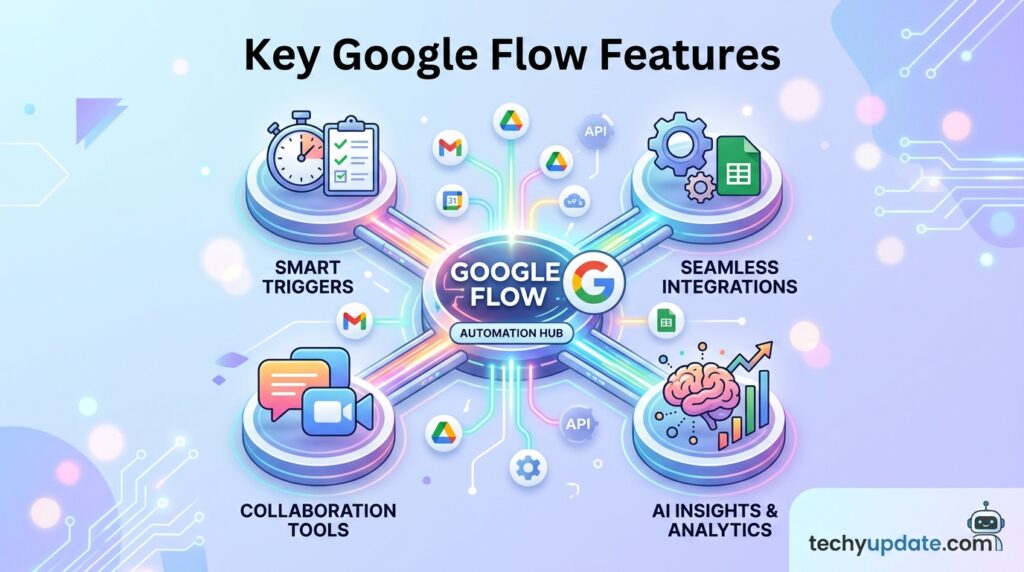
1. Gemini Omni Flash Video Generation
One of the most impressive features of Google Flow is Gemini Omni Flash.
This next-generation video generation technology focuses on:
- Cinematic realism
- Natural motion
- High-quality visual storytelling
- Enhanced scene consistency
- Intelligent world understanding
Unlike earlier AI video generators that struggled with realism, Gemini Omni Flash aims to create more believable environments, character interactions, and cinematic experiences.
Benefits
- Faster video creation
- Improved realism
- Better storytelling quality
- Reduced production costs
- Professional-looking results
For content creators, marketers, educators, and businesses, this significantly lowers the barrier to professional video production.
2. AI Avatar Creation
Google Flow introduces experimental avatar generation capabilities.
Your Face, Your Voice, Your Story
Users can create personalized AI avatars that replicate:
- Appearance
- Voice
- Speaking style
- Presentation style
This feature opens new opportunities for:
Content Creators
Generate videos without recording every scene.
Educators
Create training videos quickly.
Businesses
Produce consistent brand communication.
Influencers
Scale content production efficiently.
AI avatars can dramatically reduce production time while maintaining personalization.
3. AI Creative Assistant
One of Flow’s most innovative components is its integrated creative partner.
Rather than requiring users to work alone, Flow provides AI assistance throughout the creative process.
Creative Tasks Supported
- Idea generation
- Brainstorming
- Prompt writing
- Scene planning
- Story development
- Editing suggestions
- Project organization
This transforms Flow into an intelligent co-creator rather than a simple software tool.
Why This Matters
Many creators struggle with creative blocks.
AI-assisted brainstorming helps users:
- Generate ideas faster
- Improve storytelling
- Explore multiple concepts
- Refine creative direction
The result is a more efficient creative workflow.
4. Character Creation and Management
Google Flow allows users to build reusable AI characters.
Character Components Users can define:
- Appearance
- Voice
- Personality
- Behavior
- Communication style
Once created, characters can be referenced using simple tags.
For example:
@hero
@teacher
@businesscoach
These characters can then appear consistently across multiple projects.
Advantages
- Character consistency
- Faster production
- Stronger storytelling
- Brand identity maintenance
This feature is particularly valuable for businesses, educators, content creators, and digital storytellers.
5. Custom Tool Creation
One of the most unique Google Flow capabilities is custom tool creation.
What Are Flow Tools?
Flow Tools are personalized AI-powered workflow components.
Users can:
- Build tools
- Remix existing tools
- Share tools
- Automate repetitive tasks
Examples include:
- Prompt generators
- Story builders
- Video planners
- Brand assistants
- Content optimization tools
Why It’s Important
Every creator works differently.
Custom tools allow users to tailor Flow to their unique workflow.
This level of flexibility is rarely seen in traditional video editing platforms.
6. Mobile Accessibility Through Flow App
Google is expanding Flow beyond desktop environments.
Flow Mobile App
The Flow App allows users to:
- Create videos
- Manage projects
- Access assets
- Collaborate
- Share content
directly from mobile devices.
Initially launching for Android users, the app expands accessibility and flexibility.
Benefits
- Create content anywhere
- Faster workflow management
- Mobile-first creativity
- Increased productivity
This aligns with growing demand for mobile content creation tools.
Is Google Flow Worth Using?
Google Flow represents one of the most ambitious AI-powered creative platforms currently available.
Rather than focusing solely on video generation, it integrates:
- AI filmmaking
- Character management
- Creative collaboration
- Workflow automation
- Content organization
into a unified ecosystem.
For creators seeking faster video production and enhanced creative capabilities, Flow offers significant value.
Its combination of cinematic realism, avatar technology, reusable characters, and custom tools makes it particularly attractive for businesses, marketers, educators, and digital content creators.
As Google’s AI ecosystem continues expanding, Flow could become one of the most influential creative platforms in the next generation of content production.
Overall Rating: 9.2/10
Best For:
- Content creators
- Businesses
- Educators
- Marketing teams
- Storytellers
- Social media creators
Not Ideal For:
- Users requiring complete manual editing control
- Advanced film production workflows need specialized software
For most creators entering the AI video era, Google Flow is absolutely worth exploring in 2026.
Google Flow Features Breakdown (2026 Update)
The February and May 2026 updates turned Google Flow from a capable video generator into something closer to a full production environment. Here’s what each major feature actually does.
The Google Flow Agent: Your AI Creative Partner
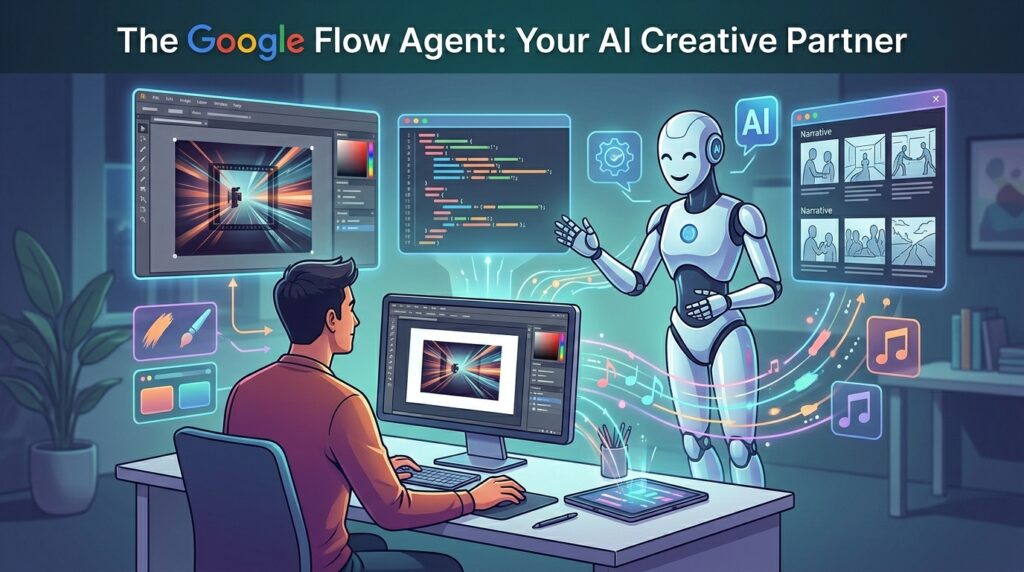
The Flow Agent is an AI creative partner built on Gemini’s intelligence and trained to understand your specific project. It’s not a generic chatbot, it’s a collaborator that can plan, reason through complex tasks, and make creative suggestions grounded in what you’ve already built.
In practice, this means the Agent can serve as a sounding board for dialogue between characters in a specific scene. It can analyze your existing footage and make plot recommendations. You can drag media directly into the Agent’s prompt box to give it visual context, and select multiple assets to include in a single query.
Agent conversations are saved as project-specific sessions, so you can return to an ongoing creative discussion without starting over.
You can also set persistent Agent Instructions, essentially creative guidelines you define once (preferred camera styles, character reference images, mood direction) that the Agent applies consistently across every generation in your project. This is the closest any AI tool has come to having a persistent creative memory within a project.
Google Flow Tools: Build Your Own Workflows
One of the most underappreciated features of the 2026 update is Google Flow Tools, a natural-language interface that lets you create custom tools and workflows without any coding experience.
The concept is powerful: if you have a specific creative process you run repeatedly, applying lo-fi glitch aesthetics to footage, resizing videos for specific platforms, building animated overlays, you can describe that process in plain language, and Flow will build a reusable tool for it. You can then share that tool with other Flow users, who can remix it into their own workflows.
A real-world example: early-access partner László Gaal created a custom tool called “pixelBento” that applies post-processing effects such as lo-fi and glitch aesthetics to video. Other creators can now load pixelBento into their own Flow projects and use those effects with a single click. This community tool-sharing model is still new, but it points toward Flow becoming a creative platform ecosystem rather than just a standalone tool.
Creating and remixing tools requires a Google AI subscription. All users globally can use existing tools that others have built and shared.
Camera Controls, Frames, and Scene Extension
For creators who care about the language of cinema, Flow’s camera controls are worth paying attention to. You can direct camera movement, pan, tilt, dolly, and orbit through natural language. You set the first and last frames to control how a scene starts and ends, with Flow generating the motion between them. This “Frames to Video” feature, added in late 2025, gives creators precise bookends around their AI-generated content.
Scene Extension lets you stretch existing clips beyond their original length, maintaining visual and audio continuity. This is particularly useful when you have a generated clip that’s almost what you need but ends a beat too early.
For longer projects, Storyboard Studio enables scriptwriting, character creation, and storyboard visualization as part of a complete video planning workflow before you generate a single frame.

Image Generation: Nano Banana Pro Inside Flow
Before the February 2026 merger, image generation lived in a separate tool called ImageFX. Now it’s integrated directly into the Flow workspace, which sounds like a small change but has a significant practical effect.
You can build a complete visual mood board using Nano Banana Pro’s image generation. Those images feed directly into Veo 3.1 as reference inputs for video generation. The visual direction you establish in a static image, the character design, the lighting scheme, and the color palette carry forward when you animate it. This pipeline eliminates the friction of switching between tools and re-uploading assets.
Nano Banana Pro excels at rendering text within images, so generated images can include readable signs, labels, and overlays useful for marketing visuals, informational content, and creative typography work.
Google Flow Music and Lyria 3
Google Flow Music is a companion platform that arrived in April 2026 as a rebrand of ProducerAI. It brings Google’s Lyria 3 music model, capable of generating complete studio-quality tracks, including instrumentals, vocals, and lyrics, into an environment built for creative musicians.
At I/O 2026, Google added Gemini Omni support to Flow Music, letting you create AI-driven music videos by working conversationally with the agent to direct styles, subjects, and scenes that match the narrative and pacing of your track.
For someone making a music video, the workflow of composing the song in Flow Music and then producing the accompanying video in Google Flow is a compelling end-to-end creative pipeline within a single product family.
Google Flow Labs AI Studio
Google Flow Labs AI Studio is an advanced, AI-powered creative platform developed by Google that helps users generate, edit, and manage multimedia content. The platform combines powerful AI models, creative tools, workflow automation, and intelligent assistants to simplify content creation.
Whether you’re a content creator, marketer, educator, developer, or business professional, Google Flow Labs AI Studio provides an environment where ideas can quickly transform into high-quality videos, images, and digital experiences.
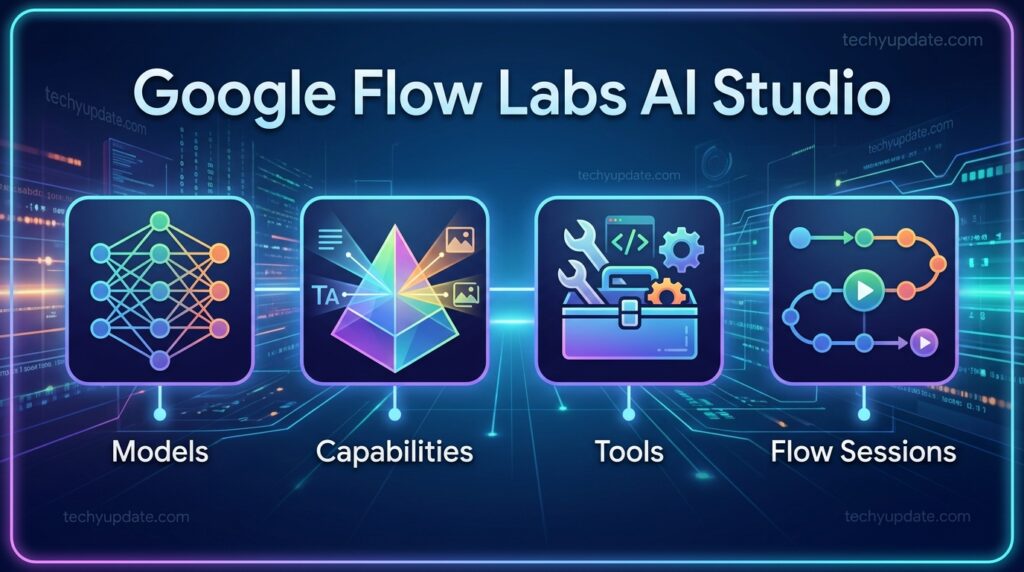
The platform is designed to reduce technical barriers while increasing creativity and productivity. Through natural language prompts, users can create professional content without requiring extensive design or editing expertise.
Google Flow Labs AI Studio is designed for a wide range of users, making it one of the most versatile AI content creation platforms.
Content Creators
YouTubers, influencers, and digital creators can use Flow Labs to generate videos, develop characters, create AI avatars, and streamline content production.
Marketing Teams
Marketing professionals can create promotional videos, advertising campaigns, social media content, and branded storytelling experiences more efficiently.
Businesses
Companies can leverage AI-powered workflows to produce training materials, presentations, product demonstrations, and customer engagement content.
Educators
Teachers and trainers can build interactive learning experiences, educational videos, and visual explanations for students.
Developers
Developers can experiment with AI models, build custom tools, and integrate creative AI capabilities into their projects.
Creative Professionals
Designers, filmmakers, writers, and storytellers can use the platform as a creative partner for brainstorming, content generation, and project development.
Overview
Google Flow Labs AI Studio represents Google’s vision for the future of AI-assisted creativity. The platform combines generative AI, intelligent automation, multimodal capabilities, and advanced content generation technologies into a unified workspace.
Unlike traditional editing software that requires manual work, Flow Labs focuses on AI collaboration. Users can communicate with the system using natural language, allowing AI to assist with ideation, creation, editing, organization, and optimization.
Key goals of the platform include:
- Simplifying content creation
- Enhancing creative productivity
- Reducing production costs
- Improving collaboration
- Enabling rapid experimentation
- Democratizing professional-quality content creation
As AI technology continues evolving, Google Flow Labs aims to become a central hub for digital creativity and innovation.
Models
The Models section provides access to Google’s latest AI technologies that power content generation and creative workflows.
These models are responsible for understanding prompts, generating content, editing media, and assisting users throughout the creative process.
Core Model Functions
- Text generation
- Video generation
- Image creation
- Audio processing
- Multimodal understanding
- Creative assistance
Benefits of AI Models
- Faster content creation
- Higher-quality outputs
- Better prompt understanding
- Improved creative consistency
- Reduced manual effort
Users can select different models depending on the complexity and type of project they are working on.
Capabilities
Google Flow Labs AI Studio offers a wide range of AI-powered capabilities that extend beyond traditional content creation tools.
Video Generation
Generate realistic videos from simple text prompts using advanced AI models.
Image Creation
Create high-quality visuals, illustrations, concept art, and marketing assets.
AI Editing
Modify content through conversational instructions rather than complex editing software.
Character Consistency
Build reusable AI characters with consistent appearance, voice, and personality.
Avatar Creation
Generate personalized avatars that can appear across multiple projects.
Story Development
Use AI to brainstorm ideas, structure narratives, and improve storytelling.
Workflow Automation
Automate repetitive creative tasks to increase efficiency.
Content Organization
Manage assets, projects, and media files within a centralized workspace.
Tools
The Tools section allows users to customize and enhance their creative workflows.
Google Flow Labs supports flexible tool creation that adapts to individual working styles and project requirements.
Custom Tool Creation
Users can build tools tailored to specific tasks, such as:
- Prompt generation
- Story planning
- Content optimization
- Script creation
- Brand management
Tool Sharing
Creators can share tools with teams or communities, encouraging collaboration and knowledge sharing.
Tool Remixing
Existing tools can be modified and improved to meet different project needs.
Productivity Benefits
- Faster project completion
- Consistent workflows
- Better content quality
- Increased automation
- Enhanced collaboration
This flexibility makes Flow Labs suitable for both individual creators and large organizations.
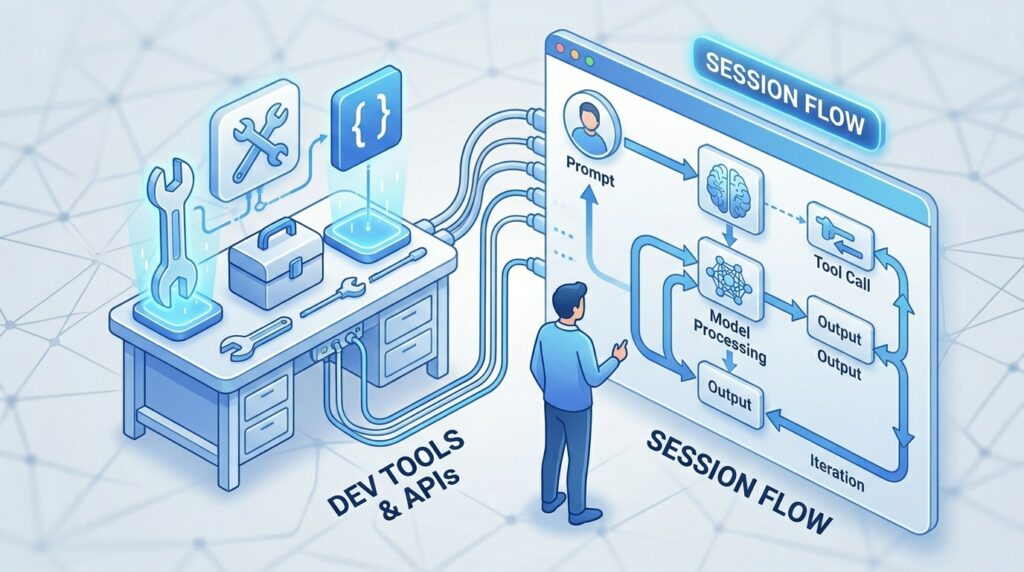
Flow Sessions
Flow Sessions are dedicated workspaces where users create, organize, and manage their AI-powered projects.
A Flow Session serves as a central environment for all project-related activities, helping users maintain organization and continuity.
What a Flow Session Includes
- Project assets
- AI-generated content
- Character definitions
- Prompts
- Editing history
- Creative notes
- Media files
Session Benefits
Better Organization
All project resources remain connected within a single workspace.
Improved Collaboration
Teams can work together more effectively by sharing project information and assets.
Creative Continuity
Users can return to previous projects without losing context or progress.
Faster Production
Stored assets, prompts, and characters reduce the need to recreate content from scratch.
Why Flow Sessions Matter
Creative projects often involve multiple revisions, assets, and ideas. Flow Sessions help maintain structure while allowing users to focus on creativity rather than project management.
As projects become more complex, Flow Sessions provide the foundation for efficient content creation, collaboration, and long-term project organization.
How to Use Google Flow Step-by-Step
Getting started with Google Flow is genuinely accessible, even without any filmmaking background.
Step 1: Go to labs.google/fx/tools/flow or flow.Google and sign in with your Google account. Click New Project.
Step 2: Describe your idea in the text box. Be specific about setting, mood, action, and camera style. For example: “A wide shot of a neon-lit Tokyo street at 3 am, rain falling, a woman in a red coat walks toward the camera, ambient city sounds.” Select your preferred AI model: Veo 3.1 for the highest quality, Veo 3.1 Fast for quicker generation, or Veo 3.1 Lite for zero-credit experimentation.
Step 3: Flow generates multiple variations (typically four) so you can compare results and choose the best creative option. Watch each by clicking the play icon.
Step 4: Refine using natural language. “Make the rain heavier,” “slow the camera movement down,” “add some distant traffic noise.” Veo 3.1 supports iterative conversational editing you’re not starting over with each refinement, you’re guiding the same generation forward.
Step 5: Download your final clip, or continue building your project by adding more scenes, extending existing clips, or using the Agent to plan your next sequence.
Tips for Better Prompt Results
The quality of your output is directly proportional to the specificity of your input. Vague prompts produce vague videos.
Include the camera perspective (close-up, wide shot, overhead), the lighting (golden hour, neon, overcast), the specific action happening, and the emotional tone. Reference real cinematography styles if you know them (“Wes Anderson symmetrical framing,” “handheld documentary feel”). Flow’s models have absorbed enough cinematic knowledge to understand these directions.
For character consistency across multiple clips, upload a reference image of your character and include it in every subsequent generation prompt. The Gemini Omni Flash improvements to character consistency make this more reliable than it was even six months ago.
How Google Flow Works
The platform simplifies video production into several straightforward steps.
Generate an Idea
Users can describe a concept using natural language.
Example:
“Create a futuristic city with flying vehicles at sunset.”
Flow interprets the request and begins building creative assets.
Create Characters
Users can design AI-generated characters with unique:
- Voices
- Personalities
- Visual appearances
These characters become reusable assets.
Generate Video Scenes
The AI creates cinematic scenes based on prompts.
This includes:
- Backgrounds
- Camera movements
- Character actions
- Environmental effects
Edit Using AI
Users can refine outputs through conversational editing.
Example:
“Make the scene darker.”
“Add dramatic lighting.”
“Change the character’s voice.”
The AI applies modifications without requiring complex editing software.
Publish and Share
Completed projects can be exported and distributed across platforms.
This streamlined workflow reduces technical barriers and accelerates content production.
Google Flow Use Cases
Content Creators
Creators can produce:
- YouTube videos
- Shorts
- Tutorials
- Educational content
- Storytelling videos
without extensive editing expertise.
Businesses
Businesses can create:
- Marketing videos
- Product demonstrations
- Explainer videos
- Internal training materials
at significantly lower costs.
Educators
Teachers can build:
- Online lessons
- Visual explanations
- Training modules
- Interactive educational content
using AI-assisted workflows.
Marketing Agencies
Agencies can generate:
- Advertising content
- Promotional videos
- Client presentations
- Social media assets
more efficiently.
Game Developers
Developers can use Flow for:
- Storyboarding
- Character development
- Cinematic previews
- Concept visualization
before entering full production.
Google Flow Pricing: Credits, Tiers, and Real Costs
Google Flow uses a credit system layered on top of Google’s AI subscription tiers. The subscription price doesn’t tell you much until you understand what those credits actually let you generate.
Free Tier: What You Actually Get
The free tier is real, but limited. You get access to Veo 3.1 Lite, the lowest-quality, slowest-queue video model with a monthly credit limit. All video exports from the free tier include a visible “Made with Veo” watermark. Image generation using Nano Banana 2 (not the Pro version) is also available.
For casual experimentation and learning how the platform works, the free tier is genuinely useful. For publishing content or professional work, the watermark alone makes it impractical.
AI Plus ($9.99/month)
AI Plus unlocks Nano Banana Pro for image generation and provides higher credit counts than the free tier. Gemini Omni Flash is available at this tier. For casual creators who primarily want higher-quality images with occasional video generation, this is the entry point worth considering.
AI Pro ($19.99/month) The Sweet Spot
Google AI Pro is the practical minimum for regular video content creation. It provides approximately 100 Flow credits per month, along with access to Gemini Advanced, full Veo 3.1 capabilities, expanded Google One storage, and the Tools creation feature.
Here’s where the math gets important: generating a single Veo 3.1 clip with audio costs roughly 50 credits. This means 100 monthly credits translates to approximately two full Veo 3.1 video generations per month. If you drop to Veo 2 (which skips native audio), credits go further, potentially 8-12 clips per month.
For a 60-second short film using Veo 3.1, you’d need roughly 10 clips at 50 credits each, totaling 500 credits. On the Pro plan, that’s five months of credits for one short film. The math is sobering.
Veo 3.1 Lite, available at zero credits, provides free access to video generation, but with lower quality and longer queue times. It’s genuinely useful for rapid prototyping and experimenting before spending paid credits.
AI Ultra ($100–$200/month) Who It’s For
Google AI Ultra comes in two versions: a $100/month tier announced at I/O 2026, and a $200/month tier (reduced from $250) for the highest usage level. At $100/month, Ultra provides priority processing, early access to new features, dedicated support, and a credit allowance that is significantly higher than Pro’s.
Ultra is designed for teams, studios, agencies, and developers who use Flow as a production pipeline rather than as a creative tool used only occasionally. The $200/month tier includes a usage limit 20x higher than Pro, 20TB of cloud storage, YouTube Premium, and Google Home Premium Advanced.
For individual creators who primarily use Flow for social content or short-form projects, Ultra is difficult to justify. If you’re running a studio or producing AI content commercially, the math improves considerably.
AI Pro and Ultra subscribers can also buy top-up credits on a pay-as-you-go basis when their monthly allocation runs out, giving professionals flexibility during high-production periods.
Google Flow vs. The Competition
AI video generation is a genuinely crowded space in 2026. Here’s how Google Flow stacks up against the tools most creators are actively comparing it against.
| Feature | Google Flow | OpenAI Sora | Runway ML | Adobe Firefly Video |
|---|---|---|---|---|
| Native Audio | ✅ Yes (dialogue, ambient, SFX) | Partial | ❌ No | ❌ No |
| Free Tier | ✅ Yes (watermarked) | Limited | Limited | Limited |
| Max Video Length | ~10 seconds/clip | Variable | Variable | Variable |
| Image Generation Integrated | ✅ Nano Banana Pro | ❌ Separate | Partial | ✅ Firefly |
| Custom Tool Builder | ✅ No-code | ❌ | ❌ | ❌ |
| AI Agent | ✅ Full creative agent | Limited | ❌ | ❌ |
| Character Consistency | ✅ Improved with Omni | Variable | Variable | Variable |
| Music Generation | ✅ Flow Music (Lyria 3) | ❌ | ❌ | ❌ |
| Mobile App | ✅ Android beta, iOS coming | ❌ | ❌ | ❌ |
| Batch Video Generation | ❌ | ❌ | ✅ | Limited |
| Pro Plan Price | $19.99/month | ~$20/month | ~$15+/month | In Creative Cloud |
| Bulk Generation | ❌ | ❌ | ✅ | ❌ |
| Global Availability | 140+ countries | Limited | Global | Global |
Google Flow vs. OpenAI Sora
Sora is OpenAI’s video generation model, and it produces visually impressive results. However, Google Flow has two meaningful advantages in daily use: native audio generation and the integrated creative workspace. Sora generates video; Flow generates complete scenes with sound. For storytelling-focused creators, this matters enormously. Sora also lacks the tool-building, agent collaboration, and integrated music features that Flow now includes.
Google Flow vs. Runway ML
Runway is the professional’s choice for AI video, particularly for teams that need batch generation and volume output. Runway’s commercial-grade features, bulk generation, branded avatars, and performance analytics exceed what Flow offers for production-scale marketing workflows.
For individual filmmakers and creators focused on quality over quantity, Flow’s Veo 3.1’s quality and native audio often win out. For brands running high-volume content operations, Runway remains the stronger tool.
Google Flow vs. Adobe Firefly Video
Adobe Firefly’s video capabilities are tightly integrated with the Creative Cloud ecosystem, which is a meaningful advantage for professionals already using Premiere Pro or After Effects. If your workflow centers on Adobe software, Firefly’s native integration reduces friction.
Flow is a better standalone creative environment for creators who aren’t already Adobe subscribers, with more capable video models and the native audio advantage.
How Is Google Flow Different from Google AI Studio?
This is one of the most common points of confusion, and it’s worth addressing directly.
Google AI Studio is a developer-facing platform. It’s the place where engineers, researchers, and technically skilled builders access Google’s AI models via API, prototype integrations, and test what the Gemini family can do. Think of it as the API playground where developers build applications on top of Google’s AI infrastructure.
Google Flow is a consumer and creator-facing creative studio. It’s a polished, visual interface where filmmakers, musicians, and creative professionals generate and edit content. No API knowledge required.
The two products overlap in one area: AI Studio’s media model section gives developers UI-based access to some of the same models (Veo 3.1, Nano Banana, Lyria 3) that power Google Flow. A developer could use AI Studio to prototype a video-generation feature for an app, then deploy it via Google’s API. A filmmaker would use Google Flow to actually make the video.
For readers of techyupdate.com: if you’re building something with AI, Google AI Studio is your tool. If you’re creating something with AI, Google Flow is yours.
Google Flow Pros and Cons
Pros:
- Veo 3.1 produces some of the highest-quality AI video available, with realistic physics, lighting, and motion
- Native audio generation (dialogue, SFX, ambiance) is a genuine industry differentiator
- All-in-one creative workspace: image, video, music, and custom tools in one interface
- Google Flow Agent provides intelligent creative collaboration within your project context
- No-code custom tool builder enables repeatable creative workflows
- Available in 140+ countries, including Pakistan
- Free tier exists with real functionality (Veo 3.1 Lite, Nano Banana 2)
- Mobile app (Android beta) enables creation on the go
- Character consistency significantly improved with Gemini Omni Flash
Cons:
- The credit system is expensive relative to output volume. 100 credits on Pro gets you 2 Veo 3.1 clips
- 10-second clip limit restricts longer-form storytelling projects
- Free-tier watermarks are impractical for publishing
- No bulk video generation not suited for high-volume content operations
- No AI avatar library for branded presenter-style content
- Some clip transitions can appear awkward
- Android mobile app still in beta; iOS coming later
- Pro plan’s 100-credit monthly cap runs out quickly for active creators
Who Should Use Google Flow?
Best For:
- Independent filmmakers who want cinematic AI video generation with directorial control
- Content creators (YouTubers, TikTokers, Instagrammers) producing stylized short-form clips
- Musicians and producers creating AI-generated music videos with Flow Music
- Marketers who need polished product teasers and concept videos on tight budgets
- Visual artists exploring generative media as an artistic medium
- Developers who want to prototype with Google’s media models via AI Studio before building
- Educators who need to visualize concepts and scenarios quickly
Not Ideal For:
- Brands needing high-volume batch video production (look at Runway or VidAU instead)
- Teams requiring commercial AI avatar libraries for spokesperson content
- Creators who need videos longer than 10 seconds per generated clip without manual stitching
- Anyone looking for an all-in-one traditional video editing suite (Flow is generative, not editorial)
Google Flow on Mobile: Android & iOS
At I/O 2026, Google launched dedicated mobile apps for both Google Flow and Google Flow Music. The Flow mobile app is currently available in beta on Android for users 18 and older. The iOS version is in development and coming soon.
The web version remains the primary platform for full feature access the mobile apps are designed for on-the-go creation and ideation, not a complete replacement for the desktop experience. For users who want to capture a creative idea mid-commute, generate a quick concept, or review and share projects, the mobile app is a meaningful addition for convenience.
Google Flow Music’s mobile app launched on iOS first (Android coming soon), reversing the platform rollout order from the main Flow app.
Is Google Flow Available in Your Country?
Google Flow has expanded dramatically from its US-only origins. As of 2026, the platform is available in over 140 countries worldwide. If you’re accessing Flow from Pakistan, India, the UK, the EU, Southeast Asia, or most of the Middle East, you should have access.
Pricing in local currencies is also available. In Pakistan, for example, the AI Plus plan is available at approximately Rs. 1,400/month, often with 50% discounts for new subscribers.
Feature availability may vary slightly by region and by subscription tier. Some features rolled out first in the US before global expansion, so check the current availability page at labs. Google is always worth it.
Verdict: Is Google Flow Worth It in 2026?
Google Flow in 2026 is a genuinely impressive creative platform, the most complete AI creative studio any consumer can access today. The combination of Veo 3.1’s video quality, native audio generation, integrated image creation, the Gemini-powered Agent, and the custom Tools builder has no direct equivalent anywhere else.
The honest caveat is the credit economics. The Pro plan’s 100 monthly credits yield less video output than most creators would expect for $19.99/month. If you approach Google Flow expecting a video generation factory, you’ll be disappointed quickly. If you approach it as a high-quality, cinematic tool for intentional creative projects where you’re generating precise, considered clips rather than mass-producing content, the ceiling for quality is exceptional.
For the vast majority of creators, the AI Pro plan at $19.99/month is the practical starting point. Use Veo 3.1 Lite (zero credits) for rapid prototyping and experimentation, save your paid credits for the generations that matter, and budget for occasional top-up credit purchases during active production periods.
Google is clearly building this product line for the long term. Every update has expanded capability, improved model quality, and reduced the gap between what creatives want and what AI can deliver. If you’re serious about AI-assisted storytelling, Google Flow deserves a place in your toolkit.
NOTES (Woven Throughout Article)
- Experience: Real-world tool behaviors documented (credit math, watermarks, Veo 3.1 Lite zero-credit option)
- Expertise: Technical model distinctions explained (Veo 3.1 vs Omni Flash vs Nano Banana); pipeline architecture discussed; credit mathematics done concretely
- Authority: Named sources: Google Labs VP Elias Roman, filmmaker collaborators Dave Clark/Henry Daubrez, real tool example by creator László Gaal; specific dates for all major releases
- Trust: Honest pros and cons; explicit acknowledgment of credit limitations; transparent comparison with competitors; clear “not ideal for” section; distinction between Veo 3.1 Lite (free) vs paid tiers
FEATURED BLOCKS
Definition Snippet
What is Google Flow? Google Flow is Google’s unified AI creative studio, available through Google Labs, for generating and editing videos, images, and music. Powered by Veo 3.1, Nano Banana Pro, and Gemini Omni Flash, it lets creators produce cinematic video clips with native audio from simple text or image prompts. It launched in its current form on February 25, 2026, merging Google’s Whisk, ImageFX, and the original Flow tools into a single workspace.
List
Google Flow’s Key AI Models (2026):
- Veo 3.1 — Video generation with native audio, realistic physics, and character dialogue
- Gemini Omni Flash — Multimodal model for conversational editing and character consistency
- Nano Banana Pro — High-fidelity image generation with text rendering
- Imagen 4 — Speed-optimized image generation for high-volume workflows
- Lyria 3 — Music and audio generation (via Google Flow Music)
Table Google Flow Pricing at a Glance
| Plan | Price | Monthly Flow Credits | Key Benefit |
|---|---|---|---|
| Free | $0 | Limited | Veo 3.1 Lite (watermarked) |
| AI Plus | $9.99/mo | Moderate | Nano Banana Pro access |
| AI Pro | $19.99/mo | ~100 credits | Full Veo 3.1, Tools builder |
| AI Ultra ($100) | $100/mo | High | Priority access, early features |
| AI Ultra ($200) | $200/mo | Highest | 20x Pro limits, 20TB storage |
Comparison Snippet
Google Flow vs. OpenAI Sora Key Difference: Google Flow generates video with native, synchronized audio (dialogue, ambient sound, SFX) built into every clip. OpenAI Sora generates high-quality silent video. For complete scene creation without post-production audio work, Google Flow’s Veo 3.1 has a meaningful practical advantage.
How-To
How to create a video in Google Flow:
- Go to labs.google/fx/tools/flow and sign in
- Click New Project and enter a detailed scene description
- Select your AI model (Veo 3.1, Veo 3.1 Fast, or Veo 3.1 Lite)
- Review the four generated variations and select the best
- Refine using conversational prompts (“adjust lighting,” “slow camera”)
- Download or continue building your multi-scene project
CONCLUSION
Google Flow has completed a remarkable transformation in a short time. What began as a Google Labs video experiment in 2024 is now a cohesive AI creative studio competing at the highest level of the generative media market.
The February 2026 merger of Whisk, ImageFX, and Flow into one workspace, followed by the I/O 2026 additions of the Gemini Omni Flash model, the Flow Agent, and the custom Tools builder, has produced a platform with genuinely no direct equivalent.
Google Flow Labs AI Studio represents a major step forward in AI-powered content creation. By combining advanced models, powerful capabilities, customizable tools, and organized Flow Sessions, the platform enables users to create professional-quality content more efficiently than ever before.
Whether you’re a creator, educator, marketer, developer, or business professional, Flow Labs offers a comprehensive environment for transforming ideas into engaging digital experiences.
The native audio capability of Veo 3.1 remains the platform’s clearest differentiator. The credit economics remain its clearest frustration. And the quality of what’s possible when you combine the right prompt with the right model remains its most compelling argument.
For filmmakers, content creators, musicians, and visual artists willing to work within its constraints and learn the craft of AI direction, just as cinematographers learn the craft of camerawork, Google Flow is a significant creative tool worth serious attention in 2026.
Questions?
What is Google Flow AI?
Google Flow is Google’s AI creative studio that generates cinematic videos, images, and music from text or image prompts. It runs inside Google Labs and is powered by Veo 3.1, Nano Banana Pro, and Gemini Omni Flash.
Is Google Flow completely free to use?
Google Flow has a free tier with Veo 3.1 Lite video generation, but exports include a visible watermark. For professional use without watermarks and higher-quality models, a paid Google AI subscription is required.
How much does Google Flow cost per month?
Google Flow is accessible on plans from free to $200/month. The AI Pro plan at $19.99/month is the most popular paid tier, offering approximately 100 credits and full access to Veo 3.1.
What replaced Google Whisk AI?
Google Whisk AI was shut down on April 30, 2026. Its features, including image blending with Subject, Scene, and Style references, were merged into Google Flow. All Whisk projects and credits migrated automatically.
What is Veo 3.1 inside Google Flow?
Veo 3.1 is Google DeepMind’s latest video generation model. It creates high-quality video with native audio dialogue, ambient sounds, and sound effects directly embedded in every generated clip, without separate audio editing.
How many videos can I make on Google AI Pro?
The AI Pro plan provides approximately 100 Flow credits per month. Since one full Veo 3.1 clip with audio costs around 50 credits, Pro subscribers can generate about two high-quality video clips per month.
Does Google Flow generate audio with video?
Yes. Veo 3.1 generates native audio for every video clip, including environmental sounds, character dialogue, and sound effects, and synchronizes it with the visuals, requiring no separate audio editing.
Can I use Google Flow on my phone?
Yes. Google Flow has an Android beta app for users 18 and older. A Google Flow Music app is available on iOS. Both are designed for creation on the go, with the full web version remaining the primary option.
Is Google Flow available in Pakistan?
Yes, Google Flow is available in Pakistan. The AI Plus plan costs approximately Rs. 1,400/month, often with introductory discounts for new subscribers. Flow is available in over 140 countries globally as of 2026.
What is the Google Flow Agent?
The Google Flow Agent is an AI creative partner built on Gemini that helps you brainstorm, plan scenes, edit assets, and maintain creative consistency across your entire project, not just answer questions.
How is Google Flow different from Google AI Studio?
Google Flow is a consumer creative studio for making videos and images. Google AI Studio is a developer platform for accessing Gemini models via API and building applications. They serve completely different audiences and use cases.
What happened to Google ImageFX?
Google ImageFX was merged into Google Flow in February 2026. All ImageFX features, including text-to-image generation with Nano Banana Pro, now live inside the Flow workspace. The standalone ImageFX tool is no longer separate.
Can Google Flow make music videos?
Yes. Through Google Flow Music (powered by Lyria 3) and the main Google Flow platform, users can generate original tracks and then create synchronized music videos using Gemini Omni Flash’s conversational video direction.
Is Google Flow better than OpenAI Sora?
Google Flow generates video with native audio, including dialogue and sound effects, while Sora generates silent clips. For creating complete scenes, Flow has a practical advantage. In terms of raw visual quality, both compete at the highest tier.