


Updated : Updated plans, removed exact pricing, added answers for Google Flow AI searches, and trimmed FAQ to four questions.
Google Gemini AI Pricing 2026: Plans, Costs & Alternatives
Google Gemini AI is Google’s conversational and multimodal model that lives inside Gmail, Docs, and other Workspace apps. It’s a good fit for users who want AI assistance directly where they work, and for developers who need an API. Bottom line: the free tier is limited, paid tiers add higher limits and storage, and you should match the tier to how intensively you’ll use Gemini.
Pricing clarity matters more for Gemini than for most competitors because Google has restructured its AI subscription tiers several times in 2026. Old names like “Gemini Advanced” and “Google One AI Premium” still appear in search results, confusing buyers.

Full Pricing Tier Breakdown
Free. Access to a base Gemini model with daily usage limits, image analysis, and basic Workspace touches like Gmail proofreading. It fits casual users who ask AI a few times a week and don’t need long‑document support. The caveat: limits are reached quickly for daily work use.
Google AI Plus. The entry‑level paid tier, bundling additional Google One storage, expanded access to Gemini 3.1 Pro and Gemini Omni Flash, video generation, and NotebookLM. It suits users who already want more Google One storage and need modestly higher AI limits. Caveat: usage caps remain lower than the Pro tier.
Google AI Pro. The default tier for serious individual users: higher Gemini 3.1 Pro limits, a large context window, Deep Research, Gems, Canvas, developer tools like Jules and the Gemini CLI, and substantial Google One storage. It fits daily users embedded in Gmail and Docs. Caveat: some regions still show promotional‑to‑renewal price jumps.
Google AI Ultra. The power‑user and developer tier with the highest usage limits, Deep Think reasoning, Gemini Agent, priority access to new features, monthly cloud credits, and YouTube Premium bundled in. It fits developers, technical leads, and heavy AI power users. Caveat: for most individuals this is overkill compared with Pro.
Google Workspace bundles. Business and Enterprise Workspace plans now include Gemini by default rather than as a separate add‑on, which matters for teams evaluating AI spend as part of a broader software budget.
Feature-per-Tier Table
| Feature | Free | AI Plus | AI Pro | AI Ultra |
|---|---|---|---|---|
| Base model access | Yes | Yes | Yes | Yes |
| Gemini 3.1 Pro access | Limited | Expanded | Higher limits | Highest limits |
| Context window | Standard | Standard | 1M tokens | 1M tokens |
| Deep Research | No | Limited | Yes | Yes, priority |
| Gems & Canvas | No | Limited | Yes | Yes |
| Storage bundle | 15GB | ~400GB | 2–5TB | 20–30TB |
| Deep Think reasoning | No | No | No | Yes |
| Gemini Agent | No | No | Limited | Yes |
Hidden Costs / Limitations
- Promotional‑to‑renewal price jumps. Several regional plans show a discounted first year that roughly doubles at renewal — always check the renewal price, not just the intro offer.
- Compute‑based usage, not flat prompt counts. Complex prompts, long conversations, and video/coding tasks consume your weekly allowance faster than simple text.
- Non‑refundable annual billing. Users report difficulty getting refunds for annual plans that didn’t meet expectations. Start on a monthly plan before committing.
- Regional feature variance. Certain features (Gemini Spark, Daily Brief, Chrome auto‑browse) launch in the U.S. first, so parity isn’t guaranteed globally.
- Seat‑based Workspace billing. On Workspace plans, Gemini access is assigned per seat, so unused licenses can waste budget.
Free Plan Analysis
The free tier is usable for occasional questions, basic image understanding, and light Gmail/Docs proofreading, but it’s clearly a funnel toward AI Plus or Pro. Daily caps bite quickly for anyone using it as a primary work tool, and the free tier lacks Deep Research, Gems, and the expanded context window that make Gemini distinctive.
API / Developer Pricing
Gemini’s API for developers is billed per token: output tokens cost more than input tokens, and rates vary by model. Batch processing is offered at a reduced rate for non‑time‑sensitive workloads, which matters for large offline jobs.
For steady daily chat‑style use, the flat‑rate AI Pro subscription is often cheaper than metered API access; for building a product on top of Gemini, the API is the only option.
Annual vs Monthly Billing
Google’s consumer AI plans are month‑to‑month by default, with some Google One storage plans offering an annual discount. On the Workspace side, annual billing is clearly cheaper per seat, but non‑refundable terms mean you should test a month before switching.
Value‑for‑Money Verdict
AI Pro stacks up well against competitors because it bundles multiple terabytes of cloud storage that most people would pay for separately. AI Plus is a solid low‑cost option for users who need more than the free tier but don’t require Pro‑level limits. AI Ultra only makes financial sense for genuine power users or developers who’ll use the extra credits and advanced features.
Top 5 Alternatives
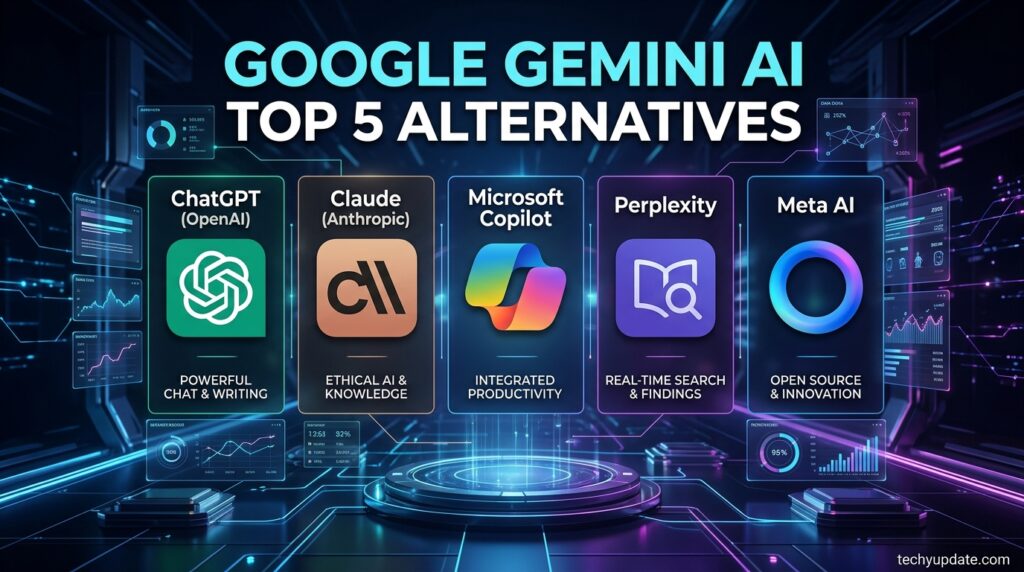
1. ChatGPT (OpenAI). Direct competitor with a mature plugin ecosystem and voice mode. Weakness: shorter context window than Gemini in most tiers.
2. Claude (Anthropic). Strong at long‑form writing and coding assistance. Weakness: smaller ecosystem of consumer integrations.
3. Microsoft Copilot. Best for users deep in Microsoft 365. Weakness: quality can feel less consistent across Office apps.
4. Perplexity. Focuses on real‑time, cited research answers. Weakness: less capable as a general creative or coding assistant.
5. Meta AI. Free and embedded across Instagram, WhatsApp, and Facebook. Weakness: noticeably less depth for professional or technical work.
Alternatives Comparison Table
| Tool | Best For | Starting Price | Context Window | Standout Feature |
|---|---|---|---|---|
| Gemini | Google ecosystem users | Free / $7.99+ | 1M tokens | Workspace integration |
| ChatGPT | General-purpose, brand trust | Free / ~$20 | Shorter | Plugin/GPT ecosystem |
| Claude | Long-form writing, coding | Free / ~$20 | Large | Careful, structured output |
| Copilot | Microsoft 365 users | Free / ~$20 | Moderate | Office app integration |
| Perplexity | Research with citations | Free / ~$20 | Moderate | Real-time cited answers |
Who Should Pick What
Choose Gemini if you live in Gmail, Docs, and Sheets and want AI that shows up where you already work. Choose ChatGPT if you want the most mature third‑party plugin ecosystem and don’t care about Workspace integration. Choose Claude if writing quality and coding precision matter more than ecosystem integration. Choose Copilot if your organization runs on Microsoft 365.
Choose Perplexity if your primary need is fast, cited research rather than general assistance. Many users run free tiers of two or three assistants side by side rather than committing to a single paid subscription.
FAQ
How do I choose between Gemini AI Plus and AI Pro?
AI Plus offers modestly higher limits and extra storage for light to moderate users, while AI Pro provides substantially higher usage caps, a larger context window, and advanced tools for daily power users.
Does Gemini have an API for developers?
Yes, the Gemini API is billed per token with separate input and output rates, and batch processing discounts are available for non‑urgent workloads.
Can I cancel a Gemini subscription at any time?
Consumer plans are month‑to‑month by default and can be canceled anytime, with access continuing through the end of the current billing period.
What is the context window size for Gemini’s flagship models?
Gemini’s top tiers offer up to a 1‑million‑token context window, enabling processing of very long documents or large codebases in a single conversation.
Conclusion
Google Gemini AI’s pricing in 2026 centers on a free tier, two main paid tiers (Plus and Pro), and an Ultra tier for power users, plus Workspace bundles. The free tier is fine for occasional use, but most productive users will need at least AI Plus. Evaluate your usage patterns, storage needs, and whether you need developer API access before selecting a tier. Prices change often — check the current plans on the official site before you buy.