


In today’s digital-first world, protecting your online identity has become more critical than ever. That’s where 2FAS — Authenticator and Password Manager comes into play. It’s not just another app, it’s a smart, reliable solution designed to keep your personal and professional accounts safe from cyber threats.
Let’s face it, passwords alone just don’t cut it anymore. Hackers are getting smarter, and data breaches are happening left and right. So, what’s the solution? Adding an extra layer of protection. That’s exactly what 2FAS — Authenticator does by enabling two-factor authentication (2FA).
What makes this tool stand out is its simplicity combined with high-end security. Whether you’re a beginner or a seasoned tech user, you’ll find it easy to use and incredibly effective. Plus, it works offline, which adds another layer of safety.
In this guide, we’ll break down everything you need to know about 2FAS — Authenticator and Password Manager, from features to real-world applications. So, stick around, you’re about to level up your digital security game.
Whether you’re a tech enthusiast, student, or professional, understanding how 2FAS works can significantly enhance your online security. With increasing reliance on apps, banking, and cloud services, traditional passwords alone are no longer enough.
In this comprehensive guide, we’ll explore everything about 2FAS, including features, setup steps, real-world use cases, expert insights, and future trends. If you’re looking for a modern, secure, and user-friendly authentication tool, this guide is for you.
Table of Contents
What is 2FAS
2FAS is a secure authentication application designed to add an extra layer of protection to your online accounts. It works as a 2FAS — Authenticator, generating time-based one-time passwords (TOTPs) that you use alongside your regular login credentials.
Unlike traditional password managers, 2FAS focuses heavily on privacy and security while maintaining a lightweight, user-friendly experience. It supports multiple platforms and integrates easily with services like email providers, social media, and banking apps.
2FAS — Authenticator and Password Manager is a security application that generates time-based one-time passwords (TOTPs). These passwords are used alongside your regular login credentials to verify your identity.
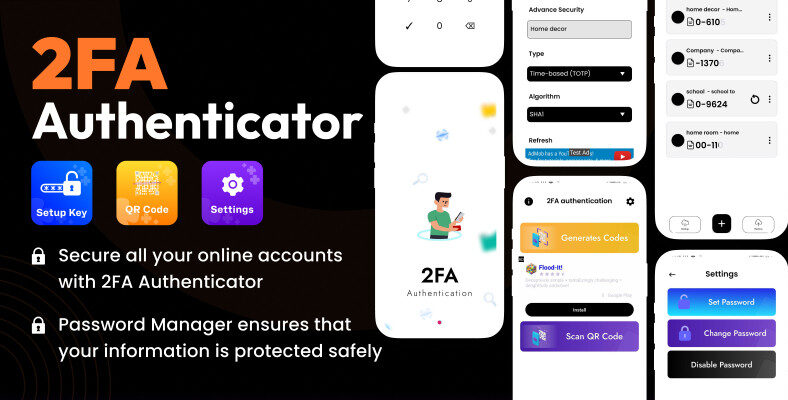
Understanding Two-Factor Authentication
Two-factor authentication (2FA) requires two types of verification:
- Something you know (password)
- Something you have (authentication code)
This ensures that even if someone steals your password, they still can’t access your account without the second factor.
Role of 2FAS in Digital Security
The 2FAS — Authenticator acts as a bridge between convenience and security. It creates a secure environment where users can:
- Protect sensitive data
- Prevent unauthorized access
- Maintain privacy
Unlike SMS-based authentication, which can be intercepted, 2FAS — Authenticator and Password Manager works offline, making it far more secure.
Additionally, it supports multiple accounts, making it ideal for users managing several platforms, such as email, banking, and social media.
Read More: What is the Best Two-Factor Authentication App for Android?
Key Features of 2FAS — Authenticator
When it comes to features, 2FAS — Authenticator and Password Manager doesn’t disappoint. It offers a robust set of tools designed to enhance user security without complicating the process.
Security and Encryption
Security is the backbone of 2FAS — Authenticator. It uses strong encryption protocols to ensure your data remains private.
Key highlights include:
- End-to-end encryption
- Offline code generation
- Biometric authentication (fingerprint/face ID)
These features ensure that your sensitive information stays protected at all times.
Backup and Sync Options
One common concern with authentication apps is losing access. Fortunately, 2FAS — Authenticator and Password Manager addresses this with secure backup options.
Backup features include:
- Encrypted cloud backups
- Manual recovery keys
- Cross-device synchronization
With 2FAS, even if someone steals your password, they won’t be able to access your account without the second authentication factor.
Why It Matters in 2026
Cyberattacks like phishing, credential stuffing, and data breaches are increasing. Tools like 2FAS are becoming essential for both individuals and organizations.
2026 Trends in Authentication
Authentication technology has undergone a massive transformation, and 2FAS is at the center of this evolution.
Major Trends:
- Passwordless authentication
- Biometric security (Face ID, fingerprint)
- AI-driven threat detection
- Decentralized identity systems
In 2026, companies like Google and Microsoft are pushing for passwordless systems, but 2FAS still plays a critical role in bridging security gaps.
Role of 2FAS in Modern Security
- Acts as a backup for passwordless systems
- Provides offline authentication
- Enhances account recovery security
Real-World Example:
A freelancer using cloud platforms secures their accounts with 2FAS, preventing unauthorized access even after a phishing attempt.
Key Features of 2FAS
The strength of 2FAS lies in its robust feature set designed for both beginners and professionals.
Core Features:
- Time-Based One-Time Passwords (TOTP)
- End-to-End Encryption
- Cloud Backup (optional)
- Cross-device sync
- Biometric lock
Advanced Capabilities:
- Import from other authenticators
- QR code scanning
- Multi-account support
Why Users Love 2FAS:
- Lightweight and fast
- No ads or tracking
- Privacy-focused design
Example:
A student managing multiple accounts (email, LMS, banking) uses 2FAS to secure everything in one place.
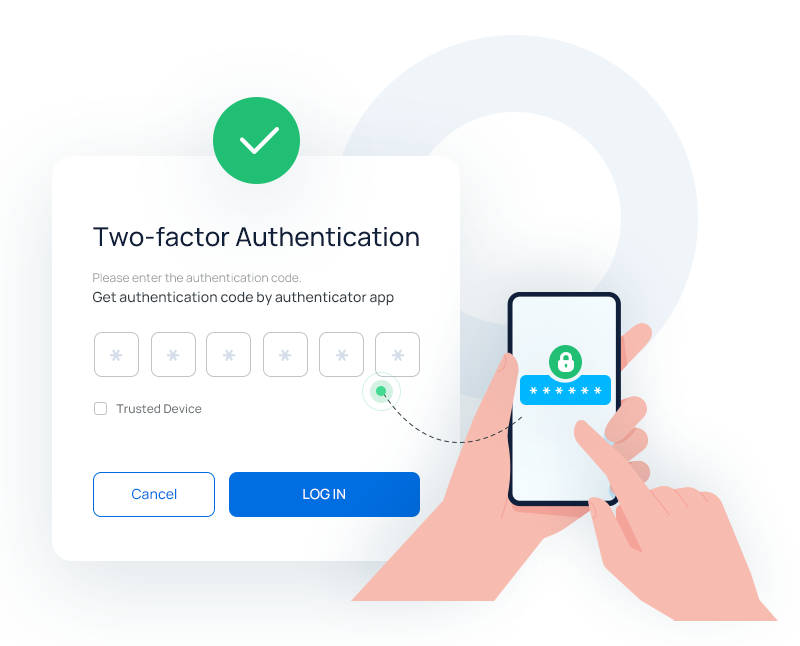
Benefits of Using 2FAS
There are plenty of reasons why users are switching to 2FAS — Authenticator and Password Manager. Let’s explore the most important ones.
Key Advantages
- Enhanced Security: Adds an extra layer of protection
- User-Friendly Interface: Easy to navigate
- Offline Access: Works without internet
- Privacy-Focused: No tracking or ads
Why It Stands Out
Unlike many other tools, 2FAS — Authenticator prioritizes user privacy. It doesn’t store your data unnecessarily, and everything stays encrypted.
Real-Life Example
Imagine a freelancer handling multiple client accounts. By using 2FAS — Authenticator and Password Manager, they can secure all accounts in one place, reducing the risk of breaches.
How to Use 2FAS Step-by-Step
Setting up 2FAS is simple and takes just a few minutes.
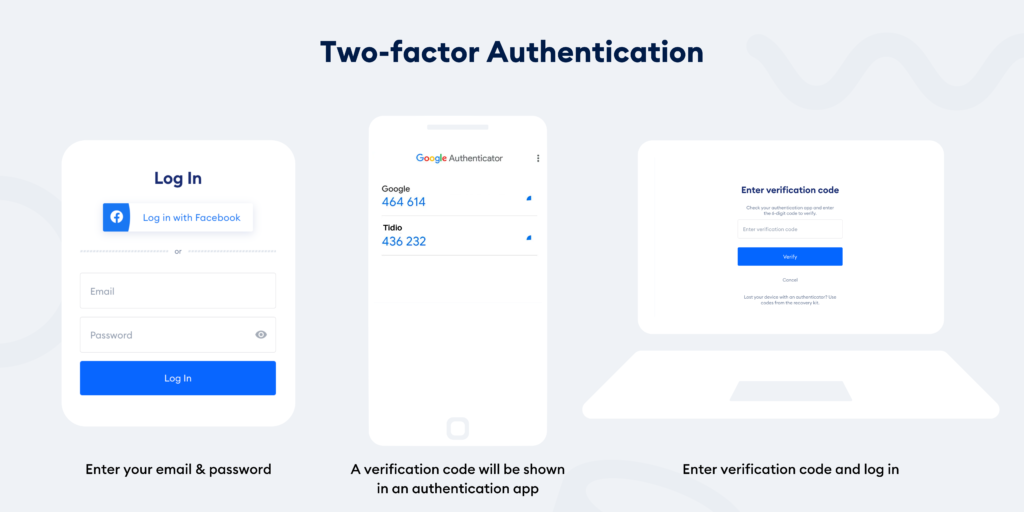
Step-by-Step Guide:
- Download the App
Install 2FAS from your app store. - Open and Set Security
Enable biometric or PIN protection. - Add Account
Scan the QR code from the service you want to secure. - Verify Setup
Enter the generated code to confirm. - Backup Configuration
Enable secure backup to avoid data loss.
Tips During Setup:
- Always store backup codes safely
- Enable device lock for extra security
Adding Accounts
- Go to the account you want to secure
- Enable two-factor authentication
- Scan the QR code using 2FAS — Authenticator
- Enter the generated code to verify
Getting started with 2FAS — Authenticator and Password Manager is straightforward. Let’s walk through the process.
Example:
Setting up Gmail with 2FAS ensures every login requires a dynamic code.
Real-World Use Cases
2FAS is widely used across industries and personal applications.
Common Use Cases:
- Personal security (social media, emails)
- Corporate environments
- Freelancers and remote workers
- Developers securing APIs
Real Example:
A startup team uses 2FAS to protect internal dashboards and cloud infrastructure.
Benefits in Practice:
- Prevents unauthorized logins
- Reduces risk of data breaches
- Ensures compliance with security standards
Benefits of Using 2FAS
Using 2FAS offers numerous advantages beyond basic security.
Key Benefits:
- Enhanced protection against hacking
- Easy-to-use interface
- Offline functionality
- Cross-platform compatibility
Additional Advantages:
- No dependency on SMS codes
- Faster authentication
- High reliability
Example:
An online seller protects payment accounts using 2FAS to help prevent financial fraud.
Limitations and Challenges
Despite its strengths, 2FAS has some limitations.
Challenges:
- Device dependency
- Backup complexity
- Learning curve for beginners
Potential Risks:
- Losing a device without a backup
- Misconfiguring accounts
How to Overcome:
- Always enable backups
- Use secure cloud sync
Pro Tips for Using 2FAS Effectively
Want to get the most out of 2FAS — Authenticator and Password Manager? Here are some pro tips:
- Enable biometric security
- Regularly update the app
- Use strong passwords alongside 2FA
- Avoid public Wi-Fi during setup
Common Challenges and Solutions
While 2FAS — Authenticator and Password Manager is highly effective, users may face a few challenges.
Challenges
- Losing access to the device
- Forgetting backup codes
- Initial setup confusion
Solutions
- Always enable backups
- Store recovery codes securely
- Follow setup guides carefully
Expert Insights
Security experts recommend using tools like 2FAS as a standard practice.
Insights:
- Multi-factor authentication reduces hacking risk by over 90%
- Offline authenticators like 2FAS are more secure than SMS
Future of 2FAS and Authentication
The future of 2FAS looks promising as cybersecurity continues to evolve.
Upcoming Trends:
- AI-powered authentication
- Blockchain identity systems
- Seamless device integration
2FAS is expected to integrate with passwordless ecosystems while maintaining its role as a secure fallback.
Quick Summary
- 2FAS is a powerful authenticator tool
- Provides strong two-factor authentication
- Easy setup and user-friendly interface
- Essential for modern digital security
Conclusion
To sum it up, 2FAS — Authenticator and Password Manager is an essential tool for anyone serious about online security. It’s easy to use, highly secure, and packed with features that make it stand out in 2026.
Whether you’re protecting personal accounts or managing business data, this tool has got you covered. Don’t wait until it’s too late, start using 2FAS — Authenticator today and take control of your digital safety.
2FAS — Authenticator and Password Manager delivers strong and reliable security. It combines ease of use with advanced protection. Moreover, it suits both beginners and experts. Therefore, it remains a top choice in 2026. Start using it today for safer digital access.
FAQs
2. Is 2FAS safe to use?
Yes, 2FAS is highly secure, offering encryption and offline functionality for maximum safety.
3. Can I use 2FAS without internet?
Yes, 2FAS works offline, making it more secure than SMS-based authentication.
4. What happens if I lose my device?
If backups are enabled, you can easily restore your 2FAS accounts.
5. Is 2FAS better than Google Authenticator?
2FAS offers additional privacy features and backup options, making it a strong alternative.
6. Does 2FAS store passwords?
No, 2FAS focuses on authentication codes, not full password storage.
7. Is 2FAS free?
Yes, most features are available for free.