

Updated : Updated See what changed ↓
Automation has become one of the biggest competitive advantages for businesses, developers, and content creators. Whether you’re managing marketing campaigns, customer support, data processing, or AI-powered workflows, the right automation platform can save hundreds of hours every year. That’s where this n8n Review 2026 comes in.
Visit the official n8n website →
What's new in n8n
ZoomInfo adds native n8n integration via GTM.AI
ZoomInfo announced a native integration with the n8n workflow automation platform, delivered as a verified node built by ZoomInfo and available immediately.
- Joint customers can pull real‑time ZoomInfo company and contact intelligence—over 100 million companies and 500 million contacts—directly inside n8n workflows.
- The node supports searches by company size, revenue, industry, and contact attributes such as title and location, as well as monitoring buyer intent and news.
- Authentication uses each user’s own ZoomInfo credentials, preserving existing access controls, audit logging, and data lineage.
- n8n AI agents can call the node mid‑workflow, allowing dynamic enrichment or intent checks without pre‑exported data.
- The integration joins other GTM.AI connections like Salesforce, Microsoft, Claude and ChatGPT.
For teams already using n8n, the native node eliminates the need for stale CSV exports and lets automation run on up‑to‑date, verified data, which can improve the reliability of sales and marketing workflows.
Sources:
If you’ve been frustrated by Zapier’s per-task pricing, or you’ve hit the ceiling of what a no-code tool can actually do, chances are someone has already told you to “just use n8n.” It’s good advice, but it’s incomplete. n8n is powerful, genuinely different from most automation tools, and also not the right fit for everyone.
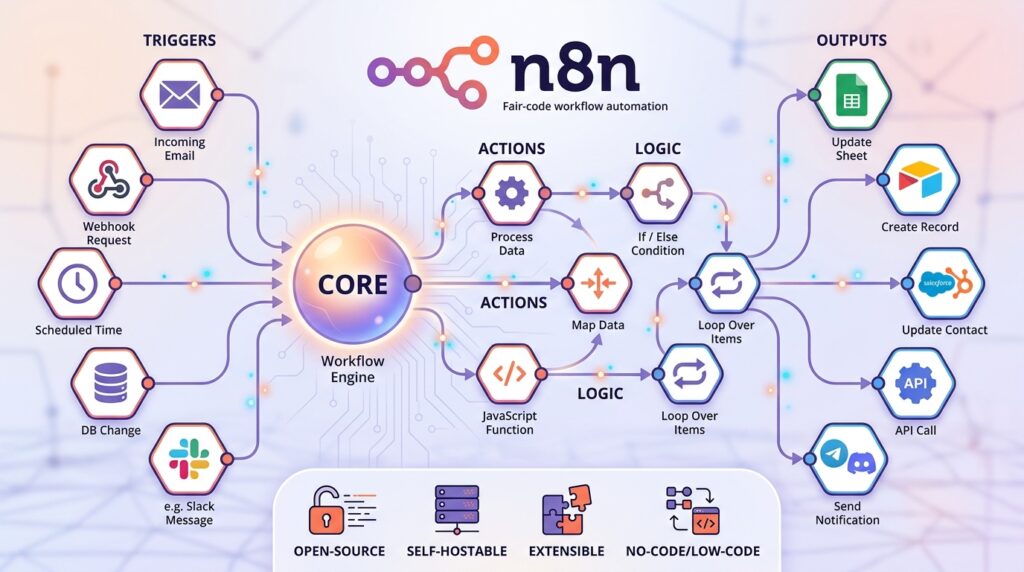
Unlike traditional automation tools that often limit customization, n8n offers a flexible workflow automation platform that connects hundreds of applications and gives users complete control over their data and logic. It combines a visual workflow builder with the ability to write custom JavaScript or Python code whenever advanced functionality is required.
In recent years, AI has transformed workflow automation, and n8n has evolved alongside it. From AI agents and Retrieval-Augmented Generation (RAG) systems to human approval workflows and enterprise-grade deployments, the platform has become far more than a simple automation tool.
Read more: Gstack AI Prompts Review
This review explores everything you need to know about n8n in 2026, including its features, AI capabilities, workflow flexibility, strengths, and real-world applications. Whether you’re a beginner looking for your first automation platform or a developer seeking a self-hosted alternative to Zapier, this guide will help you decide whether n8n is the right solution for you.
Table of Contents
What is n8n?
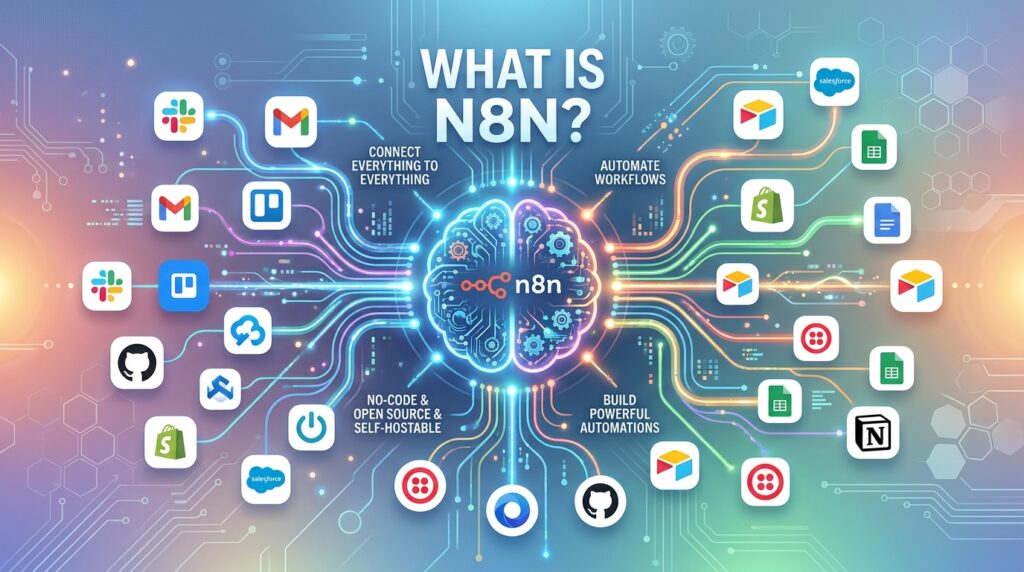
n8n is an open-source, node-based workflow automation platform that lets you connect apps, APIs, and AI models on a visual canvas and drop into JavaScript or Python whenever the no-code logic isn’t enough. It was founded in Berlin in 2019 by Jan Oberhauser, who still leads the company today, and n8n GmbH has since raised significant funding, including a Series C round in late 2025 that valued the company at roughly $2.5 billion.
Unlike many no-code automation tools, n8n follows a “fair-code” philosophy. Users can deploy the platform on their own infrastructure or opt for a managed cloud version, depending on their business needs.
Today, thousands of startups, enterprises, developers, and marketing teams use n8n to automate processes such as:
- Lead management
- Customer support
- Email marketing
- AI content generation
- Database synchronization
- CRM automation
- IT operations
- Document processing
- API integrations
- Business reporting
One of the biggest reasons for n8n’s popularity is its balance between simplicity and technical power. Beginners can build workflows using a visual interface, while developers can enhance workflows with custom scripts and APIs.
Another standout feature is transparency. Every workflow displays each step, making it easier to understand how data flows from one application to another. This visibility greatly simplifies debugging, auditing, and maintenance.
As businesses increasingly adopt AI, n8n has positioned itself as a platform that enables organizations to build intelligent automations while maintaining full control over their infrastructure and data.
The name itself is shorthand for “nodemation” n, 8 letters, n a nod to its node-based design philosophy. Unlike fully proprietary tools like Zapier, n8n is released under a fair-code license: the source code is publicly available and free to self-host, but there are restrictions on reselling it as a competing commercial product.
That licensing choice is the foundation of everything else in this review. It’s why n8n can offer a genuinely free, unlimited self-hosted tier, and it’s why the platform has become the default automation tool for technical founders and AI builders over the past two years.
Why n8n Is Growing So Fast in 2026
Workflow automation has evolved beyond simple task scheduling. Businesses now expect automation platforms to support AI models, multiple cloud services, enterprise security, and complex business logic.
n8n meets these expectations by offering an ecosystem that continues to expand rapidly.
Several factors contribute to its growing popularity:
- Open-source flexibility
- Self-hosted and cloud deployment options
- Extensive integrations
- AI agent support
- Visual workflow builder
- Custom JavaScript and Python support
- Enterprise security features
- Transparent workflow execution
- Large developer community
- Frequent feature updates
Unlike traditional automation platforms that can become expensive as workflows scale, n8n offers organizations greater deployment flexibility and more control over costs.
Its support for AI workflows has also made it attractive for companies experimenting with large language models, autonomous AI agents, document processing, and Retrieval-Augmented Generation (RAG).
For organizations seeking long-term scalability without vendor lock-in, n8n has become one of the strongest workflow automation platforms available.
AI Agents and Workflows: Build Visually While Staying in Control
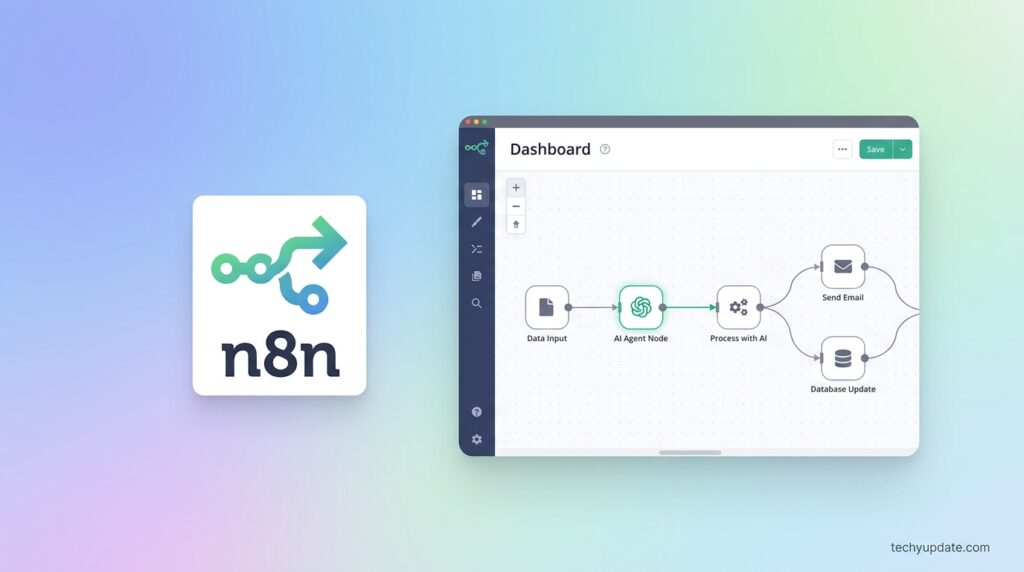
Artificial intelligence has changed how businesses automate repetitive work. Rather than executing simple “if-this-then-that” actions, modern workflows now involve reasoning, planning, document retrieval, and AI-powered conversations.
One of n8n’s greatest strengths is how naturally it supports AI workflows.
Users can visually design intelligent automations where every action remains transparent. Instead of hiding AI reasoning inside a black box, n8n allows users to inspect every step directly on the workflow canvas.
This level of visibility offers several advantages:
- Easier debugging
- Better workflow transparency
- Improved security reviews
- Faster optimization
- Clear audit trails
A typical AI workflow may include:
- Receive customer inquiry
- Retrieve company documentation
- Search the knowledge base
- Generate an AI response
- Verify confidence score
- Request human approval
- Send final response
- Store conversation history
Every stage remains visible and editable.
Developers can also integrate multiple AI providers into the same workflow rather than relying on a single vendor. This flexibility allows businesses to compare model performance, reduce costs, and switch providers without rebuilding their automation.
For companies adopting AI responsibly, this explainable approach makes n8n particularly attractive compared to more rigid automation platforms.
Pro Tip
When building AI workflows, begin with smaller automations before creating complex multi-agent systems. Testing individual workflow steps improves reliability and significantly reduces debugging time.
Build Complex AI Without Getting Boxed In
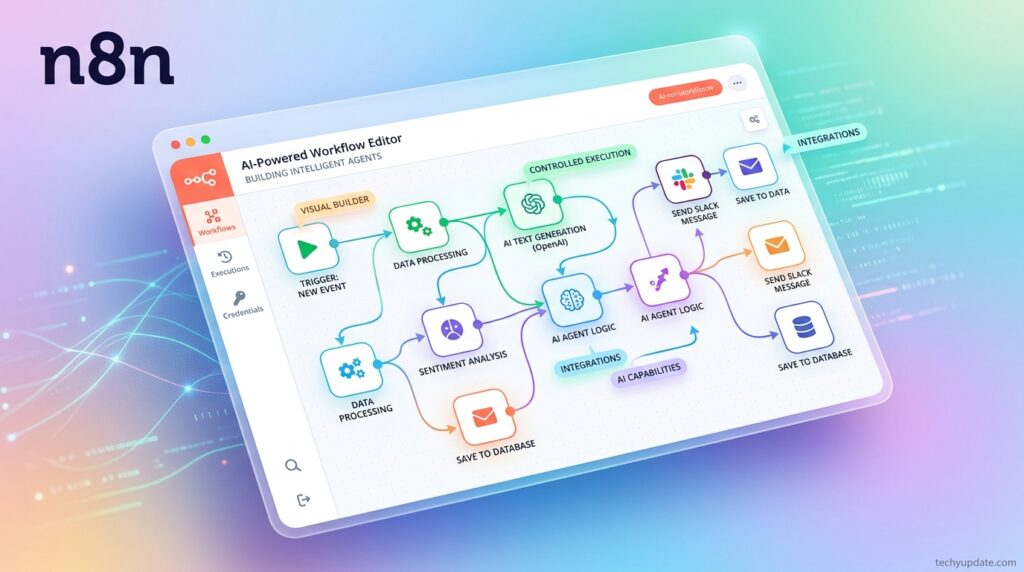
Many automation tools simplify workflow creation, but become restrictive once projects grow more sophisticated. Businesses often discover limitations when integrating custom APIs, legacy software, or multiple AI providers.
n8n takes a different approach.
Instead of forcing users into predefined templates, it provides a flexible architecture that supports increasingly advanced automation as business requirements evolve.
For example, organizations can build systems involving:
- Multiple AI agents
- RAG pipelines
- Vector databases
- Custom APIs
- Local AI models
- Cloud AI services
- CRM platforms
- ERP systems
- Internal databases
- Legacy business software
Because workflows are modular, organizations can replace individual components without redesigning the entire system.
Imagine an online retailer using several AI models simultaneously:
- One model classifies customer emails.
- Another summarizes conversations.
- A third generates product recommendations.
- A fourth detects fraudulent transactions.
Each model can be updated independently while remaining connected inside a single workflow.
Another major advantage is support for the Model Context Protocol (MCP), allowing businesses to prepare for future AI interoperability rather than locking themselves into a single ecosystem.
Organizations investing in long-term AI infrastructure benefit from this flexibility because technology changes rapidly, while business processes typically remain stable.
This future-ready architecture is one reason many developers consider n8n among the most adaptable workflow automation platforms in 2026.
Real-World Example
A digital marketing agency can automate its entire content pipeline using n8n:
- Monitor trending topics
- Collect keyword data
- Generate article briefs with AI
- Send drafts for editor approval
- Publish content to a CMS
- Share posts on social media
- Track analytics in dashboards
Instead of using multiple disconnected tools, the entire workflow operates from a single automation platform.
Let People and Logic Guide AI Decisions
Although AI has become more capable, human oversight remains essential for many business processes. Sensitive decisions involving finance, healthcare, legal matters, or customer communication often require human approval before execution.
n8n addresses this challenge by combining artificial intelligence with rule-based automation and human-in-the-loop workflows.
Rather than allowing AI to make every decision automatically, organizations can define structured rules that determine when human intervention is required.
Examples include:
- Approving high-value financial transactions
- Reviewing AI-generated legal documents
- Verifying customer support responses
- Confirming product pricing changes
- Validating compliance reports
- Checking sensitive HR communications
Structured inputs and outputs also improve data consistency across connected systems.
For example, AI-generated information can be validated before it reaches a CRM, database, or accounting platform. If a response fails predefined conditions, the workflow can automatically request human review or trigger an alternative process.
This layered approach delivers several benefits:
- Better data quality
- Reduced automation errors
- Improved compliance
- Stronger governance
- Increased customer trust
Businesses adopting AI at scale increasingly prioritize explainability and accountability. n8n’s workflow architecture enables automation of complex tasks without sacrificing transparency or control.
Instead of replacing human expertise, the platform enhances it by allowing AI to handle repetitive work while people focus on decisions that require judgment, creativity, or domain knowledge.
Quick Verdict: Is n8n Worth It?
Short answer: yes, if you have even a little technical capacity; no, if you need something that requires zero setup and zero maintenance.
n8n is worth it for developer-heavy teams, technical founders, and cost-conscious startups who want full control over their automation stack and don’t mind spending a few hours on setup. The self-hosted Community Edition, with unlimited executions and workflows, is genuinely unmatched in terms of price. The code nodes give you flexibility that no-code-only tools simply can’t match.
n8n is not the right first choice for teams with zero engineering resources who want pre-built workflows and a five-minute setup. The learning curve, especially around expressions, data shape, and debugging silent node failures, is real, and it shows up consistently in negative reviews on Capterra and G2.
n8n’s Core Features
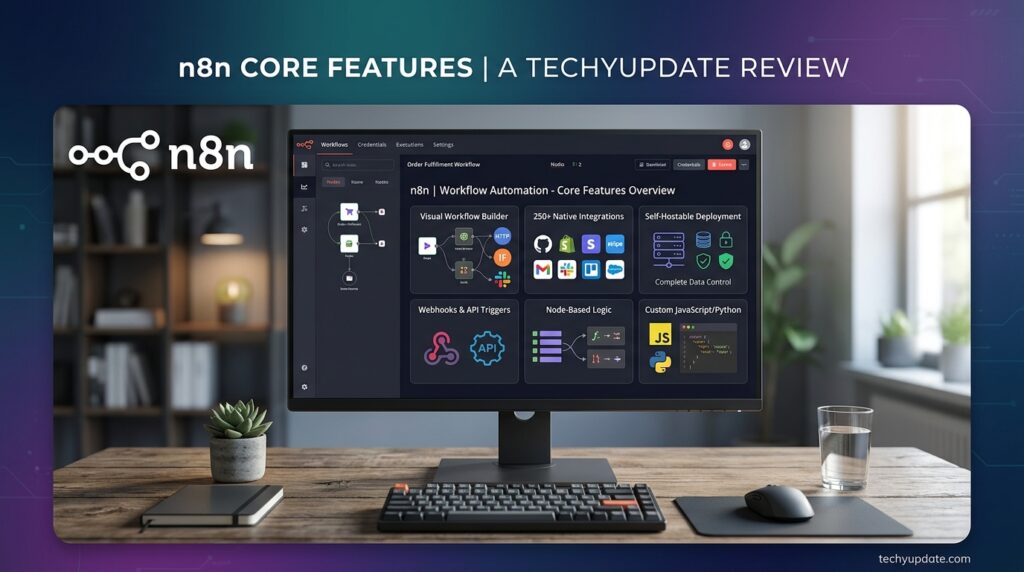
The Node-Based Workflow Editor
At the center of n8n is the workflow editor: a node-based canvas where you drag triggers, actions, and data transforms onto a grid and wire them together. Every workflow starts with a trigger: a webhook, a schedule, a database polling node, or a chat trigger built for AI agents.
From there, you connect action nodes for tools like Slack, Google Sheets, Airtable, or HubSpot. Between them, you drop transform nodes, Set, Code, If, Switch, or Merge to shape and route data exactly the way your workflow needs.
This canvas-based approach makes even fairly complex logic visually traceable, which is a meaningful advantage over frameworks where you have to read code line by line to understand what happens when.
Code Nodes (JavaScript & Python)
This is the feature that separates n8n from purely no-code tools like Zapier. Anywhere in a workflow, you can drop a Code node and write raw JavaScript or Python to handle logic the visual builder can’t express cleanly.
For a developer, this isn’t a minor convenience; it fundamentally changes what’s possible. You’re not limited to the pre-built logic blocks a vendor decided to ship; you can parse a weird API response, run a custom calculation, or transform a nested JSON payload exactly the way you need to.
Integration Library (500+ Apps)
n8n’s official catalog recently surpassed 500 native integrations, up from around 400 at the start of 2026, covering the tools most modern teams actually use: Slack, Airtable, Google Sheets, HubSpot, databases, and cloud services. On top of that, the HTTP Request node lets you connect to virtually any API-accessible system, with or without native integration.
That combination of a large native library plus a universal fallback for anything else means n8n rarely hits a hard wall on “can this connect to X.”
AI Agent Node and RAG Workflows
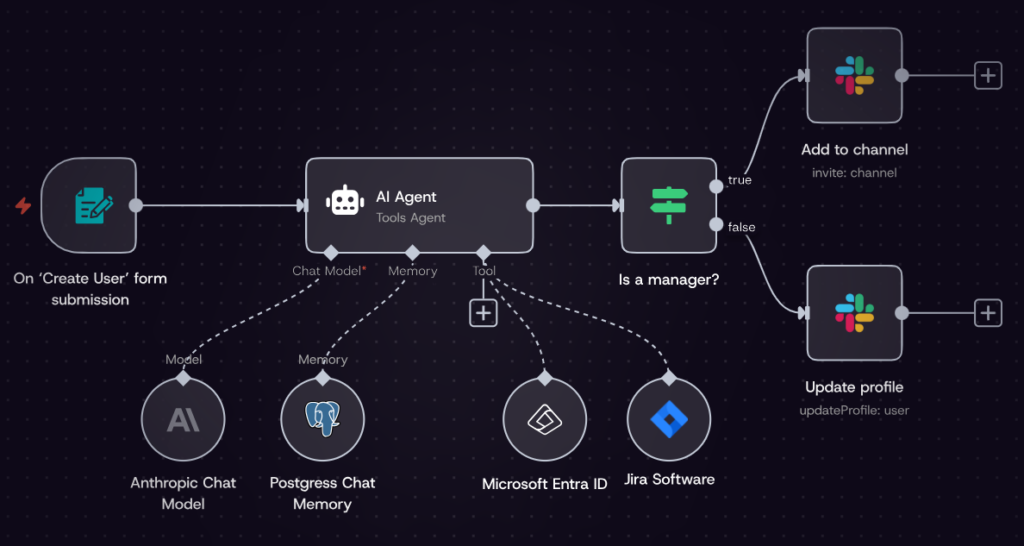
The AI subsystem is arguably n8n’s biggest story for 2026. The AI Agent node runs LangChain-style tool-calling agents that can call any other n8n node as a tool, maintain conversation memory, and stream responses back in real time.
n8n has also expanded its AI node library with native support for models like Claude and Gemini, plus vector store integrations for Pinecone, Qdrant, Weaviate, and Supabase pgvector, which means you can build genuine retrieval-augmented generation (RAG) pipelines directly inside a visual workflow, without stitching together separate tools.
In practice, this looks like: a chat trigger receives a user question, the AI Agent node reasons about it, calls a vector store node to retrieve relevant context, and returns a grounded answer, all inside one workflow you can see and debug node by node.
Enterprise Security Features
For teams with compliance requirements, n8n’s Business and Enterprise tiers add SAML and LDAP single sign-on, role-based access control, audit logging, Git-based version control for workflows, and, at the Enterprise level, an external secret store and log streaming to your existing SIEM tooling.
Self-hosted deployments can also access these enterprise features via a license key, allowing regulated organizations to keep workflow data entirely within their own infrastructure while still getting SSO and audit trails.
n8n for ITOps: Scale Your IT Operations While Reducing Manual Work
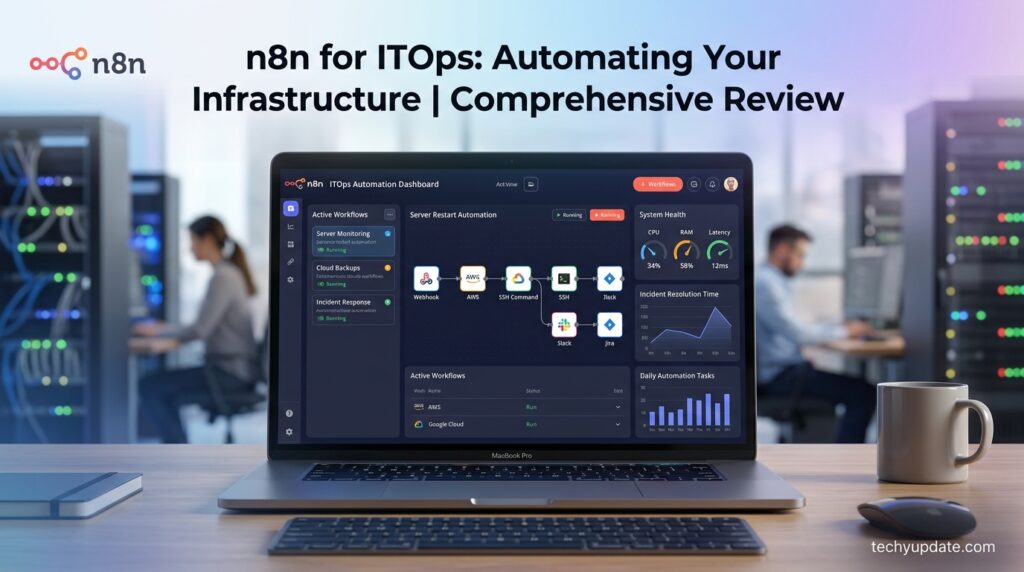
Managing modern IT infrastructure involves monitoring servers, maintaining applications, handling alerts, deploying updates, and responding to incidents around the clock. Performing these repetitive tasks manually is not only time-consuming but also increases the risk of human error. This is where n8n becomes a valuable automation platform for IT operations (ITOps).
Instead of juggling multiple monitoring dashboards and switching between tools, IT teams can automate routine processes through a centralized workflow. Whether you’re running cloud infrastructure, hybrid environments, or on-premise systems, n8n helps streamline operations while maintaining visibility into every automated action.
Some of the most common ITOps workflows include:
- Automated server health monitoring
- Scheduled backup verification
- Patch deployment notifications
- Incident ticket creation
- Log collection and analysis
- Database monitoring
- Slack or Microsoft Teams alerts
- Infrastructure reporting
- Cloud resource management
- API health checks
For example, if a server exceeds CPU usage thresholds, n8n can automatically detect the issue, collect diagnostic logs, notify the IT team, create a helpdesk ticket, and attempt predefined recovery actions before human intervention becomes necessary.
This proactive approach significantly reduces downtime while allowing IT professionals to focus on higher-value initiatives instead of repetitive maintenance tasks.
Another major benefit is workflow transparency. Every automation step is visible, making troubleshooting much easier compared to traditional automation systems that hide internal processes.
Organizations using DevOps, Site Reliability Engineering (SRE), or Managed Service Providers (MSPs) can benefit in particular from n8n’s flexibility and integration capabilities.
Real-World Example
An IT department managing 300 virtual machines can automate daily health checks. If disk usage exceeds 90%, n8n can instantly:
- Gather system logs
- Notify administrators
- Create a Jira ticket
- Restart selected services
- Escalate unresolved issues after 15 minutes
What previously required multiple manual tasks can now happen automatically.
Scale Your Operations: Automate Lead Management and Business Processes
As businesses grow, managing leads across different platforms becomes increasingly difficult. Marketing teams often collect leads from websites, social media, advertising platforms, webinars, and CRM systems. Without automation, valuable prospects may be delayed or even lost.
n8n simplifies lead management by connecting all these tools into a single automated workflow.
A typical marketing automation workflow might look like this:
- A visitor submits a website form.
- The lead is validated.
- Duplicate entries are removed.
- AI enriches the contact information.
- The lead is added to the CRM.
- Sales receives a notification.
- The prospect enters an email campaign.
- Performance metrics are recorded automatically.
Instead of manually transferring information between platforms, the entire process happens within seconds.
Marketing teams can also automate:
- Email nurturing campaigns
- Customer segmentation
- Social media publishing
- Lead scoring
- Webinar registrations
- Customer onboarding
- Survey collection
- Sales reporting
- Campaign analytics
- CRM synchronization
Because n8n integrates with hundreds of applications, businesses can build custom workflows tailored to their sales funnel rather than adapting their processes to software limitations.
This flexibility becomes particularly valuable for startups and growing companies that frequently update their marketing strategies.
Pro Tip
Use lead scoring with AI enrichment before assigning prospects to sales representatives. This ensures your team focuses on the highest-quality opportunities, improving conversion rates and reducing manual qualification work.
Code When You Need It, UI When You Don’t
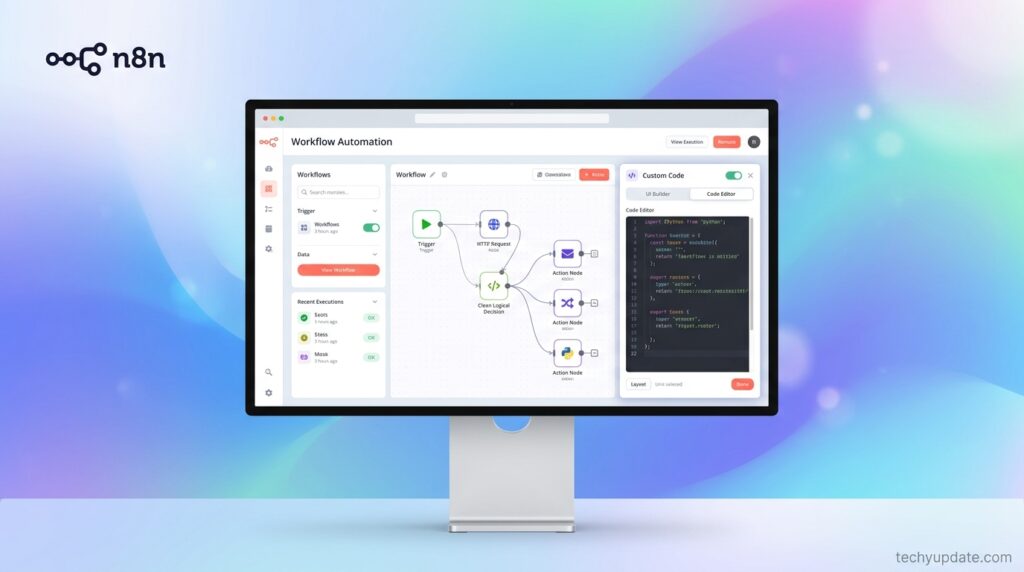
One of the strongest advantages highlighted in this n8n Review is its hybrid approach to workflow creation.
Many automation platforms force users into one of two categories:
- Completely no-code
- Fully developer-focused
n8n successfully combines both.
Beginners can create workflows using an intuitive drag-and-drop interface, while developers can enhance any workflow with custom JavaScript or Python code whenever advanced logic is required.
This means businesses do not need separate automation platforms for technical and non-technical users.
Examples of coding capabilities include:
- Custom API requests
- Advanced data transformation
- Mathematical calculations
- JSON manipulation
- Conditional logic
- Data validation
- AI prompt customization
- Database queries
- Encryption functions
- External library integration
Meanwhile, non-technical users continue building workflows visually without touching code.
Another productivity feature is inline debugging. Every workflow node displays both its input and output data directly beside the configuration panel. This eliminates unnecessary navigation and dramatically speeds up troubleshooting.
The combination of visual automation and programming flexibility makes n8n suitable for everyone from business analysts to experienced software engineers.
Developer Advantage
Developers can quickly extend workflows without waiting for official integrations. If an application exposes an API, it can usually be connected using HTTP requests and custom scripting.
This significantly increases the platform’s long-term flexibility.
Move Fast. Break Nothing
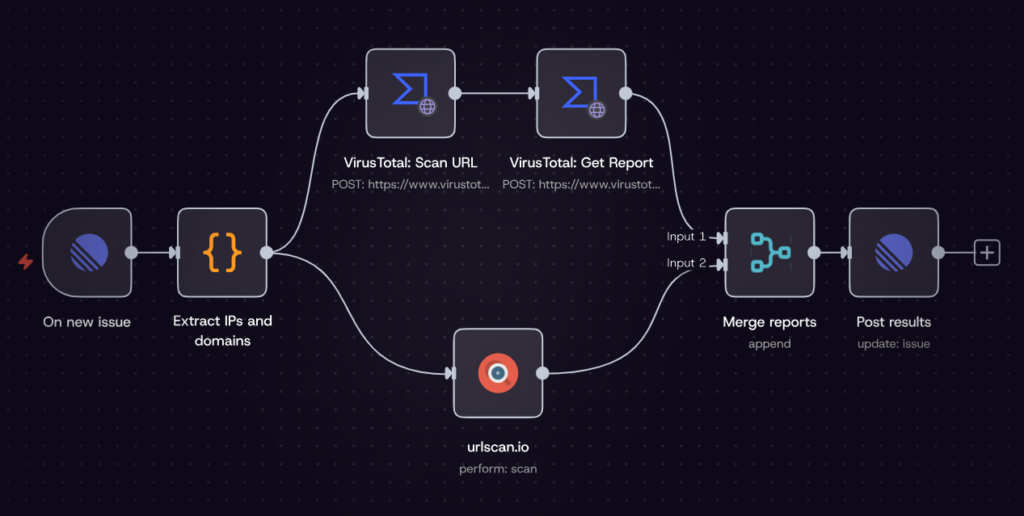
Automation development often involves constant testing. Re-running an entire workflow every time a small change is made wastes both time and computing resources.
n8n addresses this challenge through an efficient debugging environment that encourages rapid experimentation.
Instead of executing complete workflows repeatedly, users can:
- Re-run individual workflow steps
- Replay historical executions
- Mock external API responses
- Inspect execution logs
- Compare outputs
- Identify failures instantly
- Test AI prompts safely
- Optimize workflow performance
For AI applications, these debugging features become especially valuable.
Developers can experiment with prompt engineering, compare model responses, validate structured outputs, and improve workflow accuracy before deploying automations to production.
Another useful capability is native workflow evaluation. Teams can measure execution performance, identify bottlenecks, and refine workflows without relying entirely on third-party monitoring software.
The result is shorter development cycles and more reliable automations.
Organizations deploying AI agents at scale particularly benefit from this fast feedback loop because AI systems often require continuous refinement.
Security and Control
Security is one of the most important considerations when automating sensitive business processes. Organizations handling customer information, financial records, or internal operations require strong governance over their automation infrastructure.
n8n addresses these concerns by providing enterprise-grade security capabilities suitable for organizations of various sizes.
Key security features include:
- Fully self-hosted deployments
- Cloud deployment options
- SSO authentication
- SAML support
- LDAP integration
- Encrypted credential storage
- Role-Based Access Control (RBAC)
- Secure secret management
- Version control
- Audit capabilities
For organizations operating under strict compliance requirements, self-hosting allows complete ownership of infrastructure and data.
Businesses concerned about privacy can deploy n8n entirely within their own environment without relying on external cloud providers.
This level of deployment flexibility distinguishes n8n from many SaaS-only automation platforms.
Observability and Transparency
As automation becomes increasingly complex, organizations need complete visibility into workflow performance.
n8n offers several observability tools that simplify monitoring and operational management.
These include:
- Workflow execution history
- Audit logs
- Log streaming
- Real-time alerts
- Usage dashboards
- Error tracking
- Performance monitoring
- Execution statistics
Instead of guessing why an automation failed, administrators can inspect execution history step by step.
This transparency significantly reduces troubleshooting time and improves operational reliability.
For larger organizations integrating Security Information and Event Management (SIEM) systems, log streaming provides centralized monitoring across multiple business applications.
Clear observability also supports compliance, governance, and continuous workflow optimization.
Developer Experience Built for Teams
Modern software development requires collaboration, version control, and reliable deployment practices. n8n includes several features designed specifically for development teams working on automation projects together.
Developer-focused capabilities include:
- Git-based workflow management
- Workflow version history
- Environment separation
- Multi-user collaboration
- Workflow comparisons
- Secure deployments
- Team permissions
- Reusable workflow components
These features allow development teams to manage automation projects using familiar software engineering practices rather than treating workflows as isolated visual diagrams.
By integrating automation into existing DevOps pipelines, organizations can improve deployment consistency while reducing operational risks.
AI Governance: Responsible Automation at Scale
As AI adoption continues to grow, businesses must ensure that automated decisions remain transparent, explainable, and compliant with internal policies. n8n supports responsible AI implementation by combining intelligent automation with governance features that keep humans in control.
Organizations can define approval workflows, validation rules, and structured outputs before AI-generated data reaches critical business systems. This reduces the likelihood of incorrect decisions while maintaining accountability across departments.
Key AI governance capabilities include:
- Human-in-the-loop approvals
- Workflow guardrails
- Structured AI outputs
- Evaluation frameworks
- Audit-ready execution history
- Rule-based decision making
Rather than allowing AI to operate without oversight, n8n enables businesses to create automation systems that are both intelligent and trustworthy.
This balance between innovation and control is especially important for regulated industries such as finance, healthcare, legal services, and enterprise IT.
n8n Pricing Explained
n8n’s pricing model is genuinely different from most competitors, and it’s worth understanding before you commit to a plan.
The core concept: n8n bills by execution, not by step. An execution is a complete run of a workflow, regardless of how many nodes or steps it contains. Compare that to Zapier, which counts every individual action inside a workflow as a separate “task.” A 10-step workflow that runs 1,000 times consumes 1,000 executions in n8n but 10,000 tasks in Zapier. This is the single biggest reason n8n tends to be dramatically cheaper for complex, multi-step automations.
Pricing is one of the most important considerations when choosing an automation platform. Unlike some competitors that charge per automation step or task, n8n uses an execution-based pricing model for its cloud service and also offers a self-hosted Community Edition.
This flexible approach makes the platform attractive for freelancers, startups, agencies, and enterprises alike. Users who prefer complete control can self-host n8n on a VPS or a private server, while businesses seeking convenience can opt for the managed cloud service.
Generally, the available options include:
- Community Edition (Self-hosted)
- Cloud Plans
- Enterprise Solutions
The Community Edition is ideal for developers, hobbyists, and small businesses with the technical expertise to manage their own infrastructure. Cloud plans remove the maintenance burden by providing automatic updates, managed hosting, and customer support.
When evaluating pricing, don’t just compare monthly subscription fees. Consider factors like:
- Hosting costs
- Maintenance time
- Security management
- Scalability
- Support availability
- Workflow volume
- AI execution requirements
For growing businesses, cloud hosting offers convenience, while self-hosting often provides better long-term value for organizations with experienced technical teams.
Cloud Plans (Starter, Pro, Business, Enterprise)
| Plan | Price | Executions/month | Key Features |
|---|---|---|---|
| Starter | €24/mo (~$20 annual) | 2,500 | 5 concurrent workflows, 14-day free trial, no credit card |
| Pro | €60/mo (~$50 annual) | 10,000 | 20 concurrent workflows, unlimited active workflows |
| Business | €800/mo | 40,000–50,000 | SSO, Git version control, advanced RBAC, 50% startup discount available |
| Enterprise | Custom | Custom | Unlimited projects, 200+ concurrent executions, external secret store, log streaming, SLA |
Annual billing saves roughly 17% across all cloud tiers. As of April 2026, n8n has removed active-workflow limits across every plan. You can now run unlimited active workflows and pay purely based on execution volume.
Self-Hosted Community Edition
The Community Edition is n8n’s biggest value proposition: it’s completely free, with unlimited executions, unlimited workflows, and access to the full 400+ (now 500+) integration catalog. You only pay for the infrastructure to run it, typically $3–7/month on a managed platform like PikaPods or InstaPods, or $4–20/month on a raw VPS from a provider like Hetzner.
Once your usage exceeds roughly 10 active workflows with frequent triggers, plan for a slightly larger instance (4–8 GB of RAM) in the $30–50/month range, plus backup storage. Even at that scale, a realistic total cost for a production self-hosted setup lands around $400–800 per year, a fraction of what equivalent Cloud usage or a Zapier-equivalent plan would cost.
Startup Program Discount
Companies with fewer than 20 employees and under $5M in funding can apply for n8n’s Startup Program, which brings the Business plan down to roughly $400/month (about a 50% discount) while keeping unlimited executions and enterprise features. It’s a meaningful way for early-stage teams to get SSO and Git-based workflow management without paying full enterprise pricing.
How Execution-Based Billing Works
- Count your workflow runs, not your steps. One workflow execution = one billing unit, regardless of how many nodes it contains.
- Estimate usage from your triggers. A workflow that polls every 5 minutes generates roughly 8,640 executions per month on its own; factor that into the Cloud tier you need.
- Only successful executions count toward your limit; failed and test runs don’t consume your quota.
- Check your Insights Dashboard regularly to track production execution counts and avoid surprise overages.
- Compare against self-hosting once you’re consistently running multiple active workflows — the infrastructure cost is usually lower than the next Cloud tier up.
n8n Cloud vs Self-Hosted
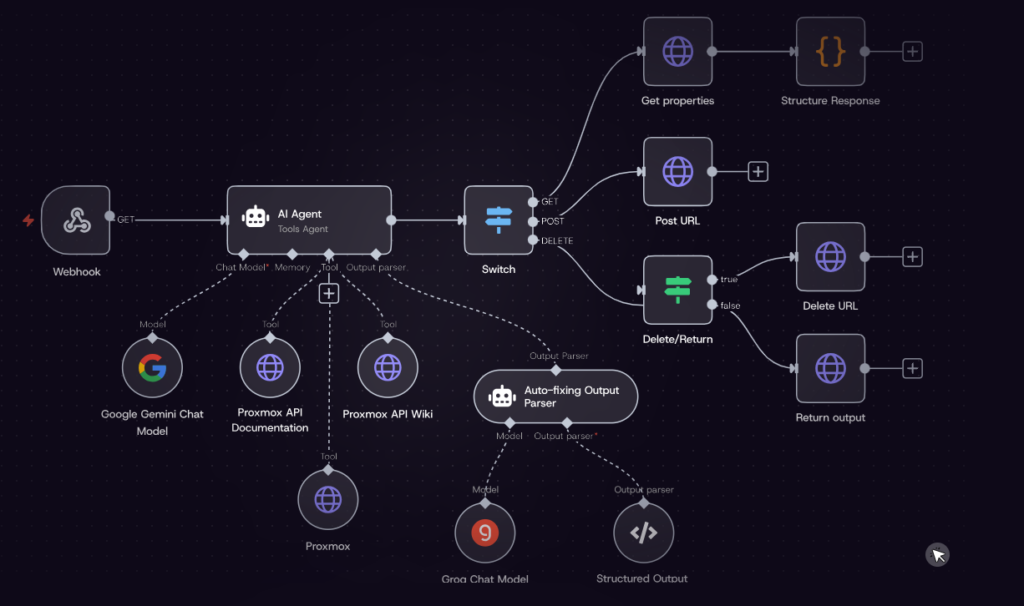
Choosing between Cloud and Self-hosted depends on your business goals, technical expertise, and security requirements.
Cloud Version
The cloud version is designed for users who want to start building workflows immediately.
Benefits include:
- No server management
- Automatic updates
- Managed infrastructure
- Professional support
- Quick deployment
- Easy scaling
This option works well for startups, marketers, and businesses that want simplicity.
Self-Hosted Version
Self-hosting gives organizations complete ownership of their automation infrastructure.
Advantages include:
- Full data ownership
- Lower long-term costs
- Unlimited customization
- Internal security policies
- Local AI integrations
- Enterprise compliance
The trade-off is that businesses become responsible for maintenance, updates, backups, and server monitoring.
Which Should You Choose?
Choose Cloud if you:
- Want minimal setup
- Prefer managed infrastructure
- Lack of server administration experience
Choose Self-hosted if you:
- Need complete control
- Have an IT team
- Process sensitive business data
- Want maximum customization
n8n vs Zapier vs Make
| Factor | n8n | Zapier | Make |
|---|---|---|---|
| Pricing model | Per execution (whole workflow) | Per task (per step) | Per operation |
| Free self-hosted option | Yes (unlimited, Community Edition) | No | No |
| Starting cloud price | €24/mo (2,500 executions) | ~$20/mo (750 tasks) | ~$9/mo (1,000 operations) |
| Code flexibility | Full JavaScript/Python nodes | Limited code steps | Limited code steps |
| Integration count | 500+ native + HTTP fallback | 7,000+ apps | 2,000+ apps |
| AI Agent capability | Native AI Agent node, RAG support | Add-on/third-party | Add-on/third-party |
| Learning curve | Steeper (technical) | Easiest | Moderate |
| Best for | Developers, technical teams, complex workflows | Non-technical users, simple automations | Mid-complexity automations |
The honest takeaway: Zapier still wins on sheer breadth of niche integrations and ease of use for non-technical users. Makes a comfortable middle ground for simple-to-moderate workflows. n8n wins decisively once your workflows get complex, your volume gets high, or you need real code and AI-agent logic, and it wins on price at almost any serious scale, especially self-hosted.
When n8n Is the Better Choice
n8n is ideal if you need:
- Advanced automation
- AI agents
- Self-hosting
- Custom code
- Enterprise workflows
- Developer flexibility
When Zapier Makes Sense
Zapier is better for:
- Very simple automations
- Beginners
- Fast setup
- Small business users
When Make Is a Good Option
Make is excellent for:
- Visual workflow enthusiasts
- Marketing automation
- Medium-complexity integrations
Overall, n8n offers the greatest flexibility, particularly for organizations building AI-powered automation.
Workflow Automation Templates and Integrations
A major advantage of n8n is its growing ecosystem of workflow templates. Instead of building every automation from scratch, users can start with pre-built templates and customize them according to their needs.
Popular automation categories include:
- AI Agents
- Marketing
- Sales
- CRM
- Customer Support
- IT Operations
- HR
- Finance
- Document Processing
- Data Synchronization
Common integrations include:
- Google Workspace
- Slack
- Discord
- Notion
- GitHub
- Airtable
- PostgreSQL
- MySQL
- HubSpot
- Salesforce
- Microsoft 365
- Telegram
- WhatsApp APIs
- Shopify
- WooCommerce
- Stripe
- OpenAI-compatible models
- Anthropic-compatible models
These integrations allow businesses to automate entire processes rather than isolated tasks.
The Potential of AI with the Power of Automation
Artificial Intelligence is no longer just about generating text; it is becoming the decision-making engine behind modern business workflows. n8n bridges AI and automation by enabling organizations to build modular systems that are transparent, maintainable, and adaptable.
For example, a customer support workflow can automatically:
- Receive a support request
- Classify the issue using AI
- Search documentation
- Draft a response
- Request human approval if confidence is low
- Send the reply
- Update the CRM
- Analyze customer sentiment
- Generate management reports
Because each step is visible, teams can easily improve prompts, replace AI models, or update business rules without rebuilding the entire workflow.
This modular design makes n8n especially suitable for companies experimenting with AI while maintaining operational control.
Real-World Use Cases and Examples
Example 1 — Solo SaaS founder: A solo developer running a small SaaS product uses the self-hosted Community Edition on a modest VPS to listen for a Stripe webhook when a new customer subscribes, automatically create a record in Airtable, post a Slack notification to the team, and send a welcome email, all in one workflow, for a few dollars a month in server costs.
Example 2 — GTM/RevOps team: A revenue operations team builds a Slack-to-HubSpot lead router that listens for new form submissions, enriches the lead with a data API, scores it, and routes it to the right sales rep’s Slack channel, replacing a manual triage process that used to eat an hour a day.
Example 3 — AI-powered content pipeline: A content team wires a scheduled trigger to pull new articles from an RSS feed, passes them through an AI Agent node connected to a vector store for context, generates a summary, and posts it to a shared Notion database, a fully automated research digest running on autopilot.
Example 4 — Payment reconciliation: A finance-adjacent workflow triggers on incoming payment webhooks, cross-checks amounts against an internal database using a Code node for custom logic, and flags mismatches in a dedicated Slack channel for human review. The kind of nuanced logic that a purely no-code tool would struggle to express cleanly.
Setting Up n8n Step-by-Step
- Choose your deployment path. Decide between n8n Cloud (managed, zero setup) or self-hosted Community Edition (free, but you manage infrastructure).
- Spin up your instance. For self-hosting, deploy via Docker on a VPS (Hetzner, DigitalOcean) or a managed platform like PikaPods/InstaPods for a one-click install.
- Create your first workflow. Add a trigger node (webhook, schedule, or chat trigger), then connect action nodes for the apps you want to automate.
- Add transforms as needed. Use Set, If, Switch, or Merge nodes to shape data between steps or drop in a Code node for custom JavaScript/Python logic.
- Test before activating. Run test executions to confirm data flows correctly; failed test runs don’t count against your execution quota.
- Activate and monitor. Turn the workflow on, then check the Insights Dashboard periodically to track execution volume and catch silent failures early.
Pros and Cons
Pros:
- Free, unlimited self-hosted Community Edition with full feature access
- Execution-based billing is dramatically cheaper than per-task pricing at scale
- Native JavaScript/Python code nodes for unlimited custom logic
- Strong, actively developed AI Agent node with RAG and vector store support
- 500+ integrations plus a universal HTTP Request fallback
- Active open-source community with 90,000+ members and a large template library
- Enterprise-grade security available on both Cloud and self-hosted deployments
Cons:
- Steep learning curve for non-technical users, especially around expressions and data shape
- Debugging silent node failures is a recurring complaint in user reviews
- SSO, SAML, and advanced RBAC are gated behind the Business plan (€800/mo cloud)
- Cloud execution limits are hard stops that pause workflows until the billing cycle resets; there is no overage option on lower tiers
- Documentation gaps for advanced features, requiring community-forum troubleshooting
- Self-hosting requires real DevOps capability: Docker, server management, SSL, and ongoing maintenance
- Smaller niche-integration catalog than Zapier’s 7,000+ apps
Who Should (and Shouldn’t) Use n8n
n8n is a strong fit if you are:
- A developer or technical founder comfortable with occasional JavaScript/Python
- A startup trying to control automation costs at scale
- A team building AI-agent workflows that need RAG, memory, or tool-calling
- An organization that needs data sovereignty through self-hosting
n8n is probably not the right first tool if you are:
- A non-technical team with zero engineering support
- Looking for the widest possible catalog of niche, long-tail app integrations
- Wanting a fully managed tool with guaranteed support response times on lower-cost plans
Expert Insights on AI Automation Trends
Workflow automation is rapidly evolving from simple task automation to intelligent decision-making systems.
Industry trends indicate that businesses increasingly want automation platforms capable of:
- Multi-agent AI workflows
- Explainable AI
- Human approvals
- Local AI deployment
- Enterprise governance
- Better observability
- Modular architectures
- Vendor independence
n8n aligns closely with these trends by emphasizing transparency, extensibility, and infrastructure flexibility.
Organizations adopting AI today should prioritize platforms that can evolve alongside changing technologies rather than locking them into proprietary ecosystems.
Pro Tips to Maximize n8n
- Start with small workflows before scaling.
- Use reusable workflow components.
- Keep credentials secure with encrypted storage.
- Monitor execution history regularly.
- Test AI prompts with sample datasets.
- Implement error handling from day one.
- Document workflows for team collaboration.
- Use version control for production environments.
- Build modular workflows instead of one massive automation.
- Review execution analytics to optimize performance.
Common Mistakes to Avoid
Many new users make these mistakes when creating workflows:
- Building overly complex automations too early
- Ignoring error handling
- Not testing edge cases
- Hardcoding API credentials
- Forgetting workflow documentation
- Skipping version backups
- Using unnecessary workflow branches
- Neglecting execution monitoring
Keeping workflows modular and well-documented improves long-term maintainability.
Criticisms and Limitations
The most consistent complaint across Capterra, G2, and Reddit threads isn’t about missing features; it’s about friction. Expressions (n8n’s templating syntax for referencing data between nodes) take real time to learn. Debugging a workflow that fails silently, without a clear error message, is a genuine pain point that recurs in negative reviews.
The other recurring theme is the pricing cliff between Pro (€60/month) and Business (€800/month). For teams that need SSO or Git-based version control but don’t need the full 40,000+ execution volume of the Business tier, that jump feels steep. The startup discount helps, but only for qualifying early-stage companies.
Finally, n8n’s integration catalog, while large, still trails Zapier’s for obscure, long-tail SaaS tools (legacy CRMs, niche HR platforms, and so on). The HTTP Request node closes most of that gap for anything with a documented API, but it requires more manual setup than a native integration would.
Featured Snippets Summary
Definition: n8n is an open-source, node-based workflow automation platform that lets users visually connect apps and APIs, inject custom JavaScript or Python code, and build AI agent workflows, with the option to self-host for free or use a managed cloud plan.
List — 4 Things That Set n8n Apart:
- Execution-based pricing (bills per workflow run, not per step)
- Free, unlimited self-hosted Community Edition
- Native JavaScript/Python code nodes
- Built-in AI Agent node with RAG and vector store support
Table — At a Glance:
| Question | Answer |
|---|---|
| Is n8n free? | Yes, self-hosted Community Edition is free and unlimited |
| Cloud starting price | €24/month (2,500 executions) |
| Coding required? | Optional no-code for basics, code nodes for advanced logic |
| Best for | Developers, technical founders, AI-agent builders |
How-To — Get Started With n8n in 4 Steps:
- Choose Cloud or self-hosted deployment
- Spin up your instance (Docker/VPS or managed cloud)
- Build your first workflow with a trigger and action nodes
- Test, activate, and monitor via the Insights Dashboard
Quick Summary
If you’re looking for an automation platform that combines visual workflow design, AI capabilities, developer flexibility, and enterprise-grade deployment options, n8n deserves serious consideration.
It successfully bridges the gap between no-code simplicity and full-code customization, making it suitable for individuals, startups, agencies, and large enterprises. Its support for AI agents, modular workflows, transparent debugging, and self-hosting positions it as a future-ready solution for organizations embracing intelligent automation.
While there is a learning curve for advanced workflows, the long-term benefits in flexibility, scalability, and control make the investment worthwhile.
Final Verdict
Rating: 4.8/5 ⭐
After thoroughly evaluating its features, deployment options, AI capabilities, integrations, security, pricing flexibility, and developer experience, this n8n Review 2026 concludes that n8n is one of the best workflow automation platforms currently available.
Whether you want to automate marketing campaigns, IT operations, customer support, AI agents, or business processes, n8n provides the tools to build reliable, explainable, and scalable automations without vendor lock-in.
For developers, it offers unmatched flexibility. For businesses, it delivers powerful automation with enterprise-level control. For beginners, the visual builder provides an approachable entry point with plenty of room to grow.
Frequently Asked Questions
Is n8n free to use?
Yes. The self-hosted Community Edition is completely free, with unlimited executions, unlimited workflows, and access to the full integration library. You only pay for server infrastructure, typically $3–20/month.
How much does n8n Cloud cost?
n8n Cloud starts at €24/month (Starter, 2,500 executions), rising to €60/month (Pro, 10,000 executions) and €800/month (Business, 40,000–50,000 executions). Annual billing saves about 17%.
Is n8n better than Zapier?
It depends on your needs. n8n is cheaper and more flexible for complex, high-volume, or code-heavy workflows. Zapier is easier for non-technical users and covers more niche app integrations.
Can beginners use n8n without coding?
Yes, for basic workflows. n8n’s visual builder handles simple automations with no code. Complex logic benefits from JavaScript or Python, so there is a learning curve for advanced use.
What is the AI Agent node in n8n?
It’s a built-in node that runs LangChain-style tool-calling AI agents within a workflow, allowing the agent to call other n8n nodes, retain conversation memory, and stream responses in real time.
Is n8n safe for sensitive business data?
Self-hosted deployments keep data entirely on your own infrastructure. Cloud plans process data on n8n’s servers, and any connected third-party AI or API nodes route data under their own policies.
Who founded n8n?
n8n was founded in Berlin in 2019 by Jan Oberhauser, who continues to lead the company. n8n GmbH raised a Series C round in late 2025 at a roughly $2.5 billion valuation.
What does “fair-code” mean for n8n’s license?
Fair-code means the source code is publicly available and free to self-host, but there are restrictions on reselling n8n as a competing commercial product or service.
Does n8n support vector databases for AI workflows?
Yes. n8n includes native Vector Store nodes for Pinecone, Qdrant, Weaviate, and Supabase pgvector, enabling retrieval-augmented generation workflows built directly on the canvas.
What are the biggest downsides of n8n?
The learning curve for expressions and debugging, hard execution limits on lower Cloud tiers, a steep price jump to the Business plan, and a smaller niche integration catalog than Zapier.
Does n8n offer enterprise security features?
Yes. Business and Enterprise plans include SAML/LDAP SSO, advanced role-based access control, audit logging, Git version control, and, at the Enterprise level, external secret stores and log streaming.
How much does self-hosting n8n actually cost?
A small VPS runs $3–20/month for light usage. Once you scale past roughly 10 active workflows, expect $30–50/month for a larger instance, totaling roughly $400–800/year for a production setup.
Is there a startup discount for n8n?
Yes. Companies with fewer than 20 employees and under $5M in funding can apply for n8n’s Startup Program, which offers roughly 50% off the Business plan while retaining enterprise features.
Should I choose n8n Cloud or self-hosted?
Choose Cloud if you want zero infrastructure management and predictable managed support. Choose self-hosted if you have basic DevOps capability and want unlimited executions at a fraction of the cost.
Does n8n require coding?
No. Most workflows can be created visually. However, JavaScript and Python are available for advanced customization.
Is n8n safe for sensitive business data?
Yes. Organizations can self-host n8n, encrypt credentials, implement role-based access controls, and integrate with enterprise authentication systems for enhanced security.
Which is better: Cloud or Self-hosted?
Cloud is ideal for ease of use and maintenance, while self-hosted deployments are better suited for organizations that require full control, customization, and data ownership.
Can n8n integrate with existing business software?
Yes. It supports hundreds of integrations and can connect to virtually any service that provides an API, making it suitable for modern and legacy systems alike.
Is n8n worth using in 2026?
For businesses seeking flexible, AI-ready workflow automation with transparent execution and the freedom to deploy, n8n is one of the strongest options available in 2026.
Conclusion
n8n earns its reputation as one of the most compelling automation platforms in 2026 not because it’s the easiest tool to pick up, but because it refuses to trade power for simplicity. The execution-based pricing model, native code nodes, and genuinely capable AI Agent node make it a rare automation platform built as much around what technical users actually need as around what looks good on a pricing page.
If you have even modest engineering capacity, n8n’s self-hosted Community Edition is nearly unbeatable in terms of value. If you want zero setup and guaranteed support with a gentler learning curve, Zapier is still the safer starting point. Either way, know what you’re optimizing for: cost and control, or convenience and speed, before you commit.
In this section, we’ve explored how n8n helps organizations automate IT operations, marketing workflows, and complex business processes while maintaining enterprise-grade security and transparency. Its hybrid code/no-code approach, advanced debugging tools, robust observability features, collaborative developer experience, and responsible AI governance make it a powerful automation platform for businesses of all sizes.