

For a huge slice of readers researching Canva, the real question isn’t “is Canva good” — it’s “Canva or Adobe Express?” The two tools solve an almost identical problem for an almost identical audience: non-designers who need professional-looking output fast, without learning Photoshop or Illustrator from scratch.
That overlap is exactly why this comparison matters right now, and it’s gotten more interesting recently as Adobe has pushed Firefly’s commercially safe AI models as a direct answer to concerns about copyright risk in AI-generated marketing content, while Canva has countered by folding the newly acquired Affinity suite into its ecosystem for users who eventually outgrow browser-based editing. Neither company is standing still, which makes a same-year comparison more useful than an older one built on outdated feature sets.
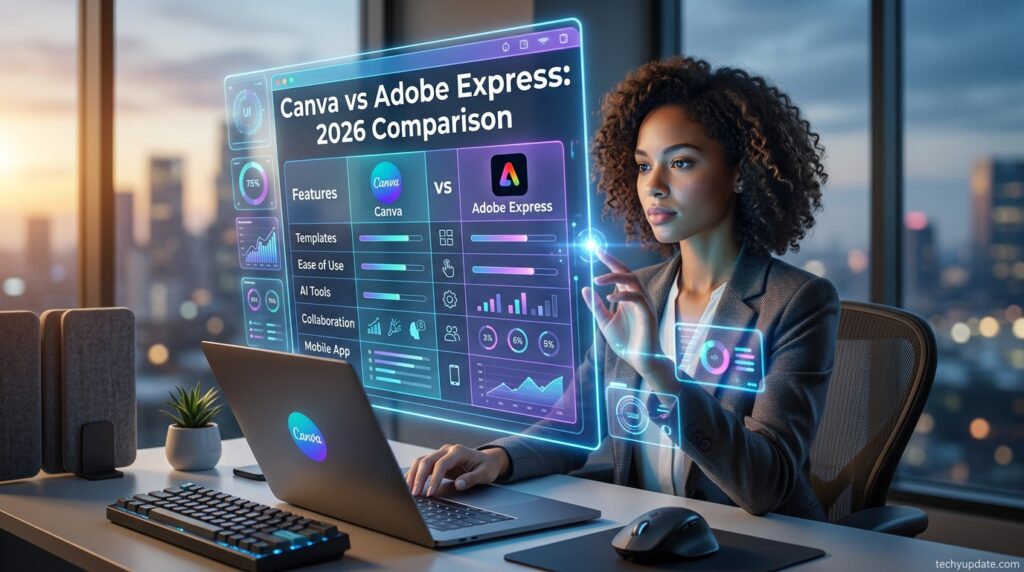
This part breaks the decision down across features, pricing, performance, ease of use, security, and support, then answers the comparison the way most readers actually frame it: which one should I pick, given who I am and what I’m building? — with its own FAQ and closing verdict, so this section can be read entirely on its own.
Quick Comparison Table
| Category | Canva | Adobe Express |
|---|---|---|
| Best for | Broadest general design use | Adobe ecosystem users, AI-safety-conscious teams |
| Template library size | Larger | Smaller but growing |
| AI model | Magic Studio (multiple models) | Firefly (commercially safe training) |
| Team pricing | Per-seat Business (~$20–25/user) | Per-seat, typically undercuts Canva |
| Desktop-grade editing | Via bundled Affinity apps | Via Adobe Creative Cloud integration |
| Free tier | Generous, permanent | Available, more limited |
Feature-by-Feature Breakdown

Template libraries: Canva’s template catalog is larger and more broadly categorized across industries and formats, giving it an edge for teams that want maximum variety without leaving the platform; Adobe Express’s library is smaller but tightly integrated with Adobe Stock assets for users already paying for that ecosystem.
AI tooling: Canva’s Magic Studio spans text-to-image, text-to-video, background removal, and copywriting in a single bundled allowance; Adobe Express relies on Firefly specifically, which Adobe markets as trained only on licensed and public-domain content — a meaningful differentiator for brands wary of copyright exposure in AI-generated marketing assets.
Brand management: Canva’s Brand Kit and Business-tier approval workflows are comparably mature to Adobe Express’s brand controls, though Canva’s version currently supports a larger number of stored brand kits at the equivalent tier.

Professional-grade editing: Adobe Express benefits directly from Adobe’s broader Creative Cloud ecosystem, letting users hand off a project to Photoshop or Illustrator when Express’s simplified toolset lacks precision. Canva addresses this with its bundled Affinity apps, which cover similar desktop-grade territory but as separate applications rather than a one-click handoff.
Video editing: Both tools cover basic trimming, text overlays, and templated video content well; neither is a substitute for a dedicated video editor on complex, multi-track projects.
Print and physical products: Canva’s built-in Canva Print service is more deeply integrated into the design flow than Adobe Express’s print options, giving Canva a practical edge for users who want to design and order physical materials in one place.
Pricing Comparison
On a straight per-seat basis, Adobe Express typically undercuts Canva Business, which matters most for teams scaling past a handful of users, where per-seat costs compound quickly. At the individual level, Canva Pro and Adobe Express’s equivalent single-user tiers fall within a broadly similar range, so the pricing gap is felt most by growing teams rather than solo users. Both platforms run frequent promotions, so list-price comparisons should always be checked against current live offers before making a final decision.

Performance Comparison
In everyday use, both platforms load and render designs quickly in the browser, with no meaningful lag for typical single-page graphics. Where a gap can appear is on long, multi-page or asset-heavy projects — large presentations or print documents with dozens of high-resolution images — where users on both platforms report occasional slowdowns, though this is more a function of browser and device resources than a clear platform advantage either way.
Neither tool involves the kind of extended “conversation” or long-context handling relevant to AI chat products; the more relevant performance question here is editor responsiveness and export speed on large files, where both platforms perform comparably for standard business use cases.
Ease of Use Comparison
Both tools are explicitly built for non-designers, and both succeed at that goal, but Canva’s interface has a slight edge in first-time intuitiveness thanks to its longer track record of user experience refinement and a marginally larger selection of onboarding templates. Adobe Express users already familiar with other Adobe products may find its interface conventions more immediately recognizable, narrowing the gap significantly for that audience.
Best-For Use-Case Split
Choose Canva for the broadest general-purpose design workflow, the largest template selection, and the most integrated print-on-demand experience. Choose Adobe Express when AI copyright safety is a business priority, when per-seat team cost matters most, or when the team is already paying for Adobe Creative Cloud and wants tighter integration rather than a separate ecosystem.

Persona-Based Verdicts
Which is better for students? Canva generally wins here, thanks to its strong free education program and broader range of general-purpose templates that cover everything from presentations to social projects.
Which is better for developers/professionals building on top of the tool? Adobe Express’s tighter Creative Cloud integration gives professional creative teams a smoother handoff to precision tools; developers building integrations should compare Canva Connect APIs directly with Adobe’s developer offerings, since both are usage-based and priced independently of the consumer tiers.
Which is better for a growing business? This depends heavily on budget sensitivity — a cost-conscious growing team often does better on Adobe Express’s typically lower per-seat pricing, while a team that values the largest asset library and built-in print ordering may still find Canva’s slightly higher per-seat cost worth paying.
Security & Data Privacy Comparison
Both platforms offer enterprise-tier security features — single sign-on, audit logging, and admin controls — at their top plans, with Canva Enterprise and Adobe’s enterprise Creative Cloud tiers both built for organizations with formal compliance requirements.
Adobe holds a longer institutional track record in enterprise data governance, given its decades-long relationship with large corporate and government customers, while Canva has been actively building out equivalent enterprise-grade controls, including IP indemnity protections, as part of its push upmarket. Organizations with strict compliance requirements should request current compliance documentation (e.g., SOC 2, GDPR handling specifics) directly from both vendors, since certification details change over time.
Customer Support Comparison
At the free and entry-paid tiers, both platforms rely primarily on self-service help centers and community resources, with limited direct support access. At the Business and Enterprise levels, both offer materially better support — Canva Business and Enterprise add priority support and, at Enterprise, a dedicated customer success contact, while Adobe’s enterprise tiers benefit from its long-established enterprise support infrastructure built across its entire product suite, not just Express.
Pros & Cons of Each Tool
| Canva | Adobe Express | |
|---|---|---|
| Pros | Larger template library, integrated print ordering, broader AI tool suite | Lower per-seat team pricing, commercially safe AI training, and tight Adobe ecosystem integration |
| Cons | Higher per-seat Business cost, AI credit caps | Smaller template library, less useful outside the Adobe ecosystem |
Featured Snippets
Definition: Canva is a browser-based graphic design platform that lets users create social media graphics, presentations, videos, and printed materials using a drag-and-drop editor and pre-built templates, without requiring professional design software skills.
List — Canva’s Core Features: Drag-and-drop editor; large template library; Magic Studio AI tools; Background Remover; Brand Kit; Magic Resize; Canva Print; Content Planner.
Table — Canva Pricing at a Glance: Free ($0), Pro (roughly $12–18/month), Business (roughly $20–25/user/month), Enterprise (custom quote).
Comparison — Canva vs Adobe Express in One Line: Canva offers a larger template library and an AI toolset with integrated print ordering, while Adobe Express typically costs less per seat and emphasizes commercially safe AI via Firefly.
How-To — Getting Started with Canva: Create a free account with email, Google, or Apple sign-in; choose a template matching your project; customize text, colors, and images; export or order a print product directly from the canvas.
Read more: Canva Review 2026: Is It Still Worth It?
Read More: Canva Plans and Pricing: Alternatives
Frequently Asked Questions
What is Canva primarily used for today, beyond social media?
While social media graphics remain Canva’s strongest use case, the platform now covers presentations, short-form video, print design, and, through its bundled Affinity apps, professional-grade photo and vector editing.
Does Canva’s free plan expire or get downgraded over time?
No, Canva’s free plan is permanent with no time limit or forced downgrade, though premium templates, stock assets, and advanced AI features remain locked behind paid Pro or Business subscriptions.
What is the difference between Canva Pro and Canva Business?
Canva Pro is a single-user license that includes premium content and AI tools, while Canva Business is priced per seat and adds team collaboration features such as approval workflows and shared Brand Kits across multiple users.
Why did Canva’s team pricing change recently?
Canva rebranded its flat-rate Teams plan to Business and moved to per-seat billing around 2024–2025, a shift the company attributed largely to expanding AI capabilities, which increased costs for growing teams compared to the earlier flat rate.
Is Canva or Adobe Express the safer choice for AI-generated marketing content?
Adobe Express has an edge on this specific concern, since its Firefly AI models are trained only on licensed and public-domain content, giving brand-safety-conscious teams more confidence than Canva’s broader Magic Studio model mix.
Can nonprofits and teachers get Canva for free?
Yes, verified K-12 teachers and students can access most Pro-level features through Canva for Education at no cost, and registered nonprofits can qualify for free Business-level access through Canva’s nonprofit program.
What is Canva Connect, and who is it for?
Canva Connect is Canva’s set of developer APIs, priced on API call volume rather than per-seat subscriptions, built for companies integrating design generation or export capabilities directly into their own software products.
Is Canva worth paying for if I only design occasionally?
For occasional design work, Canva’s free plan is usually sufficient, and upgrading to Pro only becomes worthwhile once premium templates, Brand Kit consistency, or higher AI usage limits start becoming a recurring need.
How does Canva’s AI credit system work?
Every Canva plan includes a shared monthly allowance split between Standard and Premium AI generations, which resets each billing cycle; once exhausted, users must wait for the reset or purchase the separately billed AI Pass add-on.
What file formats can I export from Canva?
Canva supports exporting designs as PNG, JPG, PDF, MP4, and several other common formats, with certain formats like transparent PNG and print-ready PDF reserved for paid Pro and Business subscribers.
Is Canva suitable for professional graphic designers?
Professional designers generally use Canva only for quick internal or social content, since its vector and typography precision fall short of dedicated tools like Illustrator, though Canva’s bundled Affinity apps now offer a more professional-grade alternative within the same ecosystem.
How do Canva and Adobe Express compare on customer support?
Both platforms offer limited self-service support at free and entry tiers, with materially better support — including priority access and, at the top tier, dedicated account contacts — unlocked at their respective Business and Enterprise levels.
What should I check before committing to an annual Canva plan?
Confirm your team size is stable, since annual plans lock in pricing for a full year with no partial refund, and verify the current live discount on Canva’s pricing page, as promotional rates change frequently.
Which is the better long-term choice, Canva or Adobe Express?
There’s no single correct answer — Canva suits readers who want the broadest toolkit in one platform, while Adobe Express suits cost-sensitive growing teams and organizations that value Firefly’s commercially safe AI training.
Which is better, Canva or Adobe Express?
Neither is universally better — Canva offers a larger template and AI toolset with integrated print ordering, while Adobe Express typically costs less per seat and emphasizes commercially safe AI through Firefly, so the right choice depends on budget and existing tools.
Is Canva cheaper than Adobe Express?
At the individual level, Canva Pro and Adobe Express’s single-user tier are broadly comparable, but Adobe Express typically undercuts Canva Business on a per-seat basis once a team scales beyond a few users.
Is Adobe Express better for AI copyright safety?
Adobe Express has an edge here, since its Firefly AI models are marketed as trained only on licensed and public-domain content, which appeals to businesses specifically concerned about copyright risk in AI-generated marketing material.
Can I switch from Canva to Adobe Express easily?
There’s no official one-click migration between the two platforms, so switching generally means manually rebuilding brand assets and templates, though both tools support standard file exports like PNG, JPG, and PDF to ease the transition.
Which tool is better for a small business just starting out?
Most small businesses starting out do well with Canva Pro, given its larger template library and integrated print ordering, though budget-first businesses already using Adobe products may prefer Adobe Express instead.
Conclusion
Canva has earned its position as the default design tool for people who need professional-looking visuals without a design background, and the platform’s 2026 direction — leaning harder into AI through Magic Studio while folding in genuine desktop-grade editing through Affinity — shows a company still actively expanding what it can do rather than resting on its template library. The review confirms the core product remains excellent for its intended audience, even as vector precision and complex print formatting stay clear weak points.
On pricing, the honest picture is more nuanced than Canva’s marketing suggests: the free and Pro tiers still deliver strong value, but the shift to per-seat Business billing has made team adoption meaningfully more expensive than it used to be, and AI credit caps mean heavy generative-AI users may need to budget for extras.
Against its closest rival, Adobe Express, the decision comes down to priorities rather than a clear universal winner. Canva offers more breadth and a larger creative toolkit, while Adobe Express generally costs less per seat and leans on Firefly’s commercially safe AI training as a specific selling point for brand-safety-conscious teams. For most solo creators, small businesses, educators, and general marketing teams, Canva remains a strong, well-rounded choice in 2026.
Teams that are highly cost-sensitive at scale or already committed to the Adobe ecosystem have a legitimate reason to consider Adobe Express instead. Either way, starting free and upgrading only when a specific limit is actually hit remains the safest way to make this decision, using real usage data rather than guesswork.
Neither tool is a wrong choice — the decision genuinely comes down to what a specific team values most. Canva wins on breadth: the largest template and AI toolset, plus the most integrated print experience. Adobe Express wins on cost efficiency at scale and on AI-copyright peace of mind through Firefly.
Teams already inside the Adobe ecosystem, or highly budget-sensitive at the team level, should lean on Adobe Express; everyone else — particularly solo creators, small businesses, and teams that value one platform doing the most things well — will likely find Canva the stronger overall fit.
1 Comment
Pingback: What Is Adobe Firefly? AI Image Features & Uses