

Claude Code is Anthropic’s agentic coding tool for the terminal, IDE, desktop, and web, and it has quickly become one of the most talked-about AI coding agents on techyupdate.com’s radar. Instead of autocompleting single lines like a classic code-completion plugin, it reads an entire codebase, plans multi-file changes, runs shell commands, and verifies its own work before handing control back to you. That shift — from suggestion engine to autonomous collaborator — is why so many engineering teams are re-evaluating their tooling stack in 2026.
This review covers what Claude Code actually does, how it’s priced across Free, Pro, Max, Team, and Enterprise tiers, how it stacks up against GitHub Copilot and Cursor, and where it genuinely saves time versus where it can burn through budget fast. We tested the terminal CLI, the VS Code extension, and the desktop app workflow, and cross-checked every claim against Anthropic’s official documentation rather than relying on marketing copy.

Claude Code matters right now because agentic development — tools that plan, execute, and self-correct rather than just suggest — is where the entire AI coding category is heading. Anthropic reports Claude Code has grown into a multibillion-dollar annualized revenue line on its own, and the tool now spans terminal, JetBrains, VS Code, a standalone desktop app, and a browser-based version at claude.ai/code.
For developers deciding whether to adopt it, switch from a competitor, or simply understand what the fuss is about, this guide walks through installation, real setup steps, pricing math, security posture, and an honest list of where it still falls short — so you can make a decision without wading through Anthropic’s own marketing pages or a dozen conflicting blog posts.
Visit the official Claude Code website →
Quick Facts Table
| Attribute | Details |
|---|---|
| Developer | Anthropic |
| Category | Agentic AI coding tool / terminal & IDE coding agent |
| Surfaces | Terminal (macOS, Linux, Windows, WSL), VS Code, JetBrains, Desktop app, Web (claude.ai/code), Mobile |
| Underlying models | Claude Opus 5, Sonnet 5, Haiku 4.5, Fable 5 (usage-based) |
| Starting price | Included from Claude Pro at $17/month (annual) or $20/month |
| Free tier | No — Claude Code requires a paid plan or API credits |
| Context window | 200K tokens on consumer plans; up to 1M-token context available via API |
| Best for | Feature development, refactors, test writing, bug fixes, CI automation |
Quick Summary
Claude Code is a genuinely capable agentic coding assistant that plans, edits across multiple files, runs tests, and opens pull requests largely on its own. It’s strongest on large, unfamiliar, or messy codebases where context matters more than raw autocomplete speed. The tradeoffs are cost predictability—usage-based billing can spike quickly with heavy agentic workloads—and a learning curve for developers used to inline autocomplete tools like GitHub Copilot.
Key Takeaways
- Claude Code runs from the terminal, VS Code, JetBrains, a desktop app, or the browser, all sharing the same session and memory.
- It requires at least a Pro plan ($17–$20/month); there is no free tier for Claude Code itself.
- MCP (Model Context Protocol) connects it to Jira, Slack, Google Drive, and custom internal tools.
- Sub-agents and Agent Teams enable parallelization of large refactors across a codebase.
- Heavy multi-agent sessions can consume tokens fast — budgeting matters more than the sticker price.
Table of Contents
Why Trust This Review
techyupdate.com’s review process combines hands-on testing across the terminal CLI, VS Code extension, and desktop app with direct verification against Anthropic’s official documentation, pricing pages, and changelog. We flag anything we couldn’t independently confirm rather than guessing. No claim about pricing, limits, or features in this piece is sourced from marketing copy alone — each was cross-checked against docs.claude.com or claude.com/pricing at the time of writing.
Who This Review Is For
This review is written for professional and hobbyist developers evaluating an AI coding agent for daily feature work, teams comparing Claude Code against GitHub Copilot or Cursor, and engineering leads trying to forecast token spend before rolling it out to a team. If you want a tool that autocompletes single lines as you type, Claude Code can do that, but it’s built for a different job—autonomous, multi-step work across an entire repository.
What Is Claude Code
Claude Code is Anthropic’s agentic development tool: it reads your entire codebase, plans an approach in plain language, edits files across a project, runs commands, and checks its own output. It ships as a terminal CLI, a VS Code and JetBrains extension, a standalone desktop app, and a web version at claude.ai/code, all built on the same underlying engine so your CLAUDE.md instructions, settings, and MCP connections carry across surfaces. Anthropic first launched it as a research preview and has since expanded it into one of the company’s fastest-growing product lines, sitting alongside Claude.ai, Claude Cowork, and the Claude API in Anthropic’s broader product family.
Features
Claude Code’s feature set centers on agentic workflows rather than inline suggestions. It plans multi-file changes before writing code, executes shell commands directly, and iterates against test failures without manual prompting for every step. A CLAUDE.md file at your project root gives it persistent instructions — coding standards, architecture notes, preferred libraries — that load automatically every session, and it builds its own auto memory of build commands and debugging insights over time.
Beyond single-session work, sub-agents and Agent Teams let Claude Code split a large task — say, a framework migration — across multiple coordinated agents working on different parts of the codebase simultaneously. Skills package repeatable workflows like /review-pr or /deploy-staging For a team to share. Hooks run shell commands automatically before or after actions, such as auto-formatting on every file save or linting before a commit.
For automation, the CLI follows Unix conventions: pipe logs into it, chain it with other tools, or run it non-interactively in CI with claude -p. Routines run scheduled tasks in the cloud even when your machine is off, while Remote Control and Dispatch let you start a task on a desktop and continue it from a phone. GitHub Actions and GitLab CI/CD integrations bring automated code review directly into pull requests.
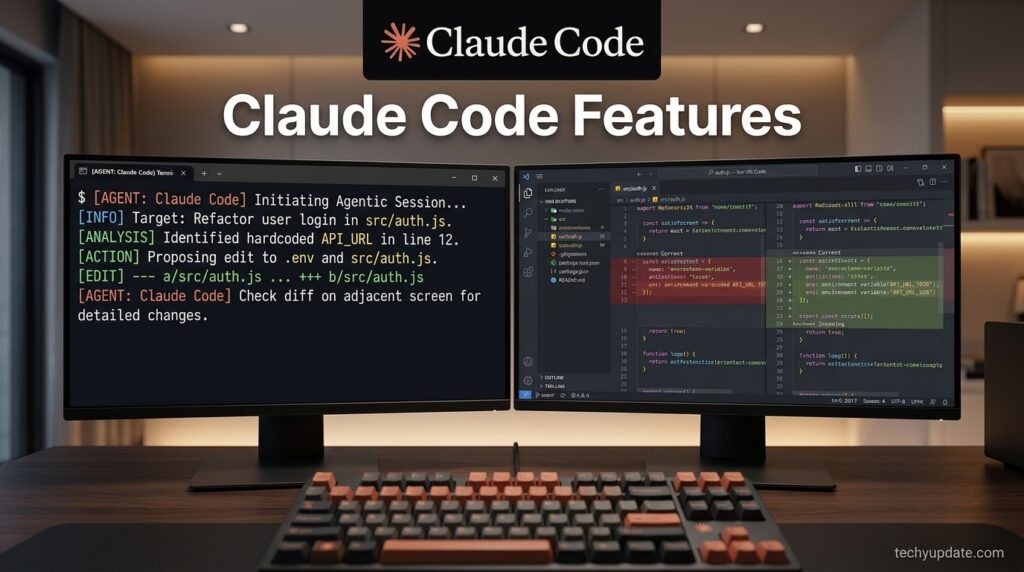
AI Overview block: Claude Code’s core differentiator versus autocomplete tools is that it executes — it doesn’t just suggest code; it runs it, tests it, and fixes what breaks, across as many files as the task requires.
Feature Table
| Feature | What It Does |
|---|---|
| CLAUDE.md memory | Persistent project instructions loaded every session |
| Sub-agents / Agent Teams | Parallelize large tasks across multiple coordinated agents |
| Skills | Shareable, packaged workflows (e.g., /review-pr) |
| Hooks | Auto-run shell commands around Claude’s actions |
| MCP support | Connects to Jira, Slack, Google Drive, and custom tools |
| Routines | Cloud-based scheduled tasks that run without your machine on |
CLI piping (claude -p) | Non-interactive scripting and CI automation |
| Remote Control / Teleport | Move sessions between desktop, web, and mobile |
How It Works
Claude Code operates as a planning-and-execution loop rather than a single completion call. You describe a task in plain language — “write tests for the auth module, run them, and fix any failures” — and it reads relevant files, drafts a plan, makes edits, executes commands like test runners or linters, and re-checks its own output against the result. Each surface (terminal, VS Code, JetBrains, desktop, web) is a window into the same session state, so switching from your IDE to your phone mid-task doesn’t lose context.
In the terminal, you’ll see live diffs and command output as Claude works, with a permission model that asks before running risky commands unless you’ve pre-approved a category. The desktop app adds a visual diff reviewer and lets you run several sessions side by side — useful for reviewing an Agent Team’s parallel work without losing track of which agent touched which file.
Setup Guide
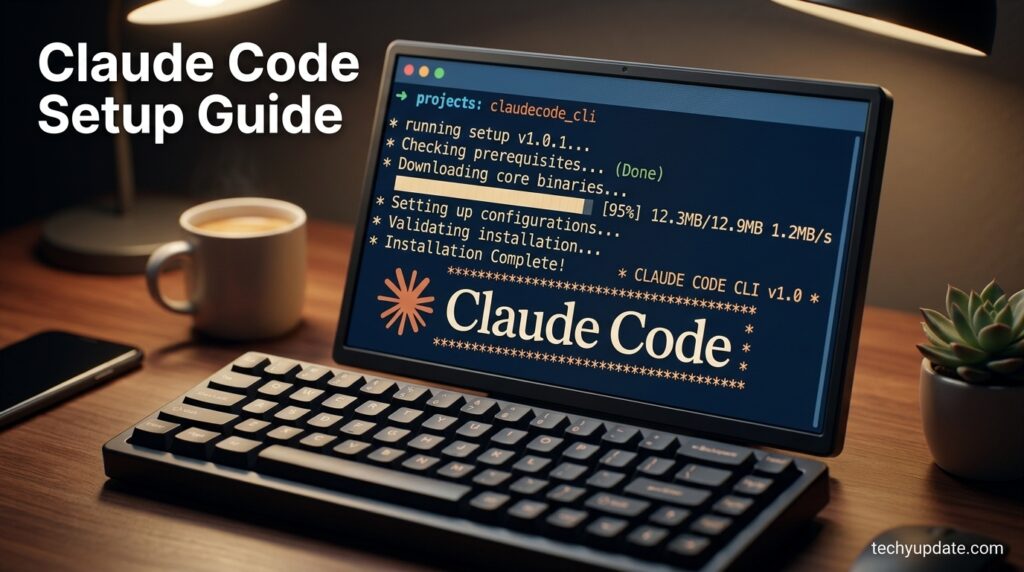
Getting Claude Code running takes a few minutes on any supported platform. Below is the fastest path for each major surface.
Step-by-Step Tutorial
Install on macOS, Linux, or WSL. Run in your terminal. This is Anthropic’s recommended native install, and it updates itself automatically in the background.
Install on Windows. Use PowerShell with irm https://claude.ai/install.ps1 | iex, or install via Homebrew (brew install --cask claude-code) or WinGet (winget install Anthropic.ClaudeCodeIf you prefer a package manager — note these don’t auto-update.
Start your first session. Navigate into a project folder and run claude. You’ll be prompted to log in on first use, or to approve an ANTHROPIC_API_KEY if you’ve set one as an environment variable.
Add project memory. Create a CLAUDE.md File in your project root with coding standards, architecture notes, and any conventions you want followed every session.
Try the IDE extension. Search “Claude Code” in the VS Code Extensions view, install it, then open the Command Palette and select “Open in New Tab” for inline diffs and @-mentions.
Connect your tools. Run the MCP quickstart to link Google Drive, Jira, or Slack, so Claude Code can pull context from outside your codebase. [internal link: how to set up MCP servers]
Use Cases
Claude Code’s most consistent wins are in large-scale refactors, framework migrations, and generating comprehensive test suites for codebases that previously lacked good test coverage. Teams also lean on it to trace and fix bugs from a pasted stack trace, since it can walk the actual call path through the repo rather than guessing from a snippet.
It’s equally useful for the unglamorous maintenance work that piles up: updating dependencies, resolving merge conflicts, fixing lint errors across the project, and drafting release notes. Piped into CI, it can review a diff for security issues, translate new UI strings, or triage GitHub issues automatically. Teams running Agent Teams report that it handles multi-file architectural analysis of unfamiliar codebases in hours rather than days.
Benefits
Claude Code’s biggest benefit is context depth — because it reads across the whole project rather than a single open file, its suggestions account for how a change ripples through other modules. The multi-surface design (terminal, IDE, desktop, web, mobile) means work genuinely follows you rather than being locked to one machine. MCP support also means it isn’t limited to code — it can read a design doc in Drive or update a Jira ticket as part of the same task.
Limitations
The most common complaint is cost unpredictability: agentic loops mean a ten-step task costs significantly more than a single completion, and output tokens—which Claude Code produces in large quantities—are priced well above input tokens. Multi-agent sessions can burn through a rolling five-hour usage window fast, and heavy users on fixed plans sometimes hit weekly caps mid-week. There’s also a real learning curve for developers used to lightweight autocomplete rather than reviewing agent-driven multi-file diffs.
Pros & Cons Table
| Pros | Cons |
|---|---|
| Deep, whole-codebase context | No free tier for Claude Code itself |
| Works across terminal, IDE, desktop, web, mobile | Usage-based costs can spike on heavy agentic sessions |
| Sub-agents/Agent Teams for large parallel tasks | Steeper learning curve than inline autocomplete tools |
| Strong MCP and CI/CD integration | Rolling 5-hour and weekly usage caps on subscriptions |
| Persistent memory via CLAUDE.md | Best value requires active cost/token management |
Pricing
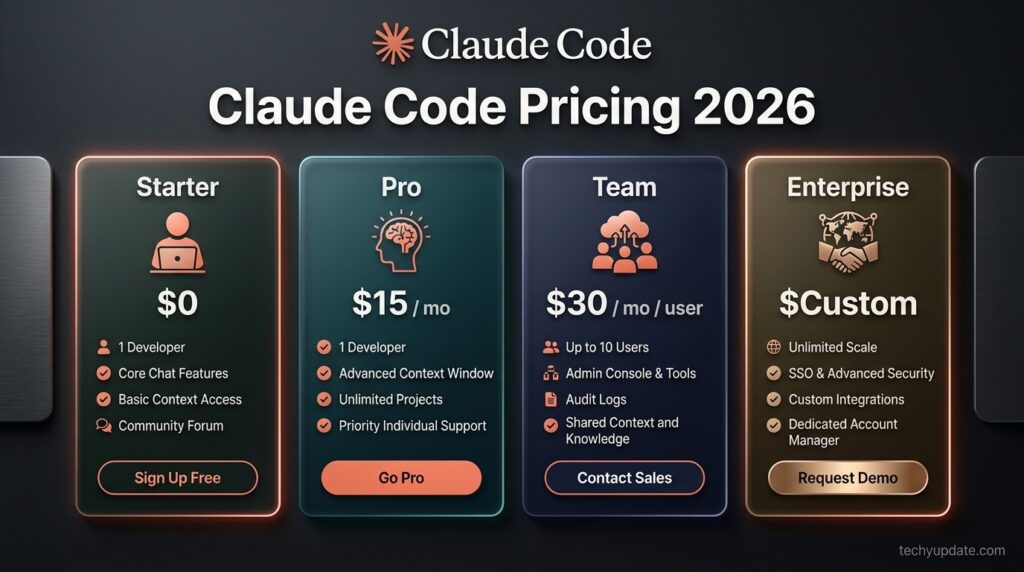
Claude Code is bundled into Anthropic’s Claude subscription plans rather than sold separately, and it shares one usage pool with Claude.ai chat, Claude Cowork, and Claude Design. There is no dedicated free tier for Claude Code — the Free Claude.ai plan doesn’t include it.
Pricing Table
| Plan | Price | Claude Code Access |
|---|---|---|
| Free | $0 | Not included |
| Pro | $17/mo (annual) or $20/mo | Included, standard usage |
| Max 5x | $100/mo | 5x Pro’s usage per 5-hour session |
| Max 20x | $200/mo | 20x Pro’s usage per 5-hour session |
| Team Standard | $20/seat (annual) or $25/seat (monthly) | Included, more usage than Pro |
| Team Premium | $100/seat (annual) or $125/seat (monthly), 5-seat minimum | 5x Standard seat usage |
| Enterprise | $20/seat + usage at API rates | Included 500K context on default model |
For pay-as-you-go work through the API, Sonnet 5 runs at an introductory $2/MTok input, $10/MTok output through August 31, 2026 (standard pricing of $3/$15 applies after); Opus 5 is $5/$25; Haiku 4.5 is $1/$5; and Fable 5 is $10/$50 per million tokens. [external link: Anthropic official pricing page] Anthropic notes that most individual developers spend well under $12 a day even on API billing, which is roughly why the Pro and Max tiers are priced where they are.
Claude Code vs GitHub Copilot vs Cursor
Comparison Table
| Claude Code | GitHub Copilot | Cursor | |
|---|---|---|---|
| Model | Opus 5 / Sonnet 5 / Haiku 4.5 | Multiple, including Claude models | Claude, GPT, and others |
| Interface | Terminal, IDE, desktop, web | IDE plugin | Standalone editor |
| Agentic workflows | Deep — sub-agents, Agent Teams | Agent mode, more limited | Agent mode via editor |
| Starting price | $17–20/mo (bundled) | $10/mo | $20/mo |
| Best for | Large refactors, CI automation | Inline completion, budget teams | Editor-native agentic coding |
Claude Code’s edge is the depth of its agentic capabilities — Agent Teams and the 1M-token context window (available via API) handle monorepo-scale work that autocomplete-first tools weren’t built for. GitHub Copilot remains the budget pick with a genuinely free tier, while Cursor appeals to users who prefer a purpose-built editor over a terminal-first workflow. [internal link: Claude Code vs Cursor full comparison]
Specifications
Claude Code supports macOS, Linux, WSL, and native Windows in the terminal, with dedicated extensions for VS Code and JetBrains IDEs. The consumer context window is 200K tokens across Pro and Max plans, while Enterprise defaults to 500K and the API supports up to 1M tokens on supported models. It integrates natively with Git, works within GitHub Actions and GitLab CI/CD, and connects to external tools via MCP.
Security & Privacy
Paid individual and Team plans use an opt-out model training policy by default, meaning your code isn’t used to train Anthropic’s models unless you choose otherwise. Enterprise adds SSO, SCIM, audit logs, a compliance API, custom data retention controls, and a HIPAA-ready offering for regulated industries. [external link: Anthropic Trust Center] Because Claude Code executes commands directly, it asks for permission before risky actions by default — a meaningful safety boundary compared to tools that only suggest text.
Performance
In practice, response quality scales with model choice: Opus 5 is positioned for complex agentic coding and architectural decisions, Sonnet 5 handles the bulk of day-to-day coding work at a much lower cost, and Haiku 4.5 is built for fast, cheap subagent lookups. Anthropic’s own guidance is to reserve Opus for hard problems and let Sonnet or Haiku handle routine work, which materially affects both speed and your monthly bill.
Integrations
MCP (Model Context Protocol) is the backbone of Claude Code’s integration story — an open standard that connects it to Google Drive, Jira, Slack, and custom internal tools, allowing it to pull context beyond your repository. On the CI/CD side, GitHub Actions and GitLab CI/CD integrations enable automated PR review and issue triage, and a Slack integration lets teammates mention @Claude With a bug report, get a pull request back.
API and Agent SDK
For teams building custom automation rather than using the interactive CLI, the Agent SDK exposes the same tools and capabilities that power Claude Code, with full control over orchestration, tool access, and permissions. This is the right layer for building bespoke agents rather than scripting the CLI directly.
Customer Support
Support runs through Anthropic’s official documentation at docs.claude.com, a public status page, and a support center for account and billing issues. Enterprise customers get dedicated sales and customer success contacts, while community troubleshooting is active on Anthropic’s developer forums and GitHub issue trackers for the CLI itself.
Latest Updates
Claude Code’s release cadence has been fast in 2026, with the 1M-token context window reaching general availability in March and Agent Teams and scheduled Routines continuing to expand throughout the year. Anthropic briefly suspended access to its newest Fable and Mythos-tier models in mid-June 2026 to comply with U.S. Department of Commerce export controls, restoring access on July 1 after the controls were lifted. [external link: Anthropic’s official statement on the suspension]
Expert Tips
Run /clear When switching tasks, instead of letting stale context accumulate, a cluttered context window slows responses and increases cost. Use to summarize long sessions before they balloon, and check regularly to catch spend trends before they become a surprise invoice.
Common Mistakes
The most expensive mistake teams make is defaulting every task to Opus when Sonnet or Haiku would do the job for a fraction of the cost. A close second is leaving an old ANTHROPIC_API_KEY Active in a shell profile while also paying for a Max subscription — you can end up billed twice, through both the API and the subscription, without realizing it.
Troubleshooting
If a native install fails with a curl error or 403, Anthropic’s troubleshooting docs map the specific error to a fix. If usage limits are hit earlier than expected, check whether a background Routine or CI job is quietly consuming your five-hour window, since all Claude Code usage draws from the same pool as your interactive sessions.
Myths vs Facts
Myth: Claude Code is free to try. Fact: there is no free tier for Claude Code specifically — it requires at least a Pro subscription or API credits.
Myth: Bigger plans mean better answers. Fact: Max plans increase usage capacity and output limits, not model intelligence — the same models are available on Pro.
Decision Matrix
| Your Situation | Recommended Plan |
|---|---|
| Solo dev, occasional use | Pro ($17–20/mo) |
| Daily driver, single dev | Max 5x ($100/mo) |
| Heavy multi-agent workloads | Max 20x ($200/mo) |
| Small team, shared billing | Team Standard or Premium |
| Regulated industry, compliance needs | Enterprise |
Beginner vs Advanced
Beginners get the most value starting with simple, well-scoped prompts on Sonnet 5 and a basic file before touching sub-agents. Advanced users get the real payoff from Agent Teams, Hooks, Skills, and CI-piped automation — but those workflows also consume tokens fastest, so cost discipline matters more as usage grows.
Best Alternatives
GitHub Copilot remains the strongest budget alternative with a genuinely permanent free tier and a $10/month paid plan. Cursor offers a purpose-built editor with Claude and GPT models available at per-token rates plus a markup, appealing to developers who want agentic coding inside a dedicated IDE rather than the terminal. [internal link: best AI coding assistants 2026]
Who Should Use It
Developers working across large or unfamiliar codebases, teams doing frequent refactors or migrations, and anyone who wants agentic automation woven into CI rather than just editor autocomplete are the clearest fits for Claude Code.
Who Should Avoid It
Hobbyists on a strict budget who mainly want inline autocomplete, or teams that can’t tolerate usage-based cost variability, are likely better served starting with GitHub Copilot’s free or $10 tier before upgrading.
Read more: Cursor AI Code Editor
Read more: CrewAI Review 2026
Read more: NxCode Review 2026: Free Credits AI App Builder
Read more: Claude.ai Review 2026
FAQ
Is Claude Code free to use?
No. Claude Code requires at least a Claude Pro subscription ($17–$20/month) or pay-as-you-go API credits — the Free Claude.ai plan doesn’t include it.
What’s the difference between Max 5x and Max 20x?
Both include everything in Pro. Max 5x gives five times Pro’s usage per five-hour session for $100/month, while Max 20x gives twenty times Pro’s usage for $200/month, aimed at developers running Claude Code for most of the workday or driving multiple parallel agent sessions.
Does Claude Code train on my code?
Paid individual and Team plans default to opt-out of model training on your content. Enterprise plans include additional data retention and compliance controls for regulated environments.
Can I use Claude Code without a subscription?
Yes, through an Anthropic Console account and pay-as-you-go API billing, though heavy daily use typically costs more than a flat subscription unless usage is light or bursty.
Does Claude Code work on Windows?
Yes, natively through PowerShell or CMD installers, or via WSL, Homebrew, or WinGet, though native Windows installs work best with Git for Windows installed for full Bash tool support.
Rating Scorecard
| Category | Score (out of 5) |
|---|---|
| Features | 4.7 |
| Ease of Setup | 4.3 |
| Pricing Transparency | 3.8 |
| Performance | 4.6 |
| Support & Docs | 4.4 |
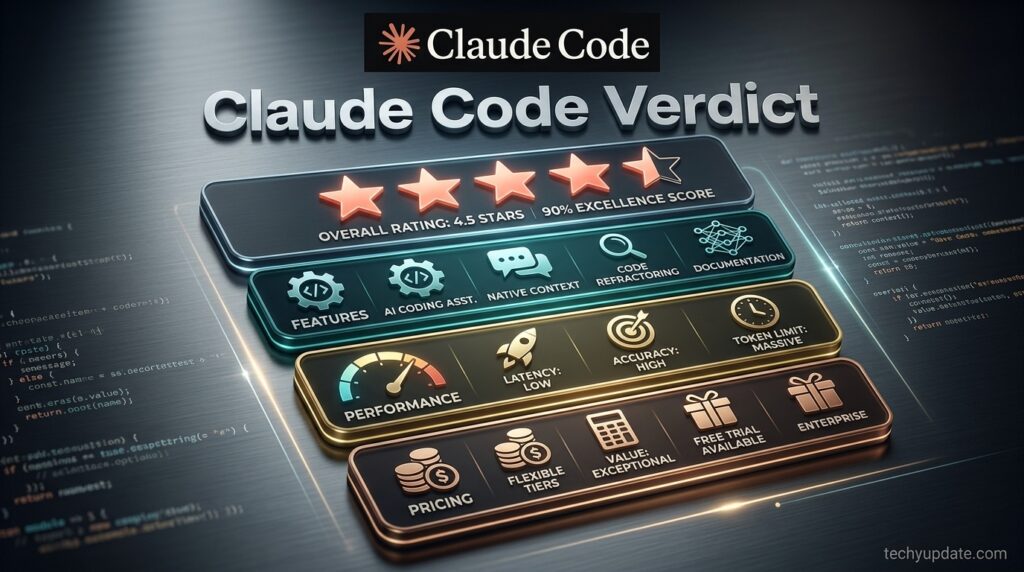
| Overall | 4.5 |
Conclusion
Claude Code has earned its reputation as one of the most capable agentic coding tools available in 2026, and the verdict here is a confident recommendation for developers working across large, evolving codebases. Its multi-surface design — terminal, IDE, desktop, and web sharing one session — is genuinely useful rather than a marketing checkbox, and Agent Teams plus MCP integration give it reach well beyond simple code completion.
The honest caveat is cost predictability. Because pricing is usage-based underneath the subscription layer, teams that don’t actively manage model choice, context size, and session habits can see bills climb faster than expected, especially with heavy Opus or multi-agent use. That’s manageable with the built-in /usage, /cost, and /compact tools, but it does mean Claude Code rewards active management more than a flat-fee tool would.
For a solo developer doing occasional agentic work, Pro at $17–$20/month is a low-risk way to try it. For anyone running it as a daily driver or coordinating multiple agents on real production work, Max or Team Premium is where the tool’s strengths — depth of context, parallel agents, and cross-surface continuity — actually pay off.
Compared against GitHub Copilot’s simplicity and Cursor’s editor-native approach, Claude Code is the pick for developers who want an agent that plans and executes, not just autocompletes. Overall, techyupdate.com rates Claude Code a 4.5 out of 5 — a genuine leader in agentic coding with pricing that rewards discipline.
Official Sources
- Claude Code documentation: https://code.claude.com/docs/en/overview
- Claude pricing: https://claude.com/pricing
- Anthropic model and API pricing: https://platform.claude.com/docs/en/about-claude/pricing
Author Bio
Written by the techyupdate.com Reviews Team, covering AI tools, developer software, and productivity apps daily. Every review is fact-checked against official documentation before publication.
1 Comment
Pingback: What Is Bolt.new? Features, Workflow & Best Uses