

You have probably seen those clean, hand-drawn animation videos everywhere on YouTube channels, landing pages, course modules, and social media feeds. They stop the scroll. They explain complex ideas in seconds. And they build trust in a way that static images simply cannot.
The problem? Creating whiteboard animation videos traditionally costs thousands of dollars and weeks of time. Freelancers on Fiverr charge serious money for a two-minute explainer. Professional animation software like VideoScribe locks features behind expensive monthly subscriptions.
That is exactly the gap Instadoodle AI is trying to fill.
In this Instadoodle AI review, we go beyond the sales page talking points. We cover what this tool actually does, how it compares to the competition, what real users are saying, where it falls short, and whether the one-time price tag is genuinely worth it for your workflow.
Visit the official Instadoodle AI website →
Table of Contents
What Is Instadoodle AI?
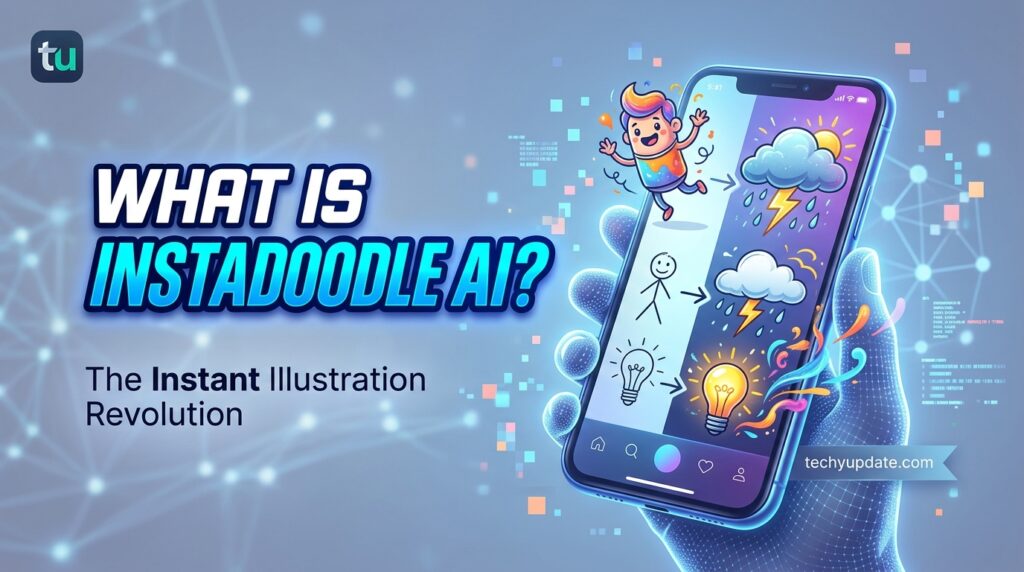
Instadoodle AI is a cloud-based whiteboard animation software that turns your written script into a hand-drawn doodle video using artificial intelligence. You do not need to draw anything. You do not need to download or install any software. And you do not need any prior design or video editing experience.
The platform was created by the team behind Revoicer, a popular AI voiceover generator. After building Revoicer to help users create human-sounding voiceovers, the team noticed a natural next step: their customers needed visuals to match those voiceovers. Instadoodle was built to solve that exact problem.
At its core, Instadoodle uses a proprietary technology called the DoodleAI Engine. You type your idea or paste your script, and the engine analyzes your text and automatically generates matching doodle characters, scenes, and animations. What used to take a professional animator hours to produce now takes minutes.
The DoodleAI Engine Explained
The DoodleAI Engine is what separates Instadoodle from traditional whiteboard tools that rely solely on static asset libraries. Instead of forcing you to manually drag pre-drawn characters onto a canvas, the engine interprets your text semantically and generates relevant doodle visuals.
For example, if your script mentions “business growth,” the AI may generate a sketch of an upward-trending graph or a figure climbing a ladder. If you mention “teamwork,” you might see hand-drawn figures collaborating. The tool connects language to visuals in real time.
This does not mean the AI always nails it perfectly; we will cover limitations later, but the core idea is sound and genuinely useful for fast content production.
Who Built Instadoodle?
Instadoodle is a product of the Revoicer team, a software company focused on AI-driven content creation tools. Revoicer built its reputation in the AI voiceover space before expanding into video. The Instadoodle-Revoicer combination essentially covers two of the biggest production bottlenecks for content creators: professional narration and professional visuals.
How Instadoodle AI Works (Step-by-Step)
One of Instadoodle’s strongest selling points is its simplicity. The team markets it as a “three-click” process, which is a bit of marketing hyperbole, but the actual workflow is genuinely fast.
Write or Paste Your Script
You start by typing your content idea or pasting a pre-written script into the Instadoodle editor. You can write a product explanation, an educational lesson, a sales pitch, or any narrative you want to animate. The more descriptive your script, the better the AI can match relevant visuals to your words.
If you are short on ideas, Instadoodle also provides templates across common use cases: marketing explainers, educational tutorials, product demos, and nonprofit fundraising stories.
Let the AI Generate Your Doodle Scenes
Once your script is in place, the DoodleAI Engine goes to work. It breaks your content into scenes, assigns doodle characters and props to each segment, and builds an animated sequence that follows the flow of your narrative. You can also choose your hand style, the animation style of the drawing hand that appears on screen, to customize the look and feel.
The asset library includes over 1,000 ready-to-use characters, objects, icons, and backgrounds. This gives you the flexibility to customize scenes even after the AI generates the initial version.
Customize and Export
After the AI generates your initial video, you enter the drag-and-drop editor. Here you can swap doodle elements, adjust timing, upload your own images, add a voiceover (recorded live or uploaded as a file), and select background music.
When everything looks good, you hit Export, and Instadoodle renders your video in HD on its cloud servers. This means even users with basic laptops get smooth, fast rendering without hardware limitations.
The whole process from script to finished video can realistically take between five and twenty minutes, depending on the complexity of your content.
Key Features of Instadoodle AI
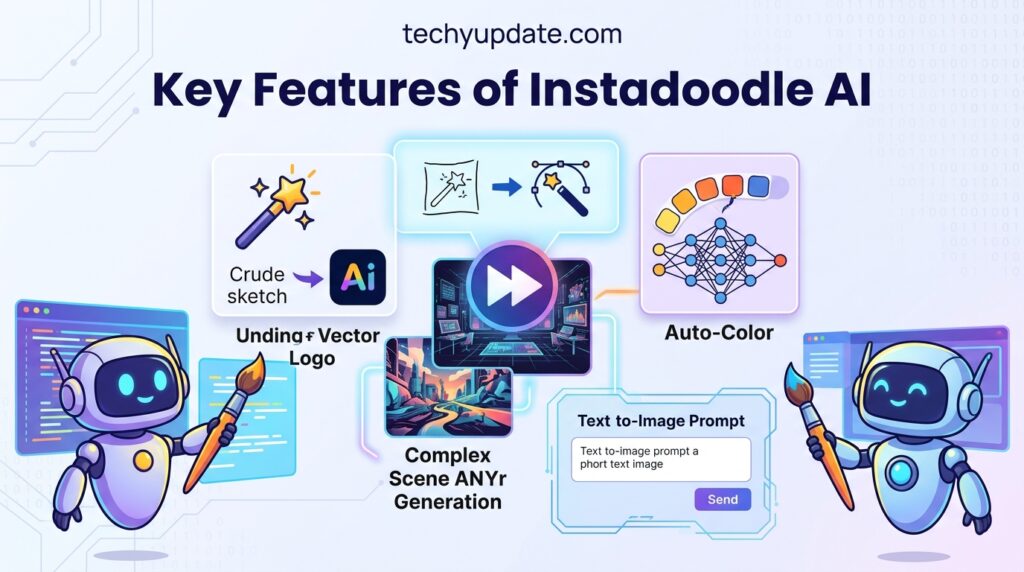
Let us break down the main features that define the Instadoodle experience.
DoodleAI Engine
The headline feature. The engine converts text input into relevant doodle animations without requiring manual scene building. It is not perfect, but it dramatically reduces the time needed to produce a first draft of any animation video.
1,000+ Doodle Asset Library
Instadoodle includes a library of over 1,000 pre-drawn characters, objects, and scene elements across categories such as education, marketing, business, lifestyle, and product demos. This library is more expensive than what older tools like Doodly offered at comparable price points.
You can use library assets alongside AI-generated elements, giving you both the speed of automation and manual control.
Voiceover and Music Integration
You can record a voiceover directly in the browser or upload a pre-recorded audio file. Background music tracks are available from a built-in library. If you use Revoicer, you can integrate AI-generated voiceovers into a fully automated production pipeline, where text serves as both the script and the narration source.
Image-to-Sketch Converter
This feature stands out as genuinely clever. You can upload a regular photograph or image, and Instadoodle’s AI converts it into a doodle-style sketch that matches the hand-drawn aesthetic of your video. This is especially useful if you want to include branded visuals, product images, or portraits without breaking the whiteboard animation style.
Cloud-Based Access
Instadoodle runs entirely in the browser. No downloads, no software installations, no compatibility headaches. It works on Windows, Mac, tablets, and any device with a modern browser and internet connection. Cloud rendering means your device specs do not limit your output quality.
Instadoodle Pricing Plans
Instadoodle’s pricing model is one of its biggest competitive advantages and also the source of some user frustration. Here is how it breaks down:
| Plan | Price | Key Inclusions |
|---|---|---|
| Instadoodle Basic | $37 one-time | Core whiteboard builder, templates, asset library |
| Instadoodle Color | $67 one-time | Full-color animations, expanded assets |
| InMotion Add-On | Separate purchase | Moving animated characters |
| AI Voices Add-On | Separate purchase | AI-generated voiceover credits |
| AI Wizard Add-On | Separate purchase | Advanced AI script and scene generation |
| Pro Add-On | Separate purchase | Commercial license, priority rendering |
The base price is competitive; $37 for lifetime access to a functional AI whiteboard tool is genuinely hard to argue with. However, some users discover that advanced features like AI voiceovers and the InMotion animated characters require separate add-on purchases. The core product works well as a standalone tool, but power users will likely spend $100–$ 200 or more to unlock the full feature set.
Instadoodle offers a 30-day money-back guarantee on most plans (some sources indicate 60 days to verify on the official site at the time of purchase).
Instadoodle Pros and Cons
Pros
- Genuinely easy to use — beginner-friendly drag-and-drop interface with no learning curve
- AI-powered scene generation — DoodleAI saves hours of manual animation work
- Cloud-based — works on any device without installation or system requirements
- 1,000+ asset library — broad coverage across niches and use cases
- One-time pricing — no monthly subscription draining your budget indefinitely
- Image-to-Sketch converter — turns regular photos into doodle-style illustrations
- Voiceover integration — add your own voice or upload audio inside the platform
- HD video export — professional-quality output despite the low entry price
- Revoicer compatibility — seamless pairing with AI voiceover creation
Cons
- No free trial — you must pay before you test it (money-back guarantee is the safety net)
- Credit system for AI features — AI Voices and some advanced AI tools consume credits that run out
- Upsell-heavy checkout — multiple add-ons surface after the initial purchase, which can feel confusing
- AI output inconsistency — the DoodleAI engine does not always match visuals perfectly to text
- Not ideal for complex projects — professional animation studios will find it limited
- Slower with long videos — rendering longer videos on the cloud can take more time
- Pricing transparency issues — some users feel the add-on ecosystem is not clearly explained upfront
Instadoodle vs Doodly vs VideoScribe
How does Instadoodle stack up against the two most established whiteboard animation tools on the market?
| Feature | Instadoodle | Doodly | VideoScribe |
|---|---|---|---|
| Pricing Model | One-time $37–$67 | $20–$40/month | $16–$35/month |
| AI Scene Generation | ✅ Yes (DoodleAI) | ❌ No | ❌ No |
| Cloud-Based | ✅ Yes | ❌ No (desktop) | ❌ No (desktop) |
| Asset Library | 1,000+ elements | 5,000+ elements | 500+ elements |
| Image-to-Sketch | ✅ Yes | ❌ Limited | ❌ No |
| Color Animations | ✅ (Color plan) | ✅ Yes | ✅ Yes |
| Free Trial | ❌ No | ✅ Limited | ✅ 7 days |
| Voiceover Tool | ✅ Built-in | ❌ No | ❌ No |
| Learning Curve | Low | Medium | Medium |
| Best For | Beginners, marketers | Intermediate creators | Storytellers, educators |
The key insight here is that Instadoodle is not trying to compete with Doodly on asset depth. It competes on accessibility, automation, and price. For creators who want to produce good-enough videos quickly and affordably, Instadoodle wins. For creators who need maximum asset variety and advanced scene control, Doodly or VideoScribe offers more manual control at a much higher annual cost.
Over a five-year period, a Doodly subscription could cost $1,200–$2,400. Instadoodle is $37–$67 total. That gap matters enormously for solopreneurs, educators, and small marketing teams working with limited budgets.
Who Is Instadoodle Best For?

Instadoodle is not a universal tool. It is built for a specific kind of creator, and understanding that target audience helps you decide whether it fits your needs.
Best fit:
- Marketers and business owners who need explainer videos, product walkthroughs, or promotional content without hiring a freelancer
- Educators and course creators who want to make lessons visually engaging without learning a complex animation suite
- YouTubers and faceless content creators who produce topic-driven channels and need volume over perfection
- Freelancers and agencies who want to offer whiteboard video as a service to clients at scale
- Nonprofits and startups with tight budgets and a need to tell compelling visual stories
Less ideal for:
- Professional animation studios needing frame-level control
- Brands requiring broadcast-quality production values
- Users who need very long-form animated content (15+ minutes)
- Anyone unwilling to navigate the credit system for AI features
Real User Reviews and Feedback
Real user sentiment around Instadoodle is largely positive, with some consistent friction points worth noting.
On Trustpilot, where over 180 people have reviewed Instadoodle, the most common praise centers on ease of use. Users describe the tool as surprisingly simple to pick up, with one reviewer calling it “quite addictive to getting things exactly how you want them on the slide.”
The most common criticism concerns the add-on structure. One Trustpilot reviewer noted: “I like this tool, but the price reveal strategy is not good. Before purchasing, I thought there were only two variations: Instadoodle and Instadoodle with Color. However, after the purchase, I discovered there were four additional packages.” The reviewer flagged surprise at post-purchase upsells for InMotion, AI Voices, AI Wizard, and Pro.
The Instadoodle team responded publicly to that review, clarifying that all add-ons are optional and not required to use the core product. That is true, but the perception that important features are gated behind additional payments is a real point of friction for new users.
One hands-on reviewer tested the Color Lifetime Plan at $67 and created three different videos: an educational explainer, a marketing ad, and a product demo. The verdict was positive overall, noting that the drawing animations looked clean and smooth and that cloud rendering worked efficiently even on a basic laptop. Minor imperfections in the AI output required manual tweaking in the editor.
Another user in a community forum tested a product explainer script and described the AI’s visual interpretation as “impressive,” noting that when the word “growth” appeared in the script, the tool generated a sketch of a growing plant a contextually appropriate visual detail that required no manual input.
The consensus from actual user testing is that Instadoodle works. It delivers quality output for the price point. The main friction comes from the mismatch between marketing language and the reality of a tool that works best for short-to-medium videos with reasonable AI assistance, not a fully hands-off automation machine.
Is Instadoodle AI Legit or a Scam?
This is the question many people type into Google before pulling out their credit card, so let us answer it directly.
Instadoodle AI is a legitimate product. It is not a scam.
Here is what makes that clear:
The company behind it is real. Instadoodle was built by the Revoicer team, a known entity in the AI software space with an existing user base and public presence. This is not a fly-by-night operation.
The product actually works. Multiple independent reviewers, not just affiliate marketers, have tested and documented the platform, creating real videos. The AI engine produces functional output. The editor loads properly. The export delivers HD video.
It has a money-back guarantee. The refund window (30 to 60 days, depending on the plan) gives buyers a real exit option if the tool does not meet their needs.
Real users with positive experiences exist. Over 180 Trustpilot reviews, many of which are positive, show an active customer base that has used and benefited from the tool.
Legitimate criticism exists, not fraud. The issues users raise, such as confusion in the credit system, post-purchase upsell surprises, and AI inconsistencies, are product design criticisms. They are valid frustrations. But a frustrating checkout flow is not a scam. A product that delivers less than you expected is not automatically fraudulent.
The one caution worth raising: read the pricing page carefully before purchasing. Understand that the $37 base product includes the core whiteboard builder and asset library. AI voiceovers, advanced AI generation, animated characters (InMotion), and commercial licensing are add-ons with separate costs. Go in with clear expectations, and Instadoodle will almost certainly deliver value.
Expert Verdict: Is Instadoodle Worth It in 2026?
After reviewing Instadoodle AI across multiple dimensions, features, pricing, user feedback, competitive landscape, and real-world testing documented by independent creators, here is the honest conclusion:
Instadoodle is worth buying if you are a beginner or intermediate creator who needs whiteboard animation content on a low budget and low skill floor.
At $37 to $67 for lifetime access, the entry price is so low that the cost-benefit math works in your favor almost regardless of how you use it. Even one client project, one YouTube video that gains traction, or one marketing explainer that improves your conversion rate, pays for the tool many times over.
The DoodleAI engine is genuinely useful. It does not replace a professional animator’s eye, but it removes the single biggest barrier for most creators: the blank canvas. Getting a first draft of a whiteboard video in under ten minutes, then refining it with the drag-and-drop editor, is a workflow that actually works.
The platform is not for everyone. If you need cinematic-quality animation, broadcast-level production, or complex multi-scene narratives with intricate timing, you will quickly outgrow Instadoodle. But that audience is not who this tool was designed for.
For marketers, educators, small business owners, YouTubers, freelancers, and nonprofit communicators who want professional-looking whiteboard videos without paying professional prices: Instadoodle delivers on its core promise.
Final Rating: 4.1 / 5
| Category | Score |
|---|---|
| Ease of Use | 4.8/5 |
| Feature Depth | 3.7/5 |
| Value for Money | 4.8/5 |
| AI Quality | 3.8/5 |
| Pricing Transparency | 3.5/5 |
| Customer Support | 4.0/5 |
| Overall | 4.1/5 |
FEATURED
Definition Snippet
What is Instadoodle AI? Instadoodle AI is cloud-based whiteboard animation software that uses the DoodleAI engine to automatically convert written scripts into hand-drawn doodle videos. It requires no design skills or downloads and offers a one-time, lifetime pricing model starting at $37.
List
Key features of Instadoodle AI:
- DoodleAI Engine — AI text-to-doodle scene generation
- 1,000+ asset library — characters, props, and backgrounds
- Cloud-based platform — works in any browser, any device
- Image-to-Sketch converter — turns photos into doodle illustrations
- Voiceover integration — record live or upload audio files
- Background music library — royalty-free tracks included
- HD video export — professional output without hardware limits
- One-time payment model — no monthly subscription fees
Comparison
Instadoodle vs Doodly: Instadoodle offers AI-powered scene generation and cloud-based access for a one-time fee of $37–$67. Doodly is a desktop app with a larger asset library (5,000+) but costs $20–$40/month and lacks AI automation. Instadoodle wins on price and automation; Doodly wins on asset depth and manual control.
How-To
How to make a whiteboard video with Instadoodle AI:
- Sign up and log in to your Instadoodle account
- Paste your script or use a template to start a new project
- Let the DoodleAI Engine auto-generate your doodle scenes
- Customize elements using the drag-and-drop editor
- Add a voiceover and background music
- Preview your video and click Export to download in HD
FREQUENTLY ASKED QUESTIONS
What is Instadoodle AI?
Instadoodle AI is a cloud-based whiteboard animation tool that converts text scripts into hand-drawn doodle videos using its DoodleAI engine. No design skills or software downloads are required.
Is Instadoodle AI legit?
Yes, Instadoodle AI is a legitimate product built by the Revoicer team. It has over 180 Trustpilot reviews, an active support team, and verified user-created videos documenting real results.
How much does Instadoodle cost?
Instadoodle starts at a one-time payment of $37 for the basic plan and $67 for the Color plan. Advanced add-ons like AI Voices and InMotion characters are sold separately.
Does Instadoodle have a free trial?
No, Instadoodle does not currently offer a free trial. However, it does come with a 30-day money-back guarantee, allowing you to test it risk-free before committing.
What is the DoodleAI Engine?
The DoodleAI Engine is Instadoodle’s proprietary AI system. It analyzes your script and automatically generates relevant doodle characters, props, and scenes that match your written content.
Can beginners use Instadoodle without design skills?
Absolutely. Instadoodle is specifically designed for non-designers. The drag-and-drop editor, AI scene generation, and ready-made templates mean anyone can create professional-looking videos from day one.
How does Instadoodle compare to Doodly?
Instadoodle is more affordable at a one-time price and includes AI automation. Doodly has a larger asset library but costs $20–$40 monthly. Instadoodle suits beginners; Doodly suits advanced users needing more control.
Does Instadoodle work on Mac and Windows?
Yes. Instadoodle is fully cloud-based and works in any modern browser on Mac, Windows, tablets, and other internet-connected devices. No installation is required.
What are the hidden costs in Instadoodle?
The base plan covers core features. AI voiceovers, animated moving characters (InMotion), advanced AI generation (AI Wizard), and a commercial license are optional paid add-ons. Total costs can reach $100–$200+ with all add-ons included.
What types of videos can I make with Instadoodle?
You can create marketing explainers, educational tutorials, product demos, nonprofit fundraising stories, YouTube content, course modules, social media ads, and business presentations using Instadoodle.
Does Instadoodle export HD video?
Yes. Instadoodle exports video in HD quality. Rendering happens on Instadoodle’s cloud servers, so output quality is consistent regardless of your device hardware.
Is there a refund policy for Instadoodle?
Yes. Instadoodle offers a money-back guarantee. Most plans provide 30 days; some sources indicate 60 days. Always verify the current refund window on the official website before purchasing.
Can I use Instadoodle for client projects and freelancing?
The base plans include personal use. For commercial client work, you will need the Pro add-on, which includes a commercial license. This is an additional cost beyond the base plan price.
Who is Instadoodle AI best suited for?
Instadoodle is ideal for marketers, educators, YouTubers, freelancers, small business owners, course creators, and nonprofits who want affordable, fast whiteboard animation videos without complex software or high production budgets.
CONCLUSION
Instadoodle AI is one of the most accessible and affordable whiteboard animation tools available in 2026. It genuinely delivers on its core promise: taking someone with no animation experience from script to finished video in a fraction of the time and at a fraction of the cost of traditional methods.
The DoodleAI Engine is a real differentiator. The one-time pricing is a genuine value proposition. The cloud-based workflow removes the friction that desktop software creates.
But go in with clear eyes. The add-on ecosystem can surprise buyers who expect a fully complete toolbox at the $37 base price. The AI output is a useful starting point, not a finished product; manual refinement is part of the workflow. And the tool is not designed to replace professional animation studios.
For the right user, who describes a very large percentage of content creators, educators, and small-business marketers, Instadoodle AI is worth every dollar of its entry price.