

Murf.ai is an AI voiceover generation tool that turns written scripts into studio-quality spoken audio using synthetic voices, and by 2026 it has grown into a broader AI voice platform covering text-to-speech, dubbing, and conversational voice agents. For anyone comparing AI voice generator tools, the appeal is straightforward: instead of booking a voice actor, renting a booth, and waiting days for edits, you type a script, pick from 200+ voices across 35+ languages, and export broadcast-ready narration in minutes.
That shift matters right now because video, e-learning, and podcast production have scaled far faster than the supply of affordable professional voice talent, and teams need a way to keep up without blowing their budget.
This review covers what Murf.ai actually is, how its text-to-speech engine performs, what the browser-based Studio editor looks like in practice, and where the tool fits against rivals like ElevenLabs and Speechify. We tested the core workflow — script-to-voiceover, pronunciation control, and export — and cross-checked every pricing and feature claim against Murf’s official site, help center, and third-party benchmark data, since AI tool pricing pages change often and older online reviews are already stale in some places.
Murf started as a narration tool for e-learning and marketing videos, and it still leads there, but 2026’s version has widened into three connected products: Murf Studio (the voiceover editor most readers will use), Murf Dubbing (video localization), and Murf Falcon (a low-latency API for developers building voice agents). That range is unusual for a tool that most people still associate solely with voiceover generation, and it changes who should—and shouldn’t—pay for it.
If you’re deciding whether Murf.ai is worth a subscription in 2026, or whether a competitor is the smarter buy for your specific use case, this guide gives you the full picture: features, real pricing math, setup steps, limitations, and a final verdict.
Visit the official Murf.ai website →
Quick Facts Table
| Attribute | Details |
|---|---|
| Category | AI voice generator / text-to-speech / AI voiceover tool |
| Developer | Murf AI, Inc. (San Francisco, California) |
| Best for | E-learning, YouTube, podcasts, ads, presentations, product demos |
| Voices | 200+ voices across 35+ languages and accents |
| Free plan | Yes — 10 minutes total voice generation, no downloads, no commercial rights |
| Paid plans | Creator ($19–29/mo), Business ($66–99/mo), Enterprise (custom) |
| API access | Yes — Murf Falcon and Gen2 models, billed separately from Studio |
| Platforms | Web browser (Studio), Canva, PowerPoint, Google Slides, Adobe Captivate |
| Standout feature | “Say It My Way” style-matching and sub-130ms API latency |
| G2 rating | 4.7/5 (1,000+ reviews) |
Quick Summary
Murf.ai is a browser-based AI voiceover platform built around a timeline editor, not just a text box. You paste or type a script, assign different AI voices to each line, then fine-tune pitch, speed, pauses, and emphasis before exporting. It’s genuinely strong for e-learning and corporate video, where consistency and control over pronunciation matter more than raw emotional realism. It’s less compelling if your only need is a single natural-sounding narration clip, where competitors focused purely on voice realism can edge it out.
Key Takeaways
- Murf.ai combines a text-to-speech engine with a full timeline editor, making it closer to Descript than to a simple TTS box.
- The free plan is a demo only: no downloads and no commercial rights until you upgrade.
- The Creator plan at roughly $19–29/month is the realistic entry point for anyone shipping real content.
- Murf Dubbing and Murf Falcon extend the platform well beyond voiceovers, into video localization and voice-agent APIs.
- Voice generation time (VGT), not character count, is how Studio usage is metered — a detail that trips up new users.
Table of Contents
Why Trust This Review
Techyupdate.com reviews AI tools by testing the actual product workflow, not just reading a features page. For this piece, we walked through Murf Studio’s editor, priced every current plan against multiple independent pricing breakdowns published in 2026, and checked feature claims against Murf’s own site and help center. Where sources disagreed on exact pricing figures — which happens often with AI subscription tools — we flagged it rather than guessing.
We have no paid partnership with Murf AI. Any links to Murf’s official site are for reference, not affiliate purposes, unless separately disclosed by techyupdate.com’s editorial policy.
Who This Review Is For
This guide is for content creators, e-learning designers, marketing teams, podcasters, and developers evaluating whether Murf.ai’s Studio, Dubbing, or API products fit their voiceover or voice-agent workflow. If you already know which competitor you want, skip to the Alternatives section below for a faster comparison.
What Is Murf.ai
Murf.ai is an AI voice generator and voiceover production platform that converts written text into natural-sounding speech using neural text-to-speech models. Rather than a single-purpose narration app, Murf by 2026 positions itself as a full AI voice platform: Murf Studio for voiceover creation, Murf Dubbing for translating video and audio into other languages while preserving tone, and Murf Falcon/Gen2 as developer-facing APIs for real-time conversational voice agents.
The core promise is the same one that made text-to-speech tools popular with creators in the first place — replacing expensive, slow human voiceover production with something a single person can do from a laptop. What sets Murf apart from a bare TTS API is the Studio interface itself: a timeline editor where you can layer multiple voice tracks, background music, and pacing controls, just as you would in basic video-editing software.
Company Overview
Murf AI is headquartered in San Francisco, California, and describes itself as serving over 10 million developers, businesses, and creators, including more than 300 Forbes 2000 companies across 190+ countries. Customer case studies published by the company cite brands such as Nestlé, Air France, Vertiv, and Omnicom Production, which use Murf for voiceover production and localization at scale. Murf holds ISO 42001 certification for AI management systems, alongside SOC 2, ISO 27001, and GDPR/HIPAA-aligned security practices — credentials that matter for regulated industries evaluating AI voice vendors.
The company builds its own proprietary speech models — Falcon for low-latency conversational use and Gen2 for fine-controlled content narration — rather than relying entirely on third-party TTS engines, which is part of why it can offer both a polished no-code Studio and a raw developer API from the same voice library.
Features
Murf’s feature set splits cleanly into voiceover creation, editing control, and platform-level capabilities.
Voice library and languages. Murf offers 200+ AI voices spanning 35+ languages and regional accents, including English, Spanish, French, German, Hindi, Japanese, Korean, Arabic, and more. Voices are organized by use case (e-learning, advertising, narration) and emotional tone rather than a flat alphabetical list.
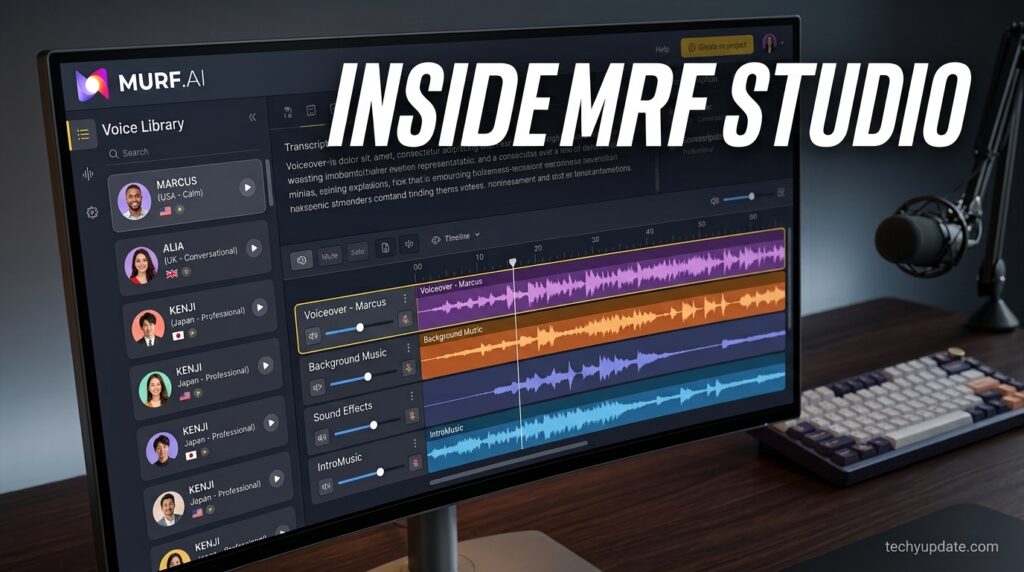
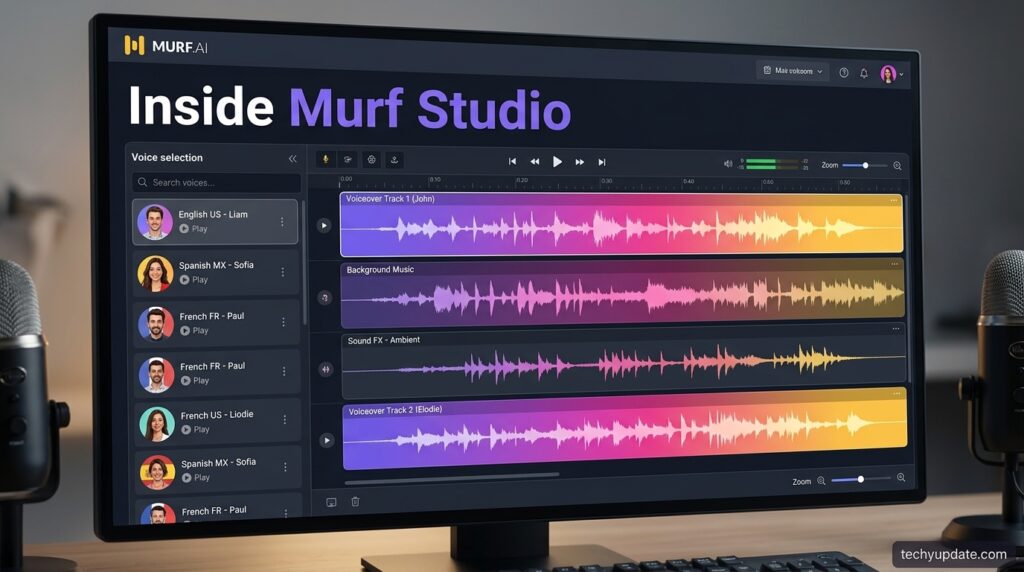
Timeline-based editor. Unlike single-box TTS tools, Murf Studio uses a multi-track timeline where you can stack narration, background music, and sound effects, then adjust each clip’s timing independently — a workflow closer to lightweight video editing than typical text-to-speech software.
Pitch, speed, and emphasis control. Users can adjust pronunciation, pause length, pitch, and speaking rate at the word or phrase level, which is where Murf differentiates itself from tools that offer only a single global speed slider.
Custom pronunciation library. For brand names, technical terms, or acronyms the engine mispronounces by default, Murf lets you save custom pronunciation rules that apply across a project or account.
“Say It My Way.” This feature lets you record a short sample of your own delivery — tone, pacing, inflection — and have the AI voice mirror that style rather than its default reading pattern, useful for matching a brand’s existing narration style.
AI Dubbing. Murf’s dubbing product translates and re-voices video or audio into 40+ languages while attempting to preserve the original speaker’s tone and meaning, with an expert linguistic review layer for accuracy.
Voice Changer and Voice Cloning. Voice Changer converts a recorded human voice into a chosen AI voice; Voice Cloning (Enterprise-tier) creates a custom synthetic voice from an extended recording, typically around 90 minutes of source audio.
Feature Table
| Feature | Included On |
|---|---|
| 200+ voices, 35+ languages | All paid plans (limited preview on Free) |
| Timeline voiceover editor | All plans |
| Commercial usage rights | Creator and above |
| Custom pronunciation library | Creator and above |
| “Say It My Way” style matching | Creator and above (Gen2 model) |
| Team workspaces / collaboration | Business and above |
| AI Dubbing (40+ languages) | Separate product, usage-based |
| Voice cloning | Enterprise only |
| Falcon/Gen2 API access | Separate, pay-as-you-go |
| SOC 2 / ISO 27001 / HIPAA options | Business and Enterprise |
How It Works
Murf converts text into speech through a neural TTS pipeline: it analyzes sentence structure and punctuation to infer tone and emphasis, breaks words into phonetic units adjusted for accent and context, then synthesizes a waveform through its neural voice models before applying noise reduction and audio polish on export. In practice, none of that pipeline is visible to the user — you interact with a script box, a voice picker, and a timeline, and the processing happens server-side in seconds to low minutes depending on script length.
Dashboard Walkthrough
The Studio dashboard opens to a project list and a “Create New” action that starts a blank timeline. The left panel houses the voice library, filterable by language, gender, and use case. The center is the multi-track timeline where text blocks appear as editable clips. The right panel exposes per-clip controls for pitch, pace, pause, and emphasis, as well as pronunciation and style-matching tools.
Setup Guide
Getting started takes under five minutes for a basic voiceover.
Step 1: Create an account. Sign up with an email or Google account at Murf’s Studio sign-up page; no credit card is required for the free tier.
Step 2: Start a new project. Choose a blank project or a template suited to your use case (e-learning, ad, explainer video).
Step 3: Add your script. Paste or type text into a timeline block; you can split long scripts across multiple blocks and assign a different voice to each.
Step 4: Pick a voice and adjust delivery. Preview voices in context with your actual script, then fine-tune pitch, speed, and emphasis on the words that need it.
Step 5: Export. Download the finished audio (MP3/WAV depending on plan) once you’re on a paid tier — the free plan blocks downloads entirely.
Step-by-Step Tutorial: Your First Voiceover
For a first-time e-learning narration, start by writing your script in short sentences rather than long paragraphs — Murf’s phrasing and pause detection perform more predictably on shorter units. Preview at least three voices against the same paragraph before committing, since tone varies meaningfully between voices marketed for the same use case. Use the custom pronunciation library immediately for any brand names or acronyms you’ll repeat throughout the project, rather than fixing them clip by clip later.
Use Cases
Murf.ai is used across e-learning course narration, YouTube and social video voiceovers, podcast production, advertising and Spotify ad reads, audiobook narration, video game and animation voice lines, IVR and phone-system prompts, and accessibility narration for written content. Enterprise customers also use Murf Dubbing to localize training and marketing videos across multiple markets without re-shooting, and Murf Falcon to power customer-facing voice agents for support and sales.
Benefits
The clearest benefit is speed: a narration that would take a human voice actor days to record and revise can be produced and iterated in an afternoon. Cost is the second major advantage — a Creator-tier subscription costs far less than most freelance voice-actor day rates, especially for teams producing recurring content like weekly training modules or ad variations.
The timeline editor also means less back-and-forth than a plain TTS box, since pacing and emphasis fixes happen inline rather than through re-recording. For global teams, the combination of 35+ languages plus dubbing in one account reduces the number of vendors needed for multilingual content.
Limitations
Murf’s pricing is metered by voice generation time, not a simple monthly cap that’s easy to predict in advance. Once you exhaust it, generation stops until you upgrade or buy more—there’s no automatic overage billing, which is safer for budgets but can interrupt a deadline-driven project. The free plan is unusually restrictive: it blocks both downloads and commercial use, so it functions purely as a voice-quality preview rather than a usable starter tier.
Voice cloning, one of the more requested features by power users, is Enterprise-only and not available on Creator or Business plans. Compared with rivals optimized purely for voice realism, some reviewers note that Murf’s default delivery can sound slightly more “produced” than that of a tool built primarily around emotional nuance.
Pros & Cons Table
| Pros | Cons |
|---|---|
| Full timeline editor, not just a text box | Free plan blocks downloads and commercial use entirely |
| 200+ voices across 35+ languages | Voice cloning locked to Enterprise pricing |
| Strong pronunciation accuracy (99.38% in Murf’s own benchmark) | Usage is metered by generation time, which can be confusing at first |
| Dubbing and API products extend beyond simple voiceovers | Business-tier billing structure between monthly/annual has an unusual capacity quirk |
| Enterprise-grade security certifications (SOC 2, ISO 27001, HIPAA) | Some competitors edge it out on raw voice realism in blind tests |
Pros & Cons Explained
The editor-first approach is Murf’s biggest structural advantage over bare TTS tools: most of the “polish” work happens without leaving the app. The tradeoff is a steeper learning curve for someone who only wants one quick clip. On pricing, the free plan is genuinely a trial rather than a usable tier, so budget for at least the Creator plan before committing to Murf for real production work.
Pricing Table
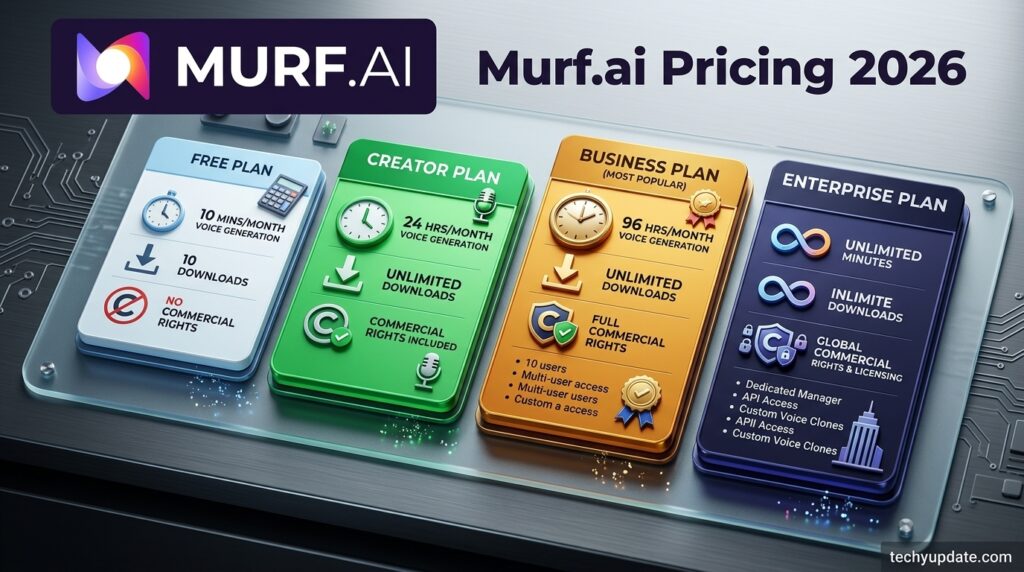
| Plan | Price (Annual) | Price (Monthly) | Voice Generation Time | Commercial Rights |
|---|---|---|---|---|
| Free | $0 | $0 | 10 minutes total (not renewing) | No |
| Creator | ~$19/mo | ~$29/mo | ~24 hours/year | Yes |
| Business | ~$66/mo | ~$99/mo | ~96 hrs/year (annual) or ~20 hrs/mo (monthly) | Yes |
| Enterprise | Custom quote | Custom quote | Custom / high-volume | Yes |
The pricing figures above are compiled from multiple independent 2026 pricing breakdowns and Murf’s public messaging; exact figures may change, so confirm current numbers on Murf’s official pricing page before purchasing. Murf’s API is billed entirely separately from Studio: Falcon (conversational, low-latency) runs around $0.01 per 1,000 characters or roughly $0.01 per minute in voice-agent use, while Studio-quality Gen2 TTS via API runs closer to $0.03 per 1,000 characters, with a small free monthly credit for testing.
Comparison Table
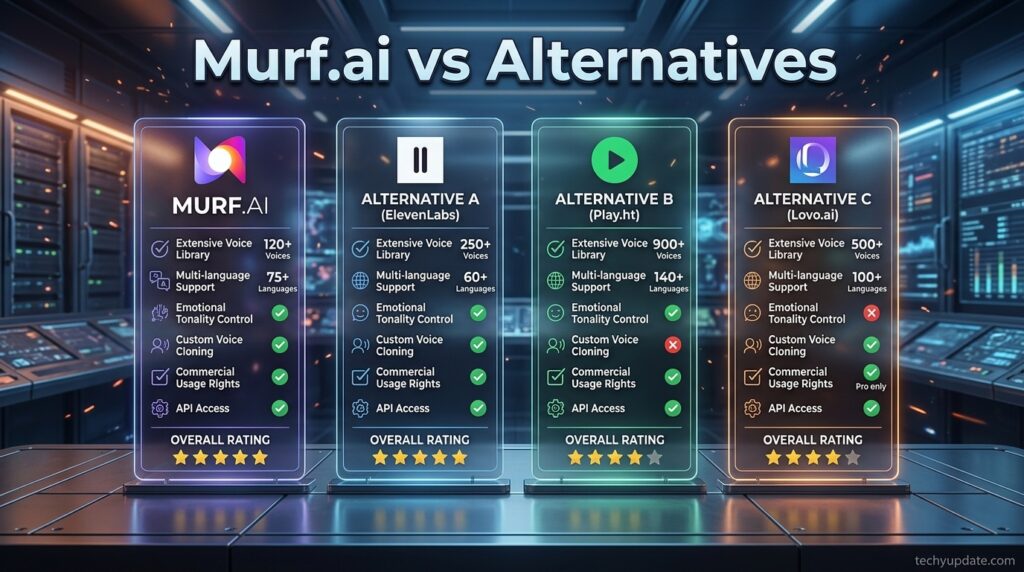
| Tool | Best For | Starting Price | Voice Cloning | Editor Style |
|---|---|---|---|---|
| Murf.ai | E-learning, corporate video, teams | ~$19/mo | Enterprise only | Full timeline editor |
| ElevenLabs | Realism-first narration, audiobooks | ~$5/mo | Available on lower tiers | Simpler generation UI |
| Speechify | Personal read-aloud, accessibility | ~$11.58/mo | Limited | Minimal editor |
| Descript | Video + audio editing with TTS built in | ~$12–24/mo | Available | Full video/audio editor |
Specifications
Murf Studio runs entirely in the browser with no desktop installation required. Supported export formats include MP3 and WAV, depending on the plan tier. The API supports both a low-latency Falcon model (sub-130ms time-to-first-audio in third-party benchmarks) and a customization-focused Gen2 model. Dubbing supports 40+ target languages with instant machine translation plus an optional expert linguistic review pass.
Security & Privacy
Murf maintains SOC 2, ISO 27001, and GDPR-aligned data handling, with HIPAA-compliant options available for regulated customers, and as of early 2026, holds ISO 42001 certification specifically for AI management systems — a certification still uncommon among AI voice vendors. Murf also states its voices are built with consent and royalty arrangements for the professional voice actors whose recordings trained the models, positioning this as part of its “ethical AI” approach to voice licensing.
Performance
Independent and Murf-published benchmarks report 99.38% pronunciation accuracy for the Gen2 model, tested against thousands of words drawn from a large multilingual news corpus. Blind naturalness testing across multiple English locales and additional languages reportedly favored Murf voices in most comparisons.
On the API side, Murf Falcon claims a time-to-first-audio latency of roughly 130ms, measured across multiple global regions, which Murf positions as faster than several competing conversational TTS APIs—a meaningful differentiator for real-time voice-agent applications rather than pre-recorded voiceover work.
Integrations
Murf integrates directly with Canva, Google Slides, Microsoft PowerPoint, and Adobe Captivate, letting users add AI voiceovers to presentations and e-learning modules without exporting to a separate tool first. A dedicated Murf TTS Reader and Windows voice integration extend the voices into other apps and accessibility contexts.
API
Developers can access Murf’s voice models directly through the Falcon (real-time, low-latency) and Gen2 (customization-focused) APIs, priced separately from Studio subscriptions. Falcon is aimed at conversational and voice-agent products; Gen2 targets content and narration pipelines that need the same fine-grained controls available in Studio. Murf also runs a startup incubator offering free API character credits to early-stage teams building on its platform. [external link: Murf API documentation]
Customer Support
Murf advertises an average chat response time under three minutes and reports strong third-party support ratings, including a 9.2/10 support score on G2 in head-to-head comparisons against rival platforms. Support channels include in-app chat, a help center with self-serve documentation, and a dedicated enterprise success team for larger accounts.
Latest Updates
As of 2026, Murf’s most notable recent developments are the ISO 42001 AI-management certification, continued benchmarking pushes around Falcon’s sub-130ms latency claims, and expansion of Murf Agents — production-ready conversational voice agents aimed at use cases like AI receptionists, AI SDRs, and customer service automation, extending Murf well past its original voiceover-only positioning. [Unconfirmed: exact release dates for the latest Murf Agents features were not independently verifiable at the time of writing and should be checked on Murf’s official changelog.]
Expert Tips
Write scripts in short, punctuation-clear sentences rather than long run-ons; Murf’s pause and emphasis detection reads punctuation as a cue, so cleaner sentence structure produces more natural pacing without manual adjustment. Preview voices against your actual script rather than Murf’s demo text, since tone that sounds great on a generic sample can read differently against your specific phrasing and terminology.
Common Mistakes
New users often burn through free-tier or entry-tier voice generation time by re-rendering full scripts for small edits instead of editing individual clips, since Murf’s usage is metered by generation time rather than a flat monthly quota that resets predictably. Another common mistake is skipping the custom pronunciation library early on, then having to manually fix the same mispronounced term across dozens of clips later in a project.
Troubleshooting
If a voice mispronounces a name, brand, or acronym, add it to the custom pronunciation library rather than trying to phonetically misspell it in the script, which produces inconsistent results across different voices. If exports are blocked, check the plan tier first—Murf’s free plan cannot download audio under any circumstances, regardless of how much generation time remains.
Myths vs Facts
Myth: Murf’s free plan is usable for real projects. Fact: it blocks both downloads and commercial rights, so it only works as a voice-quality preview.
Myth: All AI voice tools are priced by character count. Fact: Murf Studio meters usage by voice generation time, while its separate API is priced by characters or minutes — a distinction that surprises new users comparing tools by sticker price alone.
Decision Matrix
| Priority | Recommended Choice |
|---|---|
| Need a full editing timeline, not just raw TTS | Murf.ai |
| Need the most realistic single-voice narration | Consider ElevenLabs |
| Need built-in video + audio editing | Consider Descript |
| Need enterprise dubbing across many languages | Murf Dubbing |
| Building a real-time voice agent | Murf Falcon API |
Beginner vs Advanced
Beginners get the most value from the Creator plan and the template-driven Studio workflow, sticking to standard voices and default pacing before experimenting with per-word emphasis controls. Advanced users — agencies, e-learning studios, and dev teams — get more mileage from the custom pronunciation library, “Say It My Way” style matching, team workspaces on the Business tier, and direct API access via Falcon or Gen2 for programmatic voice generation at scale.
Read more: ElevenLabs
Read more: Synthesia AI
Best Alternatives
ElevenLabs — stronger reputation for raw voice realism and emotional nuance, with voice cloning available on lower-priced tiers than Murf offers it.
Speechify — built more around personal read-aloud and accessibility use cases than professional voiceover production.
Descript — combines full audio/video editing with AI voice generation in one timeline, appealing to podcasters and video editors who don’t want a separate voiceover tool.
Alternative Comparison
Where Murf pulls ahead of ElevenLabs and Speechify is the built-in timeline editor and multi-track project structure — genuinely useful for anyone producing longer-form content like e-learning modules rather than single short clips. Where it falls behind is entry-level pricing and access to voice cloning, both of which ElevenLabs offers more cheaply at its lower tiers. Descript is less a competitor than an adjacent tool: it’s a stronger pick if voiceover is one part of a larger video-editing workflow rather than the entire deliverable.
Who Should Use It
Murf.ai fits e-learning teams, corporate training producers, marketing and ad teams generating voiceover variations at scale, podcasters who want editing control beyond a plain TTS box, and developers building voice agents who want a proprietary, low-latency model with enterprise-grade security.
Who Should Avoid It
Murf is a weaker fit for someone who needs a single, maximally realistic narration clip and doesn’t need the timeline editor at all — a simpler realism-focused tool may cost less for that narrow use case. It’s also not the right pick for anyone who needs voice cloning without paying for Enterprise pricing, or anyone who wants a free tier usable for actual commercial output.

FAQ
Is Murf.ai free to use?
Murf offers a permanent free plan that gives access to preview all 200+ voices but caps total voice generation at 10 minutes, blocks audio downloads, and excludes commercial usage rights. For any real project, a paid plan is required.
How much does Murf.ai cost per month?
Pricing runs roughly $19–29/month for the Creator plan depending on the billing cycle, $66–99/month for Business, and custom Enterprise pricing for high-volume or voice-cloning needs. Confirm current figures on Murf’s official pricing page, since AI tool pricing changes frequently.
Can I use Murf.ai voices commercially on YouTube?
Yes, on any paid plan. Murf grants commercial usage rights starting at the Creator tier, covering YouTube monetization, client work, and advertising, provided the underlying script content doesn’t infringe existing copyrights.
Does Murf.ai offer voice cloning?
Yes, but only on the Enterprise tier, typically requiring around 90 minutes of source recording to build a custom cloned voice.
What languages does Murf.ai support?
Murf supports 35+ languages and accents for voiceover generation, and 40+ languages through its separate AI Dubbing product for video and audio translation.
Is Murf.ai good for e-learning?
Yes — e-learning is one of Murf’s strongest use cases, thanks to the timeline editor, custom pronunciation library, and direct integrations with Adobe Captivate, PowerPoint, and Google Slides.
How is Murf.ai’s pricing metered?
Studio plans are metered by voice generation time (VGT), the total length of rendered speech, rather than a simple character count; the separate API is billed by characters or minutes instead.
What’s the difference between Murf Studio and Murf Falcon?
Murf Studio is the no-code voiceover editor most content creators use; Murf Falcon is a developer API built for low-latency conversational voice agents, priced and used entirely separately from Studio.
Rating Scorecard
| Category | Score (out of 5) |
|---|---|
| Voice quality & realism | 4.3 |
| Editing controls | 4.6 |
| Ease of use | 4.4 |
| Pricing value | 3.9 |
| Language coverage | 4.7 |
| Customer support | 4.5 |
| Overall | 4.4 / 5 |
Official Sources
- Murf AI official website — murf.ai
- Murf AI help center — help.murf.ai
- Murf AI benchmarks page — murf.ai/falcon/benchmarks
- G2 reviews — g2.com (Murf.ai listing)
Author Bio
This review was researched and written by the techyupdate.com editorial team, which covers AI tools, developer software, and productivity apps through hands-on testing and independent verification against official sources.
Conclusion
Murf.ai earns its place as one of the more complete AI voiceover generation platforms available in 2026, not because it’s the single most realistic-sounding TTS engine on the market, but because it pairs a genuinely useful timeline editor with a wide, well-organized voice library and real production controls like custom pronunciation and per-word emphasis. That combination matters most for teams producing recurring content — e-learning modules, training videos, ad variations — where consistency and editing speed outweigh the pursuit of the absolute most human-sounding single clip.
Where Murf falls short is accessibility at the low end: the free plan can’t ship anything usable, and voice cloning is locked behind Enterprise pricing that many smaller creators simply won’t reach. If your budget tops out at a few dollars a month and you only need one clip at a time, a leaner, realism-focused competitor may serve you better and cheaper.
Final verdict: for teams and creators producing voiceover content regularly — especially in e-learning, corporate video, or multilingual marketing — Murf.ai’s Creator or Business plan is a reasonable, well-supported investment backed by real enterprise security credentials and a genuinely capable editor. For occasional, single-clip needs, it’s worth comparing against ElevenLabs or Speechify before committing, since Murf’s strongest value shows up at volume, not at the margins.
1 Comment
Pingback: What Is 10MinuteMail? Features, Uses, and Who Should Use It - TechyUpdate