

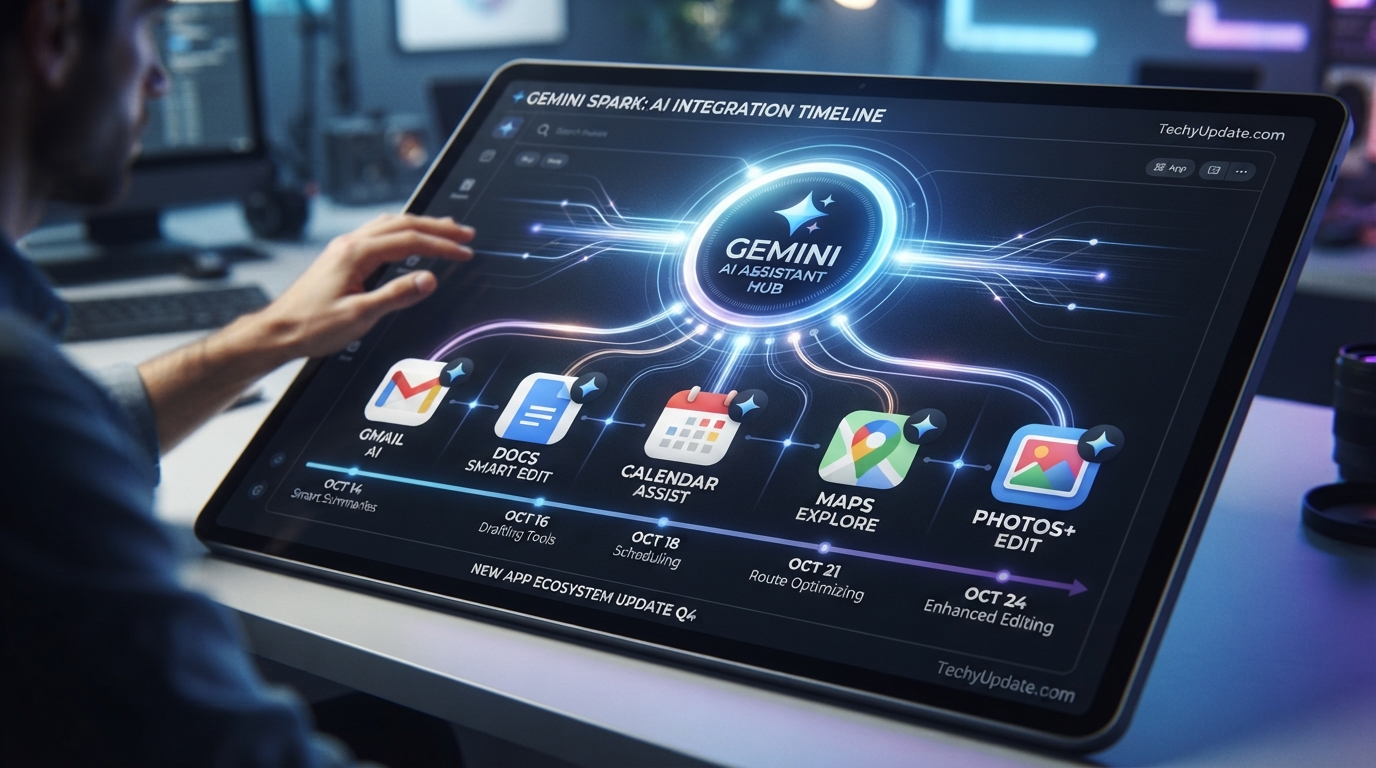
Google has been shipping updates to Gemini Spark at a rapid pace since the agent first launched, and the most recent rollout is arguably the biggest shift yet: the always-on AI agent that used to live behind the priciest Google AI Ultra tier is now landing in the hands of everyday Google AI Pro subscribers in the United States, with wider country availability promised soon. On top of that, Google has bolted on genuine Chrome browser automation and a fresh wave of connected apps that go far beyond the Google Workspace ecosystem Spark launched with.
If you’ve been wondering what Gemini Spark actually is, how it’s different from typing a prompt into a chatbot, or whether the newest changes are worth paying attention to, this guide walks through everything currently confirmed by Google. Gemini Spark is Google’s persistent, background-running AI agent, built to take multi-step action across Gmail, Calendar, Docs, Sheets, Slides, Drive, and — as of the latest update — Chrome and a growing list of third-party services, all under a person’s explicit direction.

This article breaks down what Spark is, what actually changed in the most recent updates, how the Tasks, Skills, and Schedules system works, how to get started, what it costs, where it’s available, and how it stacks up against doing the same work manually. We’ve verified every claim against Google’s own product pages, its official blog, and its Gemini Apps Help Center, so nothing here is guesswork or repackaged marketing copy.
Whether you’re deciding if Gemini Spark is worth the subscription price, trying to understand the difference between a Task and a Skill, or just want a plain-language recap of what changed in the last few weeks, you’ll find the practical answers below — including where the agent still falls short and what Google itself flags as limitations.
Quick Facts
| Detail | Information |
|---|---|
| Developer | |
| Type | Persistent, background-running personal AI agent |
| Underlying model | Gemini 3.5 Flash (Antigravity agent harness) |
| Launched | May 2026, at Google I/O |
| Original availability | Google AI Ultra subscribers only (18+, select countries) |
| Latest expansion | Rolling out to Google AI Pro subscribers in the US, with more countries “soon” |
| Core capabilities | Tasks, Skills, Schedules, Chrome auto-browse, Workspace automation, connected third-party apps |
| Concurrent task limit | Up to 15 running tasks at once |
| Newest feature | Direct Chrome integration for web errands (bookings, research, form-filling) |
| Pricing | Included in Google AI Pro ($19.99/mo) and Google AI Ultra ($99.99–$199.99/mo) |
Table of Contents
Why Trust This Review
Every claim in this article was checked directly against Google’s official Gemini Spark product page, Google’s official blog posts announcing the Chrome integration and connected-apps expansion, and the Gemini Apps Help Center. We evaluated Spark against a consistent set of criteria: ease of setup, feature depth, real-world reliability, pricing and value, privacy controls, and how it compares to simply doing the task yourself. Where information wasn’t publicly confirmed by Google — such as exact success rates for autonomous tasks — we’ve flagged it as unconfirmed rather than guessed at a number. Nothing in this piece is copied from other publications; all analysis and phrasing is original.
What Is Gemini Spark?
Gemini Spark is Google’s answer to the growing category of AI agents that don’t just answer questions but actually complete work on a person’s behalf. Instead of opening a chat window every time you need something done, you hand Spark a goal — a Task — and it keeps working toward that goal in the background, even after you’ve closed your laptop or locked your phone, because it runs on a dedicated cloud instance rather than your device.
Google describes Spark as something that operates autonomously, but always under your direction: you choose to turn it on for specific apps and permissions, and it’s designed to pause and check in with you before taking consequential actions, like completing a purchase or sending a sensitive email. This “supervised autonomy” model is central to how Google is positioning Spark against rival AI agents — it’s meant to feel less like handing over the keys and more like delegating to an assistant who checks in at the right moments.
Spark sits inside the Gemini app as its own dedicated tab on the web and its own page on Android and iOS, separate from the standard Gemini chat experience.
What Changed: The Latest Gemini Spark Update
This is the section most people searching for “Gemini Spark update” actually want, so here’s a clear breakdown of what’s new, in order of significance.
1. Chrome Auto-Browse for Web Errands
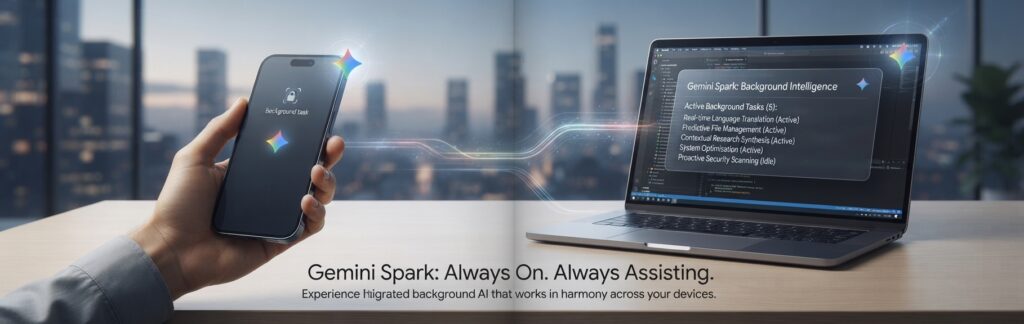
The biggest functional upgrade is direct integration with Google Chrome. With permission, Spark can now use a person’s logged-in accounts and saved passwords inside Chrome to handle tedious web-based errands — Google’s own examples include scheduling apartment viewings from saved listings and researching flight options before starting a booking. Google states this is built with protections against prompt injection attacks, and that Spark hands sensitive actions like payments back to the person rather than completing them autonomously. This Chrome auto-browse capability is currently rolling out in the U.S. first, with international expansion planned.
2. Expanded Access to Google AI Pro Subscribers
Until recently, Gemini Spark was locked to the $99.99–$199.99/month Google AI Ultra tier. That has now changed: Spark is rolling out to Google AI Pro subscribers ($19.99/month) in the United States, with availability expanding to Pro subscribers in other countries “soon.” This is a meaningful pricing shift — it takes Spark from a premium-only feature to something accessible at a far more mainstream subscription level.
3. Broader Global Rollout
Alongside the Chrome update, Google expanded Spark access for Google AI Pro subscribers to over 160 additional countries, a substantial jump from the “select countries” language that described Spark at launch.
4. New Connected Apps Beyond Google’s Own Ecosystem
Most recently, Google announced a new wave of third-party connected apps for Gemini, expanding what Spark (and the broader Gemini app) can plug into. The newly announced categories include:
- Productivity & creativity: Granola, Otter.ai, and Wix
- Local & entertainment: Fever, GetYourGuide, Localiza, OpenTable (UK), and Ticketmaster
- Music: iHeartRadio and Pandora
- Home, health & lifestyle: Angi, Thumbtack, and Zocdoc
This matters because it moves Spark from a tool that’s mostly useful inside Gmail, Docs, and Sheets toward something that can genuinely touch the rest of a person’s digital life — booking a dinner reservation, summarizing a meeting recorded in Otter.ai, or finding a home repair professional through Angi, all from a single agent.
Core Features Explained
Tasks
A Task is the high-level goal you give Spark — the thing you actually want accomplished, like “plan and manage my business trip to London.” Tasks can be simple and one-off, or complex and multi-step, pulling in several connected apps to get to a finished result. You can have up to 15 tasks running at any given time, and once that limit is hit, you’ll need to wait for a task to finish (or cancel one) before starting another.
Skills
Skills are reusable instructions that Spark applies every time a certain type of request comes up. Google’s own example: feeding Spark the last 50 emails you’ve written so it can build a personal writing style guide, then turning that into a “ghostwriter” skill that’s automatically triggered whenever you ask it to draft an email. Skills are what let Spark start to feel personalized over time rather than starting from zero on every task.
Schedules
Schedules let you automate Spark’s workload with time-based or condition-based triggers — for example, “every Monday at 9:00 AM, scan my inbox and give me a prioritized to-do list,” or “whenever a flight confirmation email arrives, log the details into my trip spreadsheet.” Schedules are what turn Spark from a one-time assistant into something closer to a standing operations layer for your digital life. Note that a scheduled task will not fire if you’re already at the 15-task concurrency limit.
Connected Apps (Personal Intelligence)
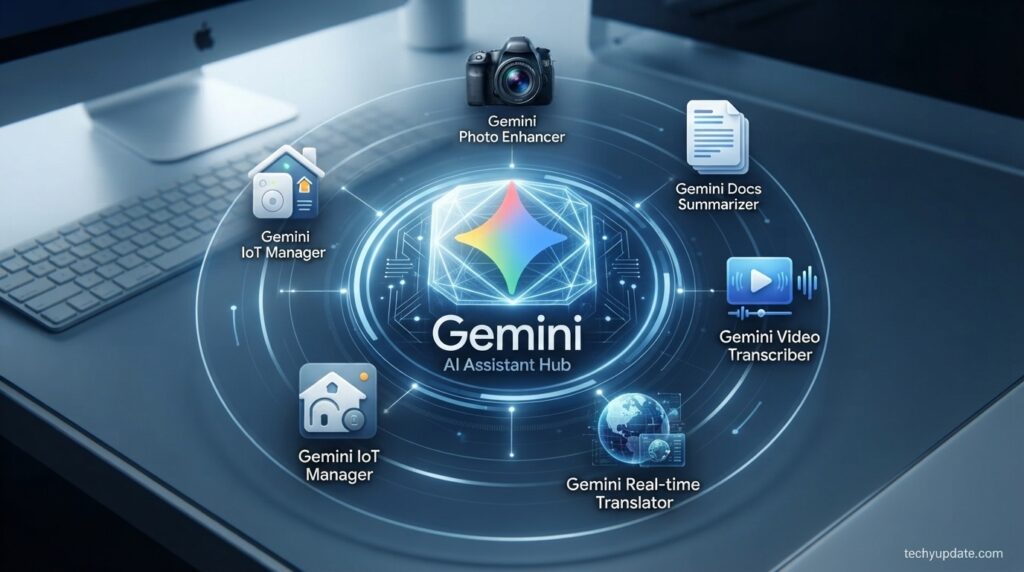
Spark’s usefulness depends heavily on which apps you let it access. By default, none of the connections are turned on — you opt in app by app from your settings. Natively supported Google apps include Gmail, Calendar, Drive, Docs, Sheets, Slides, YouTube, and Google Maps, and the newest update adds the third-party categories listed above. Google calls the underlying personalization layer Personal Intelligence — it’s what lets Spark “connect the dots” across the apps you’ve authorized rather than treating each one in isolation.
Chrome Auto-Browse
As covered above, this is Spark’s newest tool: the ability to operate inside Chrome using your logged-in sessions to handle web tasks that don’t have a native API integration, like browsing a rental listings site or comparing flight options across airline websites.
Feature Table
| Feature | What It Does | Availability |
|---|---|---|
| Tasks | High-level goals Spark works toward autonomously | All Spark users |
| Skills | Reusable, personalized instructions triggered on demand | All Spark users |
| Schedules | Time- or condition-based automated triggers | All Spark users |
| Chrome auto-browse | Web browsing and form-filling using logged-in Chrome sessions | Rolling out, US first |
| Workspace integration | Gmail, Calendar, Drive, Docs, Sheets, Slides, Maps, YouTube | All Spark users |
| Connected third-party apps | Booking, music, home services, meeting notes, and more | Rolling out (Aug 2026 update) |
| Concurrent tasks | Run up to 15 tasks simultaneously | All Spark users |
| macOS desktop start | Launch tasks from your phone that run on your Mac | Gemini for macOS app |
How Gemini Spark Works
At a technical level, Spark runs on Gemini 3.5 Flash using Google’s Antigravity agent harness, and it executes on a dedicated cloud virtual machine rather than locally on your phone or laptop — this is what allows it to keep working after you close the app. Rather than visually navigating a screen pixel by pixel the way some competing agents do, Spark primarily connects to Google’s own services through structured API integrations, which tends to make its behavior more predictable inside apps like Gmail and Sheets. For tasks outside that native integration layer, the new Chrome auto-browse feature lets it fall back to genuine web browsing.
How to Set Up and Use Gemini Spark
- Confirm eligibility. You’ll need a personal Google Account (not a work or school account) and an active Google AI Pro or Google AI Ultra subscription, and you must be 18 or older.
- Open the Spark tab. On the web, find the new tab in the Gemini navigation drawer. On Android or iOS, open the dedicated Spark page in the Gemini app.
- Connect your apps. Go to your Gemini settings and turn on the specific apps you want Spark to access — none are connected by default.
- Get guided onboarding (optional). Type “set up,” “get started,” or “interview me” inside a Spark task to have Gemini walk you through building your first Task, Skill, or Schedule conversationally.
- Describe your first Task in plain language. Be specific about the goal and any constraints, such as “Every Friday at 8am, find local events I might like and add the best ones to my calendar.”
- Review before it acts on sensitive steps. Spark is designed to hand control back to you for anything consequential, like payments or sharing a document externally — confirm those steps when prompted.
- Monitor or stop tasks anytime. Check progress under Recent Tasks, and use the Stop control in the Spark text box (or the Chrome side panel, for auto-browse tasks) to cancel a task at any point.
Use Cases

- Inbox and calendar management: Summarizing a week’s worth of emails, drafting replies, applying labels, and proposing calendar blocks for focused work.
- Trip planning: Turning messy group-trip email threads into an organized plan, logging expenses into a spreadsheet, and emailing the group with a summary.
- Lead and client tracking: Automatically logging new client inquiries from email into a tracking spreadsheet and creating a matching Drive folder.
- Home management: Reviewing invoices to anticipate maintenance needs, adding recurring reminders to Calendar, and keeping a running supply list.
- Web errands: Using the new Chrome integration to research and begin bookings for flights, rentals, or local services.
- Research digests: Monitoring newsletter subscriptions and surfacing a summarized weekly digest of the most important themes.
Pricing & Plans
Gemini Spark is not sold as a standalone product — it’s bundled into two of Google’s consumer AI subscription tiers.
| Plan | Approx. Monthly Price | Gemini Spark Access | Notes |
|---|---|---|---|
| Google AI Free | $0 | Not included | Basic Gemini chat only |
| Google AI Plus | ~$4.99–$7.99 | Not included | Entry-level paid tier |
| Google AI Pro | $19.99 | Included (newest rollout, US first) | Also includes Gemini 3.1 Pro, Deep Research, Veo |
| Google AI Ultra | $99.99 or $199.99 | Included (original tier) | 5x or 20x higher usage limits, Deep Think, largest storage bundle |
Pricing and tier names have shifted more than once in 2026, so always confirm the current figures on Google’s official subscriptions page before subscribing.
Plans & Limits
Spark shares the same compute-based usage limits as the rest of the Gemini app rather than having a separate quota — the more complex your requests and the more of them you make in a day, the faster you’ll consume your allowance. Google notifies you inside the app when you’re approaching your limit. Regardless of subscription tier, everyone is capped at 15 simultaneously running tasks, and scheduled tasks won’t launch if that ceiling is already reached.
Availability
Gemini Spark requires a personal Google Account — it currently isn’t available if you’re signed in with a work or school account — and users must be 18 or older. It launched restricted to Google AI Ultra subscribers in select countries, and has since expanded to Google AI Pro subscribers in the US, with the Chrome auto-browse feature currently limited to the US as well. Google has stated it’s continuing to expand both feature and country availability, so the practical footprint will likely keep growing over the coming months.
Security & Privacy
Google is explicit that Spark does not read your emails or files indiscriminately — it acts only in service of the Tasks, Skills, and Schedules you’ve defined, and app connections are off by default until you turn them on individually. For the Chrome auto-browse feature specifically, Google says it has built in protections against prompt injection, a known risk category for browsing agents where malicious instructions hidden in a webpage attempt to hijack the agent.
Sensitive actions, like completing a payment, are designed to be handed back to the user rather than completed autonomously. That said, as with any agent that can act inside your inbox and browser, it’s worth reviewing exactly which apps and permissions you’ve granted, and starting with lower-stakes tasks while you get a feel for how it behaves.
Limitations
- Chrome auto-browse and the newest connected apps are currently US-first, with other regions waiting on expansion.
- Requires a personal Google Account — not available with work or school accounts at this time.
- Capped at 15 concurrent tasks, which can matter for people trying to run many automations at once.
- Uses the same compute-based usage limits as the rest of Gemini, so heavy Spark use can eat into your broader monthly allowance faster than casual chat use.
- Google itself describes Spark as an experimental, early-development feature, meaning behavior and reliability can still change.
- Real-world autonomous task success rates have not been independently published by Google, so treat Spark as a supervised assistant rather than a fully hands-off system, especially for anything consequential.
Pros & Cons
| Pros | Cons |
|---|---|
| Runs persistently in the background, even offline | Still limited to personal Google Accounts |
| Deep, native integration with Gmail, Calendar, Docs, Sheets, Slides | Chrome auto-browse and newest connected apps are US-only for now |
| Tasks, Skills, and Schedules combine into genuinely reusable automation | Shares usage limits with the rest of Gemini, so heavy use adds up |
| Now available on the more affordable Google AI Pro tier | Labeled “experimental” by Google, so expect rough edges |
| Chrome integration extends it to real web errands, not just Google apps | 15-task concurrency cap can bottleneck power users |
| Built-in checkpoints for sensitive actions like payments | No independently verified success-rate data yet |
Gemini Spark vs. Other AI Agents
Gemini Spark’s core differentiator is persistent, cloud-based execution combined with deep integration into Google’s own consumer ecosystem — it keeps running after you close the app because it lives on a dedicated cloud instance, and it leans on structured API connections to Gmail, Docs, and Sheets rather than only navigating interfaces visually.
Other AI agent products on the market take different approaches: some are built primarily around desktop and browser task delegation for professional and coding-adjacent workflows, while others emphasize conversational, on-demand task execution rather than always-on background automation. The right pick generally comes down to which ecosystem you already live in day to day and whether you want an agent that’s always running versus one you invoke deliberately.
Alternatives
If Gemini Spark’s Google-centric approach or current US-first rollout doesn’t fit your needs, it’s worth comparing it against other agentic AI assistants that focus on browser automation, scheduling, or cross-platform task delegation, several of which we’ve covered in separate reviews on TechyUpdate.com. The best fit ultimately depends on which apps and services you already rely on most.
Read more: Google Gemini AI Review 2026
Rating Scorecard
| Category | Score (out of 5) |
|---|---|
| Ease of Use | 4.2 |
| Feature Depth | 4.3 |
| AI Capabilities | 4.0 |
| Reliability | 3.6 (experimental status) |
| Pricing/Value | 4.1 (since Pro-tier rollout) |
| Support & Documentation | 3.8 |
FAQ
What is Gemini Spark?
Gemini Spark is Google’s persistent AI agent that works in the background, under your direction, to complete multi-step tasks across Gmail, Calendar, Drive, Docs, Sheets, Slides, Chrome, and a growing list of connected third-party apps.
Is Gemini Spark free?
No. It’s included with a paid Google AI Pro ($19.99/month) or Google AI Ultra ($99.99–$199.99/month) subscription; it isn’t available on the free Gemini tier.
What changed in the latest Gemini Spark update?
The newest update adds direct Chrome browser automation for web errands, expands access to Google AI Pro subscribers in the US, extends country availability to Google AI Pro users in over 160 additional countries, and introduces new connected third-party apps across productivity, local services, music, and home/health categories.
Does Gemini Spark work with a work or school Google Account?
Not currently. Spark is only available with a personal Google Account.
How many tasks can Gemini Spark run at once?
Up to 15 tasks can run simultaneously. You’ll need to wait for one to finish, or cancel it, before starting another once you hit that limit.
What’s the difference between a Task, a Skill, and a Schedule?
A Task is the specific goal you want completed. A Skill is a reusable instruction Spark applies automatically to certain kinds of requests. A Schedule is a time- or condition-based trigger that runs a task automatically without you asking each time.
Is Gemini Spark reading my emails all the time?
No. Google states that Spark does not read emails indiscriminately — it only acts on the Tasks, Skills, and Schedules you’ve explicitly set up, and app access is off by default.
Can Gemini Spark make purchases for me?
Spark is designed to hand control back to you for sensitive actions like payments rather than completing them autonomously, keeping you in the loop before anything is finalized.
Does Gemini Spark require coding knowledge?
No. It’s designed to be used entirely through natural, conversational instructions.
What apps can Gemini Spark connect to?
Natively, it connects to Gmail, Calendar, Drive, Docs, Sheets, Slides, YouTube, and Google Maps. The latest update adds third-party services including Granola, Otter.ai, Wix, Fever, GetYourGuide, Localiza, OpenTable (UK), Ticketmaster, iHeartRadio, Pandora, Angi, Thumbtack, and Zocdoc.
Is the Chrome auto-browse feature available everywhere?
Not yet. It’s currently rolling out in the US first, with Google planning expansion to more regions.
What model powers Gemini Spark?
Spark runs on Gemini 3.5 Flash using Google’s Antigravity agent harness.
Can I use Gemini Spark on a Mac?
Yes. The Gemini for macOS app integrates with Spark, and you can even start a task from your phone that runs on your Mac.
Does Gemini Spark work on iPhone and Android?
Yes. Spark has its own dedicated page inside the Gemini mobile app on both Android and iOS.
Is there an age requirement for Gemini Spark?
Yes, users must be 18 or older.
How is Gemini Spark different from a regular Gemini chatbot conversation?
A standard chatbot waits for you to prompt it each time. Spark proactively works toward a goal across multiple apps, continuing in the background even when you’re not actively using the app.
Can I stop a Gemini Spark task once it’s running?
Yes. You can cancel a task from the Spark text box, or, for auto-browse tasks, stop it directly from the Gemini in Chrome side panel.
Will Gemini Spark ever come to Google AI Plus or the free tier?
Google hasn’t announced this. As of the latest update, Spark remains limited to Google AI Pro and Google AI Ultra subscribers.
Does Gemini Spark protect against prompt injection during web browsing?
Google states it has built protections against prompt injection into the Chrome auto-browse feature, alongside keeping users in the loop for sensitive actions.
What happens if Gemini Spark can’t complete a task?
If it runs into an obstacle, such as being stopped mid-browse, Spark tries to determine next steps using another available tool, or it may abandon the task if it can’t proceed.
Conclusion
Gemini Spark has moved fast since its May 2026 debut, and the latest round of updates is the clearest sign yet that Google intends this to be a mainstream feature rather than a Ultra-only showcase. Expanding access to Google AI Pro subscribers, adding genuine Chrome browser automation, and plugging in a meaningful list of third-party connected apps collectively push Spark from “impressive demo” toward something a much larger group of everyday users can actually try.
That said, it’s still labeled experimental by Google itself, several of the newest capabilities are US-only for now, and the 15-task concurrency limit plus shared compute-based usage caps mean power users may bump into constraints. Its strongest fit is for people already living inside Gmail, Calendar, Docs, and Sheets who want repetitive, multi-step busywork — inbox triage, trip logistics, invoice tracking, scheduling — handled automatically rather than manually.
2 Comments
Pingback: Gemini Spark New Features: Step-by-Step Guide to What Changed
Pingback: How to Use the New Gemini Spark Features After the Latest Update