

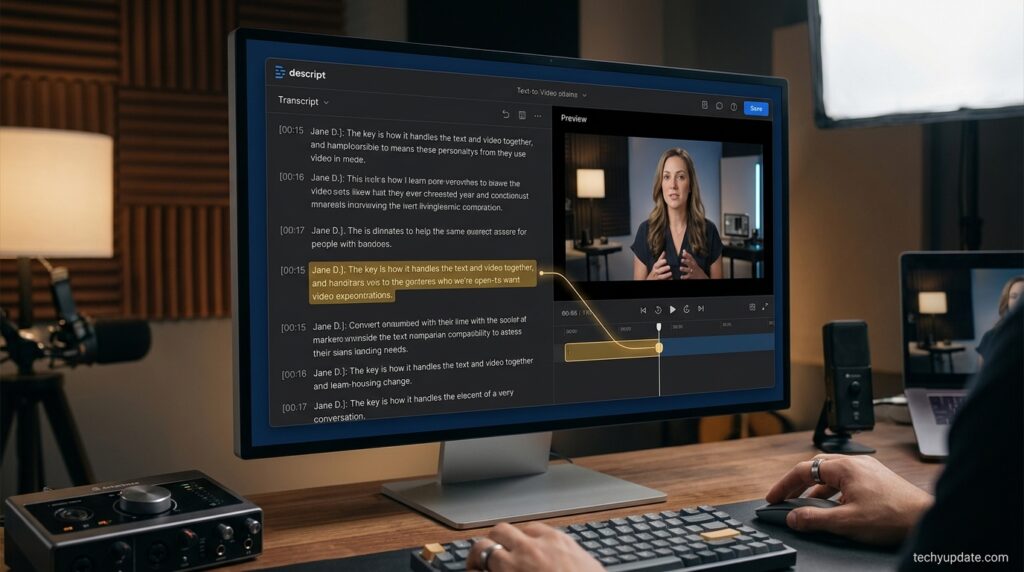
If you have ever spent an hour scrubbing through a timeline just to cut one “um,” you already understand why Descript exists. Descript is an AI-powered audio and video editing platform built around a single, disarmingly simple idea: editing a recording should feel like editing a document. Import a file, get an automatic transcript, and then cut, rearrange, or rewrite your video by deleting and moving text. The audio and video follow along automatically.
Since its launch, Descript has grown from a niche podcast-editing trick to a full production suite used by more than six million creators and teams. It now bundles transcription, multitrack podcast editing, screen recording, remote interview recording (“Rooms”), AI voice cloning, dynamic captions, translation and dubbing, stock media, and an AI co-editor called Underlord that can execute editing instructions from a text prompt. In 2026, Descript also shipped an API and an MCP (Model Context Protocol) integration, enabling developers and AI assistants to trigger edits programmatically.
This review examines what Descript actually does today, based on its own product and pricing pages, rather than what “AI video editor” marketing typically promises. We cover the core editing workflow, every major AI tool, how the plans and pricing are structured, who Descript is genuinely built for, where it falls short, and how it stacks up against alternatives like Riverside, CapCut, VEED, and Adobe Premiere Pro.
Who benefits most: podcasters, YouTubers, marketing and content teams, educators, corporate communications teams, and anyone producing talking-head or interview-style video who wants to skip a traditional timeline editor. Who should look elsewhere: editors who need frame-precise color grading, complex motion graphics, or heavy multicam narrative editing, where a tool like DaVinci Resolve or Premiere Pro still has the edge.
Below, we break down exactly what you get at each plan, how the text-based editor and Underlord actually work, and whether Descript is worth paying for in 2026.
Visit the official Descript website →
Quick Facts
| Attribute | Details |
|---|---|
| Category | AI-powered audio/video editing, transcription, and podcast production |
| Best for | Podcasters, YouTubers, marketers, educators, corporate video teams |
| Core mechanic | Text-based editing — cut video by editing the transcript |
| AI assistant | Underlord (AI co-editor, prompt-based editing and content generation) |
| Free plan | Yes — 60 media minutes/month, watermark on export |
| Paid plans (annual) | Hobbyist $16/mo, Creator $24/mo, Business $50/mo, Enterprise custom |
| Platforms | Web app (browser-based), plus desktop apps |
| Notable AI tools | Overdub-style voice cloning (AI Speech), Studio Sound, Eye Contact, Green Screen, Filler Word Removal, AI dubbing in 30+ languages |
| API access | Yes — API + MCP for programmatic and AI-assistant-driven editing |
Table of Contents
Why Trust This Review
This review is based on a direct evaluation of Descript’s official website, pricing page, feature pages, and changelog, cross-checked against independent third-party coverage and user feedback from 2026. We do not include features, integrations, or pricing figures that could not be confirmed on Descript’s own site. Where sources disagreed (for example, older pricing figures still circulating online), we defaulted to the current figures published on Descript’s official pricing page.
Our evaluation criteria:
- Ease of use — how quickly a non-editor can produce a finished video
- Feature depth — breadth of editing, AI, and production tools
- AI capability — accuracy and usefulness of transcription, voice cloning, and Underlord
- Performance — reliability with longer files and larger projects
- Pricing/value — what each plan actually unlocks
- Support — documentation, community, and customer service
- Real-world usefulness — how well it fits actual podcast, YouTube, and marketing workflows
Who Descript Is For
Descript is designed for people who work primarily with spoken-word content — podcasts, interviews, tutorials, webinars, course videos, and marketing clips — rather than heavily stylized narrative film. If most of your editing decisions are “cut this sentence,” “remove that pause,” or “swap this take,” text-based editing will consistently beat a timeline.
Good fit:
- Solo podcasters and video podcasters
- YouTubers producing talking-head or interview content
- Marketing teams repurposing webinars and interviews into clips
- Educators and course creators
- Corporate teams recording training or internal communications
- Agencies producing high volumes of similar-format video
Weaker fit:
- Narrative filmmakers needing advanced color grading and VFX
- Motion designers who need frame-by-frame animation control
- Teams whose content has very little dialogue
What Is Descript?
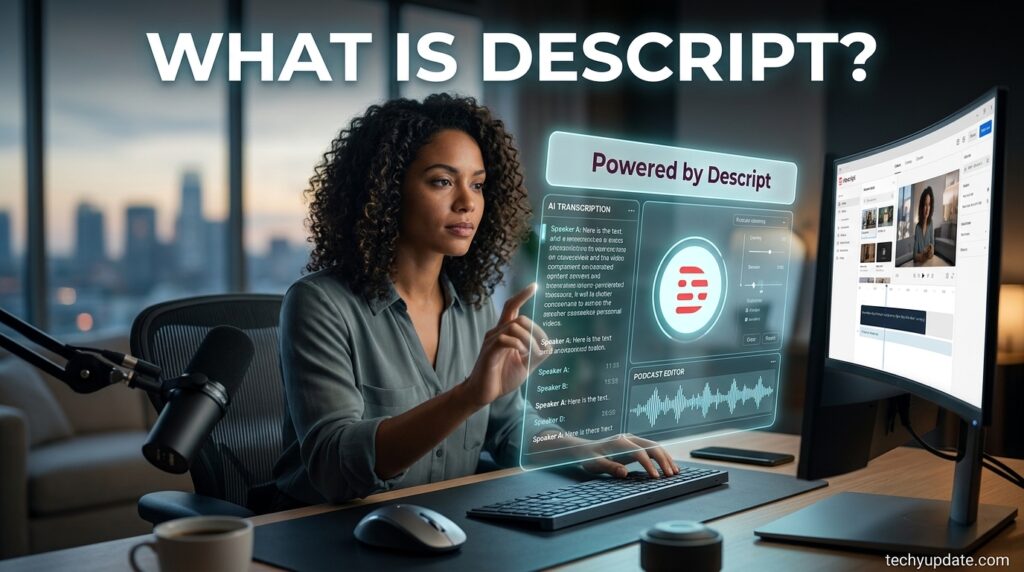
Descript is a cloud-based audio and video editor that automatically transcribes every file you import, then lets you edit that transcript as if it were a Word document. Delete a sentence, and the matching video or audio segment is removed. Move a paragraph, and the clip moves with it. This is made possible by forced alignment, a natural language processing (NLP) technique that keeps text and timecodes perfectly synced as you edit.
Beyond the core editor, Descript has expanded into a broader AI media production suite: it can record remote interviews in studio quality (Rooms), generate captions and translated dubs, clean up audio automatically (Studio Sound), clone a voice for corrections (AI Speech), and even generate new video and images from a text prompt through its Underlord AI assistant. In 2026, Descript added an API and MCP integration, allowing developers to trigger transcription, editing, and export programmatically or through connected AI assistants.
Core Features
Text-Based Video and Audio Editing
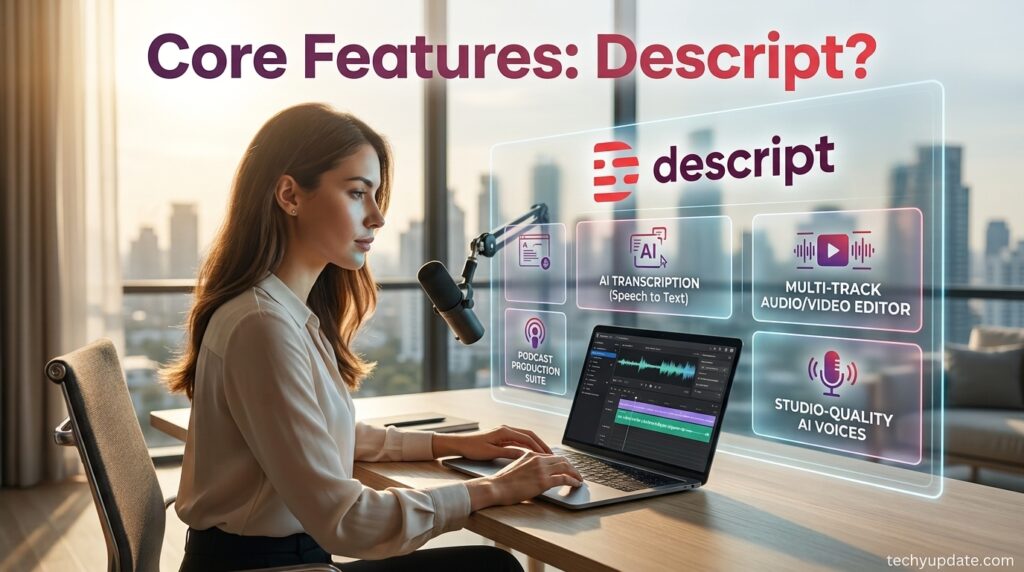
This is Descript’s foundational feature and the reason most users adopt it. Every imported recording is transcribed automatically, and the transcript becomes the editing surface. Selecting and deleting words removes the corresponding audio or video. This dramatically speeds up rough cuts, since you can read through a transcript far faster than you can scrub a timeline.
Why it matters: For dialogue-heavy content, this can cut editing time by more than half compared to traditional timeline editing, especially for creators without formal editing training.
How to use it: Import or record your file, wait for automatic transcription, then start deleting filler text, tangents, and mistakes directly in the transcript panel. A traditional timeline view remains available below for fine adjustments such as trims and transitions.
Underlord (AI Co-Editor)
Underlord is Descript’s built-in AI assistant. It can execute editing instructions written in plain language — for example, “remove the awkward pause after the intro” or “create three short clips from this interview” — and it powers many of the platform’s individual AI tools (Studio Sound, Filler Word Removal, Create Clips, and more). On paid plans, Underlord usage is metered through AI credits, a separate allowance from media hours.
Who should use it: Creators who want AI to handle repetitive cleanup tasks (filler words, silences, retakes) automatically instead of manually hunting for them in the transcript.
Transcription and Speaker Detection
Descript automatically transcribes recordings in 25 languages, including English, German, French, Spanish, Portuguese, Dutch, and more, and can automatically detect and label 8 or more speakers in a single recording. “Speaker Detective” plays a short clip of each detected voice so you can confirm who’s who. Multitrack transcription synchronizes multiple separately recorded tracks (common in remote podcast interviews) and preserves individual tracks on export for further mixing.
Studio Sound
Studio Sound is a one-click AI audio enhancement tool that removes background noise, reduces room echo, and boosts vocal clarity — effectively simulating the sound of a treated recording booth from a laptop mic recording. It is limited to the Free and Hobbyist tiers and unlocked more fully on Creator and above.
Why it matters: For creators without a dedicated audio setup, Studio Sound often makes the single biggest difference in the audible quality of a finished episode.
Filler Word and Retake Removal
Underlord can automatically detect and remove filler words (“um,” “ah,” “like,” repeated words) as well as remove retakes, keeping only your best version of a repeated line, and shorten word gaps to tighten pacing. These tools save significant time on manual cleanup for unscripted or lightly scripted recordings.
AI Speech: Voice Cloning and Text-to-Speech
Descript’s AI Speech tools let you create a custom clone of your own voice (used for making small corrections without a re-record) or generate narration from stock AI voices. A related Regenerate feature repairs damaged audio or smooths over cuts by regenerating a short segment in the speaker’s own voice, based on your usage allowance. This is the modern evolution of what Descript originally launched as “Overdub.”
Use case: Fixing a mispronounced word or an audio glitch without asking a guest to re-record, or generating a narration track from a script using a stock AI voice.
Eye Contact and Green Screen
Eye Contact uses AI to subtly adjust a speaker’s gaze so it appears as if they’re staring directly at the camera, even if they’re reading from a script or teleprompter off to the side. Green Screen removes and replaces video backgrounds without a physical green screen. Both are AI-credit-limited on lower tiers and more fully available on Creator and Business.
Dynamic Captions and Templates
Captions can be generated automatically and styled with animated word highlighting, custom fonts, and brand colors. Descript includes stock caption styles and layout templates so creators can apply a consistent look across an entire video series without manually rebuilding styling each time.
Screen Recording
A built-in screen recorder captures up to two screens simultaneously, useful for product demos, tutorials, and software walkthroughs, and imports directly into the transcript-based editor for immediate cleanup.
Rooms (Remote Recording)
Rooms lets you record remote guests in studio-quality audio and video directly in the browser, with each participant’s feed uploaded separately for higher fidelity. Sessions automatically import into a project, get transcribed without using your transcription allowance, and support up to 10 participants, with Control Room producer roles for managing live sessions on higher tiers.
Translation and Dubbing
Captions can be translated into 61 languages, and full audio dubbing is available in 30+ languages, with a proofreading step to check tone and accuracy against the original script. This is particularly relevant for teams distributing content to international audiences.
AI Video and Image Generation
Underlord can generate new video clips or still images directly from a text prompt, and AI avatars can be created from a photo upload or generated from a description, then used to deliver scripted narration without an on-camera recording.
Stock Media Library
All plans include access to royalty-free stock video, images, GIFs, music, and sound effects, though the number of usable search results per search is limited on Free and Hobbyist and unlimited on Creator and above.
API and MCP
Descript offers API access and an MCP (Model Context Protocol) integration, allowing developers or connected AI assistants to trigger transcription, editing actions, and exports programmatically — useful for teams building automated video pipelines rather than editing manually inside the app.
How Descript Works: Step-by-Step Setup Guide
- Create an account and open a new project from the Descript web app.
- Import or record media — upload an existing audio/video file, use the built-in screen recorder, or start a Rooms session with a remote guest.
- Wait for automatic transcription, which typically completes in a few minutes depending on file length.
- Edit the transcript by deleting filler content, tangents, and mistakes; the underlying media updates automatically.
- Run AI cleanup tools such as Studio Sound, Remove Filler Words, and Remove Retakes to polish the recording.
- Add captions, layouts, and branding using stock templates or custom layout packs.
- Generate clips or show notes with Underlord when repurposing long-form content for social posts.
- Export or publish — download a local file, generate a shareable web link, or publish directly to platforms like YouTube or TikTok.
Dashboard and Interface
Descript’s interface centers on a split view: a document-style transcript panel on one side and a video/audio preview and timeline on the other. This dual view is what makes Descript approachable for non-editors — most cuts happen in the transcript, while the timeline remains available for fine-grained trims, layering B-roll, and adjusting transitions.
Projects, drives (shared team folders), and templates are accessible from a left-hand navigation panel, and Underlord is accessible as a persistent AI panel for prompt-based edits.
Pricing and Plans
Descript uses two usage meters instead of simple storage or seat limits: media hours (how much footage you can process per month) and AI credits (usage of AI tools like Underlord, Studio Sound, Green Screen, and Eye Contact). Below are the current published plans, billed either monthly or annually (annual billing saves up to 35%).
| Plan | Price (annual billing) | Price (monthly billing) | Media hours/month | AI credits/month | Export resolution |
|---|---|---|---|---|---|
| Free | $0 | $0 | 1 hour (60 min) | 100 credits (one-time) | 720p, watermarked |
| Hobbyist | $16/editor/mo | $24/editor/mo | 10 hours | 400/month | 1080p, watermark-free |
| Creator (Most Popular) | $24/editor/mo | $35/editor/mo | 30 hours | 800/month | 4K, watermark-free |
| Business | $50/editor/mo | $65/editor/mo | 40 hours | 1,500/month | 4K, watermark-free |
| Enterprise | Custom | Custom | Custom | Custom | 4K, watermark-free |
Pricing reflects Descript’s official pricing page as of mid-2026 and is subject to change; confirm current figures directly with Descript before purchasing.
What Each Plan Actually Unlocks
- Free — Full access to the text-based editor, limited Underlord features, unlimited projects and dynamic captions, but capped at one hour of media processing per month and watermarked exports.
- Hobbyist — Removes the watermark, moves to 1080p export, and adds a real monthly AI-credit allowance, making it viable for a solo creator publishing occasionally.
- Creator — The most popular tier. Adds 4K export, a much larger media-hour and AI-credit allowance, unlimited stock media access, and full access to Underlord plus 20+ AI tools, including video generation. Supports a small team (billed per additional seat).
- Business — Adds team-wide Brand Studio (shared templates and brand guardrails), full translation and dubbing in 30+ languages, custom AI avatar generation, and priority support with an SLA. Built for teams up to five seats (additional seats billed separately).
- Enterprise — Custom media-hour and AI-credit sizing, SOC 2 Type II security with SSO/SCIM, custom AI data controls (including training opt-out), custom legal terms, and a dedicated customer success manager.
Descript Plan Comparison Table
| Feature | Free | Hobbyist | Creator | Business |
|---|---|---|---|---|
| Media minutes/editor | 60 | 600 | 1,800 | 2,400 |
| AI credits/editor | 100 (one-time) | 400/mo | 800/mo | 1,500/mo |
| Video export resolution | 720p (watermarked) | 1080p | 4K | 4K |
| Stock library search results | First 5 | First 12 | Unlimited | Unlimited |
| Cloud storage | 5GB | 100GB | 1TB | 2TB |
| Seats included | 1 | 1 | Up to 3 | Up to 5 |
| Brand Studio | No | No | No | Team-wide |
| Translation/dubbing | Limited | Limited | Limited | 30+ languages, full |
| Priority support (SLA) | No | No | No | Yes |
Benefits
- Dramatically faster rough-cut editing for dialogue-heavy content
- Genuinely beginner-friendly — no timeline expertise required to publish
- Wide AI toolset bundled into one subscription instead of several point tools
- Strong remote-recording quality through Rooms
- Broad language support for transcription, captions, and dubbing
- API/MCP access for teams building automated pipelines
Limitations
- Not built for frame-precise color grading, complex VFX, or advanced motion graphics
- Usage is metered by media hours and AI credits, which can be confusing for new users and may run out mid-project on lower tiers
- Heavy AI feature use (Eye Contact, Green Screen, video generation) can consume AI credits quickly on Hobbyist and Creator
- Custom, deeply art-directed branding across many videos may still require a dedicated design tool
- Transcription accuracy can dip with strong accents, overlapping speech, or heavy technical jargon, requiring manual proofreading
Pros and Cons
| Pros | Cons |
|---|---|
| Fast, intuitive text-based editing | Not ideal for advanced narrative/VFX editing |
| Large bundled AI toolset (Underlord, Studio Sound, Eye Contact, etc.) | Media-hour and AI-credit caps require monitoring |
| Strong remote recording via Rooms | Free plan is watermarked and capped at 1 hour/month |
| Wide language support for transcription and dubbing | Some AI tools “Limited” until Creator/Business tier |
| API + MCP for automated workflows | Learning curve for advanced timeline-level control |
Descript vs. Alternatives
| Tool | Best for | Starting price | Key difference from Descript |
|---|---|---|---|
| Riverside | Remote podcast/video recording | ~$24–29/mo | Stronger recording-first focus; editing is less transcript-centric |
| CapCut | Free short-form social editing | Free (Pro from ~$8/mo) | Timeline-first, built for social clips rather than transcript editing |
| VEED.io | Browser-based captions and translation | ~$24/mo annual | Similar workflow patterns, strong subtitle/template focus |
| Adobe Premiere Pro | Professional, frame-precise editing | Subscription-based | Full timeline control and VFX depth; steeper learning curve, no transcript editing core |
| OpusClip | Repurposing long-form into short clips | Freemium | Specializes narrowly in clip generation rather than full editing |
Bottom line: Descript wins for talking-head video, podcasts, and any workflow driven primarily by spoken words, because its text-based editing is faster than scrubbing a timeline. Riverside is the stronger pick if remote recording quality is the priority. CapCut or Premiere Pro remains better for heavily visual, effects-driven, or short-form social-first editing.
Read More: Murf.ai
Read more: ElevenLabs
Security and Privacy
Descript states that project information is kept confidential, and the company is SOC 2 Type II compliant. Enterprise customers get additional controls, including SSO/SCIM, custom data retention terms, and the ability to opt out of having their content used for AI training.
Customer Support
Support scales with plan tier: all users get access to a self-serve knowledge base; paid plans add email support; and in-app live chat is available on paid tiers Monday–Friday during business hours (Pacific Time). Business and Enterprise customers get priority support with a guaranteed-response SLA, and Enterprise adds a dedicated customer success manager and onboarding.
Common Mistakes to Avoid
- Not checking media-hour usage before a big project — long recordings can quickly eat up a monthly allowance on Free or Hobbyist.
- Relying on transcription without proofreading — accents, cross-talk, and jargon can introduce errors that carry into captions if not manually checked.
- Overusing AI credits early in the billing cycle — features like Eye Contact and Green Screen consume credits, so batch-heavy AI usage can leave you short later in the month.
- Skipping Studio Sound on rough audio — a single click often solves audio problems that would otherwise require external tools.
Frequently Asked Questions
What is Descript used for?
Descript is used to edit podcasts, YouTube videos, tutorials, and marketing videos by editing an automatic transcript instead of a traditional timeline, alongside AI tools for audio cleanup, captions, voice cloning, and translation.
Is Descript free to use?
Yes. The Free plan includes the full text-based editor and limited AI tools, with a cap of about one hour of media processing per month and watermarked exports.
How does text-based video editing actually work?
Descript transcribes your recording using natural language processing and forced alignment, then keeps the text and the underlying audio/video perfectly synced, so editing the transcript edits the media itself.
What is Underlord?
Underlord is Descript’s built-in AI assistant that executes prompt-based editing instructions and powers many of the platform’s individual AI tools, from filler-word removal to video generation.
Does Descript remove filler words automatically?
Yes, Underlord can detect and remove filler words like “um,” “ah,” and “like,” as well as repeated words, with usage governed by your plan’s AI credits.
What is Overdub, and does Descript still offer it?
Overdub was Descript’s original AI voice-cloning feature; its functionality now lives under AI Speech, which includes custom voice clones and text-to-speech.
How much does Descript cost?
Plans range from Free ($0) to Hobbyist ($16/month, billed annually), Creator ($24/month, billed annually, most popular), and Business ($50/month, billed annually), with custom Enterprise pricing. Monthly billing costs more than annual billing across all tiers.
Does Descript support multiple speakers?
Yes, Descript can automatically detect and label 8 or more speakers in a single recording and supports multitrack transcription for separately recorded remote interviews.
Can Descript translate and dub videos?
Yes. Captions can be translated into 61 languages, and full audio dubbing is available in 30+ languages, with a proofreading step for accuracy.
What is Descript’s Studio Sound feature?
Studio Sound is a one-click AI tool that removes background noise and enhances vocal clarity, simulating professional audio treatment from an ordinary recording setup.
Can I record remote guests in Descript?
Yes, through Rooms, which supports studio-quality remote recording with up to 10 participants and automatic import into your project.
What file formats and sizes does Descript support?
Upload limits scale by plan, from 1GB on Free up to 50GB on Business, with support for resolutions up to 5K and advanced formats like Apple ProRes on higher tiers.
Is Descript good for beginners?
Yes. Its transcript-based workflow is widely considered more approachable than timeline-based editors like Premiere Pro or DaVinci Resolve for people without formal editing training.
Can Descript generate video from text?
Yes, Underlord can generate video clips and images directly from a text prompt on Creator and Business plans, using Descript’s AI credit system.
Does Descript have an API?
Yes, Descript offers an API and MCP (Model Context Protocol) integration, allowing developers and connected AI assistants to trigger transcription, editing, and export actions programmatically.
What are AI credits in Descript?
AI credits track usage of AI-powered features like Underlord, Studio Sound, Green Screen, Eye Contact, and AI-generated media or avatars, separate from your media-hour allowance.
Does Descript work for teams?
Yes, Creator supports up to three seats, and Business supports up to five (additional seats billed separately), with Business also adding Brand Studio for shared, brand-consistent templates.
Is Descript better than CapCut?
Descript is generally better for dialogue-heavy, transcript-driven editing, while CapCut is stronger for short-form, visually driven social content and is free to start.
Does Descript offer eye contact correction?
Yes, the Eye Contact tool uses AI to adjust gaze direction so a speaker reading from a script or teleprompter appears to be looking directly at the camera.
Can I remove a video background without a green screen?
Yes, Descript’s AI Green Screen tool removes and replaces backgrounds without requiring a physical green screen setup.
How does Descript handle privacy and security?
Descript is SOC 2 Type II compliant and states that project information remains confidential; Enterprise plans add SSO/SCIM and custom AI data controls, including training opt-out.
Does Descript offer student or nonprofit discounts?
Yes, Descript offers special rates for students, educators, and non-profits through a request form on its site.
Can I cancel my Descript subscription at any time?
Yes, subscriptions can be canceled from account settings, with access continuing through the end of the current paid billing period.
What’s the difference between Descript Hobbyist and Creator?
Creator roughly triples the media-hour and AI-credit allowance versus Hobbyist, adds 4K export, unlimited stock media, and full access to Underlord’s more advanced tools like video generation.
Is Descript worth it for podcasters?
For podcasters publishing regularly, most reviewers consider Descript worth it: multitrack recording, transcription, filler-word removal, and Studio Sound together significantly cut editing time compared to manual workflows.
Conclusion
Descript earned its reputation as the tool that made text-based editing mainstream, and in 2026 it has grown well beyond that original trick into a genuinely broad AI production suite — transcription, multitrack podcast editing, remote recording through Rooms, voice cloning, translation and dubbing, and a prompt-driven AI co-editor in Underlord, now backed by an API/MCP layer for automated workflows.
For anyone whose content is built around spoken word — podcasters, YouTubers, marketers repurposing interviews, educators, and corporate teams — it remains one of the fastest paths from raw recording to a polished, published video, without requiring timeline-editing expertise.
Where it comes up short is exactly where you’d expect it to: frame-precise color work, complex motion graphics, and deeply art-directed visual branding are still better handled in DaVinci Resolve or Premiere Pro. Its usage-based pricing, split across media hours and AI credits, also takes a bit of getting used to, and heavy AI feature users can find themselves watching their credit balance more closely than they’d like.