

Building an app used to require months of work, a development team, and a budget that most people simply don’t have. That’s changed dramatically. In 2026, you can describe an app idea in plain English and watch an AI bring it to life in minutes, no code required, and in many cases, no cost either.
The rise of AI-powered app builders has fundamentally shifted who gets to build software. Whether you’re a first-time entrepreneur, a small business owner, or a developer who wants to prototype fast, free AI app builders have made it possible to go from idea to working product without writing a single line of code.
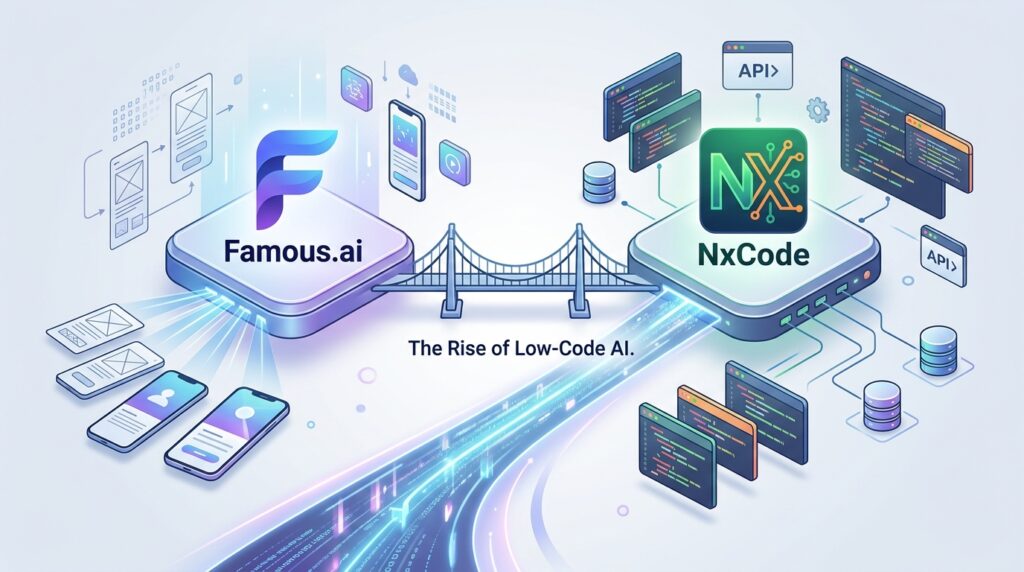
In this guide, we’ve tested and compared the best free AI app builders available right now, with a special focus on two standouts: Famous.ai and NxCode. We’ll dig into their features, free-plan limits, real-world usability, and help you decide which one fits your workflow.
Read more: NxCode Review 2026: Free Credits AI App Builder
Read more: Famous.ai Review
Table of Contents
What Is an AI App Builder?
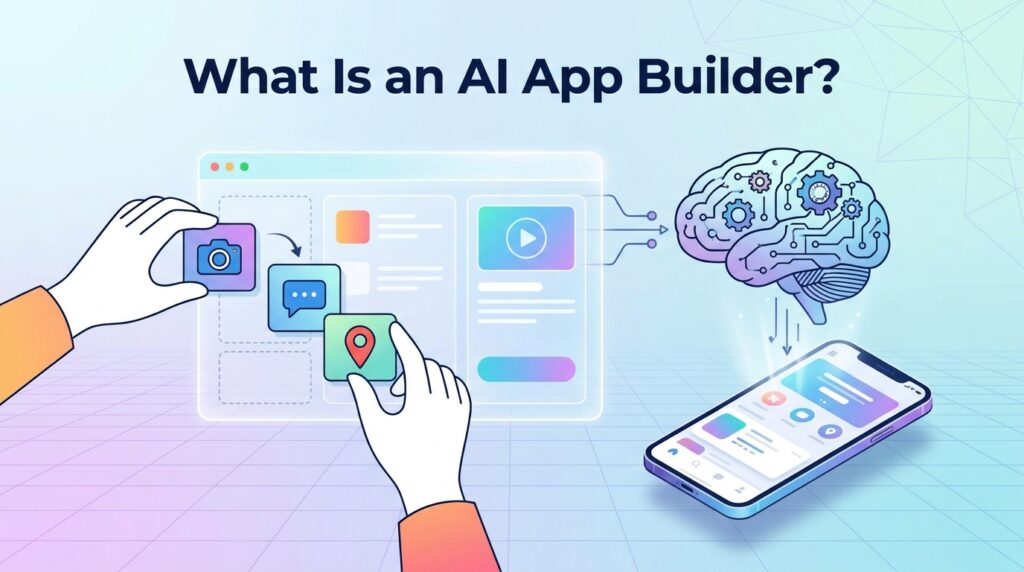
An AI app builder is a software platform that uses artificial intelligence, specifically large language models (LLMs) and generative AI, to help users design, build, and deploy applications without traditional programming.
Instead of writing code in JavaScript or Python, you describe what you want in natural language. The AI interprets your intent, generates a user interface, sets up logic flows, connects a database if needed, and produces a working application, often within minutes.
How AI App Builders Work
The process typically follows three stages:
- Input: You describe your app using a text prompt, answer a series of guided questions, or use a drag-and-drop interface enhanced by AI suggestions.
- Generation: The AI processes your input, applies best-practice UX patterns, generates interface components, sets up backend logic, and assembles the app.
- Refinement: You customize colors, layouts, content, and features. Most platforms offer a real-time preview, so you see changes instantly.
Modern AI builders are powered by the same foundational models behind ChatGPT and Gemini, trained specifically to understand application structure, UX design principles, and software development patterns.

AI App Builder vs Traditional No-Code Builder
Traditional no-code platforms like early versions of Bubble, Adalo, or Glide required users to manually drag components, wire up logic visually, and configure databases. While they removed the need for code, they still demanded significant learning time.
AI app builders take this further. They remove even the need to understand software structure. You simply describe what you want, and the AI makes decisions for you, though you can always override them.
| Feature | Traditional No-Code | AI App Builder |
|---|---|---|
| Learning Curve | Moderate to High | Low |
| Speed to First Draft | Hours to Days | Minutes |
| Customization | High | Medium to High |
| AI Assistance | Minimal or None | Core Feature |
| Technical Knowledge Needed | Some | Minimal |
| Free Tier Availability | Common | Growing |
How We Tested These AI App Builders
TechyUpdate does not run lab tests, benchmarks or scored rankings. Every guide is built from the tool’s own website — its product pages, pricing pages, documentation and release notes — and, for new features, from the company’s announcements and trusted news coverage, which we list as sources. Prices and plans are checked against the official pricing page, the date of the last check is shown at the top of the article, and when the tool changes we update the guide. Some links are affiliate links; they never change what we write.
Best Free AI App Builders in 2026 Quick Comparison
| Platform | Free Plan | AI Prompting | Mobile Support | App Publishing | Best For |
|---|---|---|---|---|---|
| Famous.ai | ✅ Yes | ✅ Strong | ✅ Yes | ✅ Web + Mobile | Beginners, MVPs |
| NxCode | ✅ Yes | ✅ Strong | ✅ Yes | ✅ Web | Developers, Startups |
| Bubble AI | ✅ Limited | ⚠️ Partial | ✅ Yes | ✅ Web | Scaling apps |
| Adalo | ✅ Limited | ⚠️ Basic | ✅ Native | ✅ App Stores | Mobile-first apps |
| AppGyver | ✅ Yes | ❌ No | ✅ Yes | ✅ Multi-platform | Enterprise/SAP users |
1. Famous.ai Full Review
Famous.ai Overview
Famous.ai has quickly become one of the most talked-about AI app builders for non-technical users. Launched with a mission to make app creation as simple as writing an email, Famous.ai combines a conversational AI interface with a robust visual builder, letting anyone go from idea to deployed app in under an hour.
What sets Famous.ai apart is its focus on user experience from the very first interaction. You don’t need to pick templates or configure settings before the AI helps you. Instead, you describe your app idea, and Famous.ai walks you through the build process like a knowledgeable collaborator — asking clarifying questions, suggesting features, and generating a live preview as you go.
Key Features of Famous.ai
Conversational App Builder: Famous.ai’s AI interface accepts natural language input and refines your app in real time. You can say something like “Add a customer login page with email and Google sign-in” and watch it appear in the canvas instantly.
Smart Template Engine: The platform includes over 150 pre-built app templates across categories such as e-commerce, booking, community, education, and productivity. Each template is AI-enhanced, meaning the AI can modify it based on your description rather than applying it as-is.
Automated Backend: Famous.ai automatically sets up a database structure, user authentication, and basic API endpoints for your app. You don’t need to touch a server or manage infrastructure on the free plan.
Responsive Design by Default: Every app built on Famous.ai is mobile-responsive out of the box. The AI applies industry-standard breakpoints and ensures your app looks good on phones, tablets, and desktops without manual adjustment.
Publishing Options: On the free plan, you can publish your app as a web app with a Famous.ai subdomain. Paid plans support custom domains and can export to native mobile app packages.
Famous.ai Free Plan: What You Actually Get
Transparency matters. Here’s exactly what’s included on Famous.ai’s free tier:
- Up to 3 published apps
- Famous.ai branded subdomain
- 1,000 monthly active users per app
- 500MB storage
- Core AI builder features
- Community support
- Standard templates (150+)
What you don’t get on the free plan: custom domain, advanced AI features, white-label branding, priority support, or app store publishing.
For most beginners, the free plan is more than enough to build, launch, and validate an app idea. The 1,000 MAU limit is generous for early-stage projects, and the 3-app limit gives you room to experiment.
Famous.ai Pros and Cons
Pros:
- Exceptional ease of use — truly beginner-friendly
- Strong conversational AI that understands vague prompts
- Generous free plan for early-stage testing
- Automated backend setup removes major complexity
- Clean, modern UI with real-time preview
- Active community and good documentation
Cons:
- Branding restrictions on the free plan
- Limited customization depth compared to full no-code tools
- App store publishing requires a paid plan
- Export to raw code not available on the free tier
- Some complex logic (conditional flows) requires an upgrade
Who Should Use Famous.ai?
Famous.ai is the right choice if you’re building your first app, validating a startup idea, or need a fast-working prototype without any technical investment. It’s also excellent for small business owners who want to launch a booking or service app without hiring a developer.
Students, freelancers, and hobbyists benefit most from the free plan. If you’re planning to scale to thousands of users or need native mobile app deployment, you’ll eventually want to upgrade — but you can go a long way before hitting that ceiling.
Famous.ai Pricing
| Plan | Price | Best For |
|---|---|---|
| Free | $0/month | Testing, prototyping |
| Starter | ~$15/month | Small projects |
| Pro | ~$39/month | Growing apps |
| Business | ~$99/month | Commercial scale |
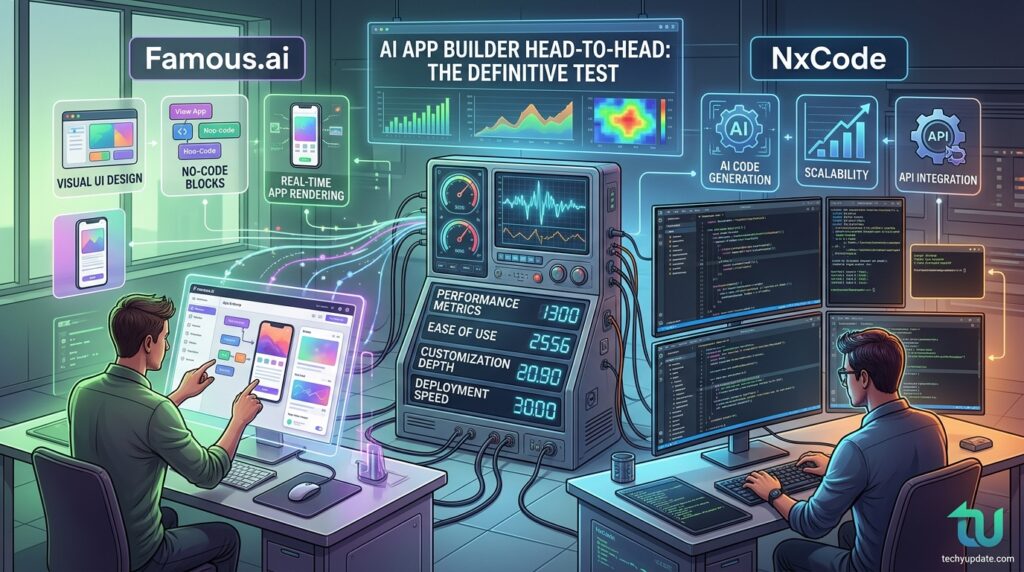
2. NxCode Full Review
NxCode Overview
NxCode takes a slightly different approach than Famous.ai. While both are AI-powered, NxCode positions itself more toward developers and technical users who want AI assistance without fully surrendering control of the codebase.
The platform uses AI to generate app scaffolding, suggest components, and write logic, but it also lets you drop into code view and modify the output directly. This hybrid approach makes NxCode especially appealing to developers who want to build faster without giving up customization.
NxCode also excels at integrations. The platform has a native connector library with over 200 third-party services, including Stripe, Twilio, Airtable, Slack, and major CRMs. On the free plan, you get access to a subset of these connectors, which is still impressive for a zero-cost tool.
Key Features of NxCode
AI Code Generation: NxCode’s core AI can generate React, Vue, or plain HTML/CSS code for your components. You describe the feature, the AI writes the code, and you can edit it in an inline code editor. This is a major differentiator; you actually own and understand the output.
Visual + Code Hybrid Interface: Toggle between visual drag-and-drop and a code editor at any point. Changes in one view reflect instantly in the other. Developers who want to extend the AI’s output without starting from scratch will love this.
API Builder with AI Assistance: NxCode includes a built-in REST API builder that uses AI to suggest endpoint structures based on your app’s data model. Even without backend experience, you can set up functional API routes.
Component Library: Over 300 pre-built UI components are available, and the AI can assemble them into full pages based on your description. Components include forms, tables, dashboards, calendars, kanban boards, and more.
Team Collaboration: Even on the free plan, NxCode supports up to 3 collaborators per project useful for small teams building MVPs together.
NxCode Free Plan: What You Actually Get
- 2 active projects
- Up to 3 collaborators
- NxCode subdomain hosting
- 250MB storage
- 100 AI generation requests/month
- Access to 100+ UI components
- REST API builder
- Community support
What’s not included: unlimited AI requests, custom domains, advanced export options, priority support, or commercial use licensing beyond personal projects.
The 100 AI generation requests per month is the most notable limit. Heavy builders will hit this quickly. Light users building one or two apps may find it sufficient for an initial build phase.
NxCode Pros and Cons
Pros:
- The hybrid visual + code interface is uniquely powerful
- AI-generated code you can actually own and export
- Strong third-party integration library
- Team collaboration even on the free plan
- React/Vue code generation gives real developer value
- API builder is a standout feature
Cons:
- 100 AI requests/month is a tight limit for active builders
- Learning curve higher than Famous.ai
- Less beginner-friendly onboarding
- Fewer templates than competitors
- Published apps show NxCode branding on the free tier
Who Should Use NxCode?
NxCode is the better choice for developers, technical founders, and anyone who wants to own the code their AI generates. If you’re building a startup MVP and need to hand off to a development team later, NxCode’s exportable code gives you a real head start.
It’s also ideal for freelancers who build client apps and need flexibility, or for teams of 2–3 who want to collaborate on a project in the free tier without paying per seat.
NxCode Pricing
| Plan | Price | Best For |
|---|---|---|
| Free | $0/month | Personal/MVP projects |
| Developer | ~$19/month | Freelancers |
| Team | ~$49/month | Small teams |
| Scale | ~$149/month | Production apps |
Famous.ai vs NxCode Head-to-Head Comparison
Interface & Ease of Use
Famous.ai wins here for pure simplicity. The onboarding is smooth, the AI is conversational, and you can have a working app prototype in under 15 minutes, even if you’ve never built anything before.
NxCode has a steeper learning curve. The interface is clean but more technical. New users may feel overwhelmed by the code/visual toggle and the number of configuration options. That said, once you’re past the initial learning phase, NxCode is extremely productive.
Winner: Famous.ai (for beginners) | NxCode (for developers)
AI Capabilities
Both platforms use strong AI models for generation, but they excel in different ways. Famous.ai’s AI is better at understanding vague, conversational prompts. You can say, “I want an app like Airbnb but for pet sitting,” and it will make reasonable decisions to give you a starting point.
NxCode’s AI is more precise and better at technical requests. “Generate a data table with sorting, filtering, and an export to CSV button” will produce a cleaner, more functional output on NxCode than on Famous.ai.
Winner: Famous.ai (for natural language) | NxCode (for technical requests)
Free Plan Comparison
| Feature | Famous.ai Free | NxCode Free |
|---|---|---|
| Active Projects | 3 | 2 |
| AI Requests | Unlimited | 100/month |
| Storage | 500MB | 250MB |
| Collaborators | 1 | 3 |
| Custom Domain | ❌ | ❌ |
| Export Code | ❌ | ✅ (limited) |
| App Publishing | ✅ Web | ✅ Web |
| Branding | Famous.ai | NxCode |
Famous.ai offers more generous overall limits, but NxCode wins on code export and team collaboration.
Output Quality
Famous.ai produces visually polished apps quickly. The default designs look professional and modern. However, the output is somewhat opinionated, and customizing beyond Famous.ai’s design system requires a paid plan.
NxCode produces less visually polished defaults but gives you far more control over the result. If you know what you’re doing, you can produce a higher-quality, more unique app on NxCode.
Winner: Famous.ai (speed + polish) | NxCode (flexibility + control)
Integrations & Publishing
NxCode has a significantly larger integration library, with 200+ connectors on paid plans and a subset on the free plan. Famous.ai covers the essentials (email, payment, and auth) on paid plans, but has fewer free integrations.
For publishing, both platforms output web apps on subdomains on free tiers. App store publishing (iOS/Android) requires paid tiers on both platforms.
Winner: NxCode (integrations) | Tie (publishing)
Read more: Instadoodle AI Review
Other Free AI App Builders Worth Considering
Bubble AI
Bubble is one of the most established no-code platforms, and in 2026, it added significant AI features. Bubble’s free plan allows unlimited personal projects but has strict usage limits. Its AI assistant can generate pages and set up workflows, though it’s less conversational than the AI systems from Famous.ai or NxCode.
Bubble is best for complex apps that need to scale. If your project outgrows Famous.ai or NxCode, Bubble is a natural next step.
Adalo with AI Features
Adalo specializes in native mobile apps and has added AI-powered design suggestions and component recommendations. The free plan is limited to 200 database records, which is quite tight, but the native iOS and Android output sets Adalo apart from web-only builders.
If you specifically need a native mobile app and can live within Adalo’s free tier constraints, it’s worth evaluating.
AppGyver / SAP Build Apps
AppGyver (now SAP Build Apps) is a professional-grade app builder with a free community tier. It doesn’t lead with AI as prominently as Famous.ai or NxCode, but its free plan is robust, and there are no branding restrictions. SAP’s backing means long-term reliability.
Best for enterprise adjacent projects or developers who need maximum control without paying.
How to Build an App with AI for Free: Step-by-Step Guide
Building your first AI-powered app is more accessible than you might think. Here’s a practical walkthrough using either Famous.ai or NxCode:
Step 1: Define Your App Idea: Before opening any tool, write two or three sentences describing your app. What does it do? Who uses it? What’s the main action users take? Clear input produces better AI output.
Example: “A pet sitting booking app where pet owners can browse available sitters in their city, book a time slot, and pay online.”
Step 2: Sign Up and Choose Your Platform: Create a free account on Famous.ai or NxCode. Both offer immediate access without a credit card. Pick Famous.ai if you’re a complete beginner; choose NxCode if you have some technical background.
Step 3: Enter Your App Prompt: Paste your app description into the AI builder’s prompt field. Be specific about key features. Mention the type of users, the core actions they’ll perform, and any must-have screens (home, login, dashboard, etc.).
Step 4: Review the AI’s Output: The AI will generate an initial version of your app. Review each screen, note what works, and identify what needs adjustment. Don’t try to perfect everything at once; make high-level decisions first.
Step 5: Customize the Design: Adjust colors, fonts, and layouts to match your brand. Add your logo. Rename buttons and labels to match your app’s vocabulary. Both Famous.ai and NxCode let you do this visually without touching code.
Step 6: Add Your Content: Populate your app with real content, your product listings, your service categories, and your team profiles. This step transforms a generic template into something that feels like your actual product.
Step 7: Test on Mobile: Preview your app on a mobile device using the platform’s preview mode. Check that navigation works intuitively, buttons are easy to tap, and text is readable at small sizes.
Step 8: Publish and Share: Hit publish. Both platforms will give you a URL to share. Send it to early users, gather feedback, and return to the builder to iterate. This is the core loop of no-code AI development.
Who Should Use a Free AI App Builder?
Entrepreneurs and Solopreneurs
If you have an idea for a product or service app and want to validate it before investing in development, a free AI builder is your best friend. You can have a clickable, shareable prototype in an afternoon — fast enough to test with real users before committing any budget.
Students and Learners
Computer science students, design students, and self-learners use AI builders to understand how apps are structured without getting lost in the complexity of code. Building a real app reinforces concepts like user flows, data models, and UI design in a tangible, immediately rewarding way.
Small Business Owners
Restaurants, salons, fitness studios, and service businesses increasingly need custom apps for bookings, loyalty programs, or internal tools. A free AI builder lets owners build these tools themselves instead of paying thousands of dollars to a developer.
Developers Prototyping MVPs
Experienced developers use AI builders not to replace their coding skills but to skip the tedious scaffolding work. Instead of spending a weekend setting up a project structure, they use Famous.ai or NxCode to get 70% of the way there, then export the code and refine it manually.
Limitations of Free AI App Builders You Should Know
No tool is perfect, and AI app builders on free plans come with real constraints you should understand before committing to a platform.
Branding and Subdomain Restrictions: Every free plan puts the platform’s branding on your app and hosts it on their subdomain (e.g., yourapp.famous.ai). This is fine for testing, but looks unprofessional for a launched product. Budget for a paid plan if you’re going live publicly.
AI Request Limits: NxCode’s 100 AI requests per month sounds generous until you’re actively building. Each time you ask the AI to generate a new screen, adjust a component, or fix an issue, it counts. Plan your builds carefully on free tiers.
Storage and Scale Limits: Free plans cap storage and user counts. Famous.ai’s 1,000 MAU limit and 500 MB of storage are solid for early-stage apps, but you’ll hit the ceiling as you grow.
Feature Gaps: Advanced features such as custom payment flows, complex conditional logic, multilingual support, and native mobile app publishing are typically gated behind paid plans. Know which features are critical before assuming the free tier covers them.
Export and Ownership: Some platforms don’t let you export your app’s code on the free tier. If platform portability matters to you, check the export policy before building NxCode is better here than Famous.ai.
Expert Tips for Getting the Most Out of AI App Builders
After testing dozens of AI-generated apps, here are the insights that separate mediocre builds from great ones:
Write better prompts. The quality of your AI output directly reflects the quality of your input. Instead of “make a booking app,” try “Create a dog grooming appointment booking app with a home screen showing available time slots, a booking form with pet name and service selection, and a confirmation email after booking.” The more specific you are, the less cleanup you’ll need.
Use templates as starting points, not end points. Both Famous.ai and NxCode offer templates. Use them to generate a first draft, then deviate aggressively. The AI is great at generating structure; your job is to make it feel unique to your brand.
Iterate in short cycles. Don’t try to build your entire app in one session. Build one screen, preview it, get feedback, then build the next. This approach surfaces issues early when they’re easy to fix.
Test with real users early. Share your app URL once you have a working version, even if it’s rough. Real user feedback is worth more than any amount of internal polishing. AI builders make it easy to iterate quickly based on what you learn.
Keep your data model simple. The biggest source of confusion for new builders is database design. Start with the minimum number of data types you need. You can always add complexity later.
Final Verdict: Which Free AI App Builder Is Right for You?
After extensive testing, here’s our honest take:
Choose Famous.ai if:
- You’re building your first app
- You want the fastest possible path to a working product
- Visual polish matters more than code ownership
- You’re testing a startup idea or building a side project
Choose NxCode if:
- You have some technical background
- You want to own the code your AI generates
- You’re working with a small team
- You need strong third-party integrations
Both platforms offer genuinely useful free plans that let you build real, working applications without spending a cent. The right choice depends less on which tool is “better” and more on which aligns with how you work and what you’re building.
The era of needing a developer to launch a software product is over. With Famous.ai, NxCode, and the broader ecosystem of AI app builders now available in 2026, the gap between having an idea and having a product has never been smaller.
FEATURED
Definition (for “What is an AI app builder?”)
An AI app builder is a software platform that uses artificial intelligence and large language models to help users design, build, and deploy applications without writing code. Users describe their app in natural language, and the AI generates the interface, logic, and backend automatically.
List Snippet (for “Best free AI app builders 2026”)
Best Free AI App Builders in 2026:
- Famous.ai — Best for beginners and fast prototyping
- NxCode — Best for developers who want exportable code
- Bubble AI — Best for complex, scalable apps
- Adalo — Best for native mobile app publishing
- AppGyver / SAP Build Apps — Best for enterprise-adjacent projects
Table Snippet
| Platform | Free Plan | AI Prompting | Code Export | Best For |
|---|---|---|---|---|
| Famous.ai | ✅ 3 apps | ✅ Conversational | ❌ | Beginners |
| NxCode | ✅ 2 apps | ✅ Technical | ✅ Limited | Developers |
| Bubble AI | ✅ Unlimited | ⚠️ Partial | ❌ | Scaling |
| Adalo | ✅ Limited DB | ⚠️ Basic | ❌ | Mobile |
Comparison (for “Famous.ai vs NxCode”)
Famous.ai is better for beginners who want speed and visual polish, while NxCode suits developers who need code ownership and technical precision. Famous.ai offers more storage (500 MB vs. 250 MB) and unlimited AI requests on its free plan. NxCode offers better code export, team collaboration (for 3 seats), and a broader integration library.
How-To
How to build an app with AI for free:
- Define your app idea in 2–3 sentences
- Sign up on Famous.ai or NxCode (no credit card needed)
- Enter your app description as a detailed prompt
- Review and customize the AI-generated screens
- Add your real content and branding
- Test on mobile using the preview mode
- Publish with one click and share your app URL
FREQUENTLY ASKED QUESTIONS
What is the best free AI app builder in 2026?
Famous.ai is the best free AI app builder for beginners in 2026, offering unlimited AI requests, 3 published apps, and 1,000 monthly active users at no cost.
Can I build an AI app for free?
Yes. Famous.ai and NxCode both offer free plans that let you build and publish real web apps. Free tiers have limits on storage, users, and features, but are fully functional.
Q3: Is Famous.ai really free?
Yes, Famous.ai has a genuine free plan that requires no credit card. It supports up to 3 apps and 1,000 monthly active users, with core AI building features included.
What can I build with NxCode for free?
With NxCode’s free plan, you can build up to 2 active projects, collaborate with 3 team members, and use 100 AI generation requests monthly. Web app publishing is included.
Do I need coding experience to use the AI app builders?
No. Famous.ai and NxCode are designed for non-coders. You describe your app in plain English, and the AI handles structure, design, and logic. No programming knowledge is needed.
Can I publish an app built with Famous.ai to the App Store?
App Store and Google Play publishing is available on Famous.ai’s paid plans. The free plan publishes web apps only on a Famous.ai subdomain.
What’s the difference between Famous.ai and NxCode?
Famous.ai is conversational and beginner-friendly, ideal for fast prototyping. NxCode is technically oriented, offers code export, and suits developers who want control over their app’s codebase.
Does NxCode support third-party integrations?
Yes. NxCode supports 200+ integrations on paid plans, including Stripe, Slack, Airtable, and Twilio. A subset of connectors is available on the free tier.
Can I export my app’s source code from these platforms?
NxCode allows limited code export on its free plan and full export on paid tiers. Famous.ai restricts code export to paid plans. Always check export policies before committing to a platform.
Are AI-built apps secure for real users?
Both Famous.ai and NxCode implement standard security practices, including HTTPS, encrypted data storage, and user authentication. Review each platform’s privacy policy before handling sensitive user data.
How long does it take to build an app with Famous.ai?
Most users build a working prototype in under 60 minutes on Famous.ai. Simple apps with 3–5 screens can be ready in under 15 minutes using the AI builder and existing templates.
Can I monetize an app I built on a free plan?
Monetization policies vary. NxCode restricts commercial use to paid plans. Famous.ai allows limited commercial use on free tiers. Check each platform’s terms of service for current policies.
What AI model powers Famous.ai and NxCode?
Both platforms use proprietary AI models trained on development patterns and leverage foundational LLMs such as GPT-4 variants. Neither platform publicly discloses its exact underlying model.
Which AI app builder is best for startups building an MVP?
Famous.ai is the fastest for initial MVP testing. NxCode is better if you need to eventually hand off to a development team, thanks to its code export capabilities and developer-oriented features.
CONCLUSION
The landscape of app development has changed permanently. In 2026, “I don’t know how to code” is no longer a barrier to building a software product. AI app builders like Famous.ai and NxCode have compressed the distance between idea and product to an almost absurd degree.
Famous.ai wins on ease of use and speed. It’s the right choice if you want results fast and don’t mind staying within its ecosystem. NxCode wins on technical depth and code ownership — a better long-term bet for projects that will eventually need a developer’s touch.
Whatever tool you choose, the best move is to start. Pick a platform, describe your idea, and see what the AI generates. You’ll learn more in an afternoon of building than in weeks of research.
The free plans on both platforms are genuinely useful — not crippled demos. Use them to validate your idea before spending a dollar.