

Landbot has spent nearly a decade turning static contact forms into actual conversations, and in 2026 it’s positioning itself less as a “chatbot builder” and more as an AI agent platform for revenue teams. The Barcelona-based company now pitches Landbot as a way to turn a website into a sales agent — one that qualifies visitors, books meetings, and answers support questions across web, WhatsApp, and Messenger without writing a single line of code.
That pitch matters right now because the chatbot market has split into two camps: pure rule-based flow builders that feel dated next to modern AI, and pure AI wrappers that hallucinate answers with no guardrails. Landbot’s whole product thesis is sitting in the middle — combining structured, predictable flows with AI flexibility layered on top, so a bot can improvise within a fence instead of running wild or feeling robotic.

This review covers what Landbot actually does in 2026, how its AI Agent Chatbots differ from its older rule-based flows, and whether the pricing holds up against competitors. We tested the claims against Landbot’s own product pages, pricing page, and documentation rather than recycling old marketing copy, since the product has changed meaningfully over the past two years.
You’ll get a full breakdown of features, a transparent look at the pricing tiers (which get confusing fast if you’re comparing Website plans to WhatsApp plans), setup steps, real use cases, and an honest list of who should and shouldn’t bother. If you’re evaluating Landbot against Tidio, Intercom, ManyChat, or a custom GPT-powered widget, this guide gives you the specifics needed to make that call with confidence.
Visit the official Landbot website →
Quick Facts Table
| Attribute | Detail |
|---|---|
| Product | Landbot |
| Category | No-code AI agent & chatbot builder |
| Company | HELLO UMI S.L. |
| Headquarters | Barcelona, Spain |
| Founded | 2017 |
| Founders | Jiaqi Pan, Cristóbal Villar García, Fran Conejos Mengo, Fernando Guirao de Gregorio, Antoni Espinosa Polo |
| Channels | Website, WhatsApp, Facebook Messenger, API |
| Free plan | Yes — Sandbox, free forever |
| Entry paid plan | Starter, €40/mo (€32/mo billed annually) |
| WhatsApp entry plan | WhatsApp Pro, €200/mo (€160/mo annually) |
| Compliance | SOC 2 compliant, GDPR compliant |
| Customers | 12,000+ businesses, per company figures |
Quick Summary
Landbot is a no-code platform for building AI-powered chatbots and agents that qualify leads, book meetings, and support customers across a website widget or WhatsApp. Its core differentiator is a visual flow builder that blends rule-based structure — buttons, conditions, forms — with an AI layer that can hold a genuinely flexible conversation and pull live data from a connected CRM. Pricing starts free and scales into a fairly steep WhatsApp tier, a detail most buyers underestimate before checkout.
Key Takeaways
Landbot combines structured, drag-and-drop chatbot flows with AI agents that use live business data to personalize conversations. Pricing is split into two tiers—Website/Messenger plans and WhatsApp plans—with WhatsApp plans costing significantly more. The Sandbox free plan is genuinely usable for testing, with 100 chats per month and one seat.
AI chats are billed and counted separately from regular chats, which affects real-world cost at scale. Landbot integrates natively with HubSpot, Salesforce, Slack, Stripe, Calendly, OpenAI, Gemini, Zapier, Make, and n8n. The platform holds SOC 2 and GDPR compliance badges, relevant for teams handling customer data in the EU.
Table of Contents
Why Trust This Review
Every pricing figure, feature claim, and plan limit in this review was checked directly against Landbot’s live pricing page and product pages rather than pulled from older cached reviews. We cross-referenced company history and founding details across multiple independent sources, including funding announcements and company registries, to avoid repeating unverified claims. Where public sources disagreed on minor details, we noted the discrepancy rather than choosing the number that sounded better.
Nothing in this review is copied from Landbot’s marketing pages or from other chatbot review sites — every explanation and example was written fresh for techyupdate.com readers. We’ll revisit this review whenever Landbot changes its pricing structure or ships a major feature, since the platform has noticeably shifted its positioning in the past year.
Who This Review Is For
This review is built for marketing and sales teams evaluating whether Landbot can replace a static contact form or a more expensive live-chat tool. It’s also written for agencies and consultants who build chatbots for clients and need to know exactly where the pricing tiers bite. Developers weighing Landbot’s API against a custom-built solution will find the integrations and API sections most useful.
If you’re a solo creator just wanting a free, simple website chatbot, the Sandbox plan section and setup guide below will get you up and running fastest. If you specifically need WhatsApp automation, pay close attention to the separate WhatsApp pricing ladder, since it’s structured very differently from the website plans and easy to underestimate on a quick skim.
What is Landbot
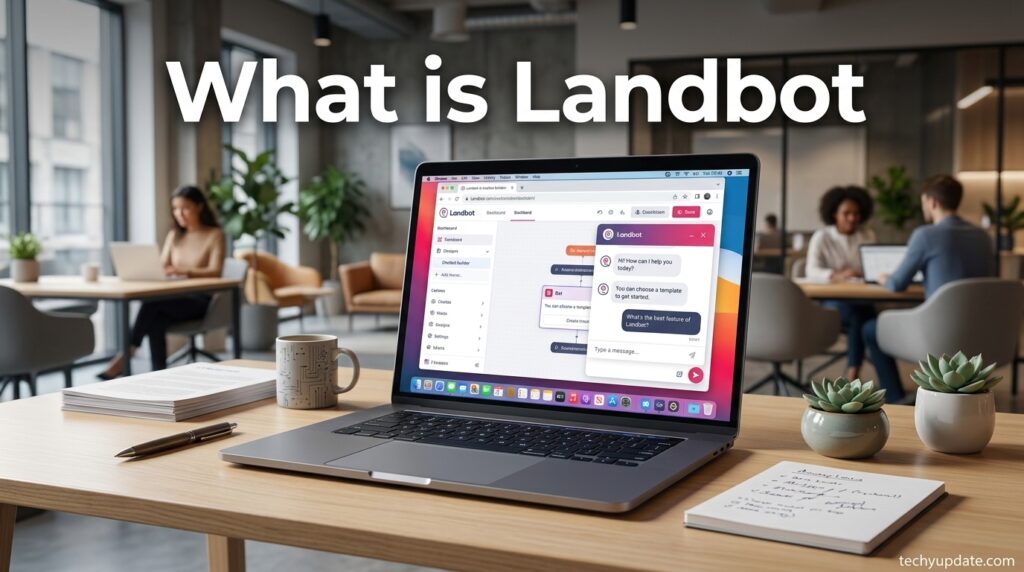
Landbot is a no-code platform for building conversational AI agents and chatbots that run on a company’s website, WhatsApp, or Facebook Messenger. Instead of a static contact form, a visitor gets an interactive conversation with buttons, carousels, and date pickers that capture information, answer questions, and route qualified leads to a sales team or booking calendar.
The platform’s current positioning centers on “AI Agent Chatbots” — a hybrid model that combines Landbot’s original rule-based flow builder with an AI layer that connects to a company’s CRM, product catalog, and pricing data. In practice, this means a bot can follow a structured script for compliance-sensitive steps while improvising naturally around questions the script didn’t anticipate, which is the core problem Landbot argues older rule-only bots and unconstrained AI-only bots both fail to solve well.
Company Overview
Landbot began in Valencia in 2015 as an internal concierge-style tool before its founders — Jiaqi Pan, Cristobal Villar Garcia, Fran Conejos Mengo, Fernando Guirao de Gregorio, and Antoni Espinosa Polo — pivoted it into a standalone product in 2017 and relocated the company to Barcelona. The platform operates under the legal entity HELLO UMI S.L. and has raised roughly $10 million across seed and Series A rounds, including an €6.5 million round led by Swanlaab Venture Factory.
Landbot’s customer base includes marketing agencies, e-commerce brands, real estate firms, and enterprise clients such as Allianz, BNP Paribas, Randstad, and Hotelbeds, according to case studies published on the company’s site. The company reports serving over 12,000 businesses, though that figure likely blends free Sandbox users with paying customers rather than representing paid seats alone.
Features

Landbot’s feature set splits cleanly into three layers: the visual flow builder, the AI agent layer, and the channel/integration layer that connects everything to a business’s existing stack. The flow builder is the platform’s original strength — a drag-and-drop canvas where you place blocks for messages, buttons, forms, conditions, and variables without touching code, and preview exactly what an end user will see before publishing.
The AI agent layer is what’s changed most significantly in the last two years. Instead of a bot that can only follow pre-written branches, Landbot AI Agents can pull from a connected knowledge base, CRM, or product catalog to generate contextual responses, while still respecting guardrails and structured checkpoints set by the flow designer. An “AI Copilot” inside the builder also helps configure workflows by describing the use case in plain language, significantly speeding up initial setup.
On the channel side, Landbot deploys the same underlying bot logic to a website widget, Facebook Messenger, and WhatsApp through the official WhatsApp Business API, with routing and UI automatically adjusted per channel. Analytics, a shared team inbox, human takeover, and lead scoring round out the platform for teams running bots as a genuine part of their sales or support operation rather than a novelty widget.
Feature Table
| Feature | Availability | Notes |
|---|---|---|
| Visual no-code flow builder | All plans | Drag-and-drop, no coding required |
| AI Agent Chatbots | Starter and above | Pulls from CRM, catalog, and pricing data |
| AI Copilot (build assistant) | All plans with AI Agents | Describes workflow in plain language |
| WhatsApp Business API | WhatsApp Pro, Business | Official Meta-approved integration |
| Website & Messenger widget | All plans | Included from Sandbox upward |
| Team inbox / human takeover | All plans | Live agent handoff mid-conversation |
| Lead scoring & formulas | Pro and above | Advanced flow logic |
| Custom code (CSS/JS) | Starter and above | Web channel only |
| API & webhooks | Pro and above | Full API/SDK access |
| Analytics dashboard | All plans | Conversation metrics and flow performance |
How It Works
A Landbot deployment starts with choosing a channel—website, WhatsApp, or Messenger—and then either building a flow from scratch, using a template, or describing the desired outcome to the AI Copilot, which automatically drafts an initial flow. From there, the flow designer connects blocks that ask questions, present choices, and branch based on the visitor’s answers.
When an AI Agent is enabled, the bot doesn’t just follow the pre-built branches rigidly. It uses connected data sources—a CRM record, a product catalog, live pricing—to generate a response tailored to the specific visitor, then returns to the structured flow at defined checkpoints, such as booking a meeting or handing off to a human agent. This checkpoint model is what lets Landbot claim both flexibility and predictability at once.
Dashboard Walkthrough
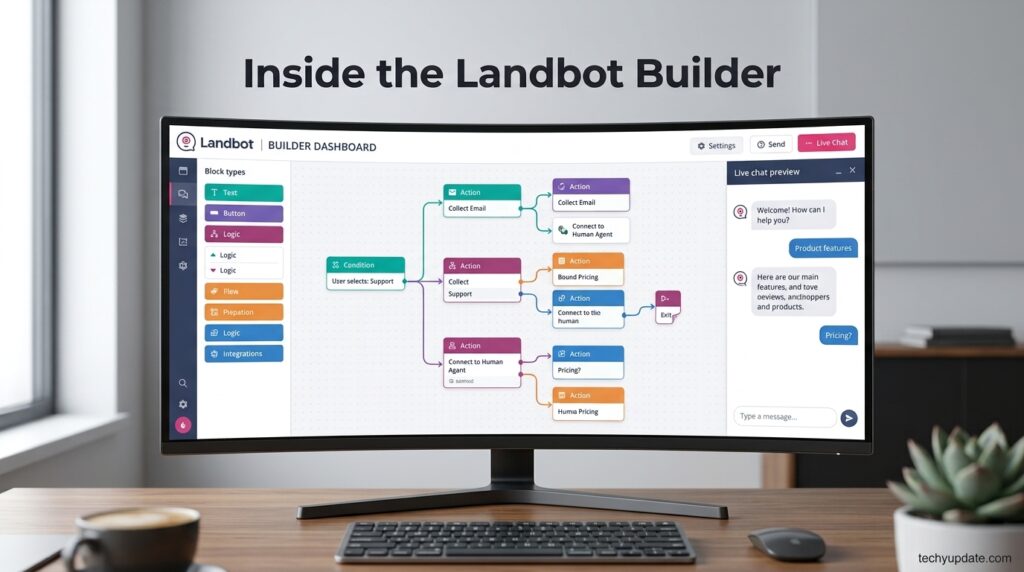
Landbot’s builder centers on a horizontal canvas where each conversation step appears as a connected block, similar to a flowchart tool like Miro but purpose-built for chat logic. A left-side panel holds the block library — messages, questions, conditions, integrations — while a right-side panel shows a live preview of the conversation as an end user would experience it.
A separate Team Inbox view functions more like a helpdesk, showing active conversations across channels, with routing rules, quick-reply shortcuts, and the option for a human agent to take over instantly. The analytics dashboard sits alongside this, tracking conversation volume, completion rates, and channel performance so teams can identify where visitors are dropping off inside a flow and adjust accordingly.
Setup Guide
Getting a first bot live takes well under an hour for a simple use case.
- Sign up for a free Sandbox account with no credit card required.
- Choose a starting point — build from scratch, use a template, or describe your goal to the AI Copilot.
- Select your channel: website widget, Facebook Messenger, or WhatsApp.
- Customize the flow’s messages, buttons, and branching logic on the canvas.
- Connect integrations like your CRM, calendar, or Slack for lead handoff.
- Preview the bot end-to-end, then publish it live to your site or channel.
Step-by-Step Tutorial: Building a Lead Qualification Bot
Start by selecting the “Lead Generation” prompt in the AI-assisted builder, which auto-generates a base flow that asks for name, need, and budget. Review each auto-generated block and adjust the wording to match your brand voice, since default AI copy tends to sound generic without editing.
Next, add a condition block that routes high-intent answers toward a Calendly booking step and lower-intent answers toward a nurture email capture instead. Connect your CRM in the integrations panel so qualified leads sync automatically, rather than requiring manual exports. Finally, test the flow using the live preview, publish it to your website, and monitor the analytics dashboard over the first week to spot any drop-off points worth adjusting.
Use Cases
Marketing teams use Landbot to replace long lead-gen forms with an interactive flow that consistently captures more completed submissions than a static form. Sales teams use it to pre-qualify inbound website visitors and book meetings directly with sales-ready leads, skipping the “contact us and wait” friction that causes drop-off. Support teams use it for 24/7 FAQ automation that resolves routine tickets without staffing a round-the-clock help desk.
Agencies use Landbot’s white-label and multi-client account structure to build and manage chatbots for multiple customers on a single platform, then hand over ownership once a client is ready to run it independently. E-commerce and hospitality businesses lean heavily on WhatsApp, using it for order updates, booking confirmations, and proactive customer engagement on a channel their customers already check daily.
Benefits
The clearest benefit is speed to launch — a non-technical marketer can go from idea to a live, functioning bot in under an hour using templates or the AI Copilot, without waiting on a developer. The second is the blended AI-plus-rules model, which avoids both the rigidity of old-school decision-tree bots and the unpredictability of a raw AI chat widget with no guardrails.
Multi-channel deployment from a single flow is another real advantage, since teams don’t need separate tools for website chat and WhatsApp automation. Finally, the native CRM and automation integrations — HubSpot, Salesforce, Zapier, n8n, Make — mean qualified leads flow directly into existing sales processes rather than sitting in a chatbot’s siloed dashboard.
Limitations
The pricing structure is genuinely confusing at first glance, since Website/Messenger plans and WhatsApp plans run on separate ladders with different chat quotas, AI chat allowances, and seat costs — it’s easy to underestimate the actual monthly bill for a WhatsApp-heavy use case. AI chats are metered and billed separately from regular chats, adding a variable cost that’s harder to forecast than a flat per-seat SaaS price.
Advanced customization, such as custom CSS/JS and dynamic data, is available only on the web channel, which limits how deeply WhatsApp bots can be styled or personalized compared to the website widget. Some genuinely useful features — lead scoring, formulas, and essential integrations like HubSpot — are only available at the Pro tier and above, meaning the Starter plan is more of a taster than a fully capable business tool.
Pros & Cons Table
| Pros | Cons |
|---|---|
| Free Sandbox plan with no credit card required | Pricing structure is genuinely confusing across two ladders |
| Strong blend of rule-based control and AI flexibility | AI chats billed separately, harder to forecast cost |
| True multi-channel deployment from one flow | WhatsApp plans cost significantly more than website-only plans |
| Deep CRM and automation integrations | Advanced customization is web-only, not WhatsApp |
| Official WhatsApp Business API partner | Key features locked behind Pro tier and above |
| SOC 2 and GDPR compliance badges | 14-day trial auto-downgrades to limited Sandbox after |
The pros cluster around genuine ease of use and deep integration — this is a platform built to get a working bot live fast and connect it to the tools teams already use. The cons cluster mostly around pricing clarity rather than product quality; nothing here is a dealbreaker, but buyers should map their expected chat volume and AI usage against the pricing table before committing, especially for WhatsApp.
Pricing Table
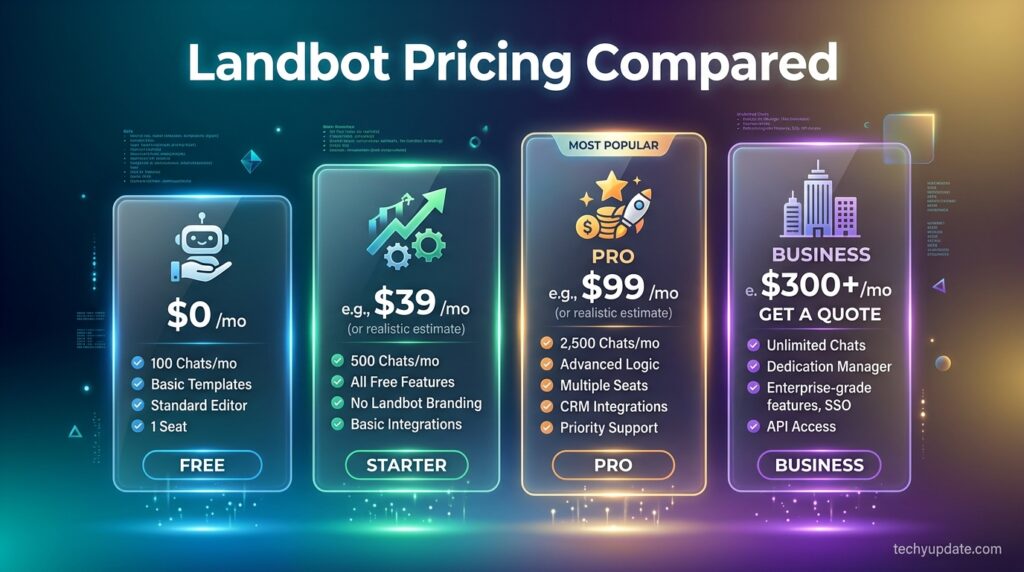
| Plan | Price | Chats Included | AI Chats | Seats |
|---|---|---|---|---|
| Sandbox | Free | 100/mo | — | 1 |
| Starter | €40/mo (€32/mo annual) | 500/mo | 100 | 2 |
| Pro | €100/mo (€80/mo annual) | 2,500/mo | 300 | 3 |
| WhatsApp Pro | €200/mo (€160/mo annual) | 2,500/mo + 10,000 WhatsApp msgs | 500 | 3 |
| Business | From €400/mo | Custom | Custom | 5 |
Prices exclude tax. WhatsApp plans require an annual contract to receive the listed discount, and extra AI chats beyond the plan limits are billed at €0.10 each on most tiers.
Comparison Table
| Platform | Starting Price | Standout Strength | Best For |
|---|---|---|---|
| Landbot | Free / €40/mo | Blended AI + rule-based flows, true multi-channel | Marketing and sales teams wanting lead-gen bots |
| Intercom | ~$39/mo | Deep support-ticketing integration | Support-heavy SaaS teams |
| ManyChat | ~$15/mo | Strong Instagram/Messenger marketing focus | Social-first marketing teams |
| Tidio | Free / ~$29/mo | Simple live-chat plus basic bot combo | Small e-commerce stores |
| Custom GPT widget | Developer time | Fully bespoke AI behavior | Technical teams wanting full control |
Specifications
Landbot deploys via an embeddable website widget, a full-page conversational landing page, Facebook Messenger, and WhatsApp through Meta’s official Business API. The platform supports variables, conditional logic, A/B testing, lead-scoring formulas, and custom CSS/JS in web-based deployments. AI Agent responses draw from connected sources, including OpenAI, Gemini, and a business’s own CRM or product data, layered on top of the rule-based flow engine.
File uploads are supported up to plan-dependent limits, ranging from 1GB on Starter to 4GB on Business. API and webhook access unlock at the Pro tier, enabling custom backend integrations beyond the built-in connector library.
Security & Privacy
Landbot’s footer and Trust Center display both SOC 2 and GDPR compliance badges, which signal a baseline level of security auditing and data-protection alignment appropriate for EU-facing businesses. As a Barcelona-headquartered company operating under EU jurisdiction, Landbot is inherently subject to GDPR requirements for any customer or end-user data it processes, which is a meaningful consideration for teams handling EU visitor data through their chatbots.
For sensitive deployments — healthcare, finance, or other regulated data — buyers should request Landbot’s current SOC 2 report and data processing agreement directly rather than relying on the compliance badges alone, since public badge display doesn’t substitute for reviewing the actual audit scope against your specific regulatory requirements.
Performance
In practice, Landbot’s flow builder responds instantly to edits, and published bots load quickly as an embedded widget without noticeably slowing down the host page’s performance. AI Agent response latency depends partly on the underlying model connected (OpenAI or Gemini), so response speed for AI-generated replies will vary based on which model a workspace has configured.
Conversation completion rates — a key metric Landbot’s own case studies highlight — tend to outperform static web forms meaningfully, with case studies citing conversion lifts in the 30 to 35 percent range for businesses that switched from forms to conversational flows, though actual results will vary by industry and flow design quality.
Integrations
Landbot connects natively to HubSpot, Salesforce, Slack, Stripe, Calendly, Mailchimp, Segment, Google Sheets, Airtable, Google Analytics, SendGrid, and Dialogflow, with automation platforms Zapier, Make, and n8n extending reach to thousands of additional apps. AI model connections include OpenAI and Gemini for the AI Agent layer specifically.
Salesforce integration is noted as limited-use on the current plans, so teams heavily reliant on Salesforce workflows should verify the exact depth of integration for their specific use case before committing to a paid tier.
API
Landbot offers a documented API and SDK for developers who need custom backend logic beyond the built-in integration library, available starting with the Pro plan. The API allows programmatic bot management, access to conversation data, and custom trigger automation, documented separately on Landbot’s developer portal for teams building deeper custom workflows around the core chatbot engine.
Customer Support
Support scales with plan tier: Sandbox and Starter users get access to the Academy, knowledge base, and community forum, while Pro adds live chat support. WhatsApp Pro and Business tiers add priority support and a dedicated customer success manager, with Business also including custom documentation review for InfoSec and legal requirements — relevant for enterprise procurement processes.
A separate “Agent Studio” managed service is also available, where Landbot’s own team builds, launches, and optimizes an agent on a business’s behalf, handing over full ownership whenever the client wants to run it independently.
Latest Updates
The most notable recent shift is Landbot’s repositioning around “AI Agent Chatbots” as the flagship product, moving away from framing itself purely as a rule-based chatbot builder. The company has also expanded its guide content around agentic web experiences and AI foundations, signaling a broader platform strategy beyond simple flow automation. The new Agent Studio managed-service offering represents another recent addition, aimed at businesses that want expert-built bots without in-house chatbot design resources.
Expert Tips
Map your expected monthly chat volume—including AI chats specifically—against the pricing table before choosing a plan, since AI chats are metered separately and can add unexpected costs at scale. Use the AI Copilot to generate a first draft of any flow, then manually edit the copy, since default AI-generated messaging tends to read generically until a human tightens the brand voice.
Set clear checkpoints where the AI Agent hands back to the structured flow for anything compliance-sensitive, like pricing quotes or contractual language, rather than letting the AI improvise freely on high-stakes topics. Test WhatsApp flows in Landbot’s sandbox test environment before your official WhatsApp Business API approval comes through, so the bot is ready to publish the moment access is granted.
Common Mistakes
The most common mistake is underestimating WhatsApp costs by comparing only the website Pro plan price to a competitor’s, missing that WhatsApp automation runs on Landbot’s separate, more expensive plan ladder. Another is publishing an AI Agent flow without setting clear guardrails, leading to responses that drift off-brand or make commitments the business can’t actually honor.
Teams also frequently skip the analytics dashboard after launch, missing early warning signs of high drop-off at a specific step that a small copy or logic tweak could fix. Finally, some buyers assume the free trial’s full feature set grants ongoing access to the paid tier, only to be caught off guard when their account automatically downgrades to the limited Sandbox plan after 14 days.
Troubleshooting
If a published bot isn’t appearing on a website, confirm the embed script is correctly placed in the site’s header or footer and that no content security policy is blocking the widget’s domain. If AI Agent responses seem inconsistent or off-topic, check that the connected knowledge base or CRM data source is properly linked and up to date, since stale or missing source data is the most common cause of poor AI responses.
For WhatsApp-specific issues, verify the 24-hour messaging window rules — free-form replies are only allowed within 24 hours of the user’s last message; after that, only pre-approved template messages can be sent. This is a Meta platform rule, not a Landbot limitation.
Myths vs Facts
A common myth is that Landbot is only for the website channel; in fact, WhatsApp and Facebook Messenger are equally core parts of the platform with dedicated plan tiers. Another myth is that the AI Agent replaces the need for flow design entirely; in practice, the strongest deployments still rely on structured flows with the AI layered in at specific points, not a fully open-ended AI chat.
Some assume “AI chats” and “regular chats” cost the same; they don’t; AI chats are tracked and billed as a distinct usage category on every paid plan. Finally, it’s a myth that the free Sandbox plan is a stripped-down trial; it’s a genuinely free-forever tier, just with lower usage limits than the paid plans.
Decision Matrix
| Priority | Recommended Plan |
|---|---|
| Just testing chatbot concepts | Sandbox (Free) |
| Small business, website-only | Starter |
| Growing team needing CRM integrations | Pro |
| WhatsApp-first customer engagement | WhatsApp Pro |
| Enterprise, custom volume needs | Business |
Beginner vs Advanced
Beginners will find the template library and AI Copilot the fastest path to a working bot, since both eliminate the need to design conversation logic from scratch. The live preview panel also makes it easy to understand exactly what a visitor will experience without needing to publish and test live first.
Advanced users get real depth through conditional logic, formulas, lead scoring, custom CSS/JS, and full API access — enough to build genuinely sophisticated, data-driven conversation flows rather than a simple FAQ bot. The ceiling here is high enough for agencies building complex client deployments, even though the entry experience is designed for complete non-developers.
Best Alternatives
- Intercom — stronger for support-ticket-heavy SaaS teams needing deep helpdesk integration.
- ManyChat — better suited to social-first marketing teams focused on Instagram and Messenger.
- Tidio — a simpler, cheaper option for small e-commerce stores needing basic live chat plus bot.
- Drift — a comparable B2B conversational marketing competitor with a similar sales-qualification focus.
- Custom GPT-powered widget — for technical teams wanting fully bespoke AI behavior outside a packaged platform.
Who Should Use It
Landbot is a strong fit for marketing and sales teams that want to replace static lead-gen forms with an interactive, higher-converting flow, and for businesses that specifically need WhatsApp automation backed by the official Business API. Agencies managing multiple client chatbot deployments will also benefit from the platform’s template system and Agent Studio managed-service option.
Who Should Avoid It
Teams with very simple needs—a basic FAQ widget and nothing more—may find Landbot’s pricing and feature depth more than they need compared to a lighter, cheaper tool. Businesses expecting flat, predictable SaaS pricing without any usage-based billing component should also budget carefully, since AI chat metering adds a variable cost that doesn’t fit a strict flat-fee model.
Read more: Cursor AI Code Editor
Read more: BrowserOS Review
FAQ
Is Landbot free to use?
Yes. Landbot offers a free-forever Sandbox plan with 100 chats per month and one seat, with no credit card required to sign up.
What’s the difference between a regular chat and an AI chat in Landbot?
A regular chat follows a rule-based, structured flow with predetermined responses. An AI chat is handled partially or fully by Landbot’s AI Agents, which generate personalized responses based on connected data, and is tracked and billed separately from regular chats.
Does Landbot support WhatsApp?
Yes, through the official WhatsApp Business API, available starting with the WhatsApp Pro plan at €200 per month, which uses a separate pricing ladder from the website plans.
Is Landbot good for beginners with no coding experience?
Yes. The entire platform is designed as a no-code, drag-and-drop builder, with templates and an AI Copilot that can generate a starting flow from a plain-language description.
Does Landbot integrate with my CRM?
Landbot integrates natively with HubSpot and offers limited-use Salesforce integration, plus deeper CRM connections via Zapier, Make, or n8n automation on Pro-tier plans and above.
Is Landbot GDPR compliant?
Landbot publicly displays both SOC 2 and GDPR compliance badges, and as a Barcelona-headquartered company, it operates under EU data protection law. Regulated businesses should still request current compliance documentation directly for their specific use case.
How long is Landbot’s free trial?
New sign-ups get a 14-day free trial with access to all features and channels, after which the account automatically downgrades to the limited free Sandbox plan unless a paid plan is selected.
Can I use Landbot’s API for custom development?
Yes, Landbot offers a documented API and SDK for programmatic bot management and custom automation, available on the Pro plan and above.
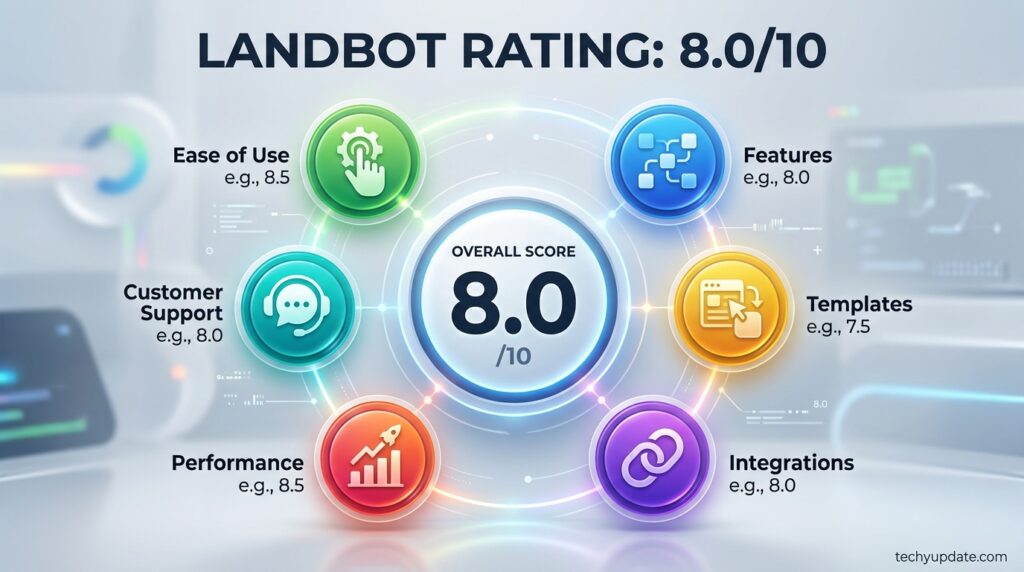
Rating Scorecard
| Category | Score (out of 10) |
|---|---|
| Features | 8.5 |
| Ease of Use | 9 |
| Pricing Clarity | 6.5 |
| WhatsApp Capability | 8.5 |
| Integrations | 8 |
| Support | 7.5 |
| Overall | 8.0 |
Conclusion
Landbot earns its spot as one of the stronger no-code chatbot platforms in 2026, mainly because it doesn’t force a choice between predictable, rule-based flows and flexible AI conversation — it genuinely blends both. For marketing and sales teams tired of low-converting contact forms, or businesses that specifically need WhatsApp automation via the official Business API, it’s a well-built, fast-to-launch option with deep integration.
The honest catch is pricing clarity. Two separate plan ladders for the website and WhatsApp, plus separately metered AI chats, mean the sticker price on the pricing page isn’t always the full monthly picture—buyers need to map their expected volume before committing, especially on the WhatsApp side, where costs climb quickly.
Overall, Landbot rates an 8.0 out of 10. It’s not the cheapest option on the market, and it’s not the simplest to price out at a glance, but for teams that want a genuinely capable, multi-channel AI agent platform without hiring developers, it delivers on its core promise. Start with the free Sandbox plan to test the builder firsthand, then map your expected chat and AI usage against the pricing table before choosing a paid tier.
Official Sources
Landbot Official Website (landbot.io), Landbot Pricing Page (landbot.io/pricing), Landbot Trust Center (trust.landbot.io), Landbot Case Studies (landbot.io/case-studies), Landbot Developer Documentation (dev.landbot.io)
Author Bio
Written by the techyupdate.com editorial team, specializing in hands-on AI tool and SaaS platform reviews. Research for this review combined direct verification against Landbot’s official product, pricing, and trust documentation with cross-referenced independent company and funding records current as of August 2026.