

If you have been hearing the term “agentic browser” more often lately, BrowserOS is one of the names driving that conversation. It is an open-source, Chromium-based browser that puts an AI agent directly inside your tabs, letting you describe a task in plain English and watch the browser click, type, and navigate on your behalf. Unlike most AI browsers launched in the last year, BrowserOS keeps its code public and lets you run models locally, which changes the privacy conversation entirely.
This guide breaks down exactly what BrowserOS is, how it works, who built it, what it costs, and how it stacks up against rivals like ChatGPT Atlas, Perplexity Comet, and Dia. Whether you are a developer automating staging tests or a founder who wants a daily briefing pulled from Gmail and Slack, you will find a clear, honest picture here.
Visit the official BrowserOS website →
Quick Facts Table
| Attribute | Detail |
|---|---|
| Developer | Felafax, Inc. |
| Founders | Nikhil Sonti (CEO), Nithin Venkat Sonti (CTO) |
| Backed by | Y Combinator (S24) |
| Base | Chromium fork |
| Platforms | macOS, Windows, Linux |
| License | Free and open source |
| GitHub Stars | 12,000+ |
| AI Providers Supported | 13+ |
| Built-in Browser Tools | 53 |
| App Integrations | 40+ via MCP |
| Category | Agentic AI Browser |
Quick Summary
BrowserOS is a free, open-source browser built on Chromium that adds a built-in AI agent capable of automating multi-step web tasks using natural language. It supports 13+ AI providers, including Claude, Gemini, GPT, Kimi, and local models via Ollama or LM Studio; works with all your existing Chrome extensions; and connects to 40+ apps like Gmail, Slack, and Notion through the Model Context Protocol.
Key Takeaways
- BrowserOS is completely free, open source, and built on the same Chromium engine as Google Chrome.
- You can bring your own AI model, including local models that never leave your machine.
- It supports 40+ app integrations and 53 built-in browser automation tools.
- A newer product, BrowserOS neo, extends the same agent framework for autonomous, machine-driven workflows.
- It was built by twin brothers Nikhil and Nithin Sonti, both former Meta and Google/YouTube engineers, through Y Combinator.
Table of Contents
Why Trust This Guide
This article is built directly from BrowserOS’s official website, its public GitHub repository, its Y Combinator company profile, and independent reviews published by tech outlets that installed and tested the browser themselves. Every claim about pricing, platforms, and features is cross-checked against the source before being included here, and nothing is copied from any single review.
We also flag areas where information is limited, such as long-term enterprise pricing, so you are never left assuming something that hasn’t been confirmed upfront.
Who This Guide Is For
This guide is written for everyday users curious about AI browsers, developers who want to automate testing and terminal workflows, founders and marketers looking to save hours on repetitive tasks, and privacy-conscious readers who are tired of closed-source AI tools quietly collecting their data. If you have never used an AI browser before, the beginner sections will walk you through setup in plain language.
Topic Verification
BrowserOS is confirmed as a real, actively maintained product developed by Felafax, Inc., a San Francisco company founded in 2024 and backed by Y Combinator’s Summer 2024 batch. The product is publicly available for download on macOS, Windows, and Linux, and its source code is hosted publicly on GitHub with over 12,000 stars at the time of writing.
What Is BrowserOS
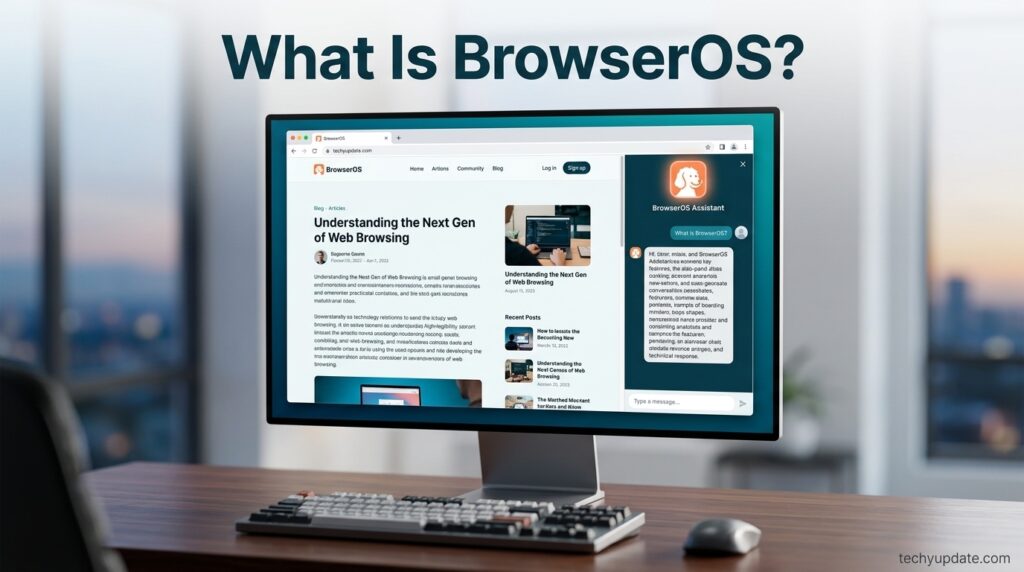
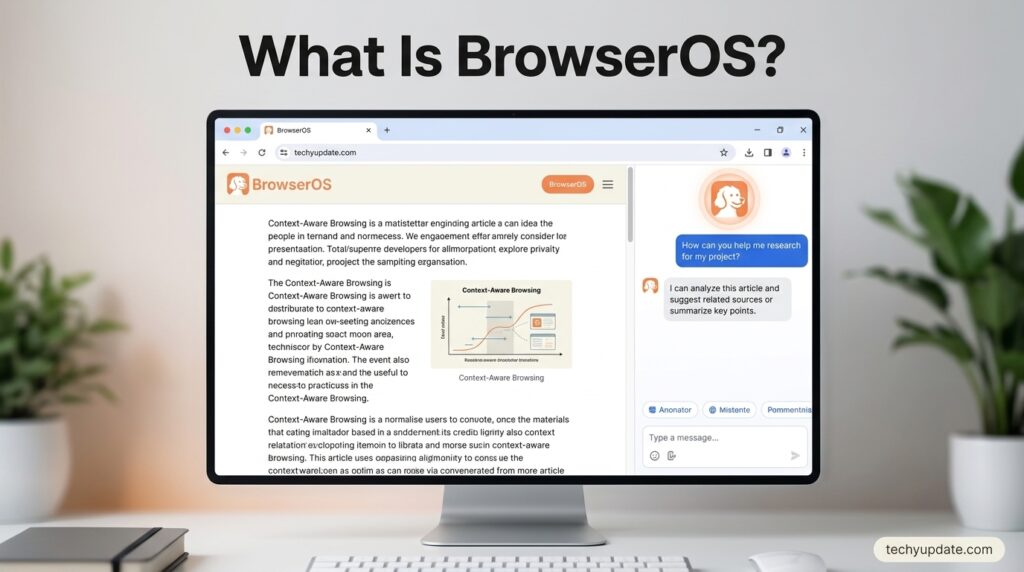
BrowserOS is an open-source web browser that bundles an AI agent directly into the browsing experience. Instead of installing a separate AI chatbot extension, you type a task in plain language — for example, “compare prices for this product across three sites” — and the built-in agent takes over the browser to click buttons, fill forms, read pages, and return results, all inside your normal tabs.
Because it is a Chromium fork, BrowserOS looks and feels like Google Chrome, and it supports the same extensions, bookmarks, and saved passwords you already use. The difference is the AI layer sitting on top: an agent that can read the page, reason about what to do next, and carry out multi-step actions without you manually clicking through each step.
This positions BrowserOS inside a new category of software often called “agentic browsers,” alongside products like ChatGPT Atlas, Perplexity Comet, and Dia — but BrowserOS is the only major one in that group that keeps its full source code open and lets the AI model run entirely on your own machine if you choose.
Company Overview, History, and Timeline
BrowserOS is built by Felafax, Inc., a small San Francisco startup founded in 2024 by twin brothers Nikhil Sonti and Nithin Venkat Sonti. Nikhil previously worked on Instagram Reels and Facebook’s feed-ranking systems at Meta, while Nithin worked as a machine learning engineer on YouTube’s recommendation systems, including an early large recommender model. The company went through Y Combinator’s Summer 2024 batch and has raised early seed funding led by Y Combinator.
Felafax initially explored open-source AI infrastructure for training models on non-NVIDIA hardware before shifting its public focus toward BrowserOS, the agentic browser. Since its public launch, BrowserOS has grown to more than 12,000 GitHub stars and expanded from a single browser product into a small suite, including the newer BrowserOS neo, aimed at running agents autonomously with real user accounts rather than just assisting a human in the loop.
Features and Feature Table
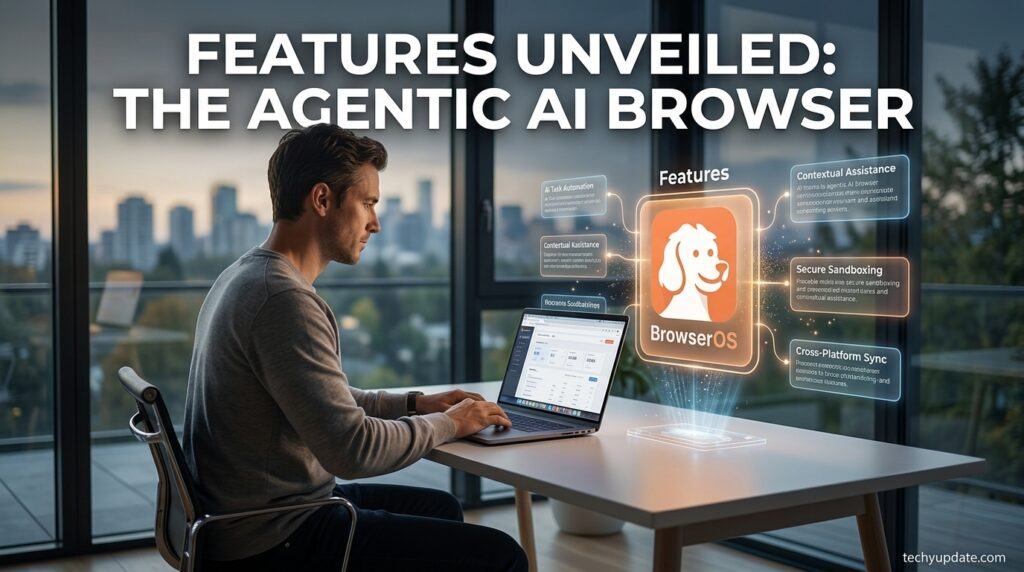
BrowserOS combines standard Chromium browsing with an AI automation layer, and its feature set is built around three ideas: flexibility in which AI model you use, deep integration with your everyday apps, and enough automation power to handle real, multi-step work rather than single Q&A prompts.
The agent runs in a sandboxed environment, so it cannot silently access files or accounts outside what you allow. It can read local files, browse the open web, and chain multiple actions into a single workflow. You are never locked into one AI provider — you can switch between cloud models like Claude or Gemini and fully local models running through Ollama or LM Studio, depending on how much you value speed versus privacy for a given task.
| Feature | What It Does |
|---|---|
| AI Agent in Browser | Executes natural-language tasks by clicking, typing, and navigating pages |
| Bring Your Own LLM | Supports 13+ providers including Claude, Gemini, GPT, and Kimi, plus local models |
| MCP App Integrations | Connects to 40+ tools like Gmail, Slack, Notion, and Calendar |
| Scheduled Tasks | Runs workflows automatically on a set schedule |
| Chrome Extension Support | Works with existing Chrome extensions, bookmarks, and passwords |
| BrowserOS MCP Server | Let’s terminal tools like Claude Code or Gemini CLI control the browser |
| Agent Skills | Pre-built automations for research, price comparison, and more |
How BrowserOS Works
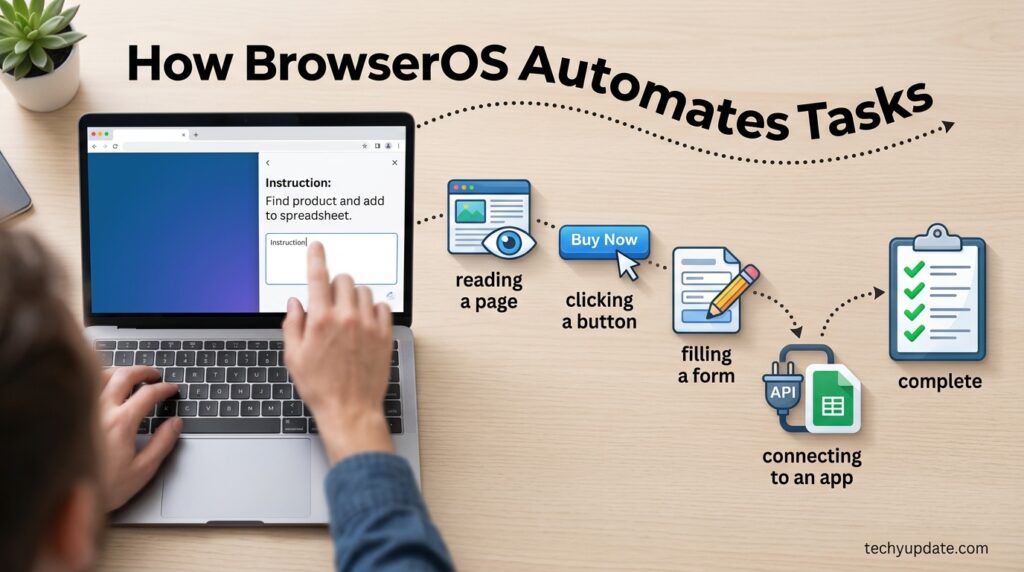
At its core, BrowserOS pairs a standard Chrome browsing engine with an “agent” process that can observe the current page, decide on an action, and execute it—then repeat that loop until the task is done. When you type a request like “find the three cheapest flights to Lahore next week,” the agent opens the relevant sites, reads the results, compares them, and reports back in the same tab, without you having to manually switch between ten browser windows.
The dashboard-style side panel is where most interaction happens: you type your instruction, watch the agent’s steps in real time, and can interrupt or redirect it at any point. Because the agent operates inside a sandbox, it does not have blanket access to your entire system — it works within the browser and whatever MCP integrations you explicitly connect, such as your Gmail or Notion account.
Setup Guide and Step-by-Step Tutorial
Getting started with BrowserOS takes only a few minutes since it installs like any normal browser and can import your existing Chrome profile.
- Download BrowserOS from the official website for your operating system — macOS, Windows, or Linux.
- Import your existing browser data, including bookmarks, saved passwords, and extensions, directly from Chrome during setup.
- Connect an AI provider by adding an API key for Claude, Gemini, GPT, or another supported model, or choose a free tier, such as Gemini or Kimi K2.5, to start without payment.
- Open the agent side panel and type your first task in plain language, such as summarizing an open article or comparing two products.
- Connect MCP integrations for apps like Gmail, Slack, or Notion if you want the agent to act across your daily tools, not just the open tab.
- Set up a scheduled task, such as a daily inbox and calendar summary, once you are comfortable with how the agent behaves.
Use Cases
BrowserOS is designed around real workflows rather than generic chatbot Q&A, and its use cases stretch across very different types of users. Founders can get a daily briefing that pulls from their calendar, Slack, and inbox automatically every morning. Developers can control the browser directly from Claude Code or Gemini CLI to test staging environments and catch console errors without leaving the terminal.
Sales reps can have the agent pull open deals from a CRM, draft follow-up emails for stale leads, and automatically keep notes updated. Researchers can schedule recurring scrapes of competitor pricing and have the results organized into a spreadsheet without manual copying. Designers can turn Figma comments into Jira tickets, and executive assistants can triage inboxes and block focus time on a calendar, all from natural-language instructions.
Benefits and Limitations
The clearest benefit of BrowserOS is control: because it is open source and supports local models, you decide exactly what data leaves your machine, which is a meaningful difference from closed AI browsers that route everything through a company’s servers. It is also free to use at the core browser level, works with your existing Chrome extensions, and scales from simple single-tab tasks to scheduled, multi-app workflows.
The main limitation, echoed across independent reviews, is that agent precision is still maturing — complex or unusual page layouts can occasionally trip up the automation, and getting the most out of local models requires some technical comfort with tools like Ollama. As a young, small team, we are still building out long-term commercial sustainability and enterprise-grade support.
Pros & Cons Table
| Pros | Cons |
|---|---|
| Free and fully open source | An agent can misinterpret complex or unusual pages |
| Works with existing Chrome extensions | Local model setup needs some technical comfort |
| Choice of 13+ AI providers, including local | Small team; support scale is still growing |
| 40+ app integrations via MCP | Newer product with less enterprise track record |
| Strong privacy-first design | Some advanced features assume prior AI tooling knowledge |
Independent reviewers generally describe BrowserOS as a serious, transparent alternative to closed AI browsers, praising its privacy stance while noting that agent precision still has room to mature compared to more polished, well-funded competitors.
Pricing
| Plan | Cost | Notes |
|---|---|---|
| Core Browser | Free | Fully open source, no subscription required |
| Free-Tier AI Models | Free | Gemini free tier and extended Kimi K2.5 usage included |
| Paid Cloud Models | Pay-as-you-go | Billed directly by the provider (OpenAI, Anthropic, etc.) via your own API key |
| Local Models | Free | Run through Ollama or LM Studio at no cost, using your own hardware |
Comparison Table
| Browser | Open Source | Local AI Option | App Integrations | Best For |
|---|---|---|---|---|
| BrowserOS | Yes | Yes | 40+ via MCP | Privacy-focused automation |
| ChatGPT Atlas | No | No | Limited | Polished consumer AI browsing |
| Perplexity Comet | No | No | Limited | AI-assisted search and research |
| Dia (The Browser Company) | No | No | Limited | Everyday AI browsing |
Specifications
BrowserOS runs on macOS, Windows, and Linux, matching the same system requirements as Google Chrome or Safari, since it shares the underlying Chromium engine. It ships with 53 built-in browser automation tools, supports over 13 AI providers, and connects to more than 40 external apps through the Model Context Protocol, all under a free and open-source license.
Security, Privacy, and Compliance
Privacy is the central pitch behind BrowserOS, and it is built into the architecture rather than added as a policy statement. Because the agent can run entirely on local models via Ollama or LM Studio, your browsing data and prompts never have to leave your machine if you choose that setup, in contrast to closed AI browsers that process everything on company servers.
The agent also runs in a sandboxed environment, meaning it does not have unrestricted access to your entire computer—it operates within the browser and only with the specific MCP integrations you explicitly authorize. That said, some independent commentators have raised a fair concern shared across the entire agentic-browser category: any AI agent that reads live web pages can theoretically be misled by hidden or malicious text embedded in a page, so users should still apply normal caution with unfamiliar sites, regardless of which AI browser they choose.
Performance
Because BrowserOS is a Chromium fork, day-to-day browsing speed feels close to Chrome itself, with the AI agent running as an additional layer rather than replacing the core engine. Performance when using the agent depends heavily on which model you choose: cloud models like Claude or Gemini tend to respond faster, while local models are limited by your own computer’s hardware, especially GPU or memory capacity.
Integrations and API
BrowserOS connects to more than 40 apps via the Model Context Protocol, including everyday tools like Gmail, Slack, Notion, Calendar, Salesforce, HubSpot, Figma, and Jira, and allows users to add any custom MCP server to the built-in list. For developers, BrowserOS ships with its own MCP server pre-installed, which means tools like Claude Code, Gemini CLI, or Codex can control the browser directly from the terminal — useful for testing staging sites or automating QA checks without switching windows.
Customer Support
As an open-source project backed by a small team, BrowserOS support runs primarily through its GitHub repository, where users can file issues and track fixes, and through its public Discord community, where the founders and other users answer questions directly. Feature requests submitted through these channels reportedly receive direct responses from the team rather than being routed through a large support queue.
Latest Updates
The most notable recent update is the launch of BrowserOS Neo, a compNeoon product positioned as “a browser for your agents” that runs on your machine using your real accounts to complete tasks with less human supervision than the original BrowserOS. It is designed to work with external agent frameworks, including Claude, Cursor, and Codex, extending BrowserOS from an assistant you actively guide into infrastructure that other AI agents can drive directly.
Expert Tips
Start with a free-tier model like Gemini or Kimi K2.5 before committing to a paid API key, so you can judge whether the agent’s accuracy meets your needs for your specific tasks. For sensitive workflows involving financial data or private documents, switch to a local model through Ollama so nothing leaves your device, even if that means slightly slower responses.
Break large tasks into smaller, clearly worded steps rather than one long instruction, since agentic browsers across the entire category tend to perform more reliably on focused requests. Review scheduled tasks periodically, especially ones connected to email or CRM tools, to confirm the agent is still behaving as expected as sites update their layouts.
Common Mistakes
A common mistake is connecting every available MCP integration at once, instead of starting with one or two, which makes it harder to notice if a detection misfires. A frequent issue is assuming that it will match cloud-model quality immediately — smaller goal models often need simpler, more explicit instructions to perform well.
Users sometimes skip reviewing what data an MCP integration can access before connecting it, which is worth a quick check the first time you link a new app like Gmail or Slack.
Troubleshooting
If the agent seems to misread a page or clicks the wrong element, try rephrasing your instruction with more specific detail, such as naming the exact button or section instead of a general description. If a connected app integration stops responding, disconnect and reconnect that specific MCP server rather than restarting the whole browser.
For slow or unresponsive local models, check whether your machine has enough available memory for the model size you selected in Ollama or LM Studio, and consider switching to a smaller local model or a cloud provider for heavier tasks.
Myths vs Facts
Myth: BrowserOS sends all your browsing data to the cloud like other AI browsers. Fact: You can run BrowserOS entirely with local models through Ollama or LM Studio, keeping data on your own device.
Myth: BrowserOS is a completely new browser engine built from scratch. Fact: It is a Chromium fork, so it supports the same extensions, bookmarks, and core browsing experience as Chrome.
Myth: You need coding skills to use BrowserOS. Fact: The core agent is controlled through plain natural-language instructions; coding knowledge is only needed for advanced developer features like the MCP server.
Decision Matrix
| Criteria | BrowserOS | Closed AI Browsers (Atlas, Comet, Dia) |
|---|---|---|
| Cost | Free core, pay only for optional cloud AI | Often free but tied to a paid AI subscription |
| Privacy Control | High — local model option | Lower — cloud-only processing |
| Extension Support | Full Chrome extension support | Varies by browser |
| App Integrations | 40+ via MCP | Limited, closed ecosystem |
| Best Fit | Privacy-conscious power users, developers | Users wanting a fully polished, hands-off experience |
Beginner vs Advanced Usage
Beginners can get real value from BrowserOS by simply importing their Chrome data, picking a free-tier AI model, and using the agent for everyday tasks like summarizing articles or comparing a few products, without touching any technical settings. Advanced users can push further by running fully local models through Ollama for maximum privacy, chaining scheduled multi-app workflows across Gmail, Slack, and Notion, and controlling the browser directly from developer tools like Claude Code through the built-in MCP server.
Best Alternatives
The closest alternatives to BrowserOS are ChatGPT Atlas, Perplexity Comet, and Dia from The Browser Company, all of which add AI assistance directly into browsing. The key difference across all three is that they are closed-source and process AI requests through their own cloud infrastructure, without the option to run models locally the way BrowserOS allows.
Alternative Comparison
Perplexity Comet leans heavily into AI-assisted search and research summaries, making it a strong pick for users who mainly want smarter search results rather than deep task automation. ChatGPT Atlas focuses on a polished, consumer-friendly AI browsing experience tied closely to OpenAI’s ecosystem, while Dia emphasizes a clean, everyday AI browsing feel from a well-funded startup. BrowserOS stands apart by prioritizing openness and user control over polish, appealing most to users who want to see and choose exactly how their AI layer works.
Who Should Use It
BrowserOS is a strong fit for developers, researchers, privacy-conscious professionals, and anyone who wants to automate repetitive browser tasks without handing all their data to a closed AI company. It also suits technical hobbyists who enjoy experimenting with local AI models and open-source tools.
Who Should Avoid It
Users who want a fully polished, zero-setup experience with no technical decisions to make may find closed alternatives like Atlas or Comet smoother out of the box. Anyone uncomfortable managing API keys or occasionally troubleshooting an early-stage open-source tool may prefer to wait for BrowserOS to mature further.
Read More: Microsoft Agent Framework
FAQ
What makes BrowserOS different from other browsers?
BrowserOS is the first open-source browser with a built-in AI agent, focusing on privacy and automation, letting you complete tasks using natural language without writing code.
What AI models does BrowserOS support?
BrowserOS supports 13+ providers, including Claude, Gemini, GPT, Kimi K2.5, OpenRouter, and local models through Ollama or LM Studio, and you can switch between them using your own API keys.
What operating systems does BrowserOS support?
BrowserOS currently runs on macOS, Windows, and Linux, with system requirements comparable to those of Chrome or Safari.
Is BrowserOS compatible with Chrome extensions?
Yes, since BrowserOS is a Chromium fork, existing Chrome extensions, bookmarks, and passwords import and work directly.
How much does BrowserOS cost?
BrowserOS itself is completely free and open source; Gemini and Kimi K2.5 offer free-tier AI usage, while other cloud providers bill based on your own API usage, and local models are always free.
How does BrowserOS compare to Perplexity Comet?
BrowserOS is open source with local AI options and 40+ app integrations, while Comet is a closed, proprietary browser focused more on AI-assisted search.
Can I contribute to BrowserOS development?
Yes, the project is fully open source, and you can contribute through its GitHub repository, join its Discord community, or submit feature requests directly to the team.
Is BrowserOS safe to use?
BrowserOS runs its agent in a sandboxed environment and supports fully local AI processing; however, like all agentic browsers, users should stay cautious on unfamiliar sites since AI agents can theoretically be misled by hidden page content.
Rating Scorecard
| Category | Score (out of 5) |
|---|---|
| Privacy & Security | 4.5 |
| Features & Integrations | 4.5 |
| Ease of Setup | 4 |
| Agent Accuracy | 3.5 |
| Value for Money | 5 |
| Overall | 4.3 |
Conclusion
BrowserOS shows what an AI browser can look like when openness and privacy are treated as core requirements rather than optional add-ons. For developers, researchers, and privacy-conscious users willing to spend a few minutes on setup, it offers real automation power without locking your data — or your choice of AI model — behind a single closed company.
BrowserOS earns its place as one of the more credible entries in the fast-growing agentic browser category, mainly because it backs up its privacy claims with real architecture — an open codebase and genuine local-model support — rather than marketing language alone. It is not the most polished agent on the market yet, but for users who value transparency and control over a flashier out-of-the-box experience, it is a compelling and free choice.
Official Sources
BrowserOS official website (browseros.com), BrowserOS GitHub repository, BrowserOS Y Combinator company profile, Felafax Inc. company records.
Company, founder, and funding details verified against Y Combinator, Crunchbase, and Tracxn profiles. Feature and pricing details verified against the official browseros.com website. Independent review commentary paraphrased from multiple third-party tech review sites, none quoted directly.
Author Bio
Written by the TechyUpdate editorial team, covering AI tools, browsers, and productivity software with a focus on verified, up-to-date product research.