

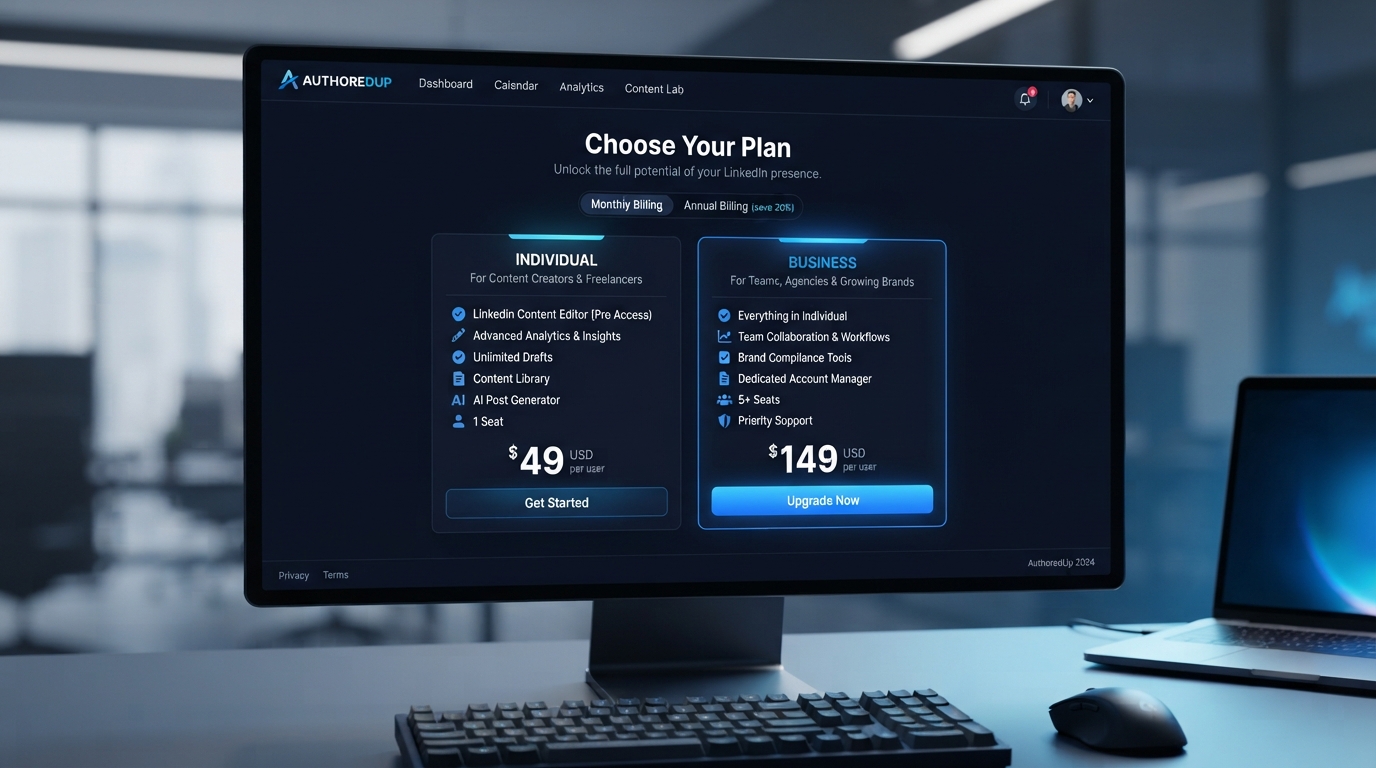
AuthoredUp is a LinkedIn content creation and analytics platform with two main paid plans: Individual and Business. As of September 2026, the Individual plan costs $19.95 per month or $199.50 per year, while Business costs $14.95 per connected LinkedIn profile per month or $149.50 per profile per year, with a three-profile minimum.
There is no permanent free plan currently listed on AuthoredUp’s pricing page. Instead, new users can start with a 14-day free trial without providing a credit card. During the trial, AuthoredUp says users can access its features, and the trial automatically stops when the period ends if they do not subscribe.

The main difference between the paid plans is the number of LinkedIn profiles and team-oriented functionality. Individual is designed for a single profile, while Business is intended for organizations, agencies, employee advocacy programs and teams managing multiple profiles. Business requires at least three connected profiles.
Both plans include the core AuthoredUp editor, drafts, snippets, scheduling, analytics-related functionality and company-page management. AuthoredUp also currently lists Coauthor, its AI writing assistant, as a beta feature available with credits.
This guide explains the current AuthoredUp pricing, what the free trial includes, how the two paid plans differ, what counts as a connected profile, and which type of LinkedIn user each plan is designed for.
Discover More: How to Use AuthoredUp to Write, Rewrite, and Improve Content
Table of Contents
Is There a Free AuthoredUp Plan?
AuthoredUp currently does not list a permanent free plan.
Instead, it offers a 14-day free trial. No credit or debit card is required to start the trial, and AuthoredUp says users can use all of its features during the trial period. When the 14 days expire, the service stops working automatically unless the user subscribes.
This distinction matters when comparing AuthoredUp with software that has a free-forever tier.
What the AuthoredUp Free Trial Includes
According to AuthoredUp’s current documentation:
- 14-day trial
- No credit card required
- Access to the available AuthoredUp feature set during the trial
- Choice between trying the Individual or Business plan
- Ability to test the platform before subscribing
- Trial ends automatically if you do not purchase a plan
The trial is therefore better understood as a full-featured evaluation period rather than a restricted free version.
AuthoredUp Pricing at a Glance
| Plan | Monthly Price | Annual Price | Profiles | Main Audience |
|---|---|---|---|---|
| Individual | $19.95/month | $199.50/year | 1 | Solo creators |
| Business | $14.95/profile/month | $149.50/profile/year | 3+ | Teams, agencies and organizations |
| Free Trial | $0 for 14 days | — | Based on selected plan | New users evaluating AuthoredUp |
AuthoredUp’s annual prices represent two months of savings compared with paying the monthly rate for 12 months. The pricing page currently displays the annual Individual rate as $16.63/month when billed at $199.50/year and Business as $12.46/profile/month when billed at $149.50/year.
AuthoredUp Individual Plan
The Individual plan is designed for people managing their own LinkedIn presence.
AuthoredUp currently prices it at:
$19.95 per month
or
$199.50 per year
The plan includes one connected LinkedIn profile.
Typical users include:
- Freelancers
- Consultants
- Creators
- Job seekers
- Personal-brand builders
- Solo founders
- Professionals managing their own LinkedIn profile
The Individual plan includes the core editor, formatting, previews, drafts, snippets and publishing-related functionality. AuthoredUp also lists scheduling, content calendar, analytics features and its Coauthor AI assistant within the platform.
AuthoredUp Business Plan
The Business plan is designed for users managing multiple LinkedIn profiles.
Current pricing is:
$14.95 per connected profile per month
and
$149.50 per connected profile per year
The minimum requirement is three profiles. That means the minimum Business subscription is currently $44.85 per month when billed monthly, or $448.50 per year when billed annually.
Business adds functionality aimed at teams, including:
- Multiple connected profiles
- Organization management
- Sub-accounts
- Team analytics
- Draft collaboration
- Cohorts
- Team-oriented workflows
AuthoredUp says admins and managers do not themselves occupy paid profile allocations, while billing is based on connected LinkedIn personal profiles.

What Does a “Connected Profile” Mean?
A connected profile represents a LinkedIn account connected to AuthoredUp.
AuthoredUp uses these connected profiles as the basis for Business billing. Company pages are not charged separately.
For example, if an agency needs to manage four personal LinkedIn profiles, it would need four Business profile allocations.
The number of company pages is not added to the bill separately if they are managed through connected profiles with the appropriate LinkedIn access.
Are LinkedIn Company Pages Included?
Yes.
AuthoredUp says company-page management is included with its licenses and does not require a separate company-page fee. The number of company pages itself does not determine the Business subscription cost.
For example, an administrator with one connected LinkedIn profile can manage multiple company pages they have access to without paying separately for each page.
The key billing factor remains the number of connected personal LinkedIn profiles.
What Features Are Included?
AuthoredUp’s current pricing page lists a broad set of content creation, planning and analytics capabilities.
Writing and Formatting
Both Individual and Business include:
- Readability grade and post-length insights
- Emoji formatting
- Bold and italic text
- Bullet and numbered lists
- Post previews
- Images, GIFs, videos and documents
- Polls and events
- LinkedIn-focused editing tools
These tools are designed to reduce the need to move between LinkedIn and external writing applications.
Drafts and Content Library
AuthoredUp includes:
- Unlimited drafts
- Unlimited snippets
- Saved LinkedIn posts
- Draft tagging
- Draft stages
- Draft sharing
- Content organization
The unlimited-draft feature is particularly relevant for users who maintain a backlog of LinkedIn ideas.
Content Calendar and Scheduling
The platform includes a content calendar covering scheduled and published content.
AuthoredUp also supports scheduling posts ahead of publication, with scheduling handled through its extension.
This makes the platform more than a writing editor; it also acts as a planning and publishing workspace.
Analytics
AuthoredUp provides analytics functionality for LinkedIn content.
The platform also supports CSV analytics export and an API for accessing AuthoredUp data programmatically. AuthoredUp’s API documentation says API access is available to users with a valid trial or paid license.
What Is AuthoredUp Coauthor?
Coauthor is AuthoredUp’s AI writing assistant built into its editor.
AuthoredUp says Coauthor can learn a user’s writing voice from their own or saved posts, accept custom instructions and maintain separate voices for different types of content. It works with both profiles and company pages.
As of the current pricing information, Coauthor is still identified as a beta feature.
AuthoredUp says every plan includes Coauthor credits, with additional credits available as a paid add-on.
This means users should distinguish between having access to the Coauthor feature and having unlimited AI generation.
Does AuthoredUp Have AI Writing Limits?
The current pricing page does not present Coauthor as unlimited AI usage.
Instead, AuthoredUp states that every plan includes Coauthor credits, with additional credits available as a paid add-on. Coauthor is currently in beta.
Because credit allocations and add-on terms can change, users should check the current pricing page before subscribing if AI writing volume is an important requirement.
Individual vs Business: What’s the Difference?
The biggest difference is not the core editor.
Both plans receive the core AuthoredUp feature set. The main distinction is the number of connected profiles and the additional organization features available to Business customers.
| Feature | Individual | Business |
|---|---|---|
| Connected profiles | 1 | 3+ |
| Core editor | Yes | Yes |
| Drafts | Unlimited | Unlimited |
| Snippets | Unlimited | Unlimited |
| Scheduling | Yes | Yes |
| Content calendar | Yes | Yes |
| Analytics | Yes | Yes |
| Coauthor | Beta / credits | Beta / credits |
| Company pages | Included | Included |
| Organization management | No | Yes |
| Draft collaboration | No | Yes |
| Team analytics | No | Yes |
| Cohorts | No | Yes |
| Minimum profiles | 1 | 3 |
The exact feature availability should be checked against AuthoredUp’s current pricing page because the product is actively changing.
Monthly vs Annual AuthoredUp Pricing
AuthoredUp offers both monthly and annual billing.
The current Individual pricing is:
- Monthly: $19.95
- Annual: $199.50
- Effective annual monthly rate: $16.63
For Business:
- Monthly: $14.95 per profile
- Annual: $149.50 per profile
- Effective annual monthly rate: $12.46 per profile
The annual option therefore reduces the effective monthly cost compared with paying month-to-month.
How Much Does AuthoredUp Business Cost for Three Profiles?
At the current Business rate of $14.95 per profile per month:
3 × $14.95 = $44.85 per month
For annual billing:
3 × $149.50 = $448.50 per year
The three-profile minimum is important because a single user who only needs one LinkedIn profile cannot select Business simply to obtain its team features.
How to Start the AuthoredUp Free Trial
Starting the trial does not require payment details.
The official process is:
Create an AuthoredUp Account
Register through AuthoredUp and confirm your email address.
Choose a Trial Plan
AuthoredUp allows users to choose between the Individual and Business trial options.
Install the Extension
AuthoredUp uses its Chrome extension as part of the LinkedIn workflow.
Connect LinkedIn
Connect the LinkedIn profile you want to use with AuthoredUp.
Test Your Workflow
During the 14-day period, test the features that matter to you instead of simply browsing the dashboard.
For example:
- Write several posts
- Save drafts
- Test formatting
- Try scheduling
- Review analytics
- Test snippets
- Explore Coauthor if available
- Check company-page workflows if relevant
Decide Before the Trial Ends
If you do not subscribe, AuthoredUp says the trial simply stops working when the 14 days end and you are not charged.
What Happens When the Free Trial Ends?
AuthoredUp states that its trial is not tied to a payment method.
When the 14-day period ends, the service stops working automatically if you have not subscribed. There is no automatic charge because no card is required to start the trial.
This makes the trial relatively straightforward for users who want to test the product without committing to a paid subscription.
Can You Cancel AuthoredUp?
Yes.
Paid subscriptions can be canceled from AuthoredUp’s platform or extension through the account settings.
After cancellation, access remains active until the end of the current paid billing period.
What Is the Value of AuthoredUp?
The value depends largely on how frequently you publish on LinkedIn and how much of your content workflow you want to manage in one place.
For an occasional LinkedIn user, a dedicated paid content platform may offer more functionality than necessary.
For someone who regularly writes, schedules, analyzes and manages LinkedIn content, the combination of editing, drafts, calendar, scheduling and analytics becomes more relevant.
The Business plan serves a different need because its pricing is based on connected profiles and it adds collaboration and organization features.
Read the Full Guide: AuthoredUp Prompts: Practical Examples for Better Writing Results
Who Is AuthoredUp Individual Best For?
The Individual plan is most directly aligned with:
- Solo creators
- Consultants
- Freelancers
- Personal-brand builders
- Founders
- Professionals who post frequently
- Users who want organized LinkedIn drafts and analytics
The key requirement is that you only need one connected personal LinkedIn profile.
Who Is AuthoredUp Business Best For?
Business is designed for:
- Social media teams
- Marketing agencies
- Employee advocacy programs
- Organizations
- Ghostwriters
- Managers handling several LinkedIn profiles
- Teams requiring collaboration and analytics
The minimum three-profile requirement means it is primarily a multi-profile solution.
Who May Not Need AuthoredUp?
AuthoredUp may be unnecessary if you:
- Post on LinkedIn only occasionally
- Do not need scheduling
- Do not need content analytics
- Prefer LinkedIn’s native editor
- Manage only a small amount of content
- Do not need a centralized content library
The decision should therefore depend on workflow requirements rather than simply counting features.
What Should You Test During the Free Trial?
A good trial should answer practical questions.
Test Your Actual Content
Write the types of posts you normally publish.
Test Your Publishing Routine
Try drafting, scheduling and organizing several posts.
Check Analytics
Determine whether the available metrics are useful for how you evaluate content.
Test Coauthor
If AI writing is important, use the available Coauthor credits and evaluate whether its suggestions fit your writing style.
Test Your Team Workflow
Business users should test collaboration, organization and profile management rather than evaluating the product only as a writing editor.
Calculate the Cost
Compare the subscription cost against the amount of time and workflow complexity it removes from your LinkedIn process.
AuthoredUp Pricing: Important Things to Know
Several details are easy to overlook.
There is no permanent free tier listed. The free option is a 14-day trial.
Business pricing is per connected profile. It is not simply one flat team subscription.
Business requires at least three profiles.
Company pages are not separately charged.
Coauthor is currently beta. Its usage is based on credits rather than unlimited generation.
API access is available with a valid trial or paid license. AuthoredUp’s documentation says the API currently has a rate limit of 100 requests per hour per user.
Is AuthoredUp Worth the Price?
There is no universal answer because the value depends on the user’s LinkedIn workflow.
For a frequent LinkedIn creator, features such as unlimited drafts, snippets, scheduling, analytics, formatting, content planning and AI-assisted writing can make a dedicated workflow useful.
For an occasional poster, the monthly subscription may be harder to justify if LinkedIn’s built-in tools already cover their needs.
The 14-day trial is therefore the most practical way to evaluate the service because it allows users to test their own workflow before paying.

Pros & Cons Table
| Pros | Cons |
|---|---|
| 14-day trial does not require a credit card | No permanent free plan is currently listed |
| Individual plan supports one LinkedIn profile | Individual costs $19.95/month |
| Business supports multiple profiles | Business requires at least three profiles |
| Unlimited drafts and snippets | Coauthor is currently beta |
| Scheduling and content calendar included | Coauthor usage is credit-based |
| Company pages included without a separate page fee | Pricing and feature details can change |
| Business includes collaboration and team analytics | Some advanced team features are unnecessary for solo users |
| API access is available with a valid trial or paid license | API has a 100-requests-per-hour rate limit |
Comparison Table — only if relevant
| Option | Cost Structure | Free Access | Best Fit | Main Consideration |
|---|---|---|---|---|
| AuthoredUp Individual | $19.95/month or $199.50/year | 14-day trial | One LinkedIn profile | Dedicated LinkedIn content workflow |
| AuthoredUp Business | $14.95/profile/month or $149.50/profile/year | 14-day trial | 3+ profiles | Team and organization features |
| LinkedIn Native Tools | No separate AuthoredUp subscription | LinkedIn account access | Occasional posters | Fewer dedicated content-management features |
| General AI Writing Tool | Varies by provider | Depends on provider | Broad writing tasks | Usually requires separate LinkedIn workflow |
Alternatives — only if relevant
LinkedIn Native Editor
What it is: LinkedIn’s built-in post creation and publishing environment.
Main strength: Directly integrated with LinkedIn.
Main limitation: It does not provide the same dedicated combination of content library, scheduling, analytics and workflow tools found in AuthoredUp.
Best for: Occasional LinkedIn posters.
ChatGPT
What it is: A general-purpose AI assistant for writing, editing, brainstorming and analysis.
Main strength: Broad AI capabilities beyond LinkedIn.
Main limitation: It is not itself a dedicated LinkedIn publishing and analytics platform.
Best for: Users who primarily want AI writing assistance.
Claude
What it is: A general-purpose AI assistant with writing and analysis capabilities.
Main strength: Flexible content drafting and editing.
Main limitation: A separate workflow is generally needed for LinkedIn scheduling, publishing and specialized analytics.
Best for: Users seeking general AI-assisted writing.
FAQs
Does AuthoredUp have a free plan?
Answer: AuthoredUp currently does not list a permanent free plan. It offers a 14-day free trial without requiring a credit card.
How much does AuthoredUp cost?
Answer: The Individual plan is currently $19.95 per month or $199.50 per year. Business costs $14.95 per connected profile per month or $149.50 per profile per year, with a three-profile minimum.
How long is the AuthoredUp free trial?
Answer: The current free trial lasts 14 days. AuthoredUp says no credit card is required.
Does AuthoredUp automatically charge after the trial?
Answer: No. AuthoredUp says the trial is not connected to a payment method. If you do not subscribe, the service stops working when the trial ends.
What is the difference between AuthoredUp Individual and Business?
Answer: Individual is for one connected LinkedIn profile. Business supports three or more profiles and adds organization management, collaboration, cohorts and team analytics.
Does AuthoredUp charge separately for LinkedIn company pages?
Answer: No. AuthoredUp says company-page management is included with its licenses and does not carry a separate page fee.
Does AuthoredUp include AI writing?
Answer: AuthoredUp includes Coauthor, its AI writing assistant, as a beta feature. Plans include Coauthor credits, while additional credits are available as a paid add-on.
Can I cancel AuthoredUp anytime?
Answer: Yes. AuthoredUp allows users to cancel subscriptions through account settings, and paid access continues until the end of the current billing period.
Quick Take
Main point: AuthoredUp is a paid LinkedIn content creation, scheduling and analytics platform rather than a free-forever tool.
Free option: A 14-day trial is available without a credit card.
Individual: $19.95/month or $199.50/year for one connected profile.
Business: $14.95 per profile/month or $149.50 per profile/year, with at least three profiles.
Main advantage: Combines LinkedIn writing, drafts, scheduling, content planning and analytics in one workflow.
Main limitation: Users looking only for occasional LinkedIn posting may not need a dedicated paid platform.
Conclusion
AuthoredUp’s current pricing structure is relatively straightforward: an Individual plan for one LinkedIn profile and a Business plan for three or more profiles.
The 14-day free trial is the main way to test the service without paying, and no credit card is required.
The Individual plan makes the most sense for people who regularly create and manage LinkedIn content themselves. Business is aimed at organizations, agencies and teams that need multiple profiles, collaboration and team management.
The most important consideration is not simply the number of features. It is whether AuthoredUp’s editor, drafts, scheduling, analytics and content-management workflow solve problems you actually encounter when using LinkedIn.
For AI users, Coauthor adds another layer, but it is currently a beta feature with credit-based usage, so users who specifically want AI writing should evaluate that functionality during the trial rather than assuming unlimited AI generation.
Author Bio
TechyUpdate Editorial Team covers practical technology, AI tools, apps, software and digital productivity, with a focus on clear, useful and independently researched guides.