

If you’ve spent any time in AI art communities over the last two years, you’ve almost certainly seen Leonardo AI mentioned in the same breath as Midjourney, DALL-E, and Stable Diffusion. It started life in late 2022 as a scrappy, game-asset-focused image generator built by a small Australian team, and has since grown into a full creative suite that Canva deemed worth acquiring for a reported price north of $300 million.
That acquisition, finalized in mid-2024, didn’t kill Leonardo’s independence — it still runs as its own product with its own pricing, app, and roadmap, even as pieces of its technology quietly show up in Canva’s Magic Studio tools.

What makes this review timely is that Leonardo AI has changed significantly since its early days as “just another Stable Diffusion wrapper“. The platform now ships its own foundation model, Phoenix, trained from scratch rather than fine-tuned on someone else’s weights. It has folded in third-party video models. It has an AI Canvas that behaves more like a lightweight Photoshop than a single-shot prompt box.
And its plan names have shifted multiple times, leaving a fair amount of outdated pricing information scattered across the web — something we’ll untangle carefully later in this guide.
For this review, we looked at Leonardo.Ai the way a working creator would: not just “does it make pretty pictures,” but does it fit into a real production pipeline, does the free tier actually let you evaluate the tool honestly, and does the paid tier justify itself against the two or three obvious alternatives sitting in the same browser tab.
We paid particular attention to the questions people actually type into Google — is it legit, is it safe, is it worth paying for, and what can you get away with on the free plan — because those are the questions that actually decide whether someone signs up.
This review covers what Leonardo.Ai is, how it works, who it’s genuinely built for, and whether it deserves the trust you’re being asked to put in it — followed by a full pricing breakdown and a direct comparison against Midjourney so you have everything you need to make an informed decision.
Read more: Midjourney Review 2026
Quick Verdict
Leonardo.Ai is a legitimate, Canva-owned AI image and video generation platform built around its in-house Phoenix model, a Photoshop-style AI Canvas, and one of the largest libraries of fine-tuned community models in the category. It’s genuinely good for game artists, marketers, indie creators, and anyone who wants more hands-on control than a typical prompt box gives you. It is not the best pick if you want the most “artistic,” least-fiddly output out of the box — that’s still Midjourney’s home turf. Rating: 4.2/5.
Visit the official Leonardo AI website →
Table of Contents
What is Leonardo AI?

Leonardo.Ai is a browser-based AI image and video generation platform that lets you create visual assets from text prompts, reference images, or both, and then refine them in a built-in editing canvas. It sits in the same general category as Midjourney, Adobe Firefly, and Ideogram, but it differentiates itself through model variety and editing depth rather than trying to win on raw artistic default output alone.
The platform was founded in December 2022 by CEO JJ Fiasson and a small founding team in Sydney, Australia. Unlike many competitors that launched as thin wrappers around open-source Stable Diffusion checkpoints, Leonardo built its early reputation on community-trained, fine-tuned models — hundreds of narrow, purpose-built models trained on specific art styles, from anime to game-ready textures to product photography. That model marketplace is still one of Leonardo’s defining features today.
Version history, briefly: Leonardo launched its core generation product in 2023 and quickly layered on the AI Canvas (in-painting, out-painting, and sketch-to-image tools), 3D texture generation for game developers, and a real-time canvas mode. In mid-2024, Leonardo shipped Phoenix, its first fully in-house foundation model, trained rather than fine-tuned, and marketed on strong prompt adherence and legible in-image text — two areas where diffusion models have historically struggled.
Weeks later, Canva announced it was acquiring Leonardo outright, bringing its roughly 120-person team in-house while allowing Leonardo to keep operating as a standalone product. Since the acquisition, Leonardo has continued to expand: it now offers access to select third-party video models alongside its own image lineup, and Phoenix has evolved into newer versions with better fidelity and speed.
By early 2026, independent trackers put Leonardo’s user base above 30 million registered accounts, with well over 2 billion images generated on the platform cumulatively — a scale that puts it firmly in the top tier of consumer-facing generative art tools, alongside Midjourney and well ahead of most smaller challengers.
Review Methodology
TechyUpdate does not run lab tests, benchmarks or scored rankings. Every guide is built from the tool’s own website — its product pages, pricing pages, documentation and release notes — and, for new features, from the company’s announcements and trusted news coverage, which we list as sources. Prices and plans are checked against the official pricing page, the date of the last check is shown at the top of the article, and when the tool changes we update the guide. Some links are affiliate links; they never change what we write.
Key Features in Depth
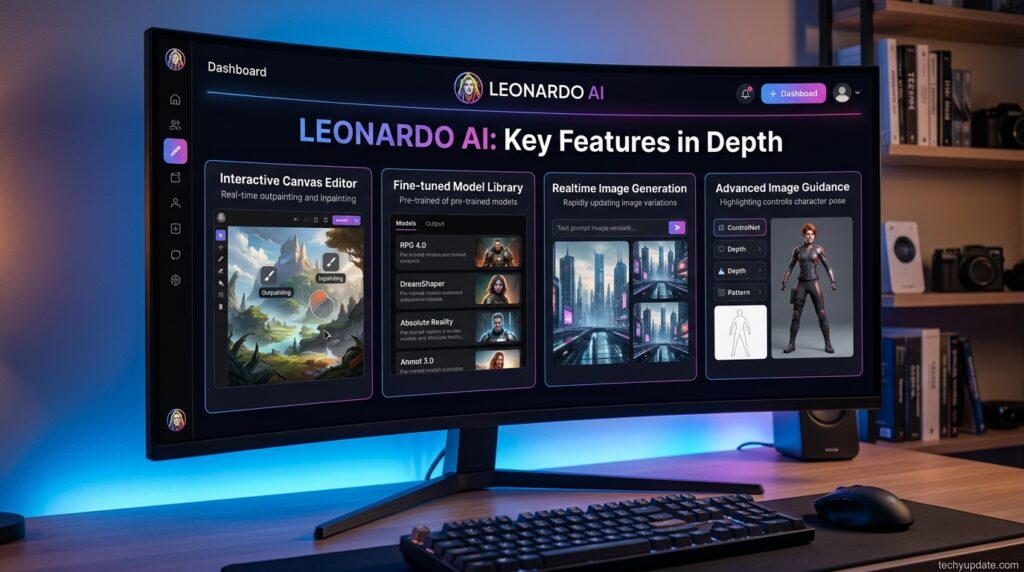
Phoenix Model. Leonardo’s flagship in-house model is built for strong prompt adherence, meaning the image you get tends to match the specifics of your prompt — object counts, spatial relationships, specific colors — more reliably than looser, more “interpretive” models. It also renders in-image text more legibly than most diffusion-based competitors, which matters for anyone generating posters, packaging mockups, or social graphics with actual words.
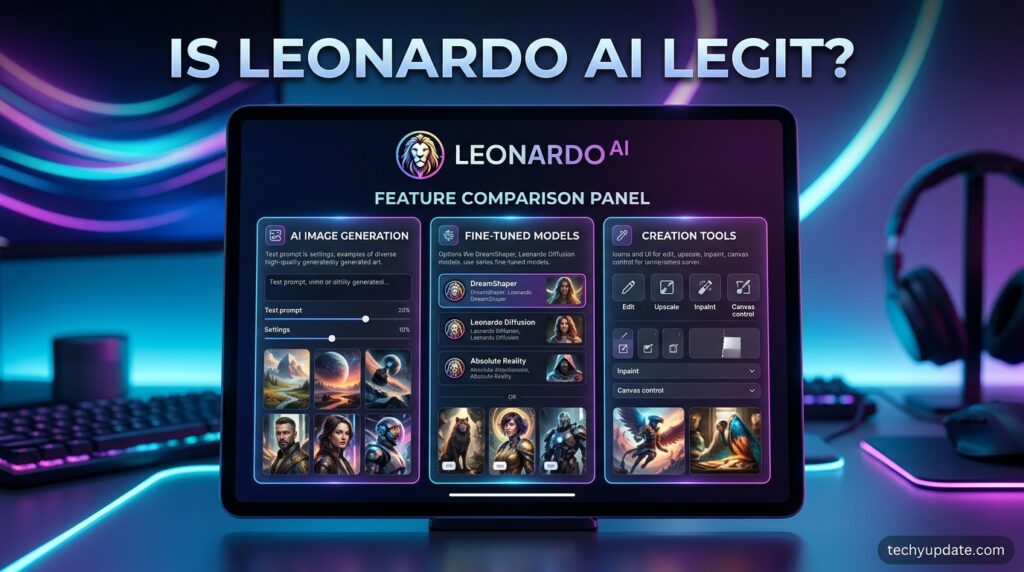
AI Canvas. This is arguably Leonardo’s most distinctive feature. Rather than generating an image and being done, the Canvas lets you extend the image outward (out-painting), selectively regenerate parts of it (in-painting), and blend new AI-generated elements into an existing composition. It behaves much closer to a lightweight Photoshop than a one-shot prompt box, which is exactly the kind of control that professional users tend to ask for and casual prompt tools don’t offer.
Community & Fine-Tuned Models. Leonardo hosts a large marketplace of models fine-tuned by the community and by Leonardo itself for specific niches — anime, game concept art, photorealism, 3D textures, and more. This is genuinely one of Leonardo’s biggest differentiators versus single-model tools: if the default style doesn’t match your project, there’s a good chance a purpose-built model already exists.
3D Texture Generation. Aimed squarely at game developers, this tool generates seamless, tileable textures and applies them to 3D models, saving a step that would otherwise require a separate texturing workflow.
Video Generation. Leonardo has expanded into video by integrating both its own tools and select third-party video models, letting users animate stills or generate short clips from text — useful for social content and quick concept previews, though it’s not positioned as a replacement for dedicated video-generation specialists.
API & Blueprints. For developers and teams that want to build Leonardo’s generation capability into their own tools, the platform offers API access (on qualifying plans) along with “Blueprints” — reusable generation workflows that can be run repeatedly with different inputs — useful for production pipelines that need consistent style across many assets.
Sub-Use-Case Breakdown
Game asset creation — This is Leonardo’s original home turf, and it shows. Concept art, character sheets, environment tiles, and seamless textures are all well supported, and the fine-tuned model library leans heavily toward game-ready styles. Weak spot: precise technical specs (exact pixel dimensions for sprite sheets, tile-perfect seams) still usually need manual cleanup.
Marketing and social content — Strong for quickly producing on-brand visuals, especially now that the Canva relationship makes it easier to move an asset from generation into a polished layout. Weak spot: getting the same character or product to look identical across multiple images still takes real prompt discipline.
Photorealistic portraits and product shots — Phoenix handles this respectably, and PhotoReal-style presets push further toward believable lighting and skin texture. Weak spot: hands, complex jewelry, and text on packaging can still show artifacts, especially at default settings.
Anime and stylized art — One of the strongest categories, thanks to a deep bench of community-trained anime and illustration models. Weak spot: style consistency across a full “episode” or comic page of panels requires careful use of the same seed/model combination.
Concept design and mood boards — Fast iteration with the Canvas makes this genuinely efficient for early-stage ideation. Weak spot: it’s an ideation tool, not a final-render tool, for high-end architectural or industrial design work.
Short-form video and social clips — Usable and improving, but positioned as a value-add rather than the platform’s core strength. Weak spot: clip length and fine motion control still lag behind specialist video-generation tools.
Is Leonardo AI legit?
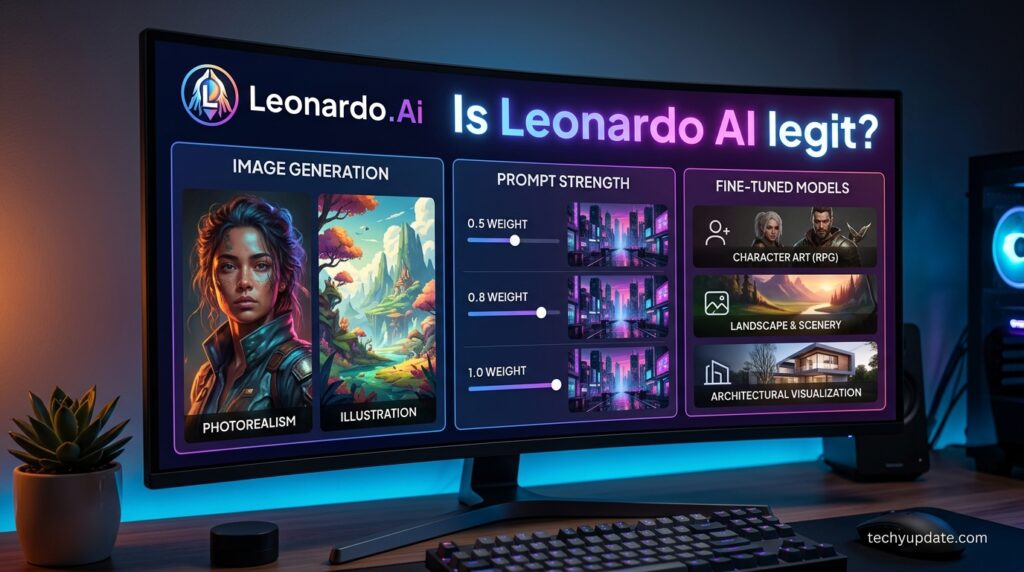
Yes — Leonardo.Ai is a legitimate, verifiable company, not a scam or a fly-by-night wrapper site. It’s a real Sydney-founded business, publicly acquired by Canva in a widely reported 2024 deal, with a transparent pricing page, a working free tier, and a large, active user base measured in the tens of millions. You don’t need to hand over sensitive information beyond a standard account signup, and payment is processed through Stripe rather than an obscure third-party processor.
The “is it legit” question usually hides a more specific worry: will it actually deliver what it promises, and will my money or data be safe? On safety, Leonardo’s terms are fairly standard for the category — free-tier generations are public, and Leonardo retains broader rights over that public content, while paid subscribers get private generations and retain ownership of what they create, which is worth reading carefully before you commit meaningful client work to a free account.
On delivery, the tool does what it advertises: it generates images and video from prompts, with real editing tools layered on top, at the quality level you’d expect from a well-funded, well-staffed AI lab. It’s not a “too good to be true” situation — it’s a mainstream, professionally run product with normal SaaS trade-offs.
Who It’s For
- Indie game developers who need concept art, textures, and asset variations without hiring a full art team.
- Marketing and social teams who need on-brand visuals quickly, especially teams already using Canva.
- Freelance illustrators and concept artists who want a fast ideation tool that still allows manual, layered control.
- Hobbyist creators who want to explore many different art styles without paying for or training separate models themselves.
- Small studios and agencies that need an API-connected pipeline for repeatable, on-brand asset generation at scale.
Real Use Cases
- An indie developer generating dozens of variations of a fantasy weapon icon set, using a single fine-tuned model to keep the style consistent across the whole inventory system.
- A social media manager producing a week’s worth of on-brand Instagram graphics by combining Phoenix-generated backgrounds with brand colors and text added in Canva.
- A freelance book cover designer using the AI Canvas to out-paint a generated character into a full wraparound cover, then in-painting small compositional fixes without regenerating the whole piece.
- A tabletop RPG creator building a full bestiary of monster illustrations using a horror-styled community model, keeping a consistent painterly look across 40+ creature entries.
- A small agency using the API and Blueprints to auto-generate seasonal product mockups for an e-commerce client, cutting manual design hours on repetitive asset variants.
How to Use Leonardo.Ai (Step-by-Step Guide)
- Create a free account at leonardo.ai using an email address or a Google/Apple sign-in.
- Pick a model from the model library — start with Phoenix for general-purpose results, or browse community models for a specific style.
- Write a specific prompt. Include details on subject, style, lighting, and composition; vague prompts yield vague, generic results.
- Generate a batch rather than a single image — comparing 2–4 variations at once helps you spot the strongest composition faster.
- Open the result in AI Canvas to in-paint problem areas (faces, hands, text) or out-paint the composition wider.
- Use Alchemy or higher-quality presets sparingly — they consume more tokens per generation, so reserve them for final passes rather than early exploration.
- Download or export the finished asset, or send it into Canva if you’re already working inside that ecosystem for layout and text.
- Track your token balance as you go, since free-tier tokens reset daily and burn faster on higher-quality settings.
What It Isn’t Great At
Leonardo is not the tool to reach for if you want the single most “artistically opinionated” output with zero fiddling — Midjourney’s default aesthetic still edges it out for many users in that specific, subjective sense. The token system, while flexible, is genuinely confusing at first: costs vary by model, resolution, and feature, and it’s easy for a newcomer to burn through a day’s free tokens faster than expected.
Hands, fine jewelry, and dense in-image text can still show artifacts on default settings, and achieving consistent character across many separate generations requires real prompt and seed discipline rather than being automatic. Finally, free-tier generations are public, which is a meaningful limitation for anyone doing early-stage confidential client work.
Real User Sentiment
Across community forums and review sites, the recurring praise centers on the breadth of the model library and the generosity of the free daily token allowance compared to competitors that offer no free tier. Users consistently single out the AI Canvas as a genuine differentiator rather than a gimmick, especially for iterative, professional workflows.
The most common complaints are about the learning curve of the token system, occasional confusion around which plan currently includes which features (a side effect of Leonardo’s mid-cycle plan renaming), and the sense that, for pure “wow factor” default output, some users still prefer Midjourney’s house style. Sentiment around the Canva acquisition is generally positive, with users hoping (and to some extent already seeing) tighter integration between the two products.
Pros & Cons
| Pros | Cons |
|---|---|
| Genuinely generous free daily token allowance | Hands/text/jewelry artifacts still appear on the default settings |
| Large, diverse library of fine-tuned community models | Plan names have changed recently, causing outdated info online |
| AI Canvas gives real Photoshop-style editing control | Default artistic output can feel less “opinionated” than Midjourney |
| Strong for game assets, textures, and stylized art | Hands/text/jewelry artifacts still appear on default settings |
| Backed by Canva, with growing ecosystem integration | Free-tier generations are public, not private |
| API and Blueprints support production pipelines | Character consistency across generations takes manual effort |
Overall Rating
Overall: 4.2 / 5
- Feature depth: 4.5/5
- Ease of use: 3.8/5
- Output quality: 4.2/5
- Value for money: 4.3/5
- Trustworthiness/legitimacy: 4.6/5
How Leonardo AI Fits Into a Real Production Pipeline
It’s one thing to generate a single striking image; it’s another to fit a tool into a repeatable production process, and this is where Leonardo’s design choices start to make more sense as a coherent whole rather than a pile of separate features.
A studio producing dozens of game assets a week isn’t just generating images once and moving on — they’re iterating on the same character or environment across many variations, often needing to swap out a background, adjust a pose, or regenerate a single problem element without redoing the whole piece. The AI Canvas is designed specifically for that kind of iterative loop, and Blueprints make a proven generation recipe repeatable across an entire batch of assets rather than manually re-entering settings each time.
This production-first thinking also shows up in smaller details that are easy to overlook in a feature list: token rollover means a studio with an uneven weekly workload isn’t punished for a slow week, and the API means a growing team can eventually wire Leonardo directly into their own internal tools instead of manually uploading and downloading through the web app forever.
None of this is unique to Leonardo in isolation, but the combination — model variety, real editing tools, rollover-friendly billing, and API access all under one account — is a meaningfully different proposition than a single-model, prompt-only tool aimed purely at one-off image generation.
Getting Started Guide
New users should start entirely on the free plan and deliberately test at least three different models — Phoenix plus two community models in different styles — before deciding whether to upgrade. Pay attention to how quickly your daily token allowance depletes under your actual workflow (not a light test session), since that’s the single best predictor of which paid tier, if any, you’ll actually need.
If you’re already a Canva user, it’s worth testing how a Leonardo-generated asset flows into a Canva design before committing to a paid Leonardo tier, since that integration may change which plan makes sense for your workflow.
Read more: Leonardo AI vs Midjourney 2026: Full Comparison
Read more: Leonardo AI Pricing 2026: Plans & Alternatives
Frequently Asked Questions
Is Leonardo AI actually free to use?
Yes, Leonardo offers a genuine free plan with a daily token allowance, access to core models, and basic image generation, though free-tier creations are public and don’t include every advanced feature.
Is Leonardo AI owned by Canva?
Yes, Canva acquired Leonardo.Ai in mid-2024, but Leonardo continues to operate as an independent product with its own app, pricing, and roadmap.
Does Leonardo AI use my images to train its models?
Leonardo’s policies distinguish between free and paid tiers around ownership and privacy; paid subscribers generally retain more control, and users should review the current terms before uploading sensitive or client-owned material.
Can I use Leonardo AI images commercially?
Paid subscribers typically retain full ownership and commercial rights to what they generate, while free-tier users receive a more limited license; always confirm current terms for your specific plan before commercial use.
Conclusion
Leonardo AI earns its reputation as one of the more capable, trustworthy AI image platforms on the market. It’s a legitimate, well-funded, Canva-backed product with a real feature set behind the marketing — not just a thin wrapper around someone else’s model. Its combination of a deep model library, a genuinely useful editing canvas, and a free tier generous enough to properly evaluate the tool makes it an easy recommendation for game developers, marketers, and stylized-art creators in particular.
It’s not the right pick if what you want is the single most artistically opinionated output with the least effort, but for anyone who values control and variety, it holds up well. The next question is whether its pricing actually backs up that value.
2 Comments
Pingback: Dora AI Review 2026: Is It Legit? Pricing & Alternatives - TechyUpdate
Pingback: Leonardo AI vs Midjourney 2026: Full Comparison