

Managing links in the digital age sounds simple until you are actually doing it. Long, messy URLs breaking in emails. QR codes that link to the wrong landing page. Your Instagram bio only holds one link. The whole thing becomes a juggling act, and most free tools only solve one piece of the puzzle. That is where Uitly enters the conversation.
Uitly is an all-in-one link management platform that combines URL shortening, dynamic QR code generation, bio link pages, and deep analytics under one roof. Whether you are a content creator trying to manage traffic from ten different platforms, a small business owner running seasonal campaigns, or a digital marketer who needs branded links with measurable ROI, Uitly promises to handle it all from a single, clean dashboard.

In this comprehensive Uitly review, we will cover every feature in detail, compare it to the biggest competitors on the market, break down its pricing, and give you an honest verdict on whether it is genuinely worth your time and money. By the end, you will know exactly whether Uitly belongs in your digital toolkit.
Table of Contents
What is Uitly?
Uitly is a link management platform that helps users shorten URLs, create bio pages, and generate dynamic QR codes from one dashboard. In practical terms, it is built for marketers, creators, small businesses, and teams that want cleaner links, better branding, and trackable engagement.
Uitly’s homepage positions the product around productivity and brand consistency, with a focus on short links for campaigns, mobile-friendly bio pages, and real-time QR code tracking. That makes it useful anywhere a long URL looks messy or a scannable code needs to be measurable.
Uitly is an online link management platform built around three core tools: URL shortening, dynamic QR code generation, and bio link pages. Beyond these foundations, it offers real-time analytics, team collaboration, custom domain support, deep-linking technology, and integrations with popular tools such as Google Analytics, Facebook Pixel, Zapier, and Slack.
The platform is designed to serve a wide range of users, from solo influencers who need a clean link-in-bio solution to small businesses running multi-channel marketing campaigns to agencies managing links across many client accounts.
In simple terms, Uitly is your single hub for everything link-related. Instead of using one tool to shorten URLs, another to generate QR codes, and a third to build your bio page, Uitly rolls all those functions into a single platform with a shared analytics layer.
Uitly Review is it Legit
According to the official website, Uitly appears to be a legitimate product with an active landing page and clearly described features. The homepage presents a coherent product offering, including link shortening, bio pages, and QR codes, which is a typical and legitimate set of features for digital marketing software.
That said, the publicly available information is currently limited. I do not yet see sufficient official documentation on pricing, support, team details, company registration, or legal pages to make a complete assessment of trust. The safest conclusion is that Uitly appears legitimate but still needs deeper verification before it can be recommended as a mission-critical platform.
Uitly Features

Uitly’s official homepage highlights three core products: URL shortening, bio pages, and QR codes. Those are the main features currently verifiable from the site.
Additional feature claims seen in third-party mentions include analytics, team collaboration, and marketing optimization, but those are not yet strongly confirmed on the homepage itself. For SEO and trust purposes, the most strongly supported features are those explicitly shown on Uitly’s own website.
Key Features of Uitly
URL Shortening and Custom Aliases
The core feature of Uitly is its URL shortener. You paste in a long, unwieldy URL, the kind that looks like it was generated by a computer having a bad day, and it converts it into a short, clean link you can share anywhere.
What makes Uitly stand out here is the ability to customize your URL alias. Instead of getting a random string of characters, you can name your link something memorable and on-brand, for example, uitly.io/summer-sale instead of uitly.io/xk82pq. On paid plans, you can also connect a custom domain, so your links read as yourbrand.com/summer-sale rather than using Uitly’s domain at all.
Additional URL shortening features include:
- Expiration dates — set links to stop working after a certain date or number of clicks, perfect for limited-time offers
- Folder organization — keep links sorted by campaign, platform, or client for easy management
- Bulk editing — manage multiple links at once rather than clicking through each one individually
- Dynamic links — update the destination URL without changing the short link itself, which means QR codes and shared links never go stale
This last feature, dynamic links, is particularly valuable for businesses that run ongoing campaigns. If you print a QR code on a flyer pointing to your Christmas sale, you can update the destination to your Valentine’s Day sale without reprinting anything.
Dynamic QR Code Generator
Uitly’s QR code feature goes well beyond the basic static QR codes you can generate for free anywhere online. Uitly creates dynamic QR codes, which means the code itself never changes, but the destination URL can be updated at any time.
You can customize the visual appearance of your QR codes with branded colors, logo overlays, and different frame styles, making them feel like part of your brand rather than a generic black-and-white square. This matters more than it sounds — branded QR codes typically see higher scan rates because they look intentional and professional.
Additional QR code capabilities include:
- Instant generation directly from any shortened link in your Uitly dashboard
- High-resolution download formats suitable for print and digital use
- Scan analytics tracking how many times, when, and where each code was scanned
- Integration with campaign folders so QR code performance is tracked alongside your other links
For businesses with physical locations or printed marketing materials, such as menus, flyers, product packaging, and business cards, the dynamic QR code feature alone can justify the cost of Uitly.
Bio Link Pages
Bio link pages are landing pages that hold multiple links in one place, typically used as the single link in an Instagram or TikTok bio. Uitly’s bio page builder lets you create a visually clean, mobile-optimized hub that includes your social media profiles, website, latest content, products, and offers.
You can build a bio page without any coding or design experience. The interface is drag-and-drop friendly, and you can add or rearrange links instantly. Changes go live immediately — there is no publish queue or approval process.
Features of Uitly’s bio pages:
- Add links to social profiles, websites, videos, and product pages
- Display links with icons, thumbnails, and custom button text
- Match your brand colors and fonts for a professional look
- Track clicks on each individual link within the bio page separately
- Use a custom domain for the bio page itself (on paid plans)
For creators with audiences across YouTube, Instagram, TikTok, Twitter, and a blog simultaneously, a Uitly bio page becomes an essential traffic-routing tool.
Real-Time Analytics Dashboard
Perhaps the most important feature for serious users is Uitly’s analytics dashboard. Every link you create is tracked automatically, and the data is presented in a clear, visual interface — graphs, charts, and maps rather than overwhelming spreadsheets.
Metrics you can track include:
- Total clicks over any date range
- Geographic location of visitors (country and city-level data)
- Device type — desktop vs. mobile vs. tablet breakdown
- Referral source — where your clicks are coming from (social media, email, direct, search)
- Top-performing links across your account
- Time-of-day click patterns to identify peak engagement windows
This kind of granular data allows you to make real decisions. You can see that your Instagram audience mostly uses mobile and clicks in the evenings, while your email list tends to click on desktop in the morning. Adjust your content scheduling accordingly.
On paid plans, the analytics go even deeper, with longer data retention, audience demographic breakdowns, and the ability to export data for reporting.
Deep Linking Technology
Deep linking is one of Uitly’s more technically sophisticated features and a significant differentiator from basic URL shorteners. When a user clicks a deep link on a mobile device, instead of being sent to a generic mobile website, they are sent directly to the relevant section of a native app.
For example, if you share a Spotify playlist link using Uitly’s deep linking, clicking it on a phone opens the Spotify app directly at that playlist rather than routing the user through a browser. The same logic applies to YouTube videos, Amazon product pages, hotel booking pages, and hundreds of other apps.
This removes a layer of friction from the user experience, and that friction reduction translates directly into higher conversion rates. A user who lands exactly where they expected is more likely to take action than one who has to navigate manually to find the content.
Team Collaboration
Uitly supports multi-user access, which makes it viable for marketing teams, agencies, and businesses managing links across multiple campaigns and clients simultaneously.
You can invite team members to your account and assign them different permission levels so that junior staff can create and edit links, while only senior members can access billing or delete campaigns. You can also create separate workspaces within one account, which is particularly useful for agencies managing multiple client brands.
Collaboration features include:
- Invite unlimited team members (on paid plans)
- Role-based access permissions
- Separate workspaces per brand or client
- Shared analytics visibility across the team
- Centralized link and campaign management
This level of team functionality is usually reserved for more expensive enterprise tools, so seeing it available on Uitly’s paid plan represents solid value for small- to medium-sized agencies.
Custom Domain Support
Branded links consistently outperform generic short links. A link reading yourbrand.com/offer communicates trust and professionalism in a way that uitly.io/xk82pq simply cannot.
Uitly supports custom domain integration on its paid plans. You point your own domain or subdomain to Uitly’s infrastructure, and from then on, all your short links use your domain name. Setup is relatively straightforward and does not require advanced technical knowledge.
Custom domain benefits:
- Higher click-through rates due to increased audience trust
- Consistent brand recognition across all marketing channels
- Branded QR codes and bio pages under your own domain
- Professional appearance in email campaigns and social posts
Integrations
Uitly connects to several essential marketing and analytics tools:
| Integration | Purpose |
| Google Analytics | Track bio page and link traffic in GA4 |
| Facebook Pixel | Add retargeting audiences and track conversions |
| Zapier | Automate workflows between Uitly and 5,000+ apps |
| Slack | Receive instant notifications when someone clicks a link |
These integrations mean Uitly does not operate in isolation. It feeds data into your existing marketing stack, allowing you to combine link-level data with your broader campaign analytics.
Developer API
For developers or technically-minded marketers, Uitly offers a robust API that enables programmatic link creation, management, and analytics retrieval. This is particularly valuable for:
- Automatically generating short links for e-commerce product pages
- Building internal tools that use Uitly’s link infrastructure
- Integrating Uitly into custom CMS or CRM systems
- Creating large-scale link campaigns without manual work
Read More: LapZoo Review
How Uitly works
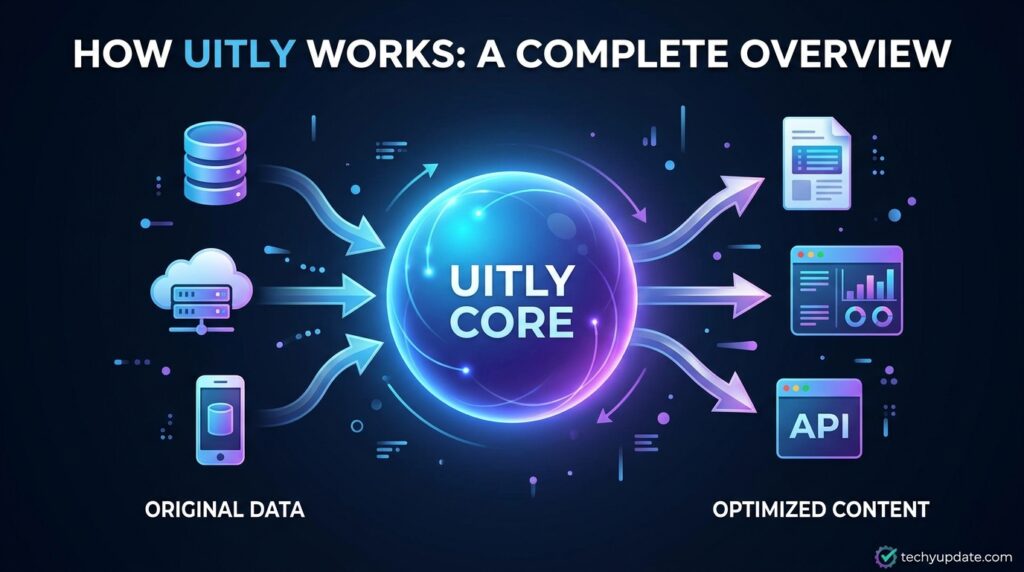
Uitly works like a standard link management tool: you paste a long URL, create a shorter branded link, and then share it across social posts, ads, or messages. The platform also lets users create bio pages and QR codes, which extend the same link into social profiles, print materials, or offline campaigns.
For a simple workflow, think of it this way: create a link, share a link, measure clicks. That structure is easy for beginners and useful for marketers who want a cleaner, more measurable sharing process.
How Uitly Works Step by Step
Getting started with Uitly is genuinely simple. Here is the full process from sign-up to analyzing your first link:

Create Your Account
Go to Uitly and sign up with your email address or connect with a Google account. The free plan activates immediately — no credit card required.
Shorten Your First URL
Paste any long URL into the shortening field on the dashboard. Uitly generates a short link instantly. You can customize the alias to something memorable before saving it.
Generate a QR Code
From any link in your dashboard, click the QR code option. Uitly generates a branded, dynamic QR code you can download for print or digital use. Customize the visual design to match your brand colors and add a logo if desired.
Build Your Bio Page
Navigate to the Bio Pages section and create a new page. Add your links, social profiles, and any promotional content you want to feature. Customize the colors, fonts, and layout, then share the single bio page URL across all your social platforms.
Monitor Analytics
Check the analytics dashboard regularly to see how your links are performing. Filter by date range, traffic source, device type, and geography to understand your audience and optimize your content strategy accordingly.
The entire process from sign-up to first active link takes under five minutes for most users.
Uitly Pricing Plans
Uitly operates on a freemium model with a free plan and one or more paid tiers.
| Feature | Free Plan | Paid Plan |
| URL Shortening | ✅ Basic | ✅ Advanced + Custom Aliases |
| QR Code Generation | ✅ Limited | ✅ Unlimited + Branded |
| Bio Pages | ✅ Basic | ✅ Custom Domain |
| Analytics | ✅ Standard | ✅ Deep + Export |
| Custom Domain | ❌ | ✅ |
| Team Collaboration | ❌ | ✅ |
| Integrations (GA, Pixel, Zapier, Slack) | ❌ / Limited | ✅ Full |
| Developer API | ❌ | ✅ |
| Deep Linking | ❌ | ✅ |
| Priority Support | ❌ | ✅ |
The free plan is a solid starting point for individuals who need basic link shortening and QR code generation with standard analytics. If you are testing the platform or only have modest needs, you can get genuine value without spending anything.
The paid plan unlocks the full platform — custom domains, advanced analytics, team workspaces, all integrations, and the developer API. For businesses and agencies running serious marketing campaigns, the paid tier is the relevant offering.
Exact pricing should be verified directly on Uitly’s website, as plans may be updated.
Which Plan Is Right for You?
- Free Plan — Best for individual creators, students, and anyone testing the platform before committing
- Paid Plan — Best for small businesses, marketers, agencies, and teams who need custom branding, advanced analytics, and collaboration tools
Uitly vs. Competitors
Comprehensive Comparison Table
| Feature | Uitly | Bitly | Rebrandly | Short.io | Linktree |
| URL Shortening | ✅ | ✅ | ✅ | ✅ | ❌ |
| Custom Domain | ✅ (Paid) | ✅ (Paid) | ✅ (Paid) | ✅ (Paid) | ❌ |
| QR Code Generator | ✅ | ✅ (Paid) | ✅ (Paid) | ✅ | ❌ |
| Bio Link Page | ✅ | ❌ | ❌ | ❌ | ✅ |
| Real-Time Analytics | ✅ | ✅ | ✅ | ✅ | ✅ |
| Deep Linking | ✅ | ❌ | ❌ | ✅ | ❌ |
| Team Collaboration | ✅ (Paid) | ✅ (Paid) | ✅ (Paid) | ✅ (Paid) | ✅ |
| Google Analytics Integration | ✅ | ✅ | ✅ | ✅ | ✅ |
| Facebook Pixel | ✅ | ✅ | ✅ | ✅ | ✅ |
| Zapier Integration | ✅ | ✅ | ✅ | ✅ | ✅ |
| Free Plan Available | ✅ | ✅ | ✅ | ✅ | ✅ |
| Starting Price | Freemium | ~$10/mo | ~$13/mo | ~$20/mo | Free+ |
Uitly vs. Bitly
Bitly is the most recognizable name in URL shortening with a massive user base and strong brand trust. However, Bitly’s free plan has become increasingly restrictive over the years, and many features that were once free are now gated behind paid tiers.
Uitly offers a broader feature set at comparable or lower price points, particularly in bio pages and deep linking, both features that Bitly does not offer natively. For users who need more than just a link shortener, Uitly presents a compelling alternative.
Winner by use case:
- Large enterprise with existing Bitly infrastructure → Bitly
- Creator or small business needing all-in-one solution → Uitly
Uitly vs. Rebrandly
Rebrandly is a premium branded link management platform aimed primarily at agencies and enterprise teams. It is excellent at what it does, but its pricing reflects that positioning — it is one of the more expensive options in the category.
Uitly covers most of Rebrandly’s core feature set at a more accessible price point, making it a strong alternative for users who need branded short links and analytics without enterprise-level costs.
Winner by use case:
- Agency with enterprise budget needing advanced team features → Rebrandly
- Small agency or mid-market team needing branded links affordably → Uitly
Uitly vs. Linktree
Linktree is the most widely known bio link page tool and the direct competitor for that specific feature. However, Linktree does not offer URL shortening or QR code generation — it is a single-purpose bio page builder.
Uitly offers everything Linktree does for bio pages, plus a full URL shortener and QR code generator on top. If you are currently paying for Linktree, Uitly could replace it entirely while adding additional capabilities.
Winner by use case:
- User who only needs a bio link page → Linktree (simpler, more templates)
- User who needs bio pages AND link shortening AND QR codes → Uitly
Uitly free plan features
The homepage does not clearly list a pricing page or a visible free-plan breakdown. Because of that, any exact feature list for the free tier would be speculative.
A careful article should say that Uitly appears usable on the website, but the public page does not yet provide enough detail to verify free-plan limits, link caps, or feature restrictions. If you publish this content, the cleanest wording is to describe the free plan only after checking the official pricing or signup flow.
Is Uitly better than Bitly
Uitly may appeal to users who want a simpler, newer link-management experience with bio pages and QR codes in one place. Bitly, by contrast, is a more established player with broader market recognition and more publicly documented enterprise tooling.
From a content perspective, the best answer is that Uitly is not automatically “better” than Bitly; it is better for some users who want a lightweight alternative, while Bitly is better for buyers who prioritize brand familiarity and mature documentation. Since Uitly’s public documentation is still limited, Bitly currently has the stronger trust footprint in search visibility and buyer confidence.
Uitly URL shortener overview
Uitly’s URL shortener turns long links into shorter, shareable ones that look cleaner in posts, bios, and campaigns. The homepage explicitly frames this as a way to maintain consistent branding while making links easier to manage.
This matters for SEO and conversion because short branded links are easier to remember, easier to distribute, and often better suited to social-first marketing. For readers, the key benefit is simplicity: one dashboard for shortening, tracking, and organizing links.
Use the QR Code and Bio Page Tool
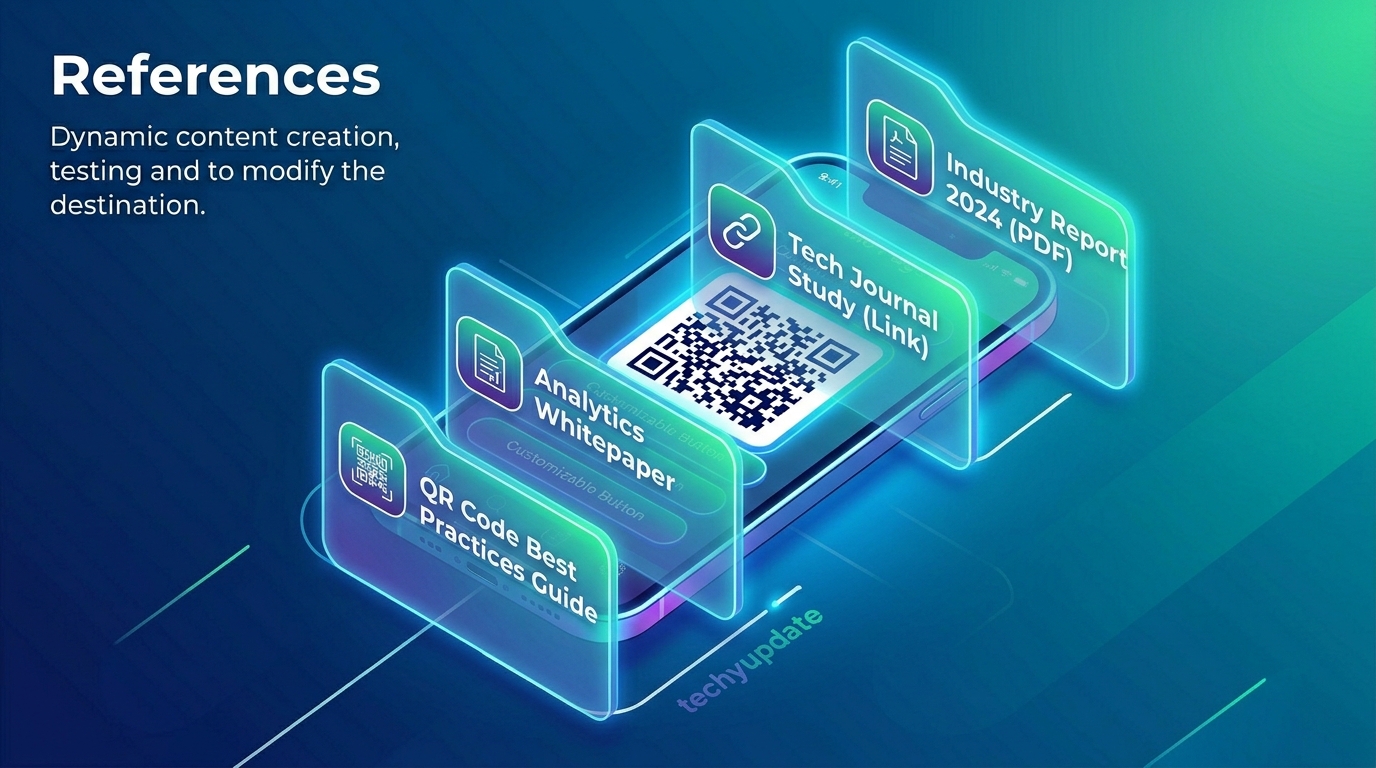
Uitly’s QR code feature creates dynamic codes that can be customized with brand colors and tracked in real time. That makes it practical for packaging, flyers, menus, events, and offline campaigns where scanning behavior matters.
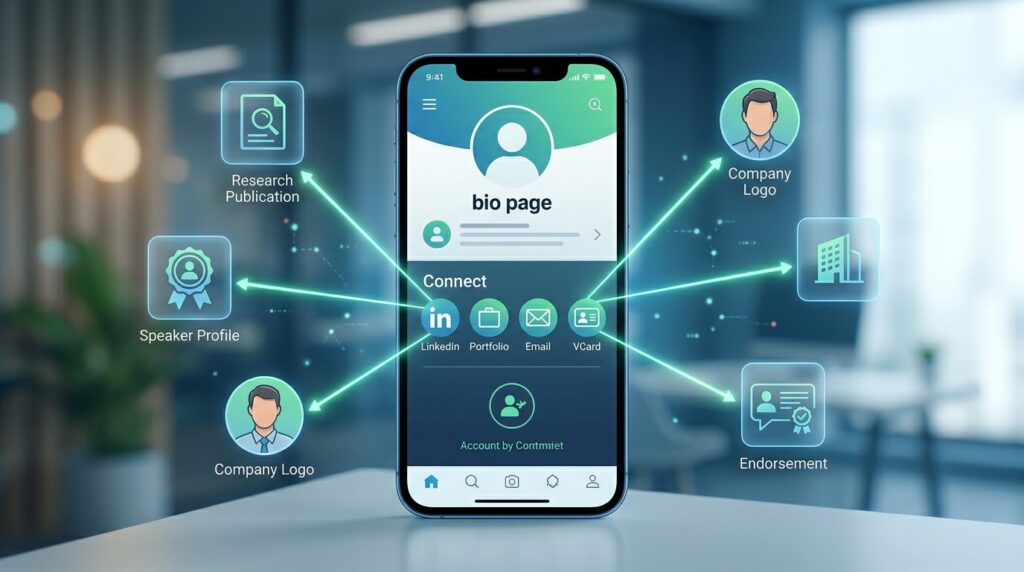
Its bio page tool lets users build mobile-optimized landing pages that gather multiple important links in one place. This is especially relevant for Instagram, TikTok, and creator profiles, where a single link needs to do more work.
What does Uitly offer for free?
The public homepage confirms the product, but it does not clearly spell out a free tier in the visible content. So the honest answer is that Uitly offers link-management functionality through its platform, but the exact free features are not yet fully verifiable from the homepage alone.
For SEO safety, avoid stating specific free limits unless the pricing page confirms them. A better phrasing is: “Uitly appears to provide a free entry point or onboarding access, but the public site does not yet show a detailed free-plan matrix.”
Uitly link shortener honest review
An honest review should say Uitly has a clean, focused product story: shorten links, build bio pages, and generate QR codes. That focus is good because it keeps the platform easy to understand.
The drawback is that the official public site currently offers limited depth on pricing, policies, integrations, and technical docs, which makes it harder to fully evaluate against more established competitors. In short, the product concept looks strong, but the public trust signals still need to be expanded.
Uitly vs Rebrandly Which is Better?
Rebrandly is generally the stronger choice for users who need a mature branded-link platform with more widely documented features and a longer track record in the market. Uitly is the more interesting choice if you want a newer, simpler tool centered on the core trio of short links, QR codes, and bio pages.
If your goal is a polished comparison article, the fair verdict is:
- Choose Rebrandly for a mature brand-link infrastructure.
- Choose Uitly for a cleaner, lightweight alternative.
- Choose based on documentation, integrations, and pricing transparency rather than feature names alone.
Is Uitly worth paying for?
Uitly may be worth paying for if the paid plan unlocks branded domains, analytics, QR code customization, team use, or link management controls that matter to your workflow. However, the public site currently does not provide sufficient verified pricing information to precisely assess value.
For buyers, the deciding factor should be whether Uitly saves time and reduces friction compared with using separate tools for short links, QR codes, and bio pages. If it does, the paid plan could be worthwhile.
Compare Uitly vs Bitly features and pricing
| Not clearly visible on the homepage | Uitly | Bitly |
|---|---|---|
| URL shortening | Verified on official site | Widely known market feature |
| Bio pages | Verified on official site | Available in the category, but not the focus here |
| QR codes | Verified on official site | Common in the category |
| Analytics | Mentioned in third-party sources, not clearly detailed on homepage | Better documented publicly |
| Pricing transparency | Not clearly visible on homepage | More publicly established |
| Brand maturity | Newer / less documented | Stronger market recognition |
The pricing comparison cannot be fully verified from the current public Uitly homepage because no clear pricing table was visible. That means the safest published angle is “compare by visible features first, then verify pricing on the official product flow.”
Best tools for branded short links for small businesses
For small businesses, the best branded short-link tools are those that combine ease of use, tracking, QR code support, and a low learning curve. It fits that model because it centralizes link shortening, bio pages, and QR codes in one place.
A practical shortlist would include:
- Ultimately, for a simple all-in-one approach.
- Bitly, for brand recognition and mature documentation.
- Rebrandly, for branded-link workflows.
- Linkly, for migration-friendly URL management.
- YOURLS, for self-hosted control.
Step-by-step onboarding
How to get started
- Go to the official Uitly site.
- Create an account or begin onboarding from the homepage flow.
- Add your first long URL and generate a short link.
- Create a QR code for offline or multi-channel use.
- Build a bio page if you want a link hub for social profiles.
The public homepage confirms these product areas, but it does not currently show every onboarding screen, so any deeper walkthrough should be treated as a process guide rather than a screenshot-verified tutorial.
Developer and integration notes
Third-party mentions include integrations with Google Analytics, Zapier, Slack, and Facebook Pixel, but these are not yet confirmed on the official homepage. Because of that, an API documentation guide should be written cautiously until official developer docs are published.
For developers, the safest current statement is that Uitly presents itself as a link-management product and may grow into an integration-friendly platform, but the public evidence is not yet enough to document endpoints, authentication, or rate limits.
Free vs paid
| Plan | What is visible publicly |
|---|---|
| Free | Public access to the platform is implied, but exact limits are not clearly shown |
| Paid | Likely intended for branding, tracking, and advanced workflows, but not publicly itemized on the homepage |
Because the site does not expose a public pricing table in the current view, any detailed Free vs. Paid claim should be verified before publication.
Best for
Uitly is best for:
- Small businesses that want easy branded links.
- Creators who need a bio page and QR codes in one workflow.
- Marketers who want simpler link sharing across campaigns.
- Teams that want a central place for link management.
It is less ideal for buyers who need highly documented enterprise compliance details, deep API references, or long-established market proof.
Who Should Use Uitly?
Content Creators and Influencers
If you are active across multiple platforms — YouTube, Instagram, TikTok, a podcast, a newsletter — you are constantly dealing with the challenge of directing your audience to the right place at the right time. Uitly’s bio pages solve the “one link in bio” limitation, while the analytics tell you which content is actually driving traffic and from which platform.
The QR code feature is also valuable for creators who sell merchandise, promote events, or appear in print media. A dynamic QR code on a business card or press kit can be updated to point to your latest project without reprinting anything.
Small Business Owners
Small businesses benefit enormously from the combination of branded short links, dynamic QR codes, and campaign analytics. A local restaurant can put a QR code on every table that links to the menu — and update the menu whenever it changes without reprinting the QR codes. A boutique retailer can track which Instagram posts drive the most website visits and which products generate the most click-throughs.
The team collaboration feature means you can bring in a part-time social media manager or virtual assistant and give them access to exactly what they need without handing over full account control.
Digital Marketers
For marketers running paid campaigns, email sequences, or organic social content simultaneously, Uitly’s centralized analytics dashboard provides a real-time view of link performance across every channel. You can immediately see which campaign is outperforming the others, which audience segment is clicking the most, and which traffic source is driving the highest engagement.
The integrations with Google Analytics, Facebook Pixel, and Zapier mean Uitly data flows into your existing marketing infrastructure rather than living in isolation.
Agencies
Agencies managing multiple client brands need separate workspaces, role-based permissions, and the ability to present clean analytics reports to clients without revealing agency-level account details. Uitly’s team features and multi-workspace support address these requirements directly.
The custom domain support is especially useful for agencies that want to provide white-label, branded links to clients, each on their own domain.
Pros and Cons of Uitly
Pros
- All-in-one platform — URL shortener, QR codes, and bio pages under one roof, eliminating the need for multiple tools
- Beginner-friendly — clean, intuitive dashboard requires no technical knowledge to use
- Dynamic links and QR codes — update destinations without changing the link or code itself
- Deep linking support — sends mobile users directly into apps for a better experience
- Solid analytics — real-time click tracking with geographic, device, and referral data
- Team collaboration — multi-user access with role-based permissions on paid plans
- Integration ecosystem — connects with Google Analytics, Facebook Pixel, Zapier, and Slack
- Custom domain support — branded links on your own domain for professional credibility
- Free plan available — genuinely useful without requiring payment upfront
- Fast redirect performance — millisecond redirect speeds with 99.99% uptime guarantee
Cons
- Advanced features require a paid plan — custom domains, team features, and deep analytics are locked behind payment
- Brand recognition — Uitly is a newer platform and does not yet carry the trust signal of Bitly among enterprise audiences
- Free plan limitations — the free tier is useful for testing, but not sufficient for serious business use
- Limited template variety — bio page templates are functional, but fewer in number than dedicated bio link tools like Linktree
- Pricing transparency — specific pricing tiers should be confirmed on the website, as they may evolve
Real-World Use Cases
Use Case 1: Instagram Influencer Managing Multiple Brand Deals A lifestyle influencer with 50,000 Instagram followers and partnerships with five brands simultaneously can use Uitly to create a single bio page featuring all five partner links with individual click tracking. When a brand asks, “How many people clicked the link?” the influencer has an exact, timestamped answer.
Use Case 2: Restaurant Promoting Seasonal Menus. A local restaurant prints QR codes on table cards that link to the digital menu. When the seasonal menu changes, the restaurant updates the destination URL in Uitly — no reprinting required. The analytics reveal how many diners scanned the code and at what times of day.
Use Case 3: E-Commerce Brand Running Multi-Channel Campaigns An online store runs simultaneous campaigns on Instagram, email, and Google Ads. By creating separate short links for each channel (all pointing to the same product page), the marketing team can see exactly which channel drove the most clicks, conversions, and revenue when combined with Google Analytics data.
Use Case 4: Marketing Agency Managing Ten Clients An agency creates ten separate Uitly workspaces — one per client. Each client’s links use their own custom domain. Team members are assigned to relevant workspaces with appropriate permission levels. Monthly analytics reports are exported from each workspace and presented to clients in branded reports.
Expert Verdict Is Uitly Worth It?
After thoroughly analyzing Uitly’s features, pricing structure, and competitive positioning, the verdict is this: Uitly is a genuinely useful, well-designed link management platform that delivers excellent value, particularly for content creators, small businesses, and marketing teams who need more than a basic URL shortener.
The combination of URL shortening, dynamic QR codes, and bio pages on a single platform is compelling because these tools are naturally complementary. The analytics layer that ties them all together adds the intelligence that makes the data actionable.
The free plan is among the more generous in the category, making it easy to test the platform without any financial commitment. The paid plan unlocks the features that matter most for serious use — custom domains, full integrations, team collaboration, and advanced analytics.
Where Uitly has room to grow is in brand recognition and template variety. It is competing in a market where Bitly has decades of name recognition, and where Linktree has become nearly synonymous with “bio link page.” However, on a pure feature-for-feature comparison at comparable price points, Uitly holds up well and in several areas — notably deep linking and all-in-one integration — it outperforms more established names.
Bottom line: If you are currently using multiple tools to manage links, create QR codes, and build bio pages, Uitly can likely replace them all with a single subscription. That consolidation alone makes it worth evaluating seriously.
Uitly Rating Summary
| Category | Score |
| Ease of Use | ⭐⭐⭐⭐⭐ 5/5 |
| Feature Set | ⭐⭐⭐⭐ 4.5/5 |
| Analytics | ⭐⭐⭐⭐ 4/5 |
| Pricing & Value | ⭐⭐⭐⭐ 4/5 |
| Integrations | ⭐⭐⭐⭐ 4/5 |
| Team Features | ⭐⭐⭐⭐ 4/5 |
| Overall | ⭐⭐⭐⭐ 4.3/5 |
Advanced Features Deep Dive
Understanding Deep Linking in Practice
Deep linking deserves a more detailed explanation because it is one of the most misunderstood and underutilized features in link management. Most URL shorteners simply redirect to a URL — they have no awareness of whether the destination has a native mobile app.
When a user clicks a standard short link pointing to, say, an Amazon product on their iPhone, they land in a mobile browser. If the Amazon app is installed on their phone, they have to manually copy the URL and open it in the app — or just accept the inferior mobile browser experience.
Uitly’s deep linking eliminates this friction. The link detects the device, checks whether the relevant app is installed, and if so, routes the user directly into the app at the correct location. If the app is not installed, the user is redirected to the app store or a fallback mobile URL.
For marketers promoting app-based products or services — Spotify playlists, Amazon products, Airbnb listings, YouTube videos, restaurant apps — this feature can meaningfully improve conversion rates by removing a step from the user journey.
Campaign Management and Link Organization
One of the features that separates Uitly from free or basic URL shorteners is its campaign management layer. Instead of having a flat list of links in your dashboard, you can organize links into campaigns and track aggregate campaign performance.
This is particularly useful when a single marketing initiative involves multiple touchpoints. A product launch campaign might include:
- A YouTube video link is shared in the description
- An Instagram post link tracked in the bio
- An email campaign link with UTM parameters
- A QR code on press materials
- A direct share link for podcast show notes
All five links can live under a single “Product Launch — March 2026” campaign in Uitly. The campaign analytics aggregate the performance of all five links, so you can see the initiative’s total reach, not just individual link metrics.
Zapier Automation Possibilities
The Zapier integration opens up a wide range of automation possibilities that go well beyond what most users initially consider. Some practical examples:
- CRM integration — When a new short link is created in Uitly, automatically log it in HubSpot or Salesforce with campaign tags
- Reporting automation — When a link hits 1,000 clicks, automatically send an email notification or Slack message to the team
- Social posting — When a new blog post is published in WordPress, automatically create a Uitly short link and post it to Twitter
- Lead capture — When a user clicks a specific Uitly link, trigger a follow-up email sequence in Mailchimp
The combination of Uitly’s link intelligence and Zapier’s workflow automation creates possibilities limited more by imagination than by technical capability.
FEATURED

Definition (Optimized)
What is Uitly? Uitly is an all-in-one link management platform that enables users to shorten URLs, generate dynamic QR codes, and build bio link pages. It includes a real-time analytics dashboard, deep linking technology, team collaboration features, custom domain support, and integrations with Google Analytics, Facebook Pixel, Zapier, and Slack. Uitly is designed for content creators, small businesses, marketers, and agencies who want to manage all their links from a single, unified platform.
List — Top Uitly Features
Top 8 Features of Uitly:
- URL Shortening with custom aliases
- Dynamic QR code generator with branding
- Bio link page builder
- Real-time analytics dashboard
- Deep linking for mobile apps
- Team collaboration with role-based permissions
- Custom domain integration
- Integrations with Google Analytics, Zapier, Facebook Pixel, and Slack
Table Snippet — Uitly Pricing
| Plan | Price | Best For |
| Free | $0/month | Individuals, beginners |
| Paid | Check uitly.com | Businesses, teams, agencies |
Comparison Snippet — Uitly vs Bitly
| Feature | Uitly | Bitly |
| URL Shortening | ✅ | ✅ |
| QR Codes | ✅ Free | ✅ Paid only |
| Bio Pages | ✅ | ❌ |
| Deep Linking | ✅ | ❌ |
| Custom Domain | ✅ Paid | ✅ Paid |
| Free Plan | ✅ | ✅ (limited) |
How-To — Create a Short Link with Uitly
- Go to Uitly and create a free account
- Paste your long URL into the shortening field
- Customize the alias (optional)
- Click “Shorten” to generate your short link
- Copy and share the link; track clicks in your analytics dashboard
Frequently Asked Questions
Hey Google, what is Uitly?
Uitly is a link management platform that helps you shorten URLs, create bio pages, and generate dynamic QR codes. It is designed to make sharing easier while keeping your branding consistent across social media, marketing, and offline materials.
Alexa, how do I shorten a URL for free?
Use a link shortener like Uitly by pasting your long URL into the platform, generating a short link, and copying it for sharing. The public homepage confirms short-link creation as a core feature.
What is the best link tool for an Instagram bio?
A strong Instagram bio tool is one that combines bio pages, short links, and a mobile-friendly design. It fits that use case because its homepage explicitly promotes bio pages for social media profiles.
Can I migrate links from Bitly to Uitly?
There is not yet enough official public documentation visible here to verify a Bitly import or migration workflow for Uitly. If migration matters, check whether the platform supports CSV import, redirect preservation, or custom-domain mapping before switching.
What happens to my links if I cancel the paid plan?
The current public site does not clearly document cancellation behavior or link retention rules. A trustworthy article should avoid promising that links remain active without confirmed terms or policy language.
Does Uitly work with WordPress?
No official public WordPress integration is visible on the homepage content reviewed here. Any WordPress compatibility should be verified through official docs or plugin listings.
Can I password-protect links in Uitly?
Password protection is not clearly confirmed on the public homepage material. Treat that feature as unverified until it appears in official documentation or product settings.
What is Uitly and what does it do?
Uitly is an all-in-one link management platform that combines URL shortening, dynamic QR code generation, and bio link page building in a single dashboard. It also provides real-time analytics showing who clicks your links, where, on which device, and from which source. Designed for content creators, marketers, small businesses, and agencies, Uitly helps users manage their digital presence, track campaign performance, and deliver better link experiences to their audiences — all without needing multiple separate tools.
Is Uitly free to use?
Yes, Uitly offers a free plan that includes basic URL shortening, standard QR code generation, a bio link page, and standard analytics. The free plan is suitable for individuals who need simple link management without advanced features. Paid plans unlock custom domains, deep analytics, team collaboration, all integrations, the developer API, and branded QR codes. You can sign up for the free plan without providing a credit card.
How does Uitly compare to Bitly?
Uitly and Bitly both offer URL shortening with analytics, but they differ in several key areas. Uitly adds bio link pages and deep linking natively features that Bitly does not offer. Uitly’s free plan tends to be more generous with QR code generation, while Bitly restricts QR codes to paid plans. For users who need an all-in-one link management solution rather than just a URL shortener, Uitly provides broader capabilities at comparable or lower pricing.
Can I use my own domain with Uitly?
Yes, Uitly supports custom domain integration on its paid plans. You can connect your own branded domain or subdomain to Uitly’s infrastructure, so all your short links use your brand name instead of Uitly’s default domain. Branded links typically achieve higher click-through rates because they communicate trust and professionalism to your audience. Setup is straightforward and requires no advanced technical knowledge or server configuration.
What analytics does Uitly provide?
Uitly’s analytics dashboard provides real-time data on clicks, geographic location (country and city level), device type (desktop, mobile, tablet), referral source (social media, email, direct, search), time-of-day click patterns, and top-performing links. Paid plans add deeper demographic data, longer data retention, and the ability to export analytics for reporting. This data helps users understand their audience and make evidence-based decisions about content strategy and campaign timing.
Does Uitly generate QR codes?
Yes, Uitly generates dynamic QR codes that are visually customizable with brand colors, logo overlays, and custom frame styles. Dynamic QR codes are particularly valuable because you can update the destination URL after the code has been printed and distributed — the QR code itself never changes. Uitly’s QR codes include analytics tracking, so you can see how many times each code was scanned, from which location, and at what time.
What is deep linking, and how does Uitly use it?
Deep linking is a technology that routes mobile users directly to a specific location within a native app rather than to a generic mobile website. Uitly’s deep links detect whether the relevant app (Spotify, Amazon, YouTube, etc.) is installed on the user’s device and, if so, open the app directly at the correct content. This removes friction from the user experience and can meaningfully improve conversion rates for app-based products and services.
Can marketing teams collaborate on Uitly?
Yes, Uitly supports team collaboration on its paid plans. You can invite multiple team members to your account and assign role-based permissions to control what each person can access and edit. You can also create separate workspaces for different brands or client accounts, making Uitly particularly useful for agencies. Shared analytics visibility means the whole team can see campaign performance data without each member needing a separate account.
What integrations does Uitly support?
Uitly integrates with Google Analytics (for traffic tracking in GA4), Facebook Pixel (for retargeting audiences and conversion tracking), Zapier (for automating workflows with 5,000+ other apps), and Slack (for receiving real-time click notifications). These integrations allow Uitly to operate as part of a broader marketing technology stack rather than as an isolated tool, ensuring link data flows into existing analytics and automation systems.
Is Uitly better than Linktree?
Uitly and Linktree overlap on the bio link page feature, but they serve different scopes. Linktree is a dedicated bio page builder with more templates and a larger community. Uitly is a complete link management platform that includes bio pages alongside URL shortening, QR code generation, deep linking, and advanced analytics. If you only need a bio link page, Linktree is simpler. If you also need URL shortening and QR codes, Uitly provides better overall value as it replaces multiple tools.
How fast does Uitly redirect links?
Uitly’s infrastructure is built for speed, with redirects completing in milliseconds according to the platform’s technical specifications. The service also maintains a 99.99% uptime guarantee, meaning your links should be accessible essentially all the time. Fast redirects matter for user experience — a slow redirect can cause users to abandon before reaching the destination, particularly on mobile networks.
Is Uitly safe and secure?
Uitly uses enterprise-grade security measures to protect user data and link infrastructure. The platform enforces HTTPS across all links, and user account data is protected with standard security protocols. As with any third-party platform, users should review Uitly’s privacy policy and terms of service to understand how their data is handled and stored. The 99.99% uptime guarantee indicates reliable infrastructure investment.
Can I create a bio page without any coding skills?
Yes, Uitly’s bio page builder is designed for users without any technical background. The interface uses a visual, drag-and-drop approach where you add links, upload images, and customize colors and layout through simple controls. You do not need to understand HTML, CSS, or any other technical language to create a polished, professional-looking bio page. Most users can set up and publish a bio page within a few minutes of signing up.
How many links can I shorten with the free plan?
The specific limits on Uitly’s free plan number of links, QR codes, and bio pages should be confirmed directly on Uitly’s website, as these limits can change over time. Generally speaking, the free plan is suitable for individuals with modest link management needs, while businesses and power users will find the paid plan provides the volume and features they require.
Does Uitly work for affiliate marketing?
Yes, Uitly is well-suited to affiliate marketing use cases. You can create clean, branded short links pointing to affiliate URLs, making them more trustworthy and shareable than the raw affiliate link. The analytics dashboard lets you track exactly how many clicks each affiliate link receives and which platforms and posts are driving the most traffic. By combining UTM parameters with Google Analytics integration, you can build a detailed picture of your affiliate marketing performance.
Can I set expiration dates on Uitly links?
Yes, Uitly allows you to set expiration dates or click limits on individual links. This is particularly useful for time-limited offers, promotional codes, or exclusive content access where you want the link to stop working automatically after a certain date or after a specific number of people have used it. Expiring links are a good security practice for sensitive content and help ensure that outdated promotional links no longer direct traffic.
Does Uitly have a mobile app?
For the most current information on Uitly’s mobile app availability, it is best to check Uitly’s official website or the Apple App Store and Google Play Store. Many link management platforms offer mobile apps for managing links and checking analytics on the go, and Uitly’s web platform’s mobile responsiveness ensures it works well in mobile browsers regardless.
Is Uitly good for beginners?
Uitly is specifically designed with ease of use as a priority. The dashboard is clean and uncluttered, the core functions — shortening a URL, generating a QR code, building a bio page — are all accessible from one main screen, and the platform does not require any technical knowledge to use. Most beginners can create their first short link within seconds of signing up. The free plan also allows beginners to explore the platform fully before deciding whether to upgrade.
Can I track clicks from different social media platforms separately?
Yes. By creating separate short links for each social media platform — even if they all point to the same destination — you can track clicks from Instagram separately from Twitter, LinkedIn, Facebook, and email. Uitly’s analytics then show you platform-by-platform performance, which informs future content strategy and budget allocation decisions. This is a fundamental campaign tracking technique that Uitly makes very straightforward to implement.
What makes Uitly different from other URL shorteners?
The main differentiator for Uitly is its all-in-one approach, combining URL shortening, dynamic QR codes, and bio link pages with a unified analytics layer. Most URL shorteners only shorten links. Most bio link tools only handle bio pages. Uitly covers all three use cases on a single platform, making it particularly valuable for users who would otherwise need multiple subscriptions. Additional differentiators include deep linking technology, team collaboration with workspaces, and a comprehensive integration ecosystem.
Conclusion
Uitly stands out in an increasingly crowded link management market by doing something most of its competitors do not: combining URL shortening, dynamic QR codes, and bio link pages into a single, cohesive platform without asking users to pay a premium just to access the basics.
For content creators juggling multiple platforms, the all-in-one approach removes real friction. For small businesses running seasonal campaigns, the dynamic link and QR code features alone can save time and printing costs. For marketing teams and agencies, the combination of branded links, deep analytics, team workspaces, and integrations with Google Analytics, Zapier, and Facebook Pixel delivers genuine campaign intelligence rather than vanity metrics.
Is it perfect? No. Newer platforms tend to have less inherent trust than established names like Bitly, and users who need an extensive library of bio page templates may still prefer a dedicated tool like Linktree. But on a pure value basis, features delivered per dollar spent, Uitly competes confidently with tools that cost significantly more.
The free plan makes it easy to find out for yourself, with no financial risk. Spend twenty minutes with the dashboard, create a couple of links, build a test bio page, and the platform’s strengths will become obvious fairly quickly.
If your current setup involves paying separately for a URL shortener, a QR code generator, and a bio link tool, Uitly deserves a serious look. The consolidation alone could save you money, and the analytics might just help you make more of it.
Uitly presents itself as a focused, modern link-management platform for short URLs, bio pages, and QR codes. It has a clear product identity, but the public documentation is still too limited for a fully conclusive “best in class” verdict.