

Updated : Updated with the launch of Carbon‑X, a DNA‑focused conversational model. See what changed ↓
If you’ve spent any time exploring AI chatbots, open-source models, or machine learning tools in 2026, you’ve almost certainly turned to Hugging Face. It’s the platform developers turn to when they want to download a model, test a chatbot, or share a dataset without locking themselves into a single company’s closed ecosystem.
Visit the official Hugging Face website →
What's new in Hugging Face
Hugging Face launches Carbon‑X model to chat with DNA
Hugging Face unveiled Carbon‑X, an open‑source AI model that lets researchers converse with DNA sequences in plain language.
- Who gets it: Bioinformatics scientists and genetic researchers who need a local, customizable tool for DNA analysis.
- Where it runs: The model can be downloaded from Hugging Face and run on the user’s own hardware, keeping sensitive data in‑house.
- What it does: It predicts mutation effects, completes missing sequence fragments, and can generate new DNA strings to aid therapy design.
- Limitations: Output may contain errors or hallucinations, especially with long sequences or insufficient prompts.
- How to use it: Provide a DNA sequence in a text file, ask a natural‑language question, and receive an interpretation or prediction.
For anyone evaluating Hugging Face tools, Carbon‑X offers a specialized, open alternative to cloud‑only chatbots, but its reliability drops on complex or lengthy queries, so critical projects may still need traditional bioinformatics pipelines.
Sources:
- www.cnet.com: Hugging Face Announces AI Model to ‘Chat’ With DNA
- tech.yahoo.com: Hugging Face is launching a new AI model that lets scientists 'chat with DNA'
Earlier updates
- Hugging Face launches free Llama Windows app for local AI inference
What started in 2016 as a teen chatbot app has quietly become the closest thing the AI world has to a shared library — a place where over two million models, hundreds of thousands of datasets, and countless AI assistant projects live side by side. That transformation is worth understanding if you’re deciding whether to build on it.

This review breaks down what Hugging Face actually is, how its chatbot and assistant tools work, what you’ll pay if you go beyond the free tier, and how it stacks up against Replicate, one of its closest competitors in hosted AI infrastructure. We’ll also cover safety, make decisions based on user sentiment rather than tips, so you can decide with confidence rather than relying on marketing copy.
Whether you’re a solo developer experimenting with your first chatbot or a team evaluating infrastructure for a production AI assistant, by the end of this guide you’ll know exactly where Hugging Face fits — and where it doesn’t.
Accurate Information & Source Verification
Getting the details right matters here because Hugging Face’s pricing, ownership, and product lineup shift often, and outdated figures can send readers to the wrong plan or the wrong tool entirely. Incorrect information, a page’s perceived relevance, and bounce rates weaken how relevant a page looks to Google’s ranking systems. Every fact in this review has been checked against Hugging Face’s own site and independent 2026 sources rather than older, recycled write-ups.
Quick Summary
- Category: AI Model Hub, Chatbot & Assistant Infrastructure, Open-Source ML Platform
- Best For: Developers, researchers, and teams building or deploying AI chatbots and assistants
- Platform: Web, API, CLI, Python library
- Pricing: Free tier available; paid plans from $9/month
- Free/Paid: Freemium
- Overall Rating: 4.6/5
- Last Updated: August 2026
Table of Contents
What Is Hugging Face?
Hugging Face is an AI platform and community hub where developers store, share, and deploy machine learning models, datasets, and applications. It’s often nicknamed “the GitHub of machine learning” because it applies the same open, collaborative model that made GitHub essential for code to the world of AI.
For anyone building AI chatbots and assistants, Hugging Face is where you’ll find the raw materials: pre-trained language models, ready-made datasets for fine-tuning, and Spaces — a hosting layer where you can run and demo a working chatbot directly in the browser. The company also ships its own consumer-facing chatbot, HuggingChat, built on open models rather than a single proprietary system.
Key Features
Model Hub
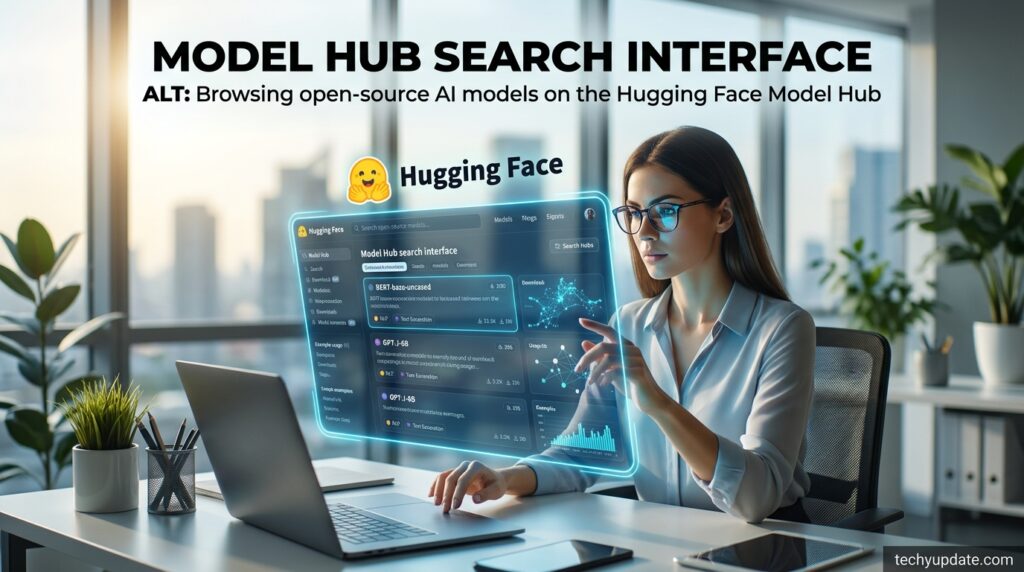
The Hub hosts well over two million open-source models covering text, image, audio, and multimodal tasks, each with a model card documenting its training data, intended use, and limitations. You can use the filtemakingliceeasy framework and its popularity, which makes it realistic to find a workable starting point for an almosbot or assistant project without training something from scratch.
Datasets Library
A searchable library of hundreds of thousands of datasets that can be loaded into a project in a couple of lines of code, covering everything from text classification to speech recognition. Many datasets include viewer previews directly in the browser, so you can inspect the data before committing to download it or write any code.
Spaces
A hosting environment for interactive demos built with Gradio, Streamlit, or static HTML — this is where most public-facing AI chatbots and assistants built on Hugging Face actually run. Spaces can be free (using shared ZeroGPU compute) or upgraded to dedicated hardware once a project needs consistent performance under real traffic.
Transformers Library
The open-source Python library that made transformer-based support accessible to mainstream developers now supports a huge range of architectures beyond text, including vision and audio models. It remains one of the most widely adopted ML libraries in the industry, with frequent releases adding new model support and performance improvements.
Inference Providers & Endpoints
A way to run models without managing your own GPUs, ranging from a shared free tier (ZeroGPU) to dedicated, always-on endpoints billed hourly. This tiered approach lets a chatbot project grow from a weekend prototype into production infrastructure without switching platforms.
AutoTrain
A no-code and low-code tool for fine-tuning models on your own data, aimed at teams without a dedicated ML engineering team. It handles much of the training pipeline automatically, lowering the barrier for smaller teams to customize a model to their chatbot’s tone or domain.
Hgletst
Hugging Face’s own free chatbot interface, which lets users interact with a rotating lineup of open-source models, also serves models rather than a single closed model. It doubles as a US mark for what open-source chatbot quality looks like today, before you decide whether to build something custom.
How Does It Work?
Getting started on Hugging Face follows a fairly simple path, whether you’re browsing models or building Hugging Face from scratch.
- Create a free account on Hugging Face.co — no credit card required.
- Browse or search the Hub for a model or dataset that fits your task, using filters for task type, license, and popularity.
- Load the model into your project using a few lines of the Transformers library, or skip straight to a hosted Space if you just want to test it in the browser.
- Fine-tune if needed using AutoTrain or your own training script, pulling in a dataset from the Datasets Library.
- Deploy your chatbot or assistant as a Space for a public demo, or connect it to a dedicated Inference Endpoint for production traffic.
- Scale up by upgrading to PRO, Team, or Enterprise as your storage, compute, and collaboration needs grow.
Most users start entirely free and only start paying once they need private repositories, more compute, or team-level access controls. This gradual scaling path is one of the more developer-friendly aspects of the platform — you’re rarely forced into a big upfront commitment before you know whether a project is worth investing in.
Brand Overview
- Company: Hugging Face, Inc.
- Founded: 2016
- Headquarters: New York, NY, with a substantial team also based in Paris, France
- Founders: Clément Delangue (CEO), Julien Chaumond (CTO), and Thomas Wolf (Chief Science Officer)
- Industry: Artificial Intelligence, Machine Learning, Open-Source Software
- Official Website: huggingface.co
- Reputation: Widely regarded as the default open-source hub for the AI research and developer community, with tens of thousands of organizations — including major tech companies and public institutions — hosting work on the platform.
Hugging Face has raised roughly $395 million in funding across multiple rounds, reaching a valuation of around $4.5 billion in its most recent disclosed round, backed by investors including Sequoia, Lux Capital, Google, Amazon, and Nvidia. The company has grown from a small team into an organization with several hundred employees, with reported growth of roughly 40% year over year, reflecting the accelerating demand for open-source AI infrastructure across the industry.
Latest Updates (2026)

Hugging Face has shipped several notable updates through mid-2026. The company’s Model Context Protocol (MCP) Server was updated with a new tool that simplifies how AI agents navigate the Hub’s repositories, storage, and documentation. Hugging Face also introduced Sandboxes, secure execution environments attached to storage buckets that speed up dataset analysis, training, and Space creation.
On the collaboration side, Spaces now supports real-time co-editing for Gradio and Streamlit apps, and a new AI-agent-assisted Sparather that configures users to generate build commands instead of configuring everything manually. The platform also crossed the two-million-model milestone on the Hub in early 2026, reflecting continued rapid growth in the open-source ecosystem it anchors.
The company has also expanded partnerships with major hardware and chip providers in 2026, working to make open models easier to run efficiently across different types of processors rather than relying solely on one vendor’s GPUs. For anyone building a chatbot or assistant that needs to run cost-effectively at scale, that kind of hardware flexibility is increasingly relevant to long-term infrastructure decisions.
Benefits
- No vendor lock-in — open weights mean you can move models, fine-tune them, or self-host without asking permission.
- Massive selection — millions of models and datasets mean you rarely start from zero.
- Free tier that’s genuinely usable — public projects, small-scale experimentation, and demos cost nothing.
- Strong community and documentation— model cards, forums, and public examples — make troubleshooting easier than with closed platforms.
- Flexible deployment — from a free ZeroGPU demo to dedicated production endpoints, you can scale gradually rather than jumping straight to enterprise pricing.
- Transparency by default — model cards and open licensing make it easier to understand exactly what you’re deploying, which matters increasingly for compliance-minded teams.
- Cross-hardware support—growing control over non-Nvidia chips — gives teams more room to control infrastructure costs as they scale.
Pros & Cons
| Pros | Cons |
|---|---|
| Enormous free library of models and datasets | Costs can add up quickly once you factor in GPU compute |
| Open weights, no vendor lock-in | Steeper learning curve for non-developers |
| Active community and detailed documentation | Model quality varies since anyone can upload |
| Flexible pricing from free to enterprise | No single unified billing dashboard across services |
| Own chatbot (HuggingChat) available for free | Less polished, all-in-one experience than closed consumer AI apps |
Pricing Plans

| Plan | Price | Best For |
|---|---|---|
| Free | $0 | Public repositories, hobbyists, small-scale experimentation |
| PRO | $9/month | Individual developers wanting more storage and inference quota |
| Team | $20/user/month | Small teams needing collaboration and access controls |
| Enterprise | From $50/user/month | Large organizations needing SSO, audit logs, and compliance support |
Beyond the account tiers, Hugging Face also bills separately for compute and storage: Spaces GPU hardware ranges from roughly $0.40/hour for a basic instance up to $20+/hour for high-end multi-GPU setups, and storage beyond the included quota is billed per terabyte per month. It’s worth budgeting for these usage-based costs separately from the flat monthly plan fee, since they typically make up the bulk of any serious production bill.
For a rough sense of real-world spend: a solo developer prototyping a chatbot on PRO with light GPU usage might pay well under $50 a month all-in, while a small team running dedicated inference endpoints for a production assistant could realistically land anywhere from a few hundred to a few thousand dollars a month depending on traffic and model size. Enterprise customers negotiating volume commitments and custom SLAs typically work directly with the Hugging Face sales team rather than relying on the published per-seat figures.
Hugging Face vs Replicate
| Factor | Hugging Face | Replicate |
|---|---|---|
| Core focus | Model/dataset hub + hosting | Run and deploy models via a simple API |
| Open-source library | Massive (2M+ models) | Smaller, curated model catalog |
| Free tier | Yes, generous | Limited, primarily pay-per-use |
| Self-hosting | Fully supported | Not supported |
| Best for | Building, fine-tuning, and sharing models | Quickly calling a model via API without managing infrastructure |
| Community | Very large, open forums | Smaller, more commercially focused |
The choice between the two often comes down to how much control you want. Hugging Face is the better fit if you want to browse, fine-tune, or self-host a model, or if you’re building something that benefits from a large community and detailed documentation. Replicate tends to appeal more to developers who just want to call an existing model through a clean API, without thinking about the underlying infrastructure at all.
It’s also common for teams to use both: sourcing and fine-tuning a model on Hugging Face, then evaluating hosted inference options across multiple, including Replicate, before settling on whichever offers the best combination of latency, cost, and reliability for their specific chatbot or assistant workload.

Who Should Use It?
Hugging Face is the right fit for developers and researchers who want control—the ability to fine-tune or self-host a model rather than treat it as a black box. It also suits startups and teams building chatbots or AI assistants who want to avoid being locked into a single AI vendor’s pricing and roadmap.
It’s a weaker fit for non-technical users who just want a polished, ready-made chatbot with no setup — for that use case, a consumer product like ChatGPT or Gemini will feel far more immediate, even though HuggingChat exists as a free, open alternative worth trying first.
Educators, researchers, and hobbyists also get real value here even without production goals — the free tier alone is enough to explore, learn, and share work publicly, which is part of why the platform has built such a large and active community over the past decade.
Is It Safe?
Hugging Face publishes model cards that document training data, intended use, and known limitations for most hosted models, which supports transparency compared to fully closed AI systems. Account security includes standard practices like two-factor authentication, and Enterprise plans add SSO and audit logging for organizations with stricter compliance needs.
That said, because the Hub is open to public uploads, not every model or dataset is vetted to the same standard — quality, licensing clarity, and safety testing vary by uploader. Users should check a model’s license and card before deploying it in any chatbot or user assistant, especially for anything customer-facing.
For teams with stricter requirements, Hugging Face’s Enterprise plan adds governance features specifically designed to address this: single sign-on integration with corporate identity providers, audit logging for compliance reporting, and dedicated support channels. Organizations handling sensitive data should treat these as necessary additions rather than optional extras once a chatbot or assistant moves from prototype to production use with real users.
Expert Tips
- Start on the free tier before committing to PRO or Team — most experimentation and even small demos don’t require a paid plan.
- Read the model card fully before deploying any model in production, paying close attention to license terms and documented limitations.
- Use ZeroGPU Spaces for early-stage chatbot prototypes instead of paying for dedicated GPU hours you don’t need yet.
- Separate your seat cost from your compute cost when budgeting — the $9 or $20 monthly fee is rarely the biggest line item once you’re running real-time quality.
- Try an open-source chatbot first if you want to test open-source chatbot quality before investing engineering time in a custom build.
- Check GPU pricing before committing to a workload — a small change in model size or instance type can significantly shift your monthly compute bill.
- Join the community forums if you get stuck — Hugging helpful public discussions are often faster and more useful than official support tickets for common technical questions.
Read more: Best Free AI App Builders
Read more: Google Chrome Web Store Review
Frequently Asked Questions
Is Hugging Face free to use?
Yes. The core Hub, including public models, datasets, and basic Spaces hosting, is free. Paid plans start at $9/month for individuals who need more storage, private repositories, or compute quota.
What is Hugging Face used for?
It’s used to host, share, and deploy machine learning models and datasets, and to build and demo AI chatbots and assistants through its Spaces hosting environment.
Is Hugging Face the same as ChatGPT?
No. Hugging Face is a platform hosting thousands of different open-source models, including its own chatbot, HuggingChat, rather than a single proprietary chatbot like ChatGPT.
Who owns Hugging Face?
Hugging Face, Inc. is a privately held company founded by Clément Delangue, Julien Chaumond, and Thomas Wolf, backed by venture investors including Sequoia and Lux Capital.
Can I build a chatbot on Hugging Face for free?
Yes. You can prototype and host a basic chatbot as a free Space using ZeroGPU-backed compute, though heavier traffic or larger models will eventually require a paid plan or dedicated endpoint.
Is Hugging Face safe for enterprise use?
It can be, particularly on the Enterprise plan, which adds SSO, audit logs, and compliance support. Enterprises should still vet individual models and datasets before deploying to production.
How is Hugging Face different from GitHub?
GitHub hosts general-purpose code repositories, while Hugging Face specializes specifically in ML models, datasets, and AI application hosting, with tooling built around that use case.
Does Hugging Face support fine-tuning models?
Yes, through both the AutoTrain no-code tool and full custom training scripts using the Transformers library and your own compute or Hugging Face’s hosted infrastructure.
Real User Sentiment
Developer reviews of Hugging Face consistently praise the breadth of its model library and the flexibility of moving from free experimentation to paid production infrastructure without switching platforms. Independent reviewers have specifically called out the PRO plan’s value for solo developers, framing the $9 monthly cost as a low bar for meaningfully better compute access.
The most common criticism isn’t about model quality or the platform’s core functionality — it’s about billing clarity. Because spending is split across seat fees, Spaces compute, storage, and Inference Endpoints, some users report being caught off guard by costs that weren’t obvious from the advertised plan price alone. That’s less a hidden fee and more a structural quirk worth understanding upfront rather than a reason to avoid the platform.
Final Verdict
Hugging Face has earned its reputation as the default home for open-source AI, and for good reason — the combination of a massive free model library, genuine self-hosting flexibility, and a pricing ladder that scales from $0 to enterprise makes it hard to beat for anyone who wants control over their AI stack. Developers building chatbots and assistants get real optionality here that closed platforms simply don’t offer.
The trade-off is polish and simplicity. If you want a single, ready-made chatbot experience with zero setup, dedicated consumer products will feel more immediate. But if you’re building something and want to own the model choice, the data, and the deployment path, Hugging Face remains one of the strongest platforms available in 2026.
Sources & References
- Hugging Face official website — huggingface.co
- Hugging Face PRO account page — huggingface.co/pro
- Hugging Face official blog — huggingface.co/blog
- Independent 2026 pricing and company profile research (Tracxn, PitchBook, Wikipedia)
Author Bio
Reviewed by the Techy Update Editorial Team, a group of writers and researchers focused on covering AI tools, chatbots, and developer platforms with verified, up-to-date information.