

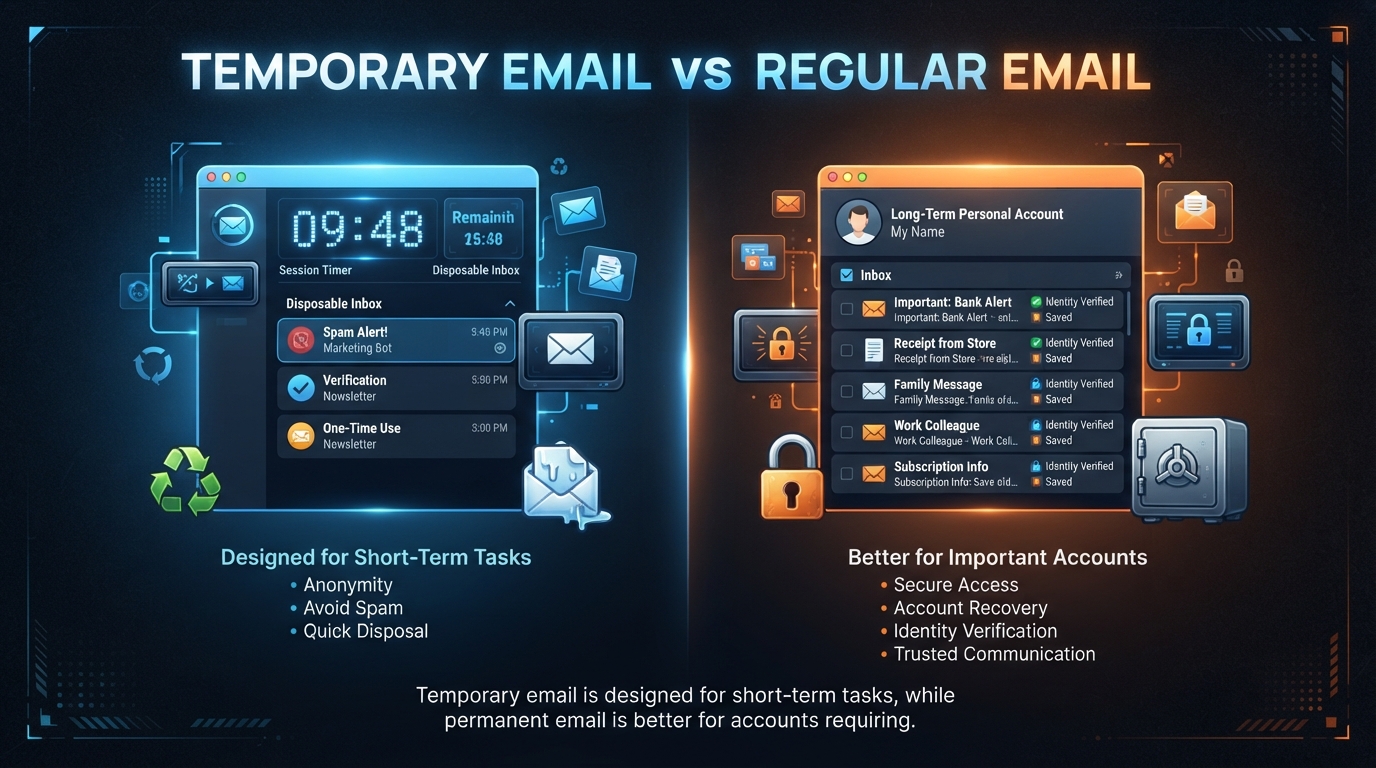
If you need an email address for a quick online registration but do not want to give a website your personal inbox, 10MinuteMail provides a simple temporary email solution. The service generates a disposable email address that can receive messages for a limited period, making it useful for verification emails, one-time registrations, downloads, and other short-term tasks. According to 10MinuteMail’s official FAQ, the address and its messages are designed to self-destruct after the session expires.
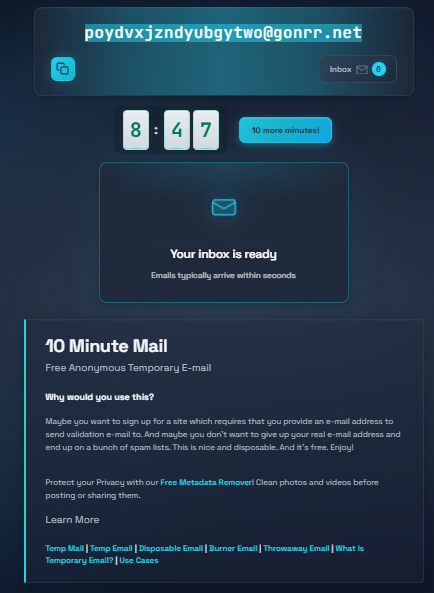
Using 10MinuteMail does not require creating a traditional email account. You open the website, use the automatically generated address, copy it into the website that needs an email, and return to the 10MinuteMail page to check incoming messages. The official site says you can also extend the session when you need more time.
This guide explains how to use 10MinuteMail online step by step, how to receive a verification email, what happens when the timer expires, and when a temporary address is a better choice than your regular email.
Read more: What Is 10MinuteMail? Features, Uses, and Who Should Use It
Table of Contents
What Is 10MinuteMail?
10MinuteMail is a temporary email service that provides a disposable email address for short-term use. The address is generated automatically, and you can receive emails without creating a conventional account.
The service is designed for situations where a website asks for an email address but you do not want to expose your primary inbox to potential marketing messages or spam. Its official FAQ says users do not need to register or provide personal information to obtain an address.
The service has operated since 2006 and describes itself as an anonymous temporary email service.
How Does 10MinuteMail Work?
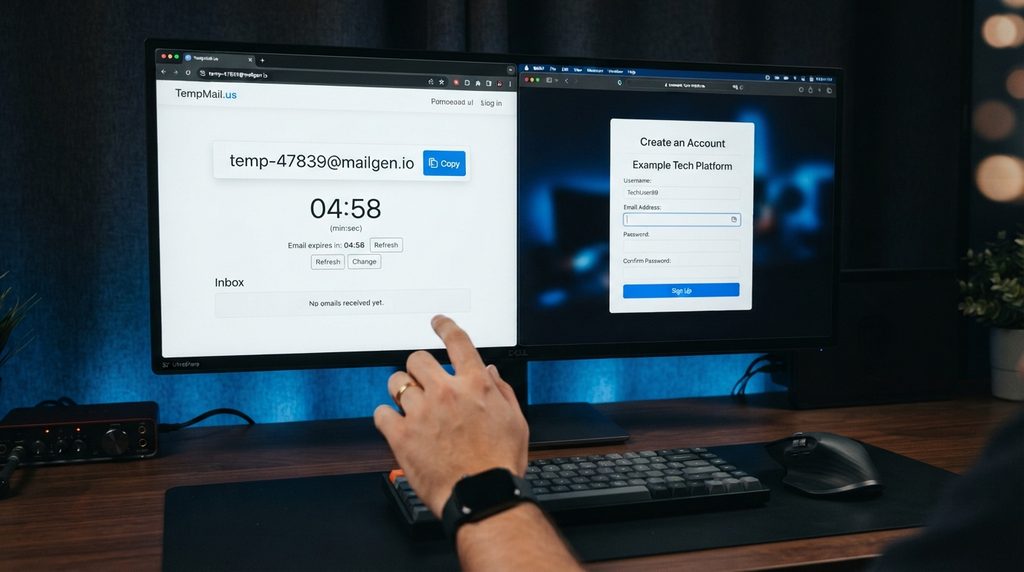
The process is straightforward:
- Open 10MinuteMail in your browser.
- A temporary email address is generated automatically.
- Copy the address.
- Paste it into the website or form that requires an email.
- Return to the 10MinuteMail page.
- Wait for the incoming message.
- Open the message and use the verification link or information you need.
- Let the session expire when you are finished.
The official service says incoming emails appear on the page and can normally be read directly from the temporary inbox.
How to Use 10MinuteMail Online Step by Step
Step 1: Open 10MinuteMail
Open the official 10MinuteMail website in your browser.
You do not need to create an account before getting an address. The service automatically displays a temporary email address when you visit.
Step 2: Copy Your Temporary Email Address
Find the temporary address displayed on the page and copy it.
10MinuteMail provides a copy option next to the address, allowing you to copy it without manually typing the characters.
Keep the 10MinuteMail browser tab open because you will need to return to it to receive and read messages.
Step 3: Enter the Address on the Website You Need
Open the website, registration form, download page, or service that requires an email address.
Paste your 10MinuteMail address into the email field and complete the rest of the form.
Only provide the information genuinely required by the website. A temporary email address does not make an otherwise untrustworthy website safe.
Step 4: Return to Your 10MinuteMail Inbox
After submitting the form, return to the 10MinuteMail tab.
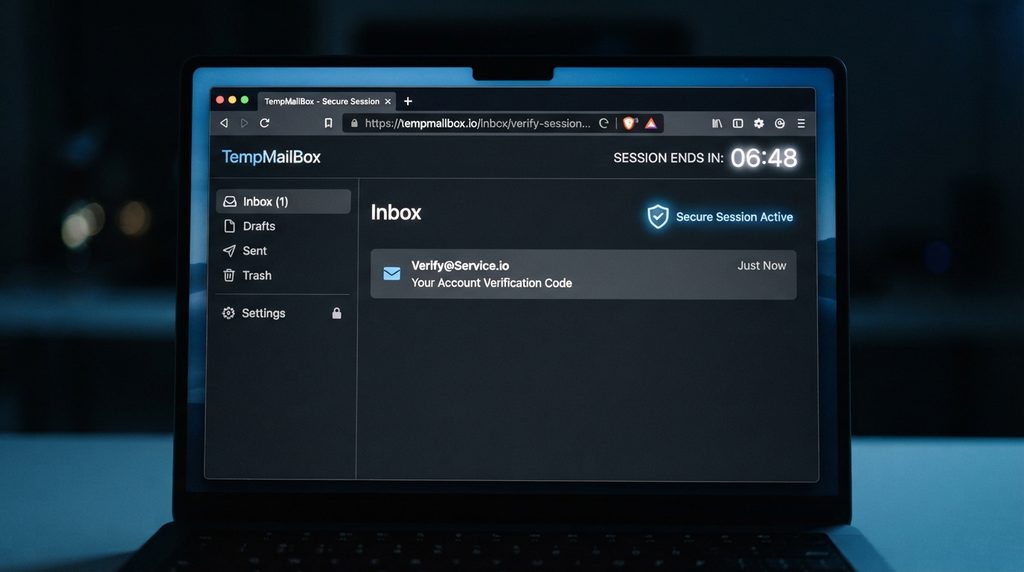
If the website sends a confirmation or verification email, it should appear in the temporary inbox. The official FAQ notes that messages may take a short time to arrive.
If nothing appears immediately, wait briefly and check the inbox again.
Step 5: Open the Verification Email
When the message arrives, click it to read its contents.
Depending on the website, the email might contain:
- A verification link
- A confirmation code
- Registration instructions
- A download link
- Other short-term information
If you need to verify an account, follow the legitimate verification link provided by the service.
Step 6: Complete Your Task
Once you have received the required email and completed the registration or verification process, you can finish your task.
If you need additional time, 10MinuteMail provides an option to extend the session. Its official FAQ calls this “Give me 10 More Minutes.”
Step 7: Let the Temporary Email Expire
When you no longer need the temporary inbox, you can simply stop using it.
According to 10MinuteMail’s official FAQ, when the temporary email expires, the associated messages are deleted and the address stops working shortly afterward.
How to Receive a Verification Email with 10MinuteMail
A common reason to use temporary email is completing a website’s email-verification process.
The basic process is:
Get a temporary address → copy it → register on the website → wait for the verification message → open the message → click the legitimate verification link.
If the message does not arrive immediately, check that:
- You entered the address correctly.
- The registration form was successfully submitted.
- The temporary session has not expired.
- The website actually sends a verification email.
- The website does not block temporary email addresses.
Some websites may reject disposable email domains, so 10MinuteMail will not work for every registration.
Can You Extend 10MinuteMail?
Yes. If the message you are waiting for has not arrived before the timer expires, the official FAQ says you can use the option to receive another 10 minutes.
This can be useful when:
- A verification email is delayed.
- A registration process takes longer than expected.
- You need to read another message.
- A download confirmation has not arrived yet.
However, extending the timer does not turn the address into a permanent email account.
What Happens When 10MinuteMail Expires?
When the temporary session expires, the address and associated messages are deleted according to the service’s official FAQ.
That means you should not use a temporary address for an account that you may need to recover later.
For example, if an important account uses the temporary address for password recovery, losing access to that address could make account recovery difficult or impossible. 10MinuteMail itself specifically warns against using the service for important accounts that may require future password resets.
When Should You Use 10MinuteMail?
10MinuteMail can be useful for short-term situations where maintaining a permanent email relationship is unnecessary.
One-Time Website Registrations
If you need to register on a website once and do not want to expose your primary inbox, a temporary address may be suitable.
Email Verification
A temporary address can receive verification messages when a service requires email confirmation.
Testing an Online Service
If you are evaluating an unfamiliar website or service that requires an email address, temporary email can prevent unnecessary messages from reaching your primary inbox.
Downloads That Require an Email
Some websites request an email address before allowing access to a download. A temporary address can be useful when you do not need continuing communication.
Testing Newsletters
A temporary email can let you preview a newsletter before deciding whether you want to subscribe using your normal address.
When Should You Not Use 10MinuteMail?
Temporary email is not appropriate for every situation.
Avoid it for:
- Banking accounts
- Healthcare accounts
- Primary social accounts
- Important work accounts
- Long-term subscriptions you want to maintain
- Accounts requiring future password recovery
- Accounts containing important personal information
The main problem is simple: you may lose access to the email address and its messages after expiration.
For important accounts, use a permanent email address that you control.
Is 10MinuteMail Safe?
10MinuteMail is designed as a privacy-focused temporary email service, but temporary email should not be treated as a replacement for secure communication.
The service states that its email data is stored in memory rather than permanent storage and that messages are deleted when the session expires.
There are still practical limitations. Regular email itself is not inherently end-to-end encrypted, and a temporary address does not make every website or communication secure.
For sensitive information, use an appropriate secure communication method rather than relying on disposable email.
Does 10MinuteMail Require Registration?
No. The official FAQ states that users do not need to sign up or provide personal information to obtain a temporary address.
That is one of the main differences between temporary email and a conventional Gmail, Outlook, or similar account.
What If a Website Rejects 10MinuteMail?
Some websites block temporary or disposable email addresses.
If that happens, you may see an error saying that the email domain is not accepted.
Do not attempt to bypass a website’s security or registration restrictions. If the service requires a permanent email for legitimate reasons, use a regular email address or follow the site’s supported registration process.
10MinuteMail vs Regular Email
| Factor | 10MinuteMail | Regular Email |
|---|---|---|
| Setup | Instant | Usually requires account creation |
| Registration | Not required | Usually required |
| Lifespan | Temporary | Long-term |
| Main purpose | Short-term tasks | Ongoing communication |
| Password recovery | Poor choice | Suitable |
| Spam protection | Keeps disposable activity separate | Depends on provider and settings |
| Best use | One-time registrations and verification | Important and permanent accounts |
The biggest difference is persistence. A regular email account is designed to remain available, while 10MinuteMail is designed to disappear after its temporary session ends.
Pros & Cons Table
| Pros | Cons |
|---|---|
| Quick temporary address | Not suitable for important accounts |
| No traditional registration required | Address expires |
| Useful for verification emails | Some websites may block disposable addresses |
| Helps avoid exposing your primary inbox | Expired messages cannot be recovered |
| Simple browser-based workflow | Not intended for long-term communication |
Comparison Table — only if relevant
| Feature | 10MinuteMail | Regular Email Account |
|---|---|---|
| Temporary address | Yes | No |
| Account creation | No | Usually required |
| Long-term storage | No | Yes |
| Verification emails | Yes | Yes |
| Suitable for password recovery | No | Yes |
| Best for | Short-term tasks | Long-term accounts |
| Automatic expiration | Yes | No |
Alternatives — only if relevant
If a website does not accept temporary email, a permanent secondary email account can be a more appropriate option.
Secondary Email Account
What it is: A separate permanent inbox used for registrations and lower-priority services.
Main strength: You retain access for future password resets and account recovery.
Main limitation: It does not provide the same automatic expiration as disposable email.
Best for: Services you expect to use more than once.
Email Aliases
What it is: An alternate address connected to a permanent mailbox.
Main strength: Lets you separate registrations from your primary address while retaining access.
Main limitation: Availability and features depend on your email provider.
Best for: Long-term privacy and inbox organization.
FAQs
Is 10MinuteMail free?
Yes. 10MinuteMail provides temporary email addresses without requiring traditional registration or payment.
How long does a 10MinuteMail address last?
The standard temporary session lasts 10 minutes. The service also provides an option to extend the session when additional time is needed.
Can I use 10MinuteMail for verification emails?
Yes. Receiving verification and confirmation emails is one of the main purposes of temporary email services.
Do I need to create an account?
No. The official 10MinuteMail FAQ says no signup or personal information is required to obtain a temporary address.
Can I recover emails after 10MinuteMail expires?
No. According to the official FAQ, expired emails are not saved and cannot be recovered.
Can I use 10MinuteMail for banking?
No. A temporary email is a poor choice for banking or other important accounts because you may need the address later for password recovery or account verification.
What happens after the 10 minutes?
The temporary email address and its associated messages are deleted when the session expires, according to 10MinuteMail’s official information.
What should I do if my verification email does not arrive?
First, confirm that you entered the temporary address correctly and that the session is still active. Wait briefly for delivery, then check the inbox again. If the website blocks temporary addresses, you may need to use a supported permanent email address.
Quick Take
Main point: 10MinuteMail provides a quick temporary email address without traditional account registration.
Best use case: One-time registrations, verification emails, downloads, and short-term online tasks.
Main advantage: You can avoid exposing your primary email address when a permanent inbox is unnecessary.
Main limitation: The address and messages expire, so it should not be used for important accounts or future password recovery.
Best alternative: A secondary permanent email account is better when you need continued access.
Conclusion
10MinuteMail is useful when you need a working email address for a short-term online task without connecting the activity to your primary inbox. The process is simple: open the service, copy the generated address, use it on the required website, receive the verification message, and complete your task before the temporary session expires.
Its biggest advantage is also its biggest limitation: the email address is temporary. Once it expires, you should not expect to recover important messages or use the address for future account recovery.
For quick registrations and one-time verification, 10MinuteMail can be practical. For banking, work, healthcare, primary social accounts, or anything you may need to recover later, a permanent email account is the safer choice.
Author Bio
TechyUpdate Editorial Team covers practical technology, AI tools, apps, software and digital productivity, with a focus on clear, useful and independently researched guides.