

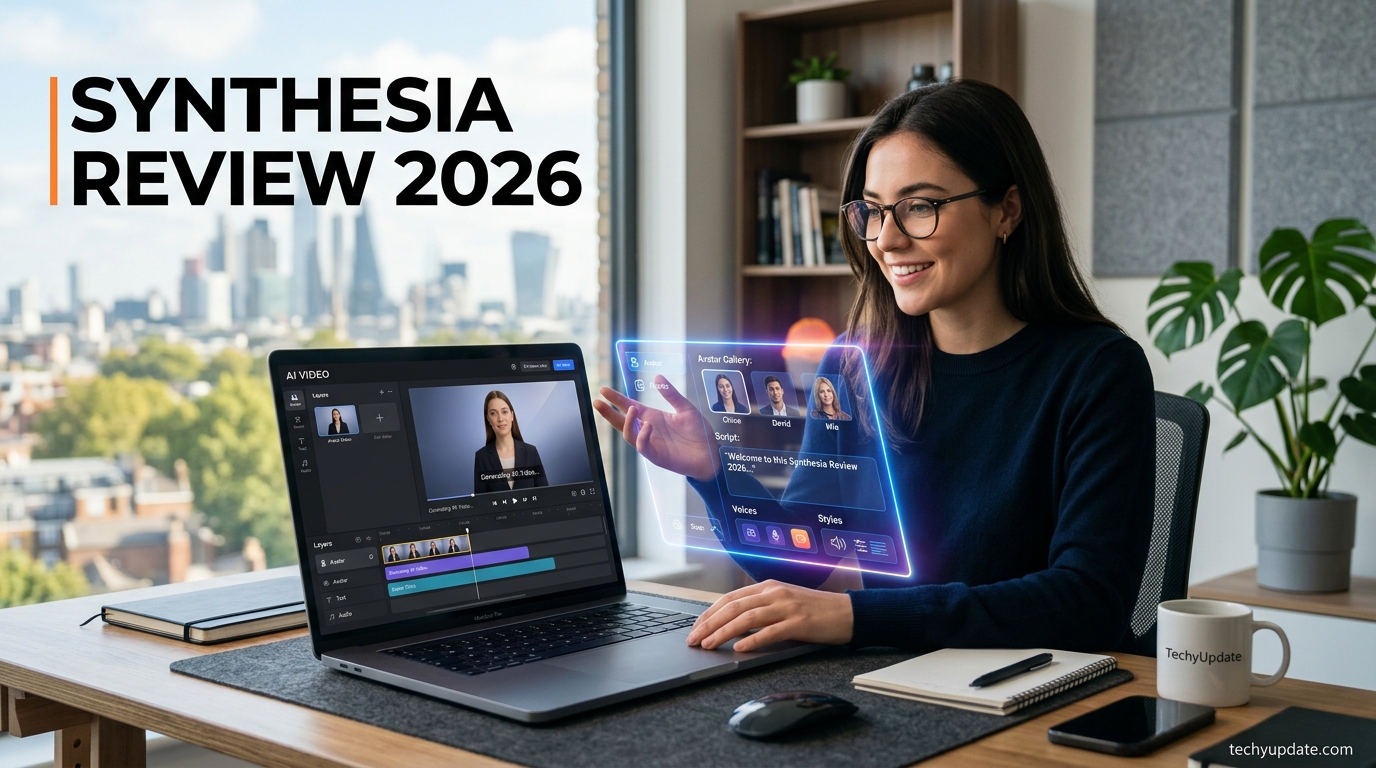
Corporate training videos used to mean booking a studio, hiring a presenter, and waiting weeks for edits. That entire process is exactly what Synthesia AI was built to replace, and it’s why this Synthesia AI review keeps coming up whenever businesses talk about scaling video production without scaling their budget.
Synthesia AI has positioned itself as one of the leading platforms in the AI video-generation space, but rather than focusing on surreal effects or viral social clips, it targets a very different audience: businesses, trainers, marketers, and educators who need polished, presenter-led videos at scale.
Type a script, pick a digital presenter, and within minutes, you have a finished video, no camera, no studio, no actor required.
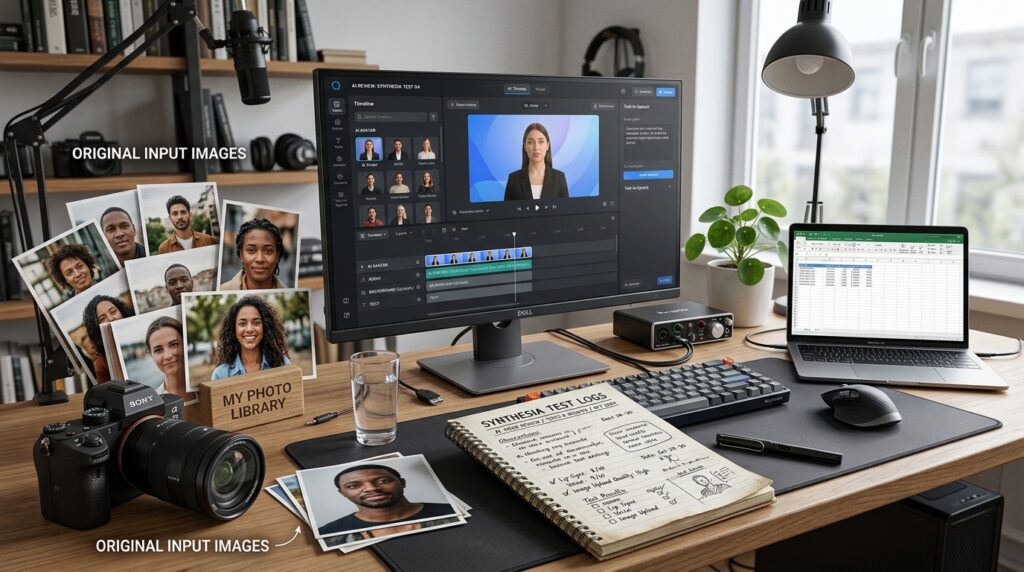
In this review, we’ll break down what Synthesia AI actually offers, how it performs in real use, where it earns its reputation, and where it still falls short. Whether you’re evaluating it for corporate training, marketing content, or educational material, this guide is built to give you a clear, honest picture before you commit your budget.
Quick Verdict
Synthesia is a legitimate, well-established AI avatar video platform used by major companies for training and internal communications it is not a scam, but it’s built for structured corporate video, not creative or social content. Synthesia is widely considered a strong value for teams and businesses that regularly produce video content, though reviewers consistently flag pricing as a concern for smaller or occasional users. If you need polished, consistent presenter videos at scale, it’s excellent. If you want expressive, cinematic, or social-first content, look elsewhere.
Table of Contents
- What Is Synthesia AI?
- Key Features of Synthesia AI
- The Synthesia AI Platform Ecosystem
- Pros of Synthesia AI
- Cons of Synthesia AI
- Synthesia AI Use Cases
- Synthesia AI Pricing
- Synthesia AI vs Traditional Video Production
- Is Synthesia AI Worth It?
- Productivity and Time Management with Synthesia AI
- Pro Tips to Maximize Synthesia AI
- Common Mistakes Creators Make with Synthesia AI
- Expert Insights on AI Video Trends
- Quick Summary
- Conclusion
- FAQs
What Is Synthesia?
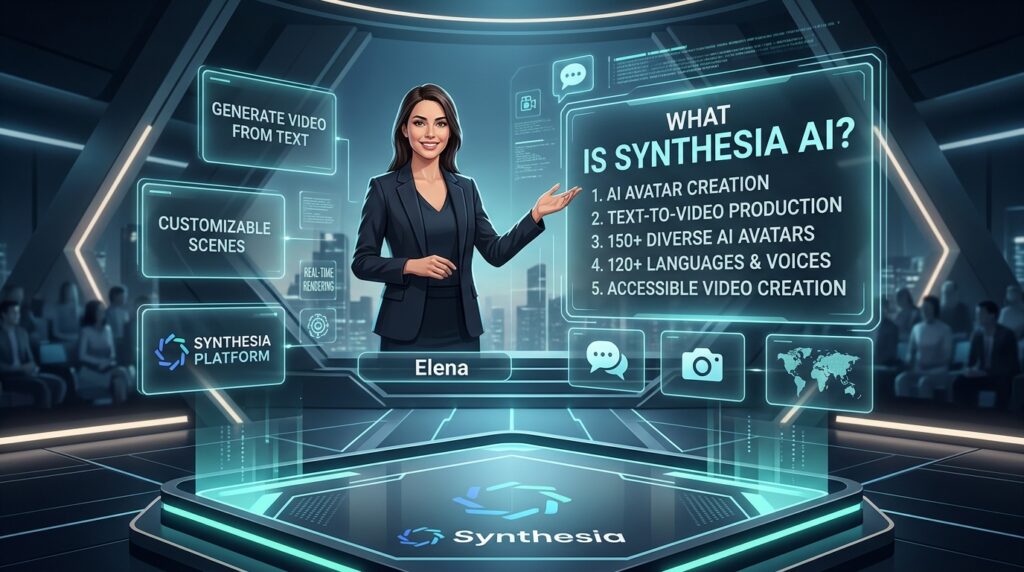
Synthesia is an AI video generation platform, founded in 2017, that converts written scripts directly into presenter-led videos using AI avatars and synthetic voiceovers. Instead of hiring a camera crew, actors, or a studio, users type a script, choose an avatar, and the platform renders a finished video.
The product has matured significantly by 2026. Recent updates include Express-2 avatars with subtler micro-expressions like nods and eyebrow raises included at no extra credit cost, and a new AI Playground feature that gives users access to external video models like Veo 3.1 and Sora 2 for generating supplementary b-roll footage without leaving the platform — this is described as a genuinely unique feature available on all plans, including free.
Overview of the Platform
At its core, Synthesia AI is built around AI-powered video creation for businesses that need repeatable, professional content without the overhead of traditional filming. The platform’s text-to-video technology converts a written script directly into a video with a virtual avatar generator speaking the lines naturally, complete with lip-sync and gesture animation.
Synthesia markets itself less as a creative experimentation tool and more as an all-in-one AI video platform for business, covering everything from training material to marketing assets. This distinction matters because it shapes who the tool is actually designed for, teams and organizations, rather than individual creators chasing viral trends.
How Synthesia Works
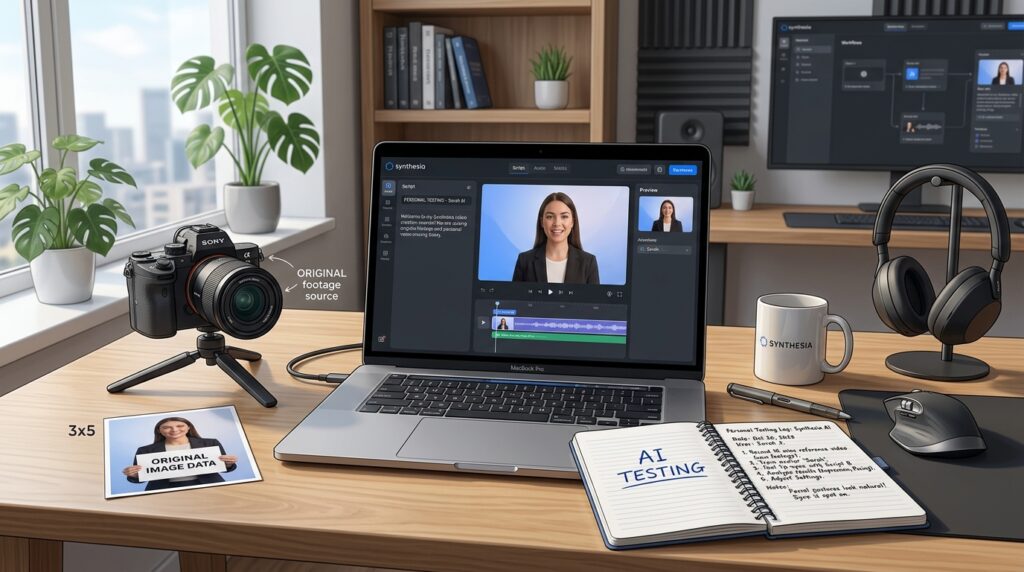
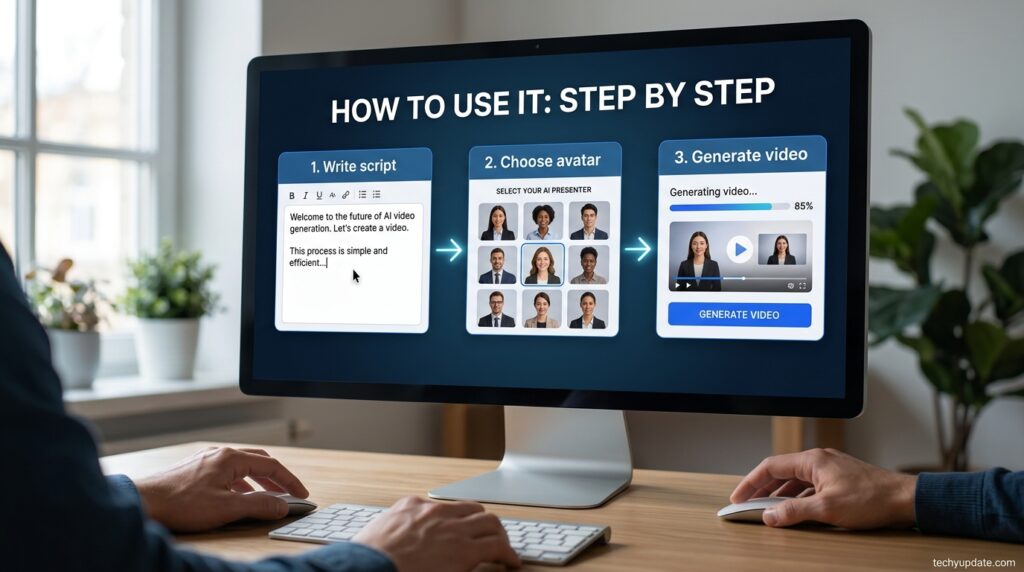
Using Synthesia AI follows a simple three-step process:
- Enter script — type or paste the text you want the avatar to speak.
- Select avatar — choose from a library of digital presenters, or use a custom avatar built from your own footage.
- Generate video — the platform processes the script, generates speech, and syncs it to the avatar’s lip movements and gestures.
This streamlined workflow is what makes Synthesia AI appealing to teams producing high volumes of similar content, like onboarding modules or product walkthroughs, where consistency matters more than visual experimentation.
Synthesia AI is a text-to-video platform built specifically for organizations that need consistent, professional video content without traditional filming. As an AI video generator, it replaces cameras, studios, and presenters with a script-driven workflow: type your content, choose an avatar, and generate a finished video in minutes.
The platform’s positioning as “your entire video workflow in one safe and secure platform” reflects a deliberate strategy. Rather than competing with creative, social-first AI video generator tools, Synthesia AI has built itself around the five pillars that matter most to business buyers: creation, localization, management, publishing, and security.
Each of these pillars maps to a real organizational need, which is part of why the platform has found such strong traction with enterprise teams rather than individual creators.
What makes this approach distinct is the breadth of functionality bundled under one roof. A marketing team, a compliance department, and an HR group can all use the same underlying platform for entirely different purposes, without needing separate tools for video creation, translation, brand management, and analytics.
Review Methodology
This review is based on Synthesia’s official pricing and feature pages, cross-referenced third-party comparison sources, and G2 review data, all gathered in July 2026. Claims about pricing, avatar counts, and feature gating are verified against the vendor’s current pricing page rather than older cached figures, since this category updates its rates frequently.
Where sources disagreed on a specific number (for example, exact avatar counts range from roughly 150 to 240+, depending on the source and date), the most recent and most official figure is used, and the discrepancy is flagged rather than hidden.
Sub-Use-Case Breakdown

- Corporate training & onboarding: The dominant use case. Teams script once, generate localized versions across markets, and update videos by editing text rather than re-filming.
- Internal communications: Leadership updates and policy explainer videos, especially useful for large distributed workforces.
- Product marketing explainers: Less central to Synthesia’s design, but usable for scripted product walkthroughs where a consistent, on-brand presenter matters more than cinematic flair.
- Customer support & self-service content: Turning support documentation into short explainer videos to reduce ticket volume.
Read More: Pika AI Review for Video Creators
Is Synthesia Legit?
Yes — Synthesia is a legitimate, well-funded company (founded 2017) with a large, verifiable enterprise client base and independent third-party review coverage on platforms like G2. It is not a scam or a low-quality clone operation. That said, “legit” doesn’t mean “flawless”: pricing structure has real gotchas (covered below and in the next section), and avatar realism, while polished, is sometimes described as lacking facial expressiveness and appearing unnatural in close-up shots compared to some newer competitors.
Who It’s For
Synthesia is best suited for L&D teams, corporate trainers, internal comms teams, and mid-to-large businesses that need consistent, on-brand presenter videos, delivered repeatedly and predictably. It fits less well for solo YouTubers, social-first creators, or anyone whose workflow depends on maximum avatar realism or expressive performance — Synthesia is well-suited for tutorials, explainers, and faceless educational content, but less suitable for cinematic entertainment-style videos.
Create: Core Video Generation Tools
The “Create” pillar is where Synthesia AI’s video generation actually happens, and it’s built around five core components.
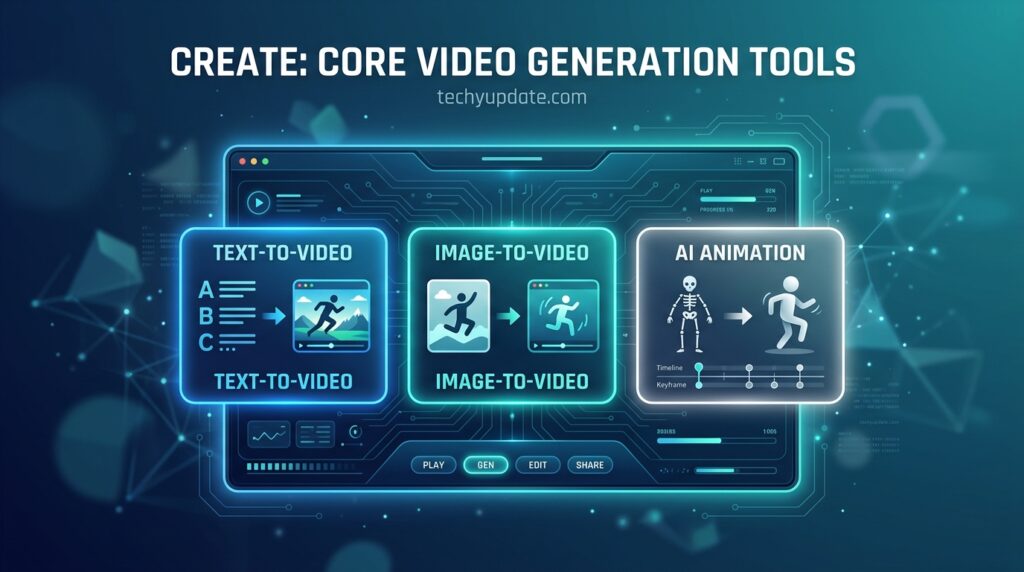
240+ AI Avatars
Synthesia AI offers a library of more than 240 AI avatars, spanning different ages, appearances, and presentation styles. This range allows teams to select a presenter that matches their brand tone, whether that’s a formal corporate spokesperson or a more approachable, casual presenter for internal communications.
1000+ AI Voices
Paired with the avatar library is access to over 1,000 AI voices, covering a wide range of tones, accents, and languages. Natural-sounding narration is critical for viewer retention, and having this many options means most teams can find a voice that fits their content without needing custom voice cloning.
AI Screen Recorder
The built-in AI screen recorder lets users capture their screen directly within the platform, which is especially useful for combining an avatar introduction with a live software demonstration — a common need for SaaS tutorials and technical training.
AI Video Generator
At the center of it all is the core AI video generator, which takes a script and produces a fully rendered video, complete with avatar lip-sync, gestures, and voice narration, without requiring any manual editing.
AI Motion Graphics
Rounding out the Create toolkit, AI motion graphics let users add visual elements like text overlays, transitions, and simple animations to support the avatar’s narration, helping reinforce key points visually rather than relying on speech alone.
Localize: Reaching a Global Audience
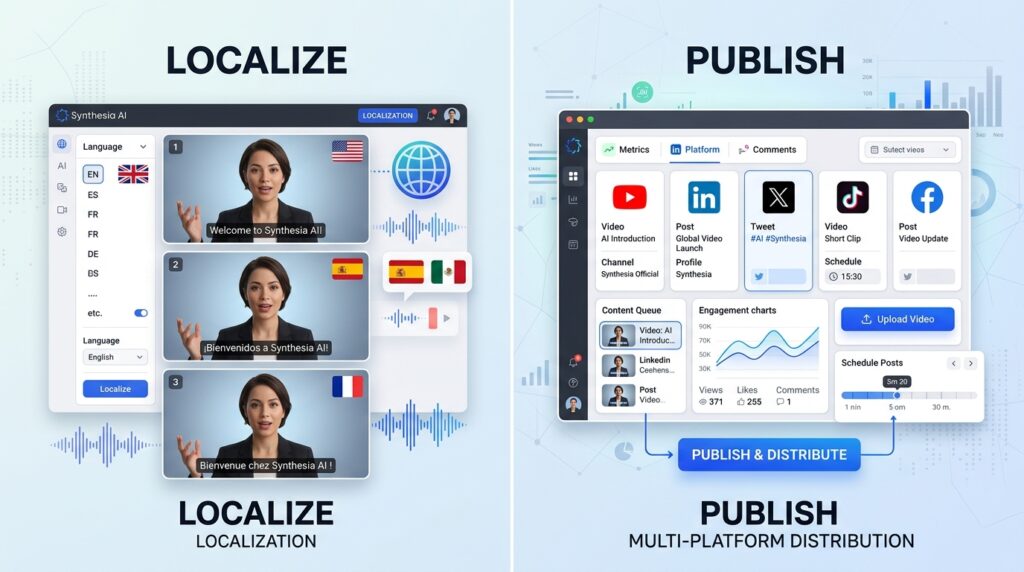
For organizations operating across multiple countries, the “Localize” pillar is often the single biggest reason to choose Synthesia AI over a more limited AI video generator.
AI Dubbing
AI dubbing automatically generates natural-sounding voice translations for existing video content, allowing a single video to be repurposed across multiple language markets without re-recording from scratch.
Video Translator
The video translator takes this further by translating both spoken content and on-screen text, giving international teams a more complete localization solution rather than just dubbed audio over an unchanged visual.
Multilingual Player
The multilingual player allows viewers to select their preferred language directly within the video interface, similar to subtitle options on streaming platforms, which makes a single video asset usable across an entire global organization.
Captions
Automated captions improve accessibility and viewer comprehension, particularly for training content viewed in noisy environments like factory floors or open offices, and they also support SEO when videos are published on public pages.
Publish: Getting Videos in Front of Viewers
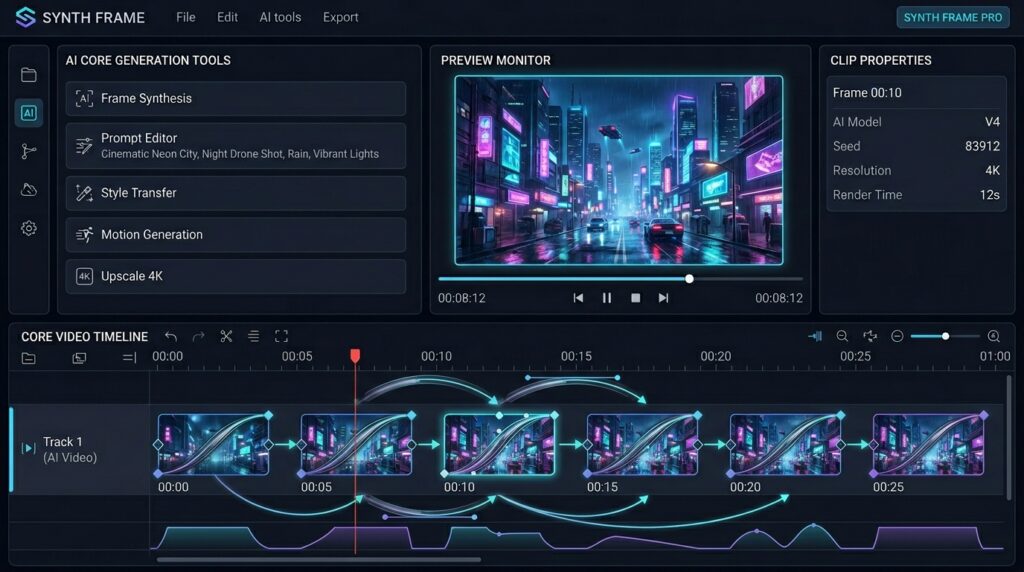
Creating a video is only half the equation. Synthesia AI’s “Publish” tools are built to handle distribution and performance tracking.
Version Control
Version control allows teams to update existing videos without losing track of previous iterations, which is particularly valuable for compliance training that needs to reflect the most current policy while maintaining a clear audit history.
Analytics
Built-in analytics show viewer engagement data, including drop-off points and completion rates, giving content teams concrete insight into which videos are working and which need revision.
Public Video Page and SSO Video Page
Synthesia AI supports both public video pages for external audiences and SSO-protected video pages for internal, secure distribution, a distinction that matters for companies balancing marketing content with confidential training material.
Manage: Brand and Team Controls
Once content is being created at scale, managing consistency and collaboration becomes just as important as the generation process itself.
Brand Kit
The brand kit feature lets organizations apply consistent logos, colors, and fonts across every video, ensuring that content created by different departments still looks like it came from the same company.
Live Collaboration
Live collaboration tools allow multiple team members to review, comment on, and approve videos within the platform, removing the need to pass files back and forth over email or shared drives.
Organization Management
Organization-level management gives administrators control over user permissions, content libraries, and usage across teams, which is essential for larger companies managing dozens or hundreds of active video creators.
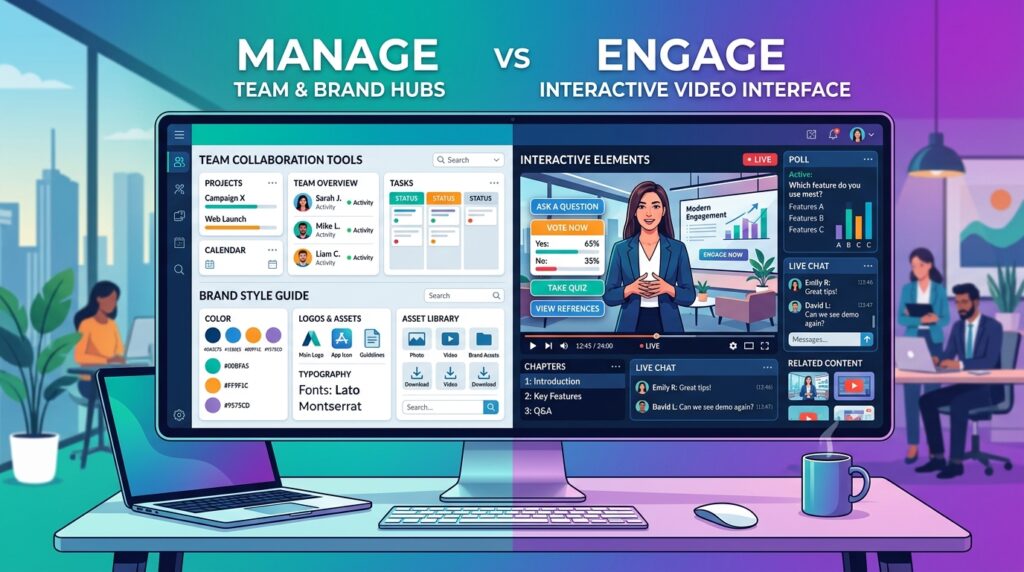
Engage: The Future of Interactive Video
The “Engage” pillar represents where Synthesia AI is heading next, moving beyond passive video viewing toward more interactive formats.
Interactivity
Interactivity features allow viewers to make choices within a video, which is useful for branching training scenarios where the path through the content depends on viewer responses.
Video Agents
Listed as a newer addition, video agents point toward a future where avatars can respond conversationally rather than simply delivering a fixed script, a meaningful shift toward more dynamic, two-way video experiences that’s expected to continue developing.
AI Safety and Security at Synthesia
For enterprise buyers, compliance credentials often matter as much as feature quality, and Synthesia AI has built a strong security profile.
SOC 2 Type II Compliance
SOC 2 Type II compliance demonstrates that Synthesia AI has undergone independent auditing of its data security controls over an extended period, which is typically a baseline requirement for enterprise software procurement.
ISO 42001 Compliance
ISO 42001 compliance specifically addresses AI management systems, indicating that Synthesia AI has documented and audited processes for responsible AI development and deployment, a credential that’s becoming increasingly important as AI governance regulations expand globally.
GDPR Compliance
GDPR compliance ensures the platform meets the data protection standards required to handle the personal data of users and viewers in the European Union, which matters for any organization with European employees, customers, or training audiences.
Teams That Use Synthesia AI
Synthesia AI’s feature set has been built to serve a wide range of internal teams, each with distinct video needs.
Learning & Development
L&D teams use Synthesia AI to produce onboarding and skills training content at scale, replacing live training sessions with consistent, repeatable video modules.
Sales Enablement
Sales enablement teams use the platform to create training videos for new sales reps, product pitch templates, and competitive positioning content, all of which can be updated quickly as offerings change.
Human Resources
HR departments rely on Synthesia AI for policy explainer videos, benefits walkthroughs, and culture-focused content that needs to reach every employee consistently, regardless of location.
Marketing
Marketing teams use the platform for product explainers, customer-facing announcements, and localized ad content, often producing multiple script variations to quickly test messaging.
IT & Cybersecurity
IT and cybersecurity teams use Synthesia AI to produce security awareness training, helping employees recognize phishing attempts and other threats through consistent, easily updated video modules.
Knowledge Management
Knowledge management teams use the platform to convert written documentation into video, making internal processes more accessible to employees who prefer visual learning to text-based manuals.
Industries Powered by Synthesia AI
Synthesia AI has found adoption across a wide range of industries, each drawn to different aspects of the platform.
Manufacturing
Manufacturing companies use Synthesia AI primarily for safety training and SOP documentation, often translated across a multilingual frontline workforce spread across multiple facilities.
Tech & Software
Tech and software companies use the platform for product tutorials, release announcements, and onboarding content that needs to stay in sync with fast-moving development cycles.
Healthcare
Healthcare organizations use Synthesia AI for procedural training and patient education content, where consistency and regulatory accuracy are critical.
Financial Services
Financial services firms rely on the platform for compliance training that can be updated immediately as regulations change, reducing the lag between policy updates and employee training.
Professional Services and Retail
Professional services firms use Synthesia AI for client-facing explainer content, while retail companies use it for staff training and product walkthroughs across distributed store locations.
The Synthesia Academy and Getting Started
New users can enroll in the Synthesia Academy, a structured learning path designed to help teams understand the platform’s features and best practices before scaling up their usage. For larger organizations, booking a 30-minute Synthesia demo is a common next step. These sessions typically include a personalized walkthrough of relevant features, customer success stories from similar organizations, and a discussion of pricing options tailored to the specific use case.
This guided onboarding approach reflects Synthesia’s positioning as an enterprise platform rather than a self-serve consumer tool, and it’s generally a good idea for any team evaluating a sizable contract to take advantage of a demo before committing.
Key Features of Synthesia AI
Synthesia AI bundles a wide range of tools designed to support end-to-end automated video production, not just single-clip generation.
Synthesia’s core feature set centers on AI avatars, text-to-speech voiceover, and multilingual dubbing. The platform offers a large stock avatar library, figures from different 2026 sources, ranging from roughly 150 to 240+ avatars, depending on plan tier, alongside the ability to build a custom avatar based on your own likeness, gated to paid/Enterprise tiers.
Language support is broad: Synthesia supports 140+ to 160+ languages, depending on the source, positioning it strongly for global training rollouts where a single script can be turned into dozens of localized videos without re-filming anything.
The editor itself resembles a slide-deck style interface — Synthesia’s interface is like a slide deck editor similar to Google Slides, where you build the video scene by scene using text boxes, images, and the avatar, with dozens of business-oriented templates. That familiarity is a deliberate design choice: it lowers the learning curve for non-video professionals in corporate settings.
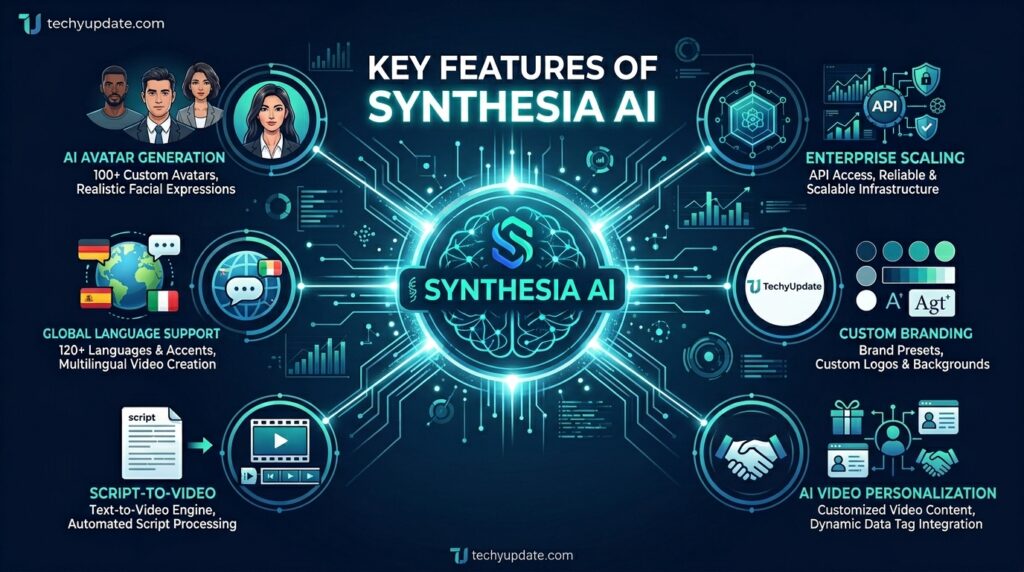
AI Avatars
The platform offers over 240 AI avatars, ranging from professional presenters to more casual personas. Businesses can also build custom avatars modeled after real employees or brand spokespeople, which adds a layer of personalization that generic stock video can’t match.
Text-to-Video Generation
Converting scripts into videos is the platform’s defining feature. The automated production process removes manual editing steps almost entirely. Once your script is finalized, the heavy lifting happens automatically.
AI Voice Technology
Synthesia’s AI voice technology includes access to over 1,000 AI voices, with natural intonation that has improved significantly compared to earlier generations of text-to-speech tools. This matters directly for viewer retention, since robotic narration is one of the fastest ways to lose an audience.
Multi-Language Support
With support for more than 160 languages, Synthesia AI gives businesses a practical way to reach a global audience without having to re-record content from scratch. This localization capability is a major draw for international training and marketing teams.
Templates and Customization
Ready-made templates speed up production for common formats like onboarding videos and product announcements, and branding options let teams apply logos, colors, and fonts consistently across all videos.
Media Integration
Synthesia AI also supports media integration, allowing users to insert images, video clips, screen recordings, and presentation uploads directly into the avatar-led video, which is especially useful for tutorial-style content.
Businesses everywhere are under pressure to produce more video content, faster, without the cost of a full production team. That pressure is exactly what brought Synthesia AI into the spotlight, and it’s why this Synthesia AI review keeps surfacing in conversations about scalable, business-ready video creation.
Synthesia AI is an AI video generator that converts written scripts into polished videos using realistic digital avatars and natural-sounding voices. Unlike consumer tools built for short-form social clips, Synthesia AI markets itself as an all-in-one AI video platform for business, covering everything from training content to enterprise-wide localization.
In this review, we’ll walk through exactly what Synthesia AI offers its avatars, voices, security credentials, team-specific use cases, and full feature set so you can decide whether it belongs in your organization’s content workflow.
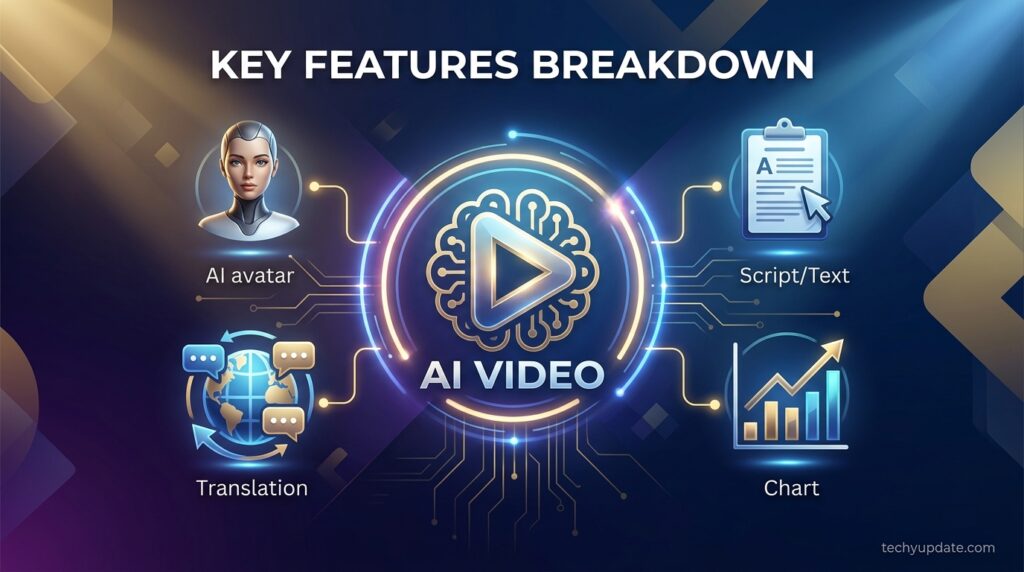
All Features at a Glance
For readers wanting a single reference point, here’s the broader feature set Synthesia AI offers across its platform:
- AI Avatar Generator
- 160+ Languages
- PowerPoint to Video
- Custom Avatars
- Free AI Video Generator
- Free AI Image Generator
- AI Video Editor
- AI Voice Generator
- AI Voice Cloning
- AI Screen Recorder
- AI Text to Video
- Script to Video
- Synthesia Tools
- AI Script Generator
- Video Translator
This breadth illustrates why Synthesia AI is often described as a full AI video creation suite rather than a single-purpose tool. Features like PowerPoint to Video and the AI Script Generator address the earliest stages of content creation, while AI Voice Cloning and Custom Avatars support deeper personalization for established brands.
The Synthesia AI Platform Ecosystem
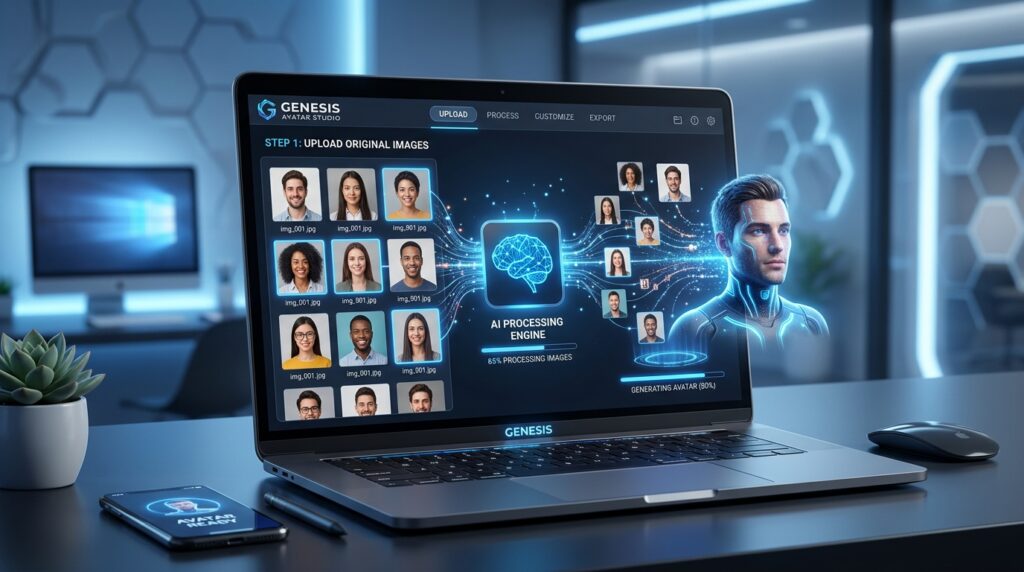
Beyond core video generation, Synthesia AI has built out a broader ecosystem aimed squarely at enterprise needs, and understanding this scope helps explain why the platform’s pricing is higher than that of many consumer-focused AI video generator tools.
Create, Localize, Manage, Publish, and Engage
Synthesia groups its expanding toolset into five functional categories:
- Create — AI avatars, AI voices, an AI screen recorder, an AI video generator, and AI motion graphics
- Localize — AI dubbing, a video translator, multilingual player support, and automated captions
- Manage — brand kit controls, live collaboration features, and organization-level management
- Publish — version control, built-in analytics, public video pages, and SSO-protected video pages
- Engage — interactivity features and emerging video agents designed to make content more conversational
AI Safety and Security Standards
For enterprise buyers, compliance is often a dealbreaker, and Synthesia has invested accordingly. The platform holds SOC 2 Type II, ISO 42001, and GDPR compliance, which signals a level of trust and authority that matters significantly for regulated industries like healthcare and financial services when evaluating AI video creation tools for internal use.
Teams, Use Cases, and Industries Served
Synthesia AI is used across departments, including learning and development, sales enablement, human resources, marketing, IT and cybersecurity, and knowledge management. Common use cases span technical training, compliance training, sales training, employee development, SOP documentation, and product videos.
Industries leaning on the platform include manufacturing, tech and software, healthcare, financial services, professional services, and retail, a breadth that reflects just how mainstream AI presentation software has become in enterprise settings.
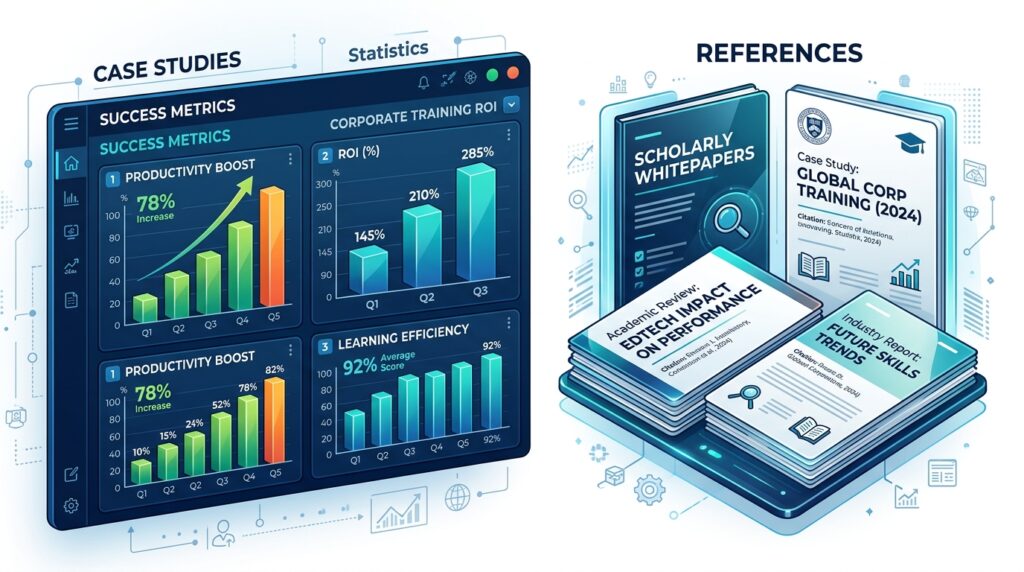
Synthesia AI Use Cases
Synthesia AI’s strength lies in specific, repeatable use cases rather than general-purpose creative content.
Corporate Training
Onboarding modules, compliance training, and internal policy walkthroughs are among the most common applications, since consistency and clarity matter more than visual flair.
Marketing Videos
Brands use Synthesia AI to quickly produce explainer videos, product announcements, and social ad creatives, especially when testing multiple script variations before committing to a final campaign.
Educational Content
Course creators and educators use the platform to turn written lesson plans into narrated video lessons, which is particularly useful for scaling course catalogs without hiring narrators for each module.
SaaS Product Tutorials
Software companies frequently use Synthesia AI to create how-to guides and feature walkthroughs, pairing the AI screen recorder with an avatar presenter for a more guided viewing experience.
Customer Support Videos
Support teams use the platform to build help-center video content, reducing repetitive support tickets by addressing common questions through quick, easy-to-update video answers.
Synthesia AI Pricing
Pricing for AI tools changes frequently, so always confirm the current rates on Synthesia’s official pricing page before purchasing. Here’s the general tier structure to expect.
Starter Plan
The Starter plan targets individuals and small teams, offering a set number of video credits per month, access to a portion of the avatar library, and core text-to-video features at an entry-level price point.
Creator Plan
The Creator plan expands video credits, avatar access, and customization options, making it a reasonable fit for marketing teams or content creators producing videos regularly rather than occasionally.
Enterprise Plan
The Enterprise plan is built for larger organizations, offering custom avatars, advanced security and compliance features, dedicated support, and the full Create, Localize, Manage, Publish, and Engage toolset. Pricing here is typically custom and quote-based, reflecting the scale and compliance needs of enterprise buyers.
Synthesia AI vs Traditional Video Production
Cost Comparison
Traditional video production involves talent fees, studio rental, equipment, and post-production editing costs that scale with every new video. Synthesia AI replaces most of that with a flat subscription, making the per-video cost dramatically lower at volume.
Time Comparison
A traditionally produced training video can take one to three weeks from scripting to final delivery. With Synthesia AI, the same video can often be ready within a single day, since filming and most editing steps are eliminated entirely.
Quality Comparison
Traditional production still wins on emotional nuance, cinematic storytelling, and creative flexibility. Synthesia AI wins on consistency, speed, and the ability to produce polished, professional-looking videos without specialized production skills.
Scalability Comparison
This is where Synthesia AI clearly outperforms traditional methods. Traditionally, producing the same video in 20 languages would mean re-filming or hiring multiple voiceover artists; Synthesia AI handles this through its built-in localization tools in a fraction of the time and at a fraction of the cost.
How to Use Synthesia
- Write or paste your script into the editor.
- Choose an avatar from the stock library, or select a custom avatar if your plan includes it.
- Pick a template or build scenes manually, adding text, images, and backgrounds slide by slide.
- Select language and voice, then generate captions/dubbing if needed.
- Render the video, review it, and export it — or publish it directly if your plan supports it.
What It Isn’t Great At
Named plainly: Synthesia is not the tool for cinematic realism, expressive emotional performance, face-swap or meme-style content, or fast, faceless short-form social clips. Its avatars are often described as lacking facial expressiveness and appearing unnatural in close-up shots relative to newer competitors like HeyGen’s latest avatar engine. It also isn’t built for unpredictable, iteration-heavy creative workflows — the credit/minute system rewards planned, repeatable output over experimentation.
Real User Sentiment (Paraphrased)
Sentiment on G2 is broadly positive but consistent on a few friction points. G2 reviewers frequently cite the free tier’s minute caps and limited avatar selection as reasons they upgraded, while noting the free version is useful for initial exploration but insufficient for professional output.
On the paid tiers, feedback indicates satisfaction with ease of use, alongside recurring concerns about pricing tiers and the cost of upgrading as teams scale. Reviewers in instructional design roles have also highlighted the avatar diversity as valuable for representation in educational content, alongside strong satisfaction with multilingual transcript and captioning support.
Pros & Cons
| Pros | Cons |
|---|---|
| Enterprise-grade compliance (SOC 2, GDPR, ISO 27001/42001) | Custom avatars gated behind a $1,000/year add-on or Enterprise tier |
| Wide language support (140+–160+ languages) | Per-seat pricing multiplies fast for teams |
| Familiar, low-learning-curve slide-style editor | Avatars can look less expressive in close-ups than newer competitors |
| Strong enterprise case studies and proven ROI | Video minutes don’t roll over month to month |
Overall Rating
4.2/5 — Strong, trustworthy pick for structured corporate video at scale; weaker fit for creative or highly realistic avatar needs.
Getting Started Guide
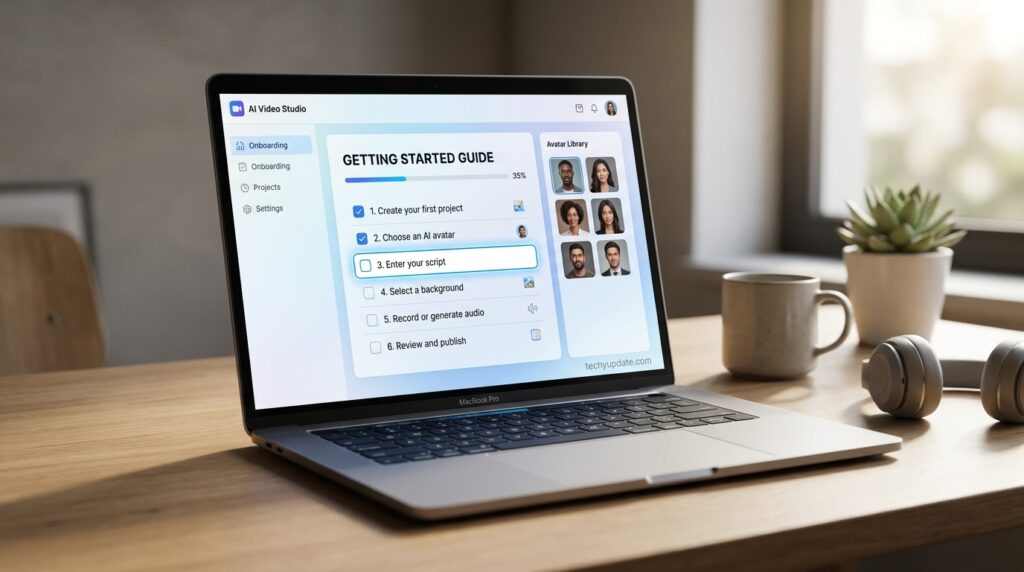
New users should start on the free plan specifically to test avatar quality and the editor interface. The free Basic plan lets you create AI avatar videos without a credit card, access around 9 stock avatars, and generate videos in 160+ languages, though videos are watermarked and can’t be downloaded as MP4s.
Budget-conscious solo users should confirm current minute limits before upgrading, since several sources report the free tier anywhere from 3 to 10 minutes/month, depending on the update cycle
Is Synthesia AI Worth It for Enterprise Teams?
For organizations producing recurring training, compliance, or onboarding content across multiple departments or languages, Synthesia AI offers scalability that traditional video production simply can’t match at a cost-effective level. The combination of strong security credentials and a full workflow, not just generation, but localization, management, and publishing, makes it a genuinely practical enterprise solution.
Teams whose video needs center on creative storytelling, emotionally driven brand content, or highly stylized visuals will likely find the platform’s avatar-centric format limiting, and may be better served pairing Synthesia AI with traditional production or a more creative-focused AI video generator for that specific content.
Common Mistakes Teams Make with Synthesia AI
- Skipping script review before generation — since the avatar delivers exactly what’s written, small errors get amplified once spoken aloud.
- Underusing analytics — many teams generate videos but never review drop-off data to improve future content.
- Choosing avatars without considering the audience — a mismatch between avatars and content tone can undermine credibility.
- Ignoring version control — failing to track video updates can create confusion about which version of compliance content is current.
- Treating every department’s needs the same way — marketing, HR, and technical training each benefit from different avatars, voices, and formats.
Pro Tips to Maximize Synthesia AI
Pro Tip: Write scripts the way you’d speak naturally, with shorter sentences and clear pauses. Avatars deliver conversational scripts more convincingly than dense, formal paragraphs.
Pro Tip: Match your avatar choice to your audience. A casual, approachable avatar tends to perform better for marketing content, while a more formal presenter suits compliance and training material.
Pro Tip: Use the multilingual player and AI dubbing features early if you know you’ll need international versions building this into your initial workflow saves significant time later.
Pro Tip: Break long scripts into shorter video segments rather than one extended clip. Shorter videos hold viewer attention better and are easier to update individually.
Expert Insights on Enterprise AI Video
The enterprise AI video generator market has grown rapidly as organizations look for scalable alternatives to traditional production. Major technology companies, including Google and OpenAI, have continued investing in generative video and voice synthesis research, which has directly improved the realism and reliability of platforms like Synthesia AI over recent product cycles.
Industry analysts have noted that AI presenter software is increasingly adopted not just for cost savings but for the operational flexibility it offers, particularly in localization and rapid content updates. As compliance standards like SOC 2 and ISO 42001 become more commonly expected by enterprise buyers, platforms that prioritize security alongside video quality, such as Synthesia AI, are well-positioned to maintain strong adoption among business users.
The broader AI video generator market has expanded rapidly as enterprise demand for scalable training and communication content grows. Major research organizations, including Google and OpenAI, have continued to advance generative video and voice synthesis technology, which has directly contributed to the improved realism seen on platforms like Synthesia AI.
Analysts tracking enterprise software adoption have noted that compliance certifications like SOC 2 and ISO 42001 are becoming standard expectations for AI tools handling sensitive business content, not just nice-to-have credentials. This trend suggests platforms that invest early in security and governance, as Synthesia AI has, are well-positioned for continued adoption as AI regulation matures globally.
Getting Started Guide
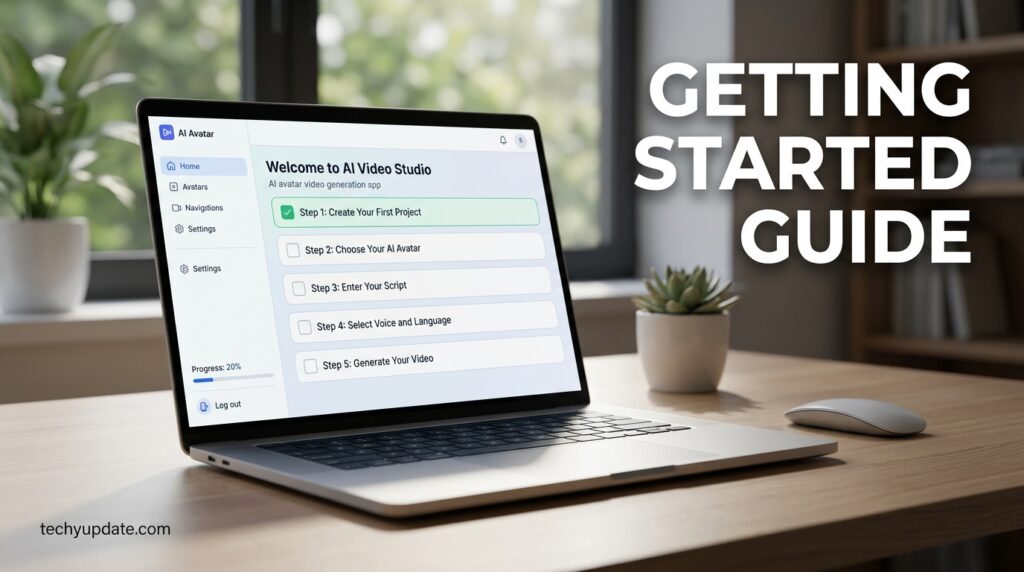
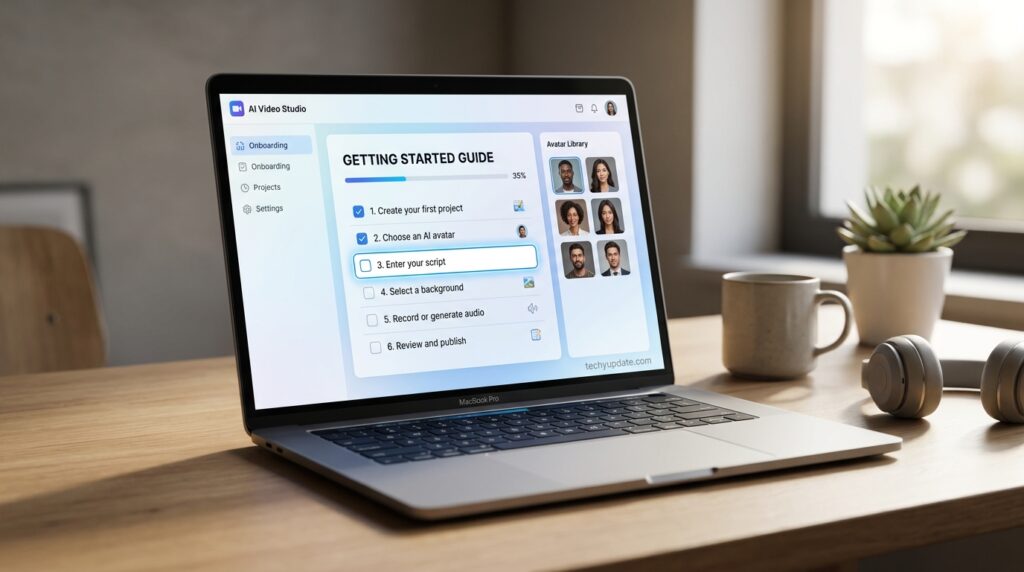
New users should start on the free plan specifically to test avatar quality and the editor interface before committing — the free Basic plan lets you create AI avatar videos with no credit card, access around 9 stock avatars, and generate in 160+ languages, though videos are watermarked and can’t be downloaded as MP4. Budget-conscious solo users should confirm current minute limits before upgrading, since several sources report the free tier anywhere from 3 to 10 minutes/month depending on the update cycle.
Read more: Synthesia vs HeyGen 2026: Which Wins?
Read more: Synthesia Pricing 2026
Quick Summary
- Synthesia AI is an AI video generator focused on script-to-video production, using realistic AI avatars and natural-voice technology.
- The core ecosystem spans the Create, Localize, Manage, Publish, and Engage tools, built primarily for business and enterprise use.
- Strengths: ease of use, cost savings, fast production, and strong scalability across languages.
- Weaknesses: limited emotional expression, repetitive avatar movement, and higher subscription costs than consumer-grade tools.
- Best suited for corporate training, SaaS tutorials, marketing teams, and educational content creators.
- Less suited for stylized, emotionally driven, or highly creative short-form video content.
- Synthesia AI is an all-in-one AI video platform built for business use, organized around Create, Localize, Manage, Publish, and Engage.
- The platform offers 240+ AI avatars, 1,000+ AI voices, and support for 160+ languages.
- Security credentials include SOC 2 Type II, ISO 42001, and GDPR compliance.
- Common users span Learning & Development, Sales Enablement, HR, Marketing, IT, and Knowledge Management teams.
- Industries served include manufacturing, tech, healthcare, financial services, professional services, and retail.
- Best suited for repeatable, informational video content rather than creative or emotionally driven storytelling.
FAQs
What is Synthesia AI used for?
Synthesia AI is used to create professional videos featuring AI avatars and voiceovers based on a written script. It’s commonly used for corporate training, marketing videos, educational content, and SaaS product tutorials.
What is Synthesia AI?
Synthesia AI is an AI video generator that turns written scripts into videos using digital avatars and AI-generated voices, designed primarily for business training, marketing, and internal communication content.
Is Synthesia AI free to use?
Synthesia AI offers limited free access through trial options on some plans, but full features generally require a paid subscription. Check the official pricing page for current free-tier availability.
How realistic are Synthesia AI avatars?
Synthesia AI avatars have become significantly more realistic over recent updates, with natural lip-syncing and voice delivery. However, they still show some limitations in emotional expression compared to real human presenters.
Can Synthesia AI create videos in multiple languages?
Yes. Synthesia AI supports over 160 languages, along with AI dubbing and a multilingual video player, making it well-suited for global training and marketing content.
Is Synthesia AI good for marketing videos?
Synthesia AI works well for explainer videos, product announcements, and ad creatives, though it’s better suited to informational marketing content than to emotionally driven storytelling campaigns.
How does Synthesia AI compare to traditional video production?
Synthesia AI is significantly faster and cheaper than traditional production, especially at scale, though traditional filming still offers more creative and emotional flexibility for certain content types.
Does Synthesia AI offer custom avatars?
Yes. Businesses can create custom avatars modeled after real employees or spokespeople, which is especially useful for maintaining brand consistency across training and marketing content.
Is Synthesia AI secure for enterprise use?
Synthesia AI maintains SOC 2 Type II, ISO 42001, and GDPR compliance, making it a viable option for enterprises in regulated industries like healthcare and financial services.
What industries use Synthesia AI the most?
Synthesia AI is widely used across manufacturing, tech and software, healthcare, financial services, professional services, and retail, primarily for training, onboarding, and internal communication videos.
Is Synthesia legit or a scam?
Synthesia is a legitimate company founded in 2017 with major enterprise clients and independent review coverage. It is not a scam, though pricing and avatar realism have real, documented limitations.
How much does Synthesia cost in 2026?
Plans range from a free tier to $29/month for Starter and $89/month for Creator (both cheaper billed annually), with custom Enterprise pricing above that.
How many avatars does Synthesia AI offer?
Synthesia AI offers more than 240 AI avatars, along with the option to create custom avatars modeled after real people for brand-specific use.
Does Synthesia AI support multiple languages?
Yes. Synthesia AI supports over 160 languages, along with AI dubbing, a video translator, and a multilingual player for global content distribution.
Is Synthesia AI secure for enterprise use?
Synthesia AI maintains SOC 2 Type II, ISO 42001, and GDPR compliance, making it suitable for enterprises in regulated industries handling sensitive training and compliance content.
What is the AI Screen Recorder used for?
The AI Screen Recorder lets users capture their screen within the platform, often paired with an avatar presenter, making it ideal for software tutorials and technical training videos.
Can Synthesia AI convert PowerPoint presentations into videos?
Yes. Synthesia AI includes a PowerPoint-to-Video feature that transforms existing slide decks into narrated, avatar-led videos.
Which teams use Synthesia AI most often?
Learning & Development, Sales Enablement, Human Resources, Marketing, IT & Cybersecurity, and Knowledge Management teams are among the most common users of Synthesia AI.
Does Synthesia AI offer a free plan?
Synthesia AI offers a free AI video generator and free AI image generator with limited functionality; full features typically require a paid subscription.
What industries benefit most from Synthesia AI?
Manufacturing, tech and software, healthcare, financial services, professional services, and retail industries all use Synthesia AI for training, compliance, and internal communication content.
Is Synthesia AI better than hiring a video production team?
For repeatable, informational content like training and onboarding, Synthesia AI is typically faster and more cost-effective than traditional production, though traditional teams still offer more creative flexibility for brand storytelling.
Conclusion
Synthesia earns its reputation as a legitimate, enterprise-trusted AI avatar video platform, particularly for corporate training, onboarding, and internal communications at scale. It is not the right fit for expressive, cinematic, or social-first content — for that, competitors with more realistic avatar engines are worth checking (covered later in this piece). For structured, repeatable business video, though, it remains one of the safest, most established choices in 2026.
For enterprise teams managing training, compliance, or internal communication at scale, Synthesia AI offers efficiency and consistency that traditional production methods can’t realistically match. Teams seeking creative, stylized video content should look elsewhere, but for its intended audience, Synthesia AI delivers exactly what it promises.
Synthesia AI has earned its place among the most trusted names in AI-powered video creation, particularly for businesses that need consistent, professional, presenter-led content at scale. Its strengths in localization, compliance, and production speed make it a genuinely practical solution for training, marketing, and educational teams that handle high volumes of video.
That said, it’s not a universal fit. Creators chasing emotionally rich storytelling or highly stylized visual content will likely find more flexibility elsewhere. As generative video technology continues to mature, expect Synthesia AI to keep narrowing the gap between AI avatars and traditionally filmed presenters, making it an increasingly central part of how businesses approach video content.