

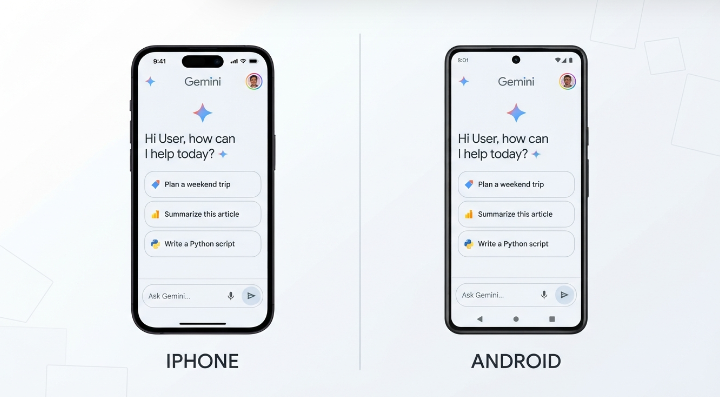
If you’re deciding whether to run Gemini Spark on an iPhone or an Android phone, the honest answer is that Google has built it to behave the same way in both places. It isn’t a case of one version being a stripped-down port of the other, the way some cross-platform apps work.
That said, “basically the same” isn’t “completely identical.” Google’s own support documentation shows small, verifiable gaps — most notably around newer features like Google Photos support — and there are real differences in how each phone’s operating system lets Gemini act outside of its own app, which affects the broader experience even if it doesn’t change Spark’s task engine directly.
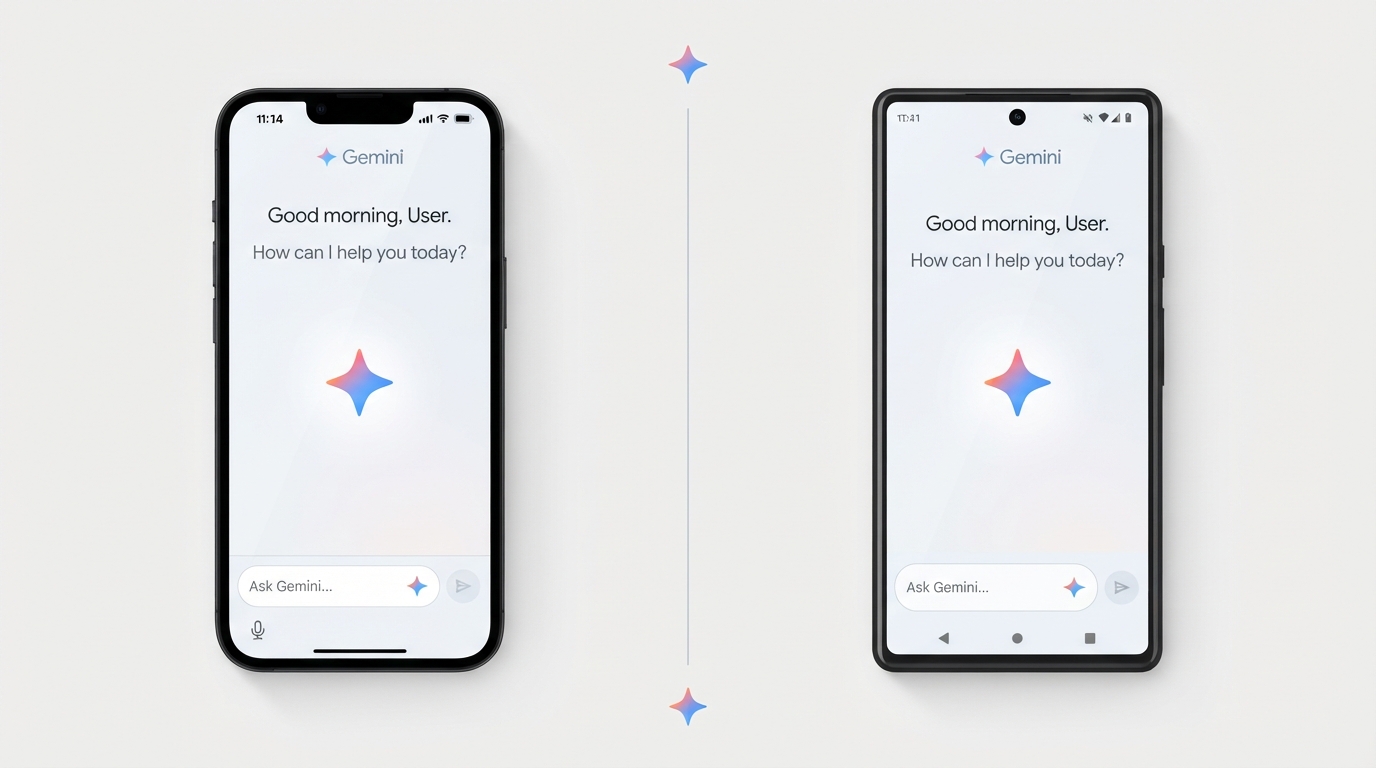
This article goes through what’s confirmed to be identical, what’s confirmed to be different, and what’s still ambiguous based on how Google is rolling the feature out. Where documentation for one platform is ahead of the other, that’s noted as a timing gap rather than a permanent limitation, since Google has been updating Spark on a near-monthly basis.
Direct answer: Gemini Spark’s core features — creating tasks, running schedules, using skills, and acting inside Google Workspace — work the same way on iPhone and Android. The real differences are narrower: Google Photos integration in Spark currently shows up in Google’s Android help documentation but not yet in the iOS version, and Android’s system-wide Gemini integration (replacing Google Assistant) sits outside Spark itself but shapes how much of the phone Gemini can touch overall. Eligibility rules — subscription, age, region — are identical on both platforms.
Read More: Gemini Spark vs Previous Gemini Version: What Changed?
Table of Contents
What’s the Same on iOS and Android
Based on Google’s own Gemini Apps Help documentation, the following are identical across iPhone and Android:
- Eligibility requirements: 18 or older, a personal Google Account (not work/school), an eligible Google AI Pro or Ultra subscription, and Keep Activity turned on.
- Regional availability: Spark is unavailable in the European Economic Area, the United Kingdom, Switzerland, and Nigeria, regardless of phone platform.
- How you start a task: On both platforms, you open the Gemini app, tap the menu, and select Spark, then describe the task in the text box.
- Task limits: Up to 15 tasks can run at the same time on either platform, tied to your account rather than your device.
- Workspace actions: Both platforms support the same Gmail, Calendar, Docs, Sheets, Slides, Drive, Keep, and Tasks actions through Spark.
- Skill management limits: On both iOS and Android, the full Skills management page is only available at gemini.google.com, not inside the mobile app itself. The mobile app on both platforms only supports conversational edits to a skill’s file.
- Chrome auto-browse limits: On both platforms, Spark’s ability to drive your own logged-in Chrome browser directly is currently limited to desktop Chrome. Mobile-initiated tasks that need web browsing use Google’s remote browser instead, not a local one on the phone.
- Safety behavior: Confirmation prompts before sending communications, making purchases, or submitting forms work the same way on both platforms, as do the “take control” browser handoff and the ability to stop a task at any time.
What’s Actually Different
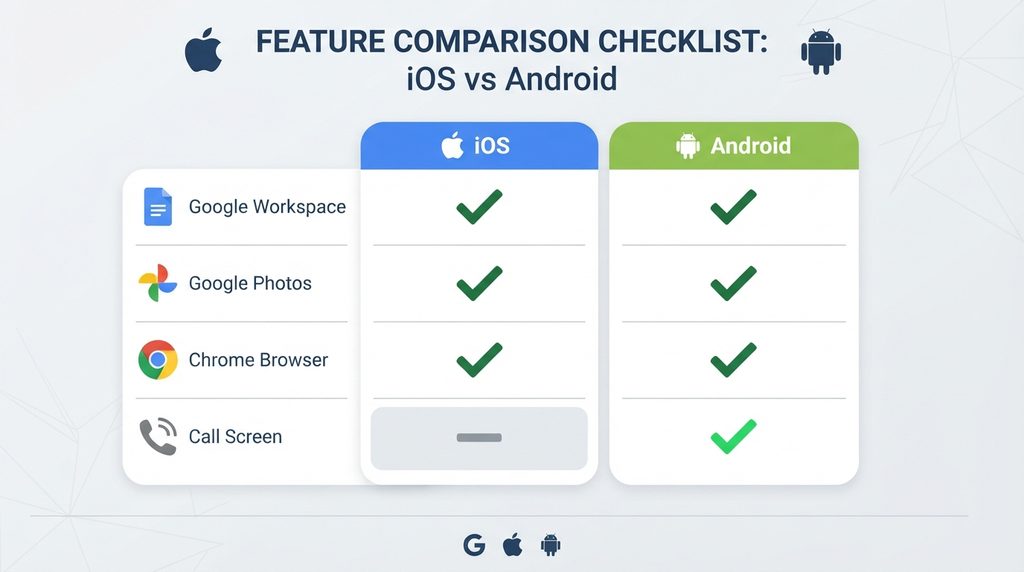
Google Photos integration. As of this writing, Google’s Android-flavored Gemini Spark help documentation lists Google Photos as a connected app, with a dedicated guide for using Spark to search, edit, organize, and share photos and albums. The iPhone-flavored version of the same core Spark documentation does not currently include Google Photos in its connected-apps list. Google has described the Photos integration itself as being rolled out gradually and limited to English and the US regardless of platform, so this looks like a staggered mobile rollout rather than a permanent iOS exclusion — but it’s a real, documented gap at the moment.
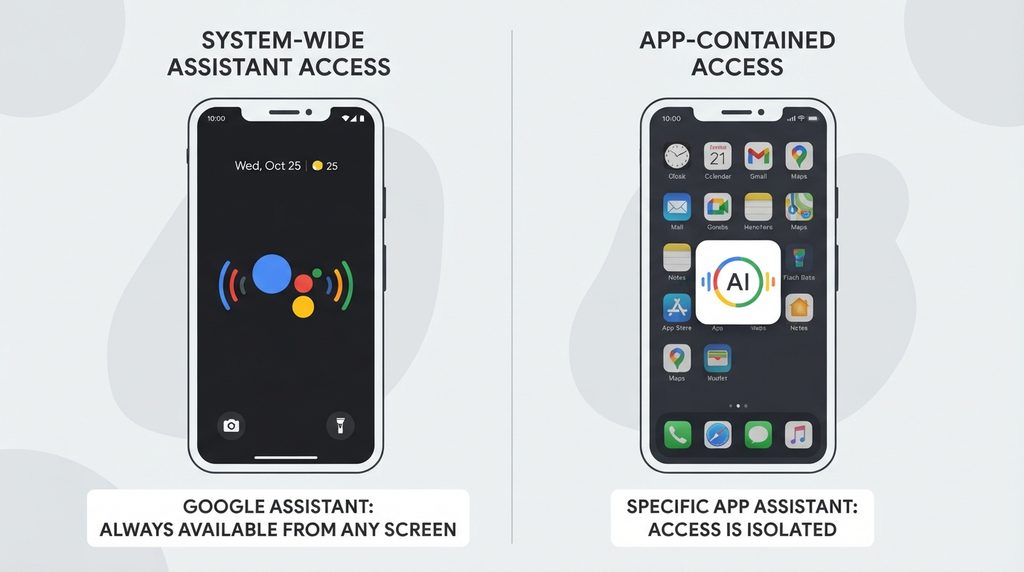
System Integration: On Android, Gemini can integrate directly with the operating system and serve as the default assistant, accessible through the power button or voice commands. On iOS, Gemini requires you to open the app manually, as Siri remains the default system assistant.
System-level Gemini integration (not Spark-specific, but relevant). Since Google began replacing Google Assistant with Gemini on Android in September 2026, Android phones let Gemini be summoned system-wide — through a voice command, a long-press of the power button, or from the lock screen for simple queries — and let it trigger phone-level actions like sending texts or making calls. On iPhone, Gemini stays inside its own app; it can’t replace Siri or act at the operating-system level. This doesn’t change what Gemini Spark itself can do once you open it, but it does mean Android currently offers more ways to reach Gemini in general, which matters if part of your workflow depends on hands-free or system-level triggers rather than opening the app directly.
App update mechanics. Getting the version of the Gemini app that supports Spark works differently by store: iPhone users need to check the App Store for updates manually if a new version hasn’t installed automatically, while Android’s Play Store update tends to happen automatically in the background. This is a minor practical difference rather than a feature gap, but it explains why some users on one platform can see Spark before others with the same subscription.
What’s Not Yet Clear
Google hasn’t published a platform-by-platform breakdown of every Spark feature, so a few things remain uncertain rather than confirmed:
- Whether Google Photos support in Spark is fully live on iOS by the time you’re reading this, since Google has said the rollout is gradual.
- Whether any other newer connected apps or skills roll out to one mobile platform meaningfully ahead of the other, the way Photos currently appears to.
- Whether future Spark features tied to on-device capabilities (camera, file system, background execution rules) will behave identically given how differently iOS and Android handle background app activity in general.
Given how often Google has adjusted Spark since its introduction, it’s worth checking the Gemini Apps Help page for your specific device before assuming last month’s gaps still apply.
Read more: Gemini for macOS: Features, Setup, and Everything You Need to Know
Why This Matters for Your Choice of Phone
If you’re already committed to an iPhone or an Android phone, none of this is likely to be a reason to switch — the task engine, safety behavior, and Workspace actions behind Spark are the same either way. The differences that exist are either temporary (a feature rolling out to one platform first) or about the phone’s operating system in general (how much Gemini can do outside its own app), not about Spark being intentionally limited on one side.
If you specifically want to manage Google Photos through Spark today, or want Gemini to be reachable system-wide rather than just inside its own app, Android currently has an edge. If you’re mainly using Spark for Workspace tasks, research, and scheduling, the experience should feel effectively the same on either phone.
Pros & Cons
| Pros | Cons |
|---|---|
| Core Spark features (tasks, schedules, skills, Workspace actions) are consistent across iOS and Android | Google Photos integration currently appears in Android documentation but not iOS documentation |
| Same eligibility rules everywhere, so switching phones doesn’t change who qualifies | Full Skills management still requires a browser on gemini.google.com on both platforms |
| Same safety and confirmation behavior on both platforms | Android’s system-wide Gemini integration doesn’t have an iOS equivalent, even though it’s not Spark-specific |
| Same 15-task concurrent limit tied to your account, not your device | Feature rollouts have been staggered before (Photos), so parity can lag by weeks |
Comparison Table: Gemini Spark by Platform
| Factor | iPhone / iPad | Android |
|---|---|---|
| Core Spark tasks, schedules, skills | Supported | Supported |
| Workspace actions (Gmail, Calendar, Docs, Sheets, Slides, Keep, Tasks) | Supported | Supported |
| Google Photos as a connected app | Not listed in current help documentation | Listed, with a dedicated setup guide |
| Chrome auto-browse from the local phone browser | Not available (uses remote browser) | Not available (uses remote browser) |
| System-wide Gemini invocation (voice, power button, lock screen) | Not available; Gemini stays inside its own app | Available, since Gemini began replacing Google Assistant |
| App update path | Manual check via App Store if not auto-updated | Typically automatic via Play Store |
| Eligibility requirements (age, subscription, region) | Identical | Identical |
Neither platform is positioned by Google as the “primary” version of Spark. The gaps that exist reflect rollout sequencing and each OS’s own rules about how deeply an app can integrate with the rest of the phone, not a deliberate feature split.
Read More: What’s New in Gemini Spark? Latest Features, Changes and Improvements
FAQs
Is Gemini Spark exactly the same on iPhone and Android?
Answer: Mostly, yes. The task engine, Workspace actions, safety prompts, and eligibility requirements are identical. The confirmed difference is that Google Photos support in Spark currently appears in Android’s help documentation but not iOS’s.
Can Gemini Spark control my phone directly on either platform?
Answer: Not through Spark itself. Broader system-level control — like voice invocation or lock-screen actions — is an Android-wide Gemini capability tied to its replacement of Google Assistant, not something Spark adds on either platform.
Why can I do more with Google Photos in Spark on my friend’s Android phone than on my iPhone?
Answer: Google has described its Google Photos integration in Spark as a gradual rollout limited to English and the US. As of this writing, it shows up in Android’s documentation but not iOS’s, which points to a timing gap rather than a permanent restriction.
Does switching from iPhone to Android get me earlier access to new Spark features?
Answer: Not necessarily as a rule, but the Google Photos rollout is one documented case where Android’s help materials list a feature that iOS’s don’t yet. There’s no general pattern confirmed beyond that specific example.
Do I need a different Google AI subscription for iOS vs Android?
Answer: No. Google AI Pro and Google AI Ultra eligibility for Spark is the same regardless of which phone you use.
Is Chrome web-browsing through Spark better on one platform?
Answer: No. Neither iOS nor Android currently supports local-browser auto-browse from the phone itself; both route browsing tasks through Google’s remote browser instead.
Quick Take
Gemini Spark’s underlying feature set is essentially identical on iPhone and Android: same task engine, same Workspace actions, same eligibility rules. The one confirmed platform gap right now is Google Photos integration, which appears in Android’s help documentation but not iOS’s. The other notable difference — Android’s system-wide Gemini access versus iOS’s app-only access — comes from each operating system’s own rules, not from Spark being built differently. Best alternative if platform-specific gaps matter to you: check Google’s Gemini Apps Help page for your exact device before assuming parity.
Conclusion
Gemini Spark is worth using on either platform if you’re already eligible — the underlying agent, its safety behavior, and its Workspace integrations don’t meaningfully change based on your phone. The one real gap right now, Google Photos support, is documented as a gradual rollout rather than a locked-in iOS limitation, so it’s reasonable to expect it to close over time. Anyone choosing a phone purely to get a better Spark experience should know that’s not currently a strong reason either way — the more meaningful iOS/Android difference is how much of the rest of the phone Gemini can reach, not what Spark itself can do once it’s open.
Author Bio
TechyUpdate Editorial Team covers practical technology, AI tools, apps, software and digital productivity, with a focus on clear, useful and independently researched guides.