

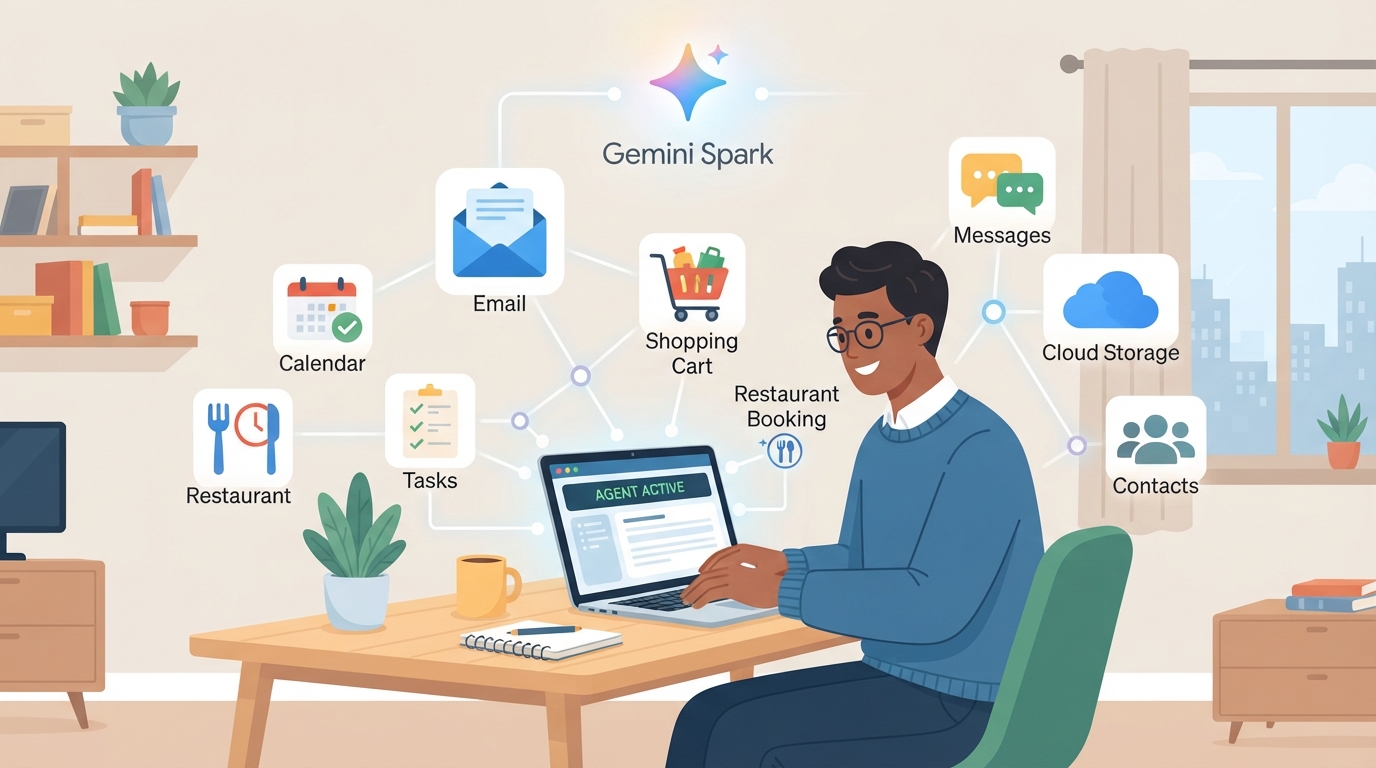
Gemini Spark, Google’s agentic AI feature built to handle multi-step tasks instead of just answering questions, is no longer limited to a small test group — but it’s also not available to everyone. As of this writing, access depends on which Google AI subscription you hold, where you live, and which language you use.
Spark first appeared at Google I/O 2026 as a beta for trusted testers and Google AI Ultra subscribers in the US. Since then, Google has widened the rollout in stages: first to more Ultra markets with local-language support, then down to the cheaper Google AI Pro tier, and more recently into new integrations like Chrome browsing and Google Photos.
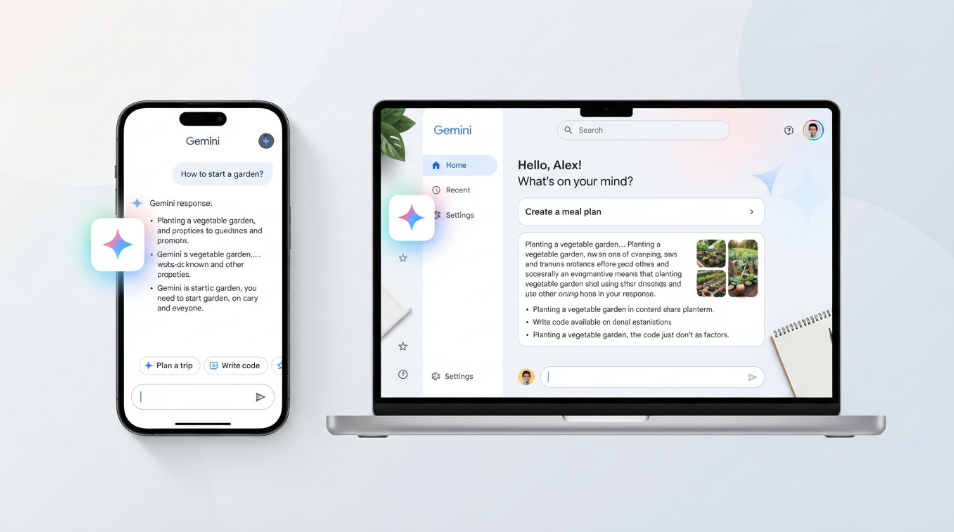
If you’ve seen Spark mentioned in the Gemini app but don’t see it on your own account, that’s expected — the feature is still officially in beta, and Google has been explicit that its behavior, limits, and interface can keep changing.
This article breaks down exactly who has access right now, what’s required to use Spark, which countries and languages are still excluded, what the feature actually does, and what to expect as the rollout continues. Wherever Google hasn’t published a fixed answer (such as a full country list or an end date for the beta), that’s noted rather than guessed at.
Read more: How to Use the New Gemini Spark Features After the Latest Update
What Is Gemini Spark?
Direct answer: Gemini Spark is an AI agent inside the Gemini app that can carry out longer, multi-step tasks on a user’s behalf — research, planning, drafting, and connected-app actions — rather than just responding to a single prompt. It keeps working in the background, even after you close the app, and asks for confirmation before taking actions that can’t be undone.
Unlike a standard Gemini chat, Spark is designed to be assigned a task and then work through it over time. Google has described it as running on dedicated virtual machines in Google Cloud, using an internal system called the Antigravity agent harness to plan steps, use tools, and recover when something goes wrong. The underlying language model has shifted as Google’s model lineup has updated, most recently to Gemini 3.7 Flash.
Who Has Access to Gemini Spark Right Now?
Access to Spark currently runs along two separate tracks, based on subscription tier:
- Google AI Pro subscribers ($19.99/month): Spark is rolling out in English, initially to US subscribers, with Google later expanding Pro-tier access to well over 160 countries.
- Google AI Ultra subscribers (currently $99.99/month and up): Spark is available more broadly, including outside the US, with support for additional Gemini Apps languages in eligible markets.
Free and Google AI Plus users do not currently have Spark. It remains tied to the two higher-priced tiers.
To use Spark, Google’s stated requirements are:
- A personal Google Account (not currently supported on managed/enterprise accounts in the same way)
- Being 18 or older
- Keep Activity enabled on the account
- An eligible Google AI Pro or Ultra subscription
- Being in a supported country/language combination
Where it appears also depends on device: on the Gemini website, Spark shows up as a dedicated option in the left-hand sidebar; on mobile, it’s selectable from the Gemini app’s menu.
Which Countries and Languages Are Excluded?
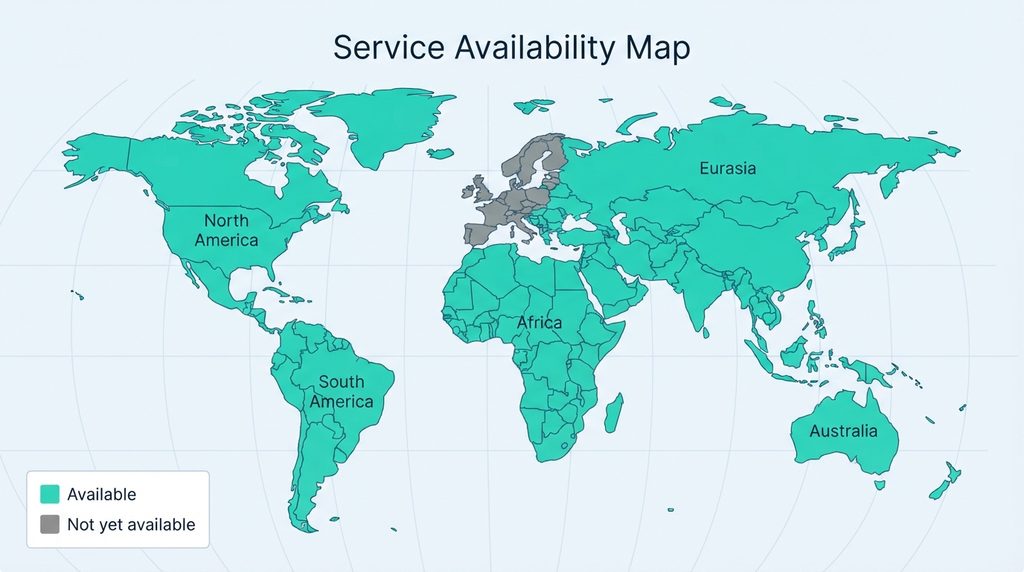
As Google has widened Spark’s availability through 2026, it has consistently kept a short list of excluded markets: the European Economic Area, the United Kingdom, Switzerland, and Nigeria. Google hasn’t published a timeline for when — or whether — those regions will get access, and the exclusion list has applied even as other rollouts (like the Pro-tier expansion) reached 160-plus countries.
Language support has also expanded in stages rather than all at once. Ultra subscribers in eligible markets can now use Spark across the languages supported by the wider Gemini app, while Pro-tier access initially launched in English only. Anyone outside the US or in an excluded region should check the current status directly in the Gemini app rather than assume last month’s rules still apply, since Google has been adjusting this rollout roughly every few weeks.
Read more: Gemini Spark vs Previous Gemini Version: What Changed?
Timeline: How the Rollout Has Progressed
| When | What changed |
|---|---|
| May 2026 (Google I/O) | Spark announced; limited rollout to trusted testers, then a beta for Google AI Ultra subscribers in the US |
| June 2026 | Spark launches on macOS; adds Google Tasks and Keep integration; connects to Canva, Dropbox, Instacart, OpenTable, and Zillow Rentals; adds custom Model Context Protocol (MCP) support |
| July 2026 | Ultra subscribers gain Spark in all supported Gemini Apps languages in eligible markets; Pro subscribers in the US get English-language access |
| Late July 2026 | Broader expansion: Pro subscribers across the US, Ultra subscribers globally with local-language support (EEA, UK, Switzerland, and Nigeria still excluded) |
| August 2026 | Chrome web-browsing capability added, letting Spark use logged-in accounts for tasks like flight research; Pro-tier access expands to 160+ countries; a dozen more connected services added (including Ticketmaster, Zocdoc, and Thumbtack); Gemini 3.7 Flash becomes Spark’s underlying model |
| September 2026 | Spark gains access to Google Photos; Google’s own app-store listing describes it as a “24/7 personal AI agent” |
Because this is an active beta, treat this as a snapshot rather than a permanent state — Google has changed something about Spark’s availability almost monthly since launch.
What Can Gemini Spark Actually Do?
Spark is pitched as a way to hand off tasks rather than have a conversation. Based on Google’s own descriptions and rollout announcements, current capabilities include:
- Multi-step research and planning assigned once and worked on over time
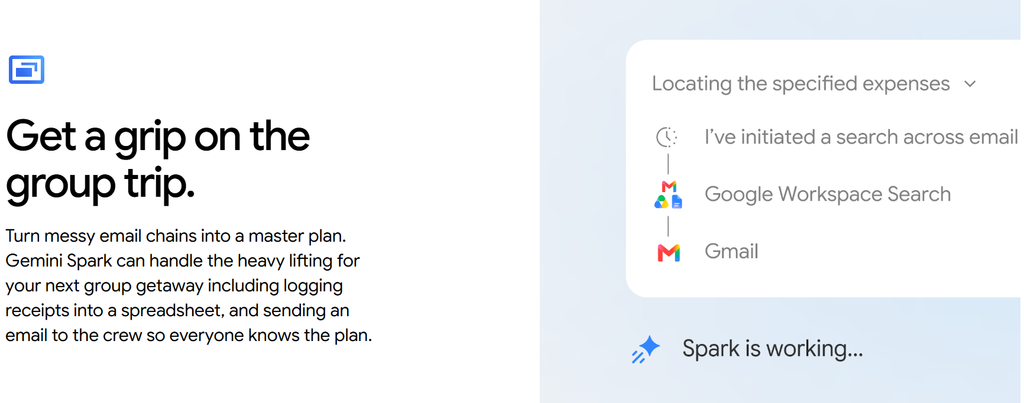
- Reading and acting across connected Google services, including Gmail, Calendar, Docs, Slides, Sheets, Tasks, Keep, and now Google Photos
- Booking or reservation-style actions through connected third-party apps (for example, restaurant reservations or grocery orders), with a confirmation step before anything irreversible happens
- Browsing the web through Chrome using a user’s logged-in sessions, for tasks like comparing flight options or scheduling an apartment viewing
- Connecting to custom tools and services through Model Context Protocol (MCP) support
Google has said it has added safeguards against prompt injection — attempts by malicious web content to hijack an agent’s instructions — though it hasn’t published full technical detail on how those protections work.
Security and Privacy Considerations
Because Spark can act using logged-in accounts and stored credentials, it’s worth being deliberate about what you connect it to, especially early in a beta:
- Review which third-party apps and services are connected, and disconnect any you don’t actively use.
- Treat the “confirm before booking/purchasing” step as a real checkpoint — read what Spark is about to do before approving it.
- Be cautious about assigning Spark tasks that touch financial accounts or sensitive personal data until you understand its current limits.
- Expect behavior to change during the beta; re-check permissions periodically rather than assuming an old setup is still accurate.
Who Should Try Gemini Spark Now?
Spark is worth testing now if you’re already paying for Google AI Pro or Ultra, are comfortable being an early adopter, and have use cases like inbox triage, research summaries, or cross-app scheduling that don’t require perfect reliability yet.
It’s reasonable to wait if you’re in an excluded region, need enterprise/managed-account support, or would rather use a fully mature product than a beta whose behavior can still change without much notice.
Pros & Cons
| Pros | Cons |
|---|---|
| Handles multi-step tasks in the background instead of requiring a live chat session | Still excluded in the EEA, UK, Switzerland, and Nigeria as of this writing |
| Confirms with the user before irreversible actions like bookings or purchases | Not available on the free or entry-level Google AI Plus tiers |
| Growing list of connected apps (Google Workspace plus third parties like OpenTable, Dropbox, and Ticketmaster) | Some integrations are announced as “rolling out” but not immediately live on every account |
| Runs on dedicated cloud infrastructure, so it can keep working after you close the app | Requires an active Google AI Pro or Ultra subscription, plus Keep Activity enabled |
| Chrome integration lets it act on logged-in sessions for real-world errands | Beta status means interface, limits, and behavior can change without much warning |
Comparison Table: Google AI Pro vs. Google AI Ultra for Spark Access
| Factor | Google AI Pro | Google AI Ultra |
|---|---|---|
| Price | $19.99/month | Starting around $99.99/month, with a higher-limit tier near $199.99/month |
| Spark access | Yes, expanding from the US to 160+ countries, English-first | Yes, with broader language support in eligible markets |
| Excluded regions | EEA, UK, Switzerland, Nigeria | EEA, UK, Switzerland, Nigeria |
| Usage limits | Standard limits for the tier | Higher usage quotas than Pro |
| Best use case | Individuals who want Spark alongside everyday Gemini and Workspace features | Heavy users who also want Google’s top-tier video, reasoning, and storage features |
| Limitation | Access still region/language-gated even on this tier | Meaningfully higher price for users who only want Spark itself |
Google hasn’t positioned one tier as strictly “better” for Spark specifically — Pro gets you access at a lower price, while Ultra adds broader current availability and higher limits across Google’s AI products generally. Choose based on whether you need Ultra’s other features, not on Spark eligibility alone.
Read more: Gemini for macOS: Features, Setup, and Everything You Need to Know
Alternatives
If Spark isn’t available to you yet, or you want to compare it against other task-delegating AI agents:
Standard Gemini chat (free or any paid tier) What it is: Google’s regular conversational assistant, without persistent background tasking. Main strength: Available to everyone right now, no region restrictions tied to Spark specifically. Main limitation: Requires you to stay in the conversation; it doesn’t keep working after you leave. Best for: Quick questions, drafting, and single-turn tasks.
ChatGPT (with agent/task features, where available) What it is: OpenAI’s assistant, which has its own task-delegation and browsing features in some plans. Main strength: Broad availability and a mature plugin/connector ecosystem. Main limitation: Feature availability and pricing structure differ from Google’s tiers, so a direct comparison depends on your specific plan. Best for: Users already inside OpenAI’s ecosystem who want agent-style features without switching providers.
Zapier or Make (automation platforms) What it is: Rules-based automation tools that connect apps and trigger actions. Main strength: Predictable, rule-based behavior rather than an AI making judgment calls. Main limitation: Requires manual setup of each workflow; it won’t independently research or plan a task the way an AI agent does. Best for: Repetitive, well-defined workflows where you don’t need AI reasoning in the loop.
Native app automations (Gmail filters, Google Calendar rules, etc.) What it is: Built-in automation inside the apps you already use. Main strength: No extra subscription and no beta instability. Main limitation: Very limited compared to an AI agent — no research, no cross-app reasoning. Best for: Simple, narrow tasks like sorting email or recurring calendar events.
FAQs
Is Gemini Spark available to everyone now?
Answer: No. It’s limited to Google AI Pro and Google AI Ultra subscribers, and it’s still excluded in the EEA, UK, Switzerland, and Nigeria as of this writing.
Do I need Google AI Ultra to use Spark, or does Pro work too?
Answer: Both can work. Google AI Pro subscribers in supported countries get English-language access, while Ultra subscribers get broader language support in eligible markets.
Why can’t I find Spark in my Gemini app even though I’m subscribed?
Answer: Check three things — your country/language eligibility, whether Keep Activity is enabled on your account, and whether you meet the 18-plus age requirement. Rollouts also happen in waves, so a short delay after eligibility opens up is normal.
Can Gemini Spark make purchases or bookings without asking me first?
Answer: Google has said Spark pauses before irreversible actions, like completing a purchase or confirming a reservation, and asks the user to approve that step.
Is Gemini Spark free?
Answer: No. It’s currently bundled with the paid Google AI Pro and Google AI Ultra subscriptions, not the free tier or the lower-cost Google AI Plus plan.
Which apps does Gemini Spark connect to?
Answer: Google-side integrations include Gmail, Calendar, Docs, Slides, Sheets, Tasks, Keep, Google Photos, and Chrome, alongside third-party connections such as OpenTable, Dropbox, Canva, Instacart, Zillow Rentals, and others added over time, plus custom connections via Model Context Protocol (MCP).
Will Gemini Spark come to the UK, EU, Switzerland, or Nigeria?
Answer: Google hasn’t published a timeline for those regions. The exclusion has remained in place through multiple rounds of expansion elsewhere.
Quick Take
Gemini Spark is Google’s agentic AI feature for handling multi-step tasks across Google and third-party apps. It’s currently available to Google AI Pro and Ultra subscribers in most countries except the EEA, UK, Switzerland, and Nigeria. Its main advantage is background, cross-app task handling with a confirmation step before irreversible actions. Its main limitation is that it’s still a beta with shifting availability and regional gaps. Users without access can rely on standard Gemini chat or dedicated automation tools like Zapier in the meantime.
Conclusion
Gemini Spark has moved well past its original small-scale beta, but “available” still comes with real conditions attached. If you’re a Google AI Pro or Ultra subscriber outside the excluded regions, it’s worth turning on and testing with low-stakes tasks first. If you’re on the free tier, Google AI Plus, or in one of the excluded countries, there’s no official access point yet, and no published date for when that will change.
The most important takeaway is that this is a staged beta, not a finished product: Google has adjusted pricing, model, region, and integration details several times since launch, so it’s worth checking the Gemini app directly rather than relying on any single snapshot — including this one — as a permanent answer.
Author Bio
TechyUpdate Editorial Team covers practical technology, AI tools, apps, software and digital productivity, with a focus on clear, useful and independently researched guides.